Weekly timesheets allow you to bypass the timer, start and finish times to just enter a total timesheet duration.
Select the Project and Task only:
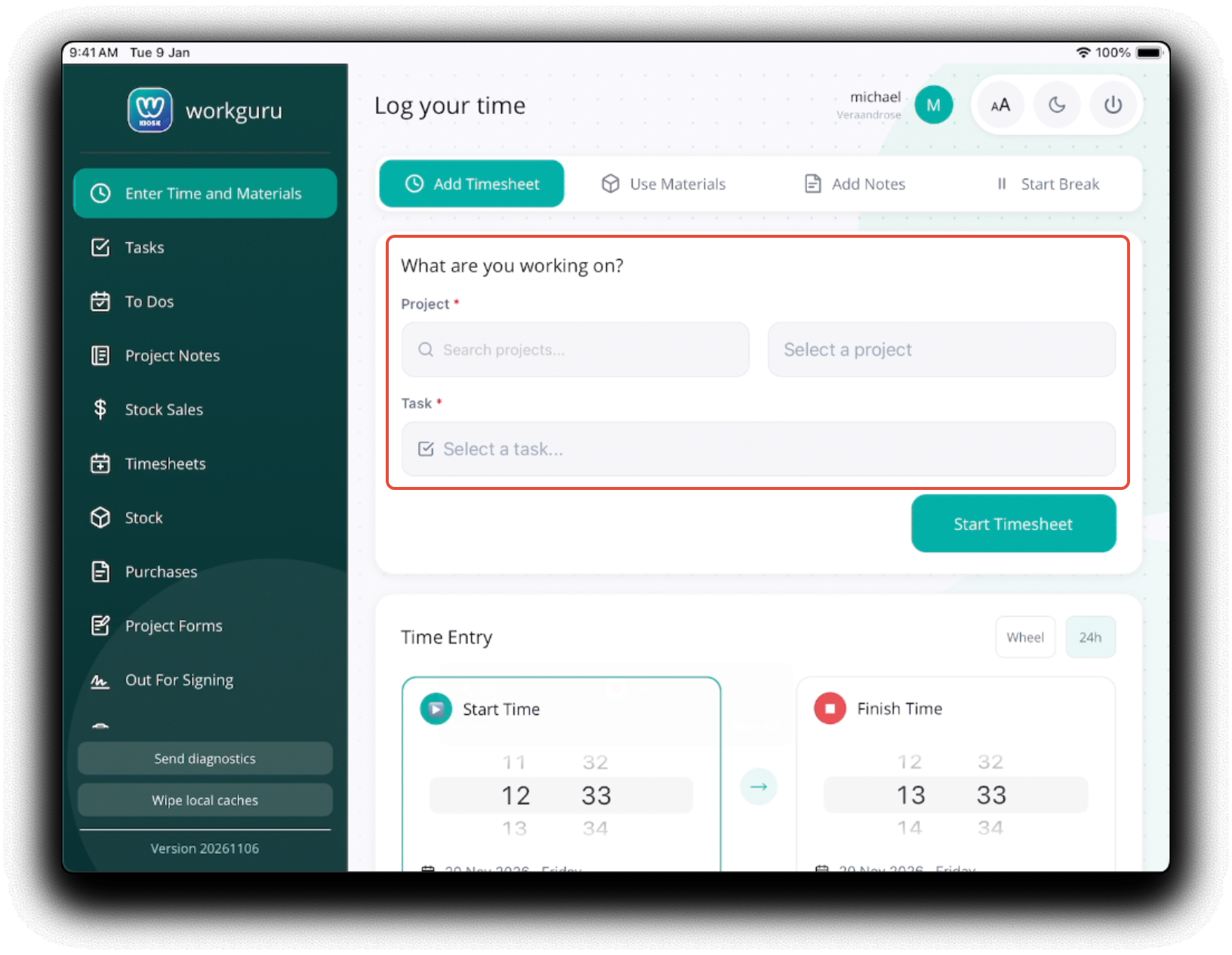
- Project - Tap Search or Select Project to choose the project. You can refine this list by searching for either the project number or name keywords before tapping Select a Project.
- Task - Select the project's task, it will also include the phase that the task is assigned to if relevant in the following format - Task name - Phase name.
Disregard the time entry options and tap on the Total Duration time. Type in the total time in hours and minutes of the timesheet.
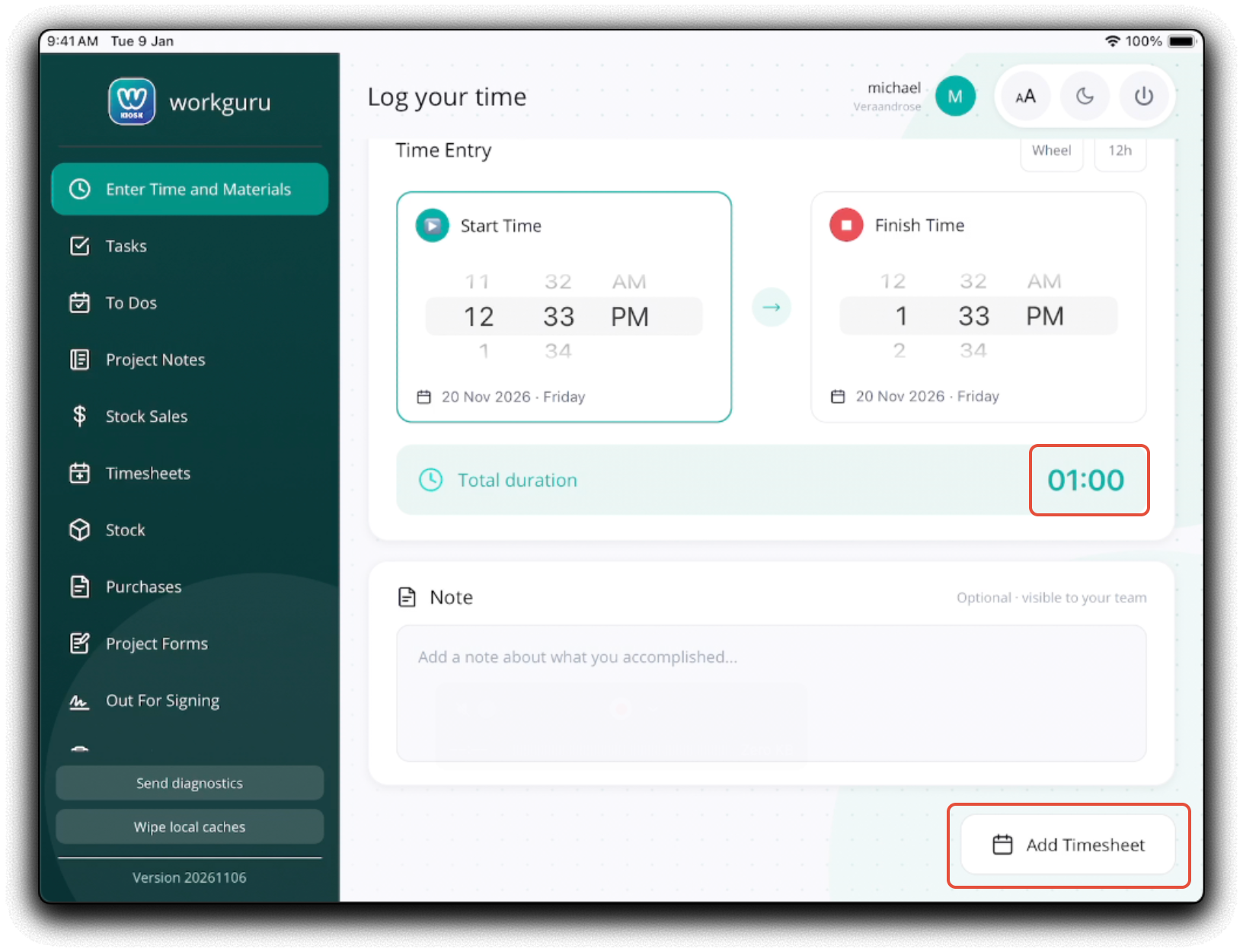
Enter any optional timesheet Notes if required and tap Add Timesheet to save the weekly timesheet.
Was this article helpful?
That’s Great!
Thank you for your feedback
Sorry! We couldn't be helpful
Thank you for your feedback
Feedback sent
We appreciate your effort and will try to fix the article