If there are issues with the workflows running try these tips to ensure everything is running optimally
Common Issues
- New workflows not setup correctly or not all requirements entered after installing from the automations library.
- Issues with Conditions not setup correctly to match the required trigger. For example, an Equals logic for a condition when matching a text string you need to ensure the text is EXACTLY correct, including case sensitivity. It may be better to use a Contains condition which is a broader match.
- Workflows not active.
Recommended Troubleshooting
Check the Runs Today, Needs Review and Failed widgets periodically. These flag workflows whose actions hit an error. For example, an email that couldn't find a recipient.
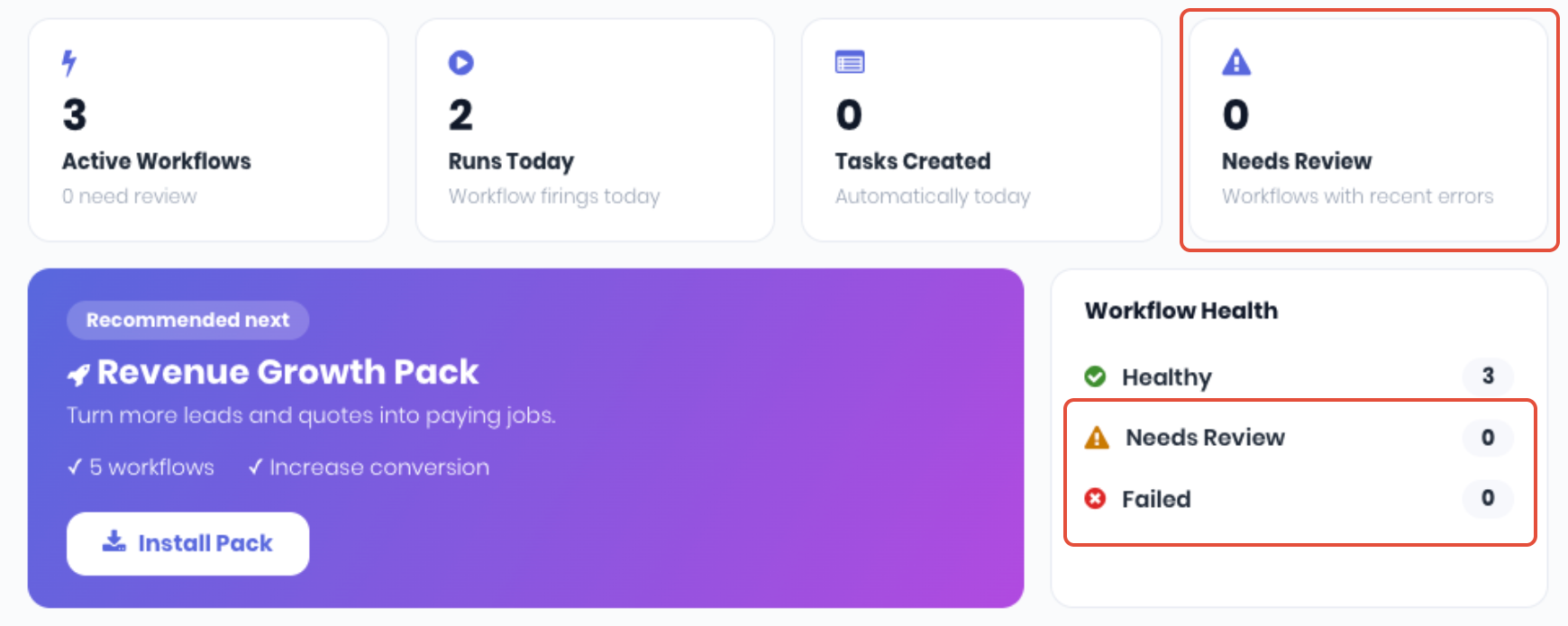
Use the Status and run stats, particularly the Last Run stats, of a workflow to confirm your automations are firing as expected.

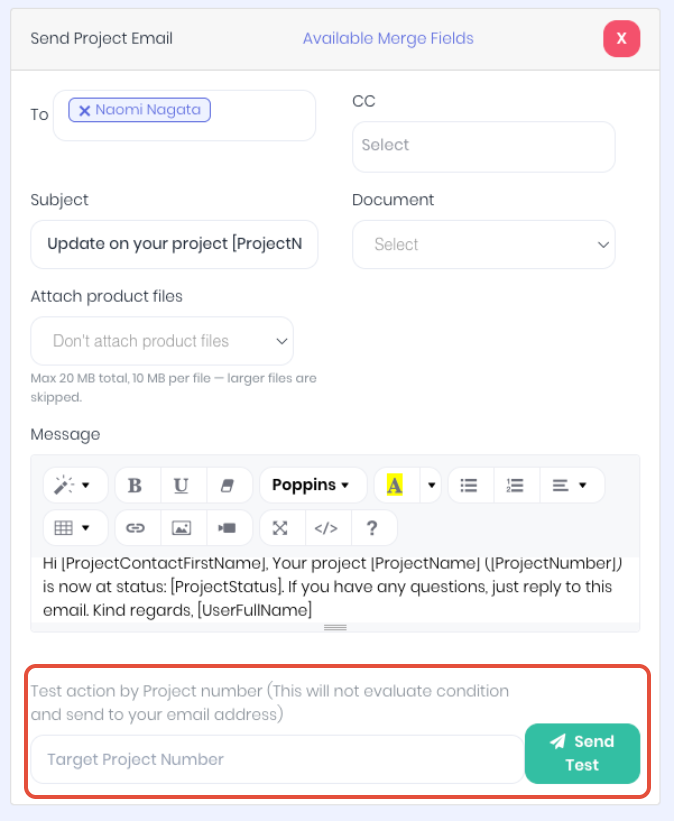
If you are having issues with email delivery when using email actions, confirm the recipients emails are setup correctly in the relevant records, client, suppliers, contacts, staff/users etc. You can test the email delivery only of an action by using the Send Test button on the bottom of the email action. Note: This will not evaluate the trigger and conditions, it is just testing the email template and delivery.
Was this article helpful?
That’s Great!
Thank you for your feedback
Sorry! We couldn't be helpful
Thank you for your feedback
Feedback sent
We appreciate your effort and will try to fix the article