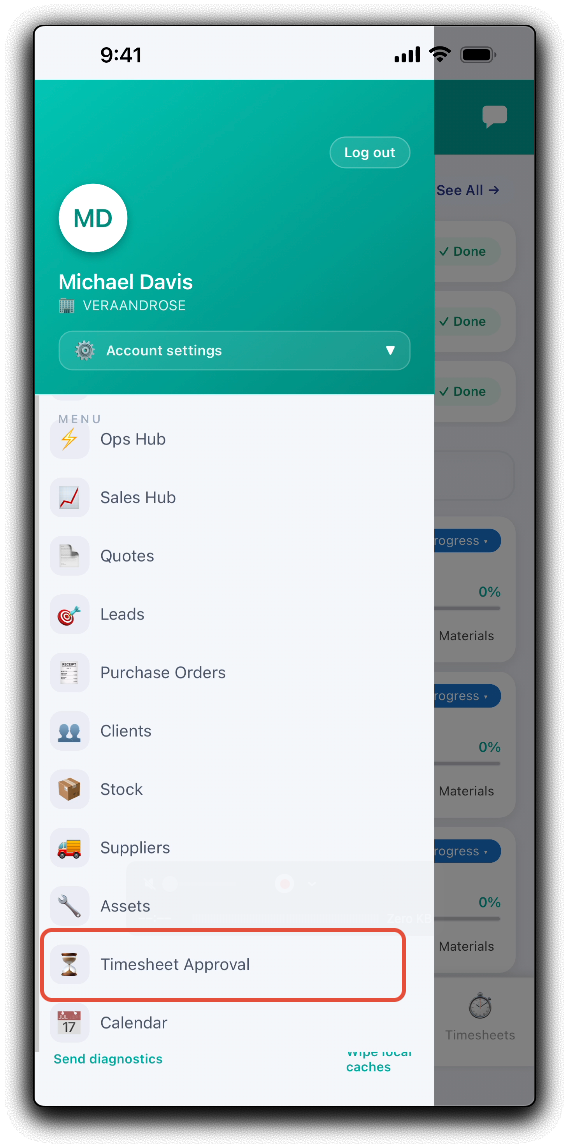
If your timesheet workflow requires an approval process, you can manage your timesheet approval on the go with the WorkGuru mobile app. Open the timesheet approval dashboard by tapping Timesheet Approval in the mobile app menu.
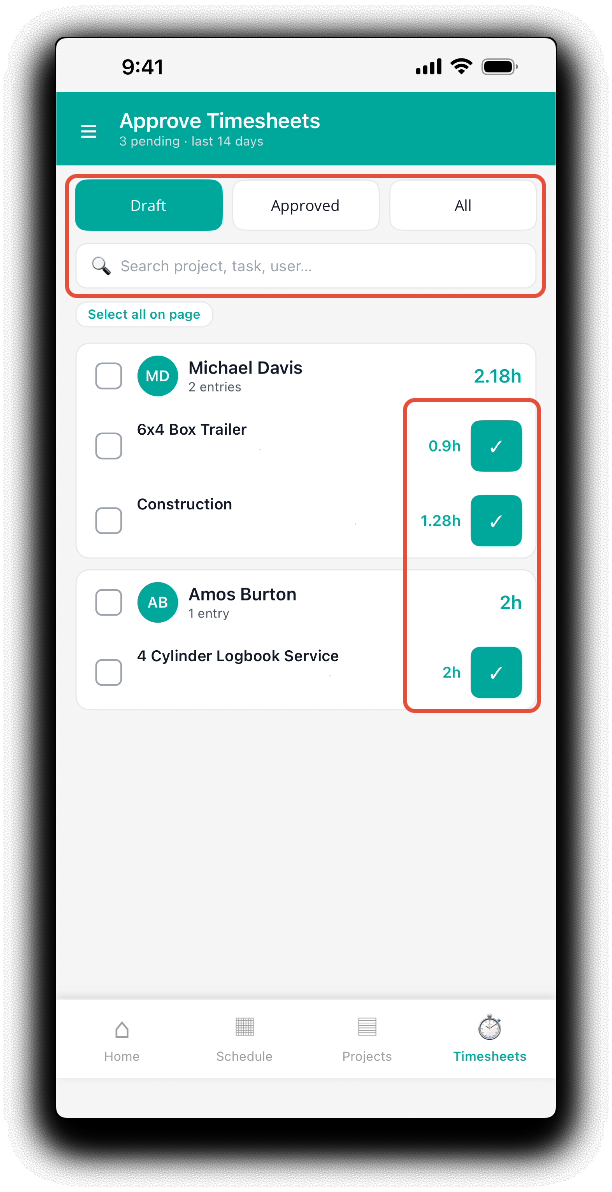
From the timesheet approval dashboard filter the displayed timesheets by Draft, Approved and All. Search for Timesheets by project, task or staff/user.
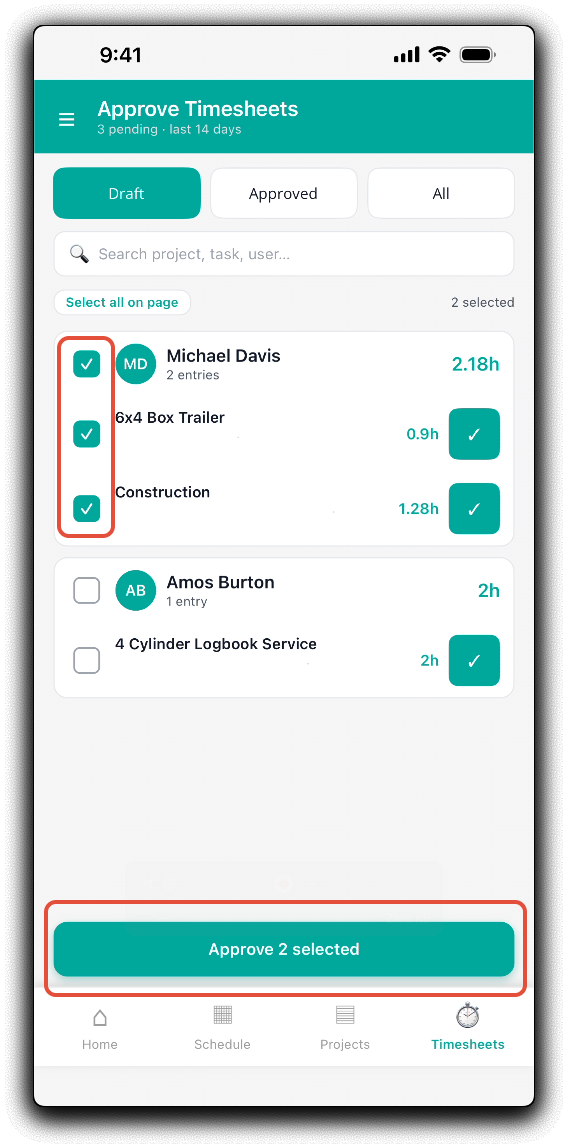
Approve individual timesheets by tapping the green tick next to the timesheet. Select multiple timesheets to approve by selecting the checkbox next to a staff name, or the check boxes next to the individual timesheets. Tap Approve X Selected to confirm the bulk approval.
Was this article helpful?
That’s Great!
Thank you for your feedback
Sorry! We couldn't be helpful
Thank you for your feedback
Feedback sent
We appreciate your effort and will try to fix the article