You can keep track of your assigned to-dos and mark them complete with the mobile app on the go. Mobile to-dos can be accessed and managed from:
My To-Dos Dashboard
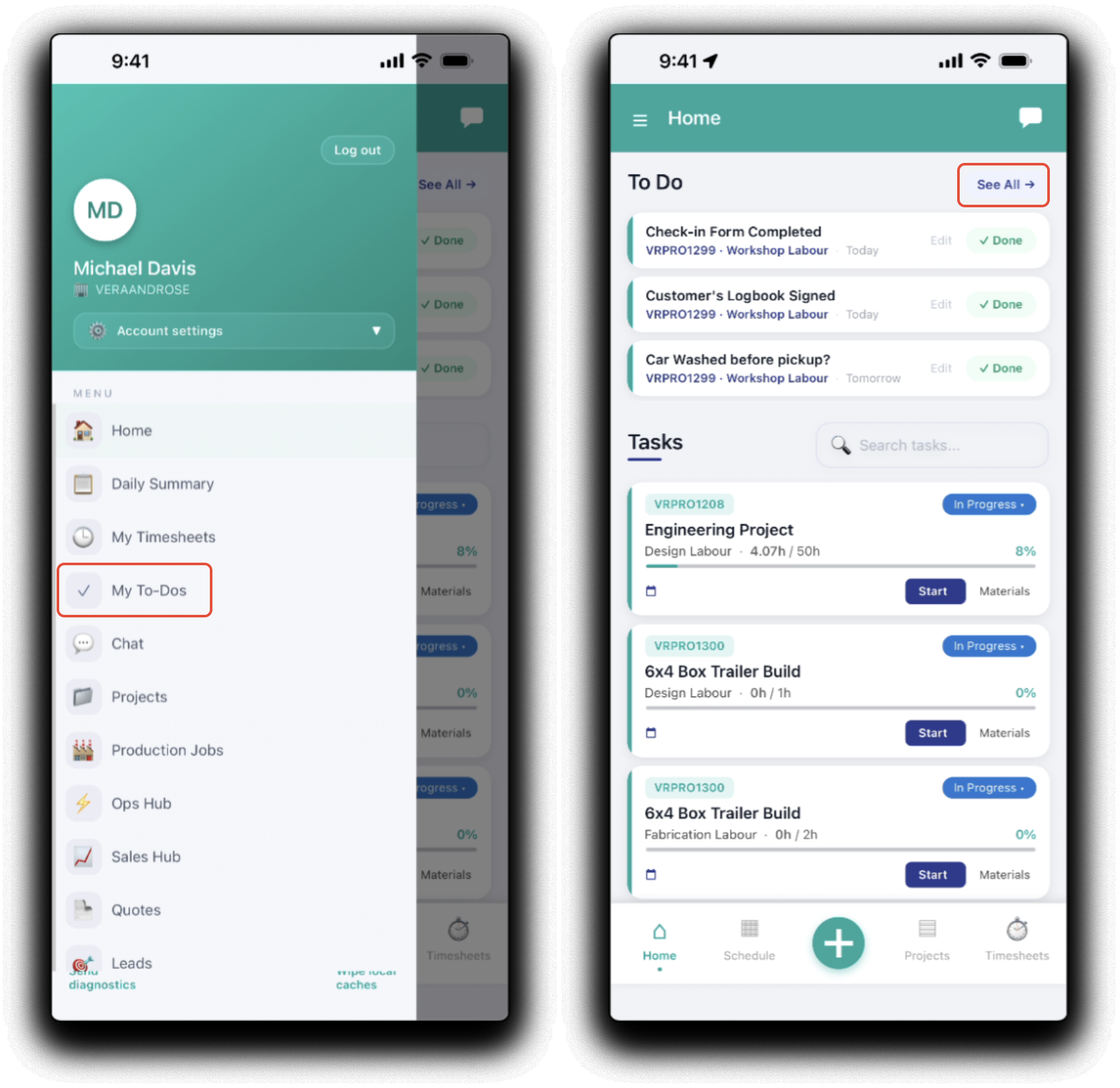
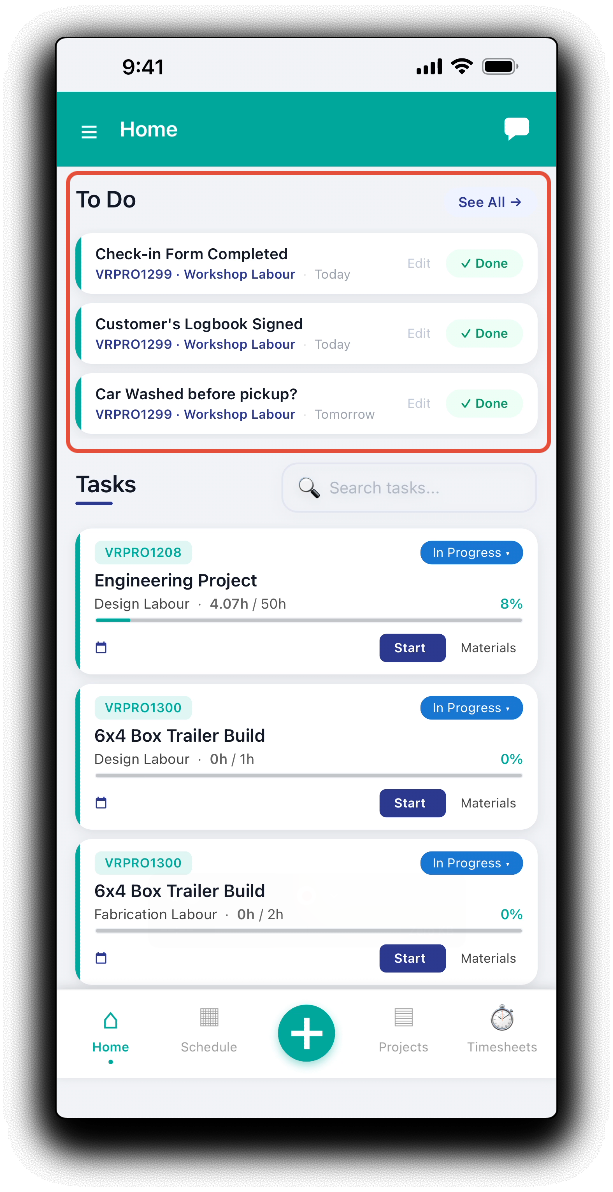
The full to-do list can be accessed by tapping My To-Dos in the mobile app menu or See All -> above the to do list on the home page.
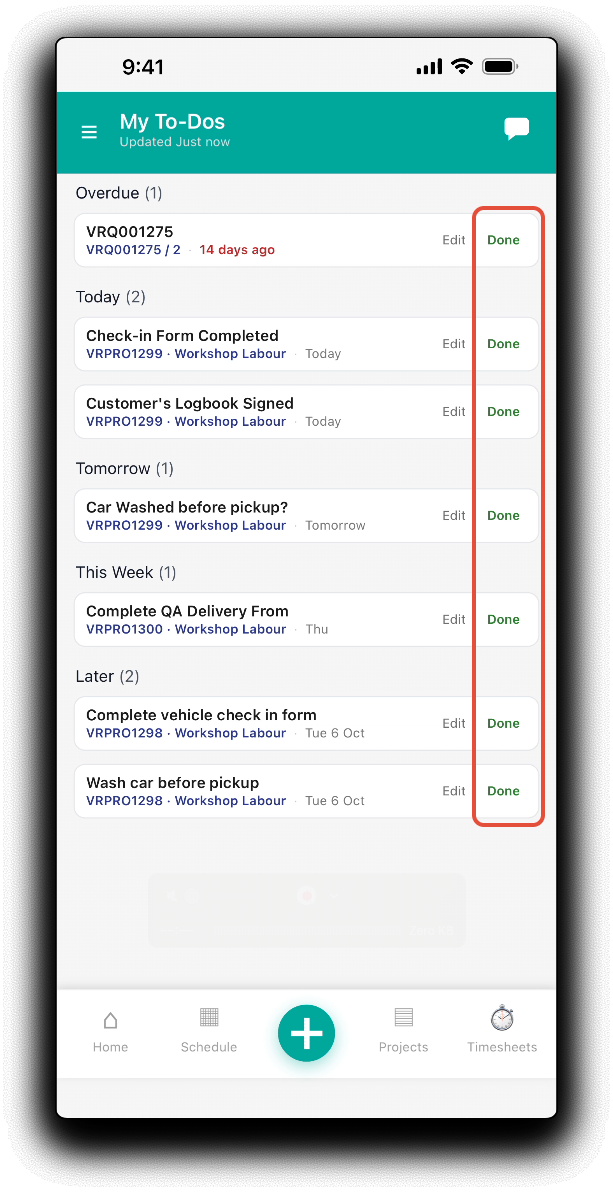
The My To-Dos dashboard displays assigned ad-hoc, lead, quote, project and production job to-dos in schedule order. by Overdue, Today, Tomorrow, This Week and Later.
Completing To-Dos
Mark assigned To-Dos as complete by tapping on the Done icon. The completed to do will be removed from the home page.
Adding New To-Dos
To add a new to-do on the go, tap the Plus icon on the app footer.
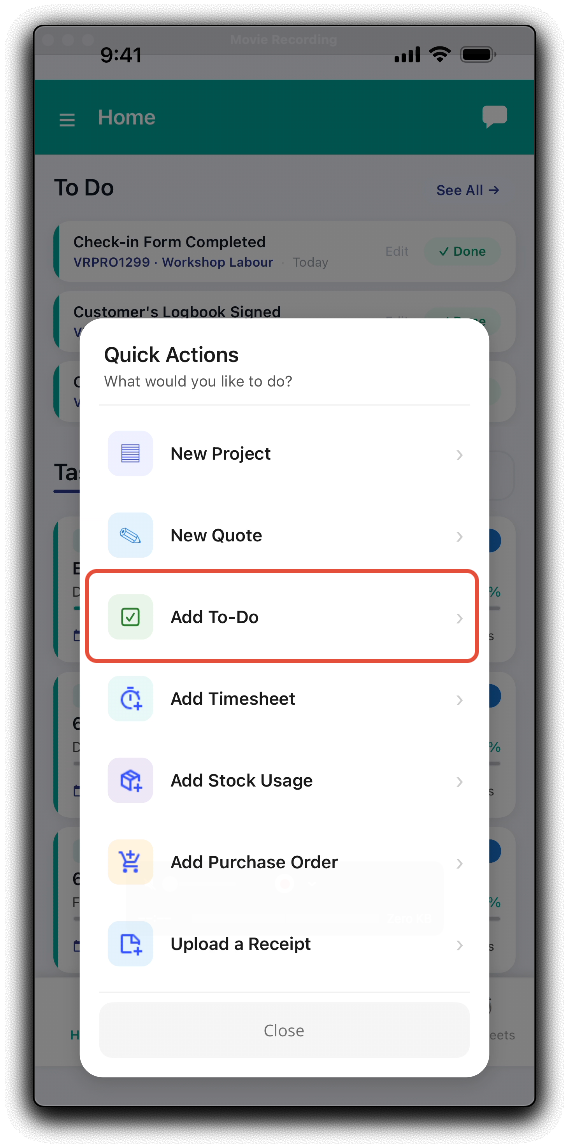
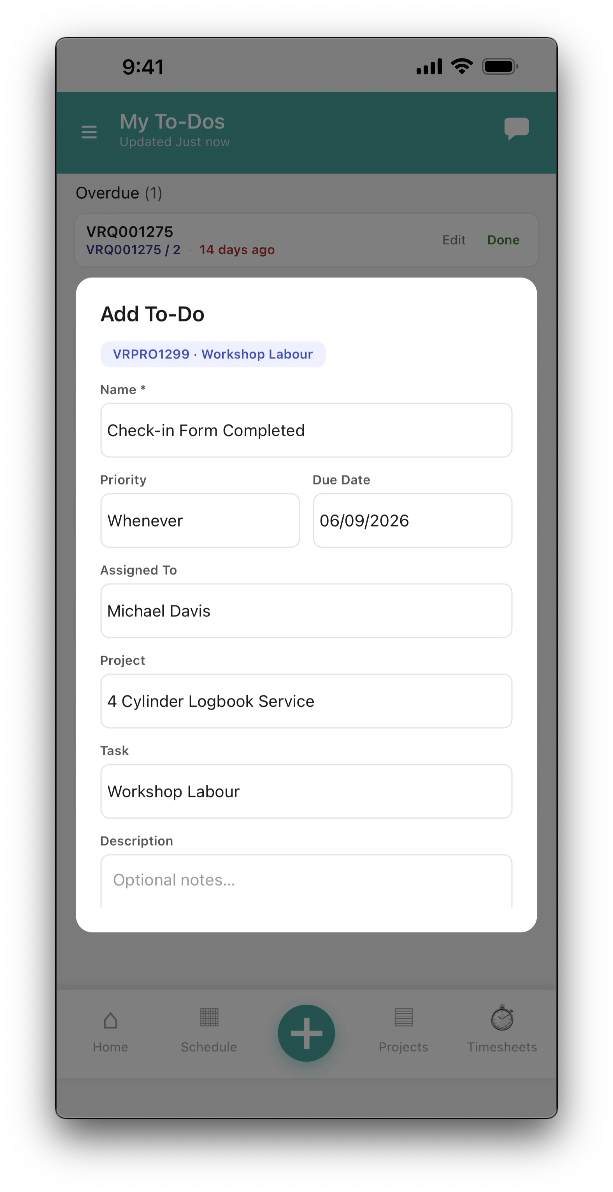
On the Add To-Do popup, fill out the fields as required:
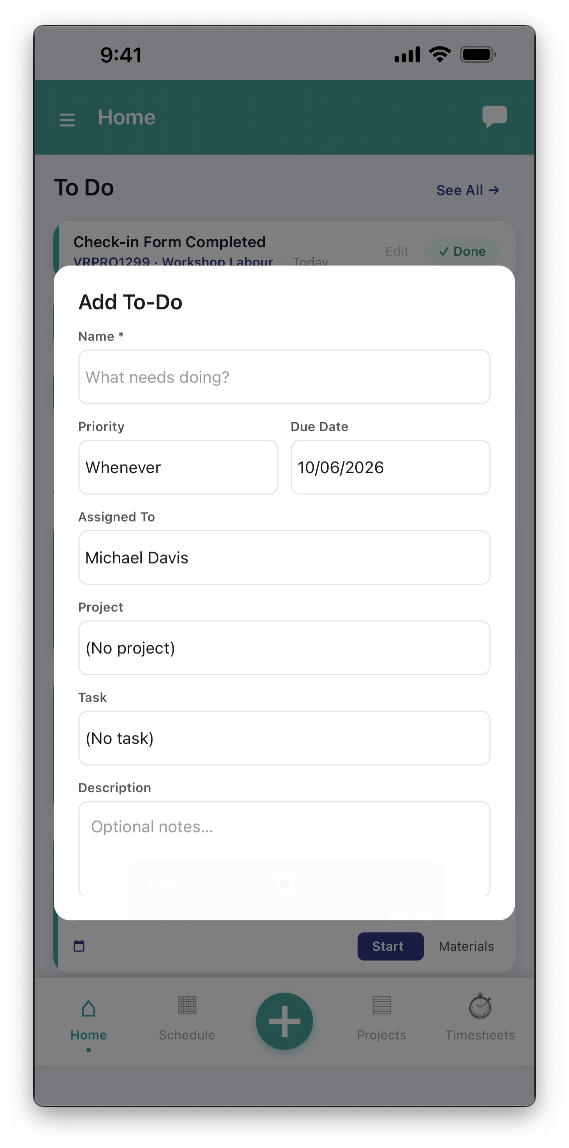
- Name - To-do name
- Priority - To-do priority. You can customise the to-do priority list to suit your workflow.
- Due Date - Date work needs to be complete by (optional)
- Assigned To - Staff member responsible. Defaults to the logged in user.
- Project - Assign to-do to an existing project (optional)
- Task - Assign to-do to a selected project's task (optional)
- Description - Additional to-do details.
Once complete, tap Save to create the new to-do.
Editing Existing To-Dos
Update assigned To Dos by tapping Edit.
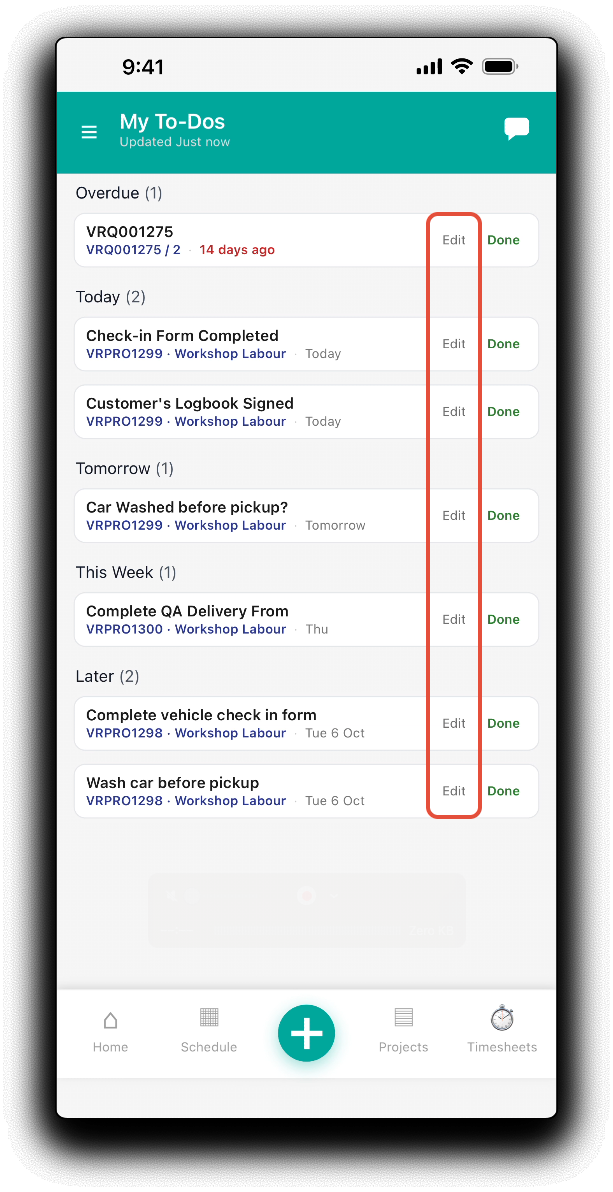
Update fields as required and tap Save to apply changes.
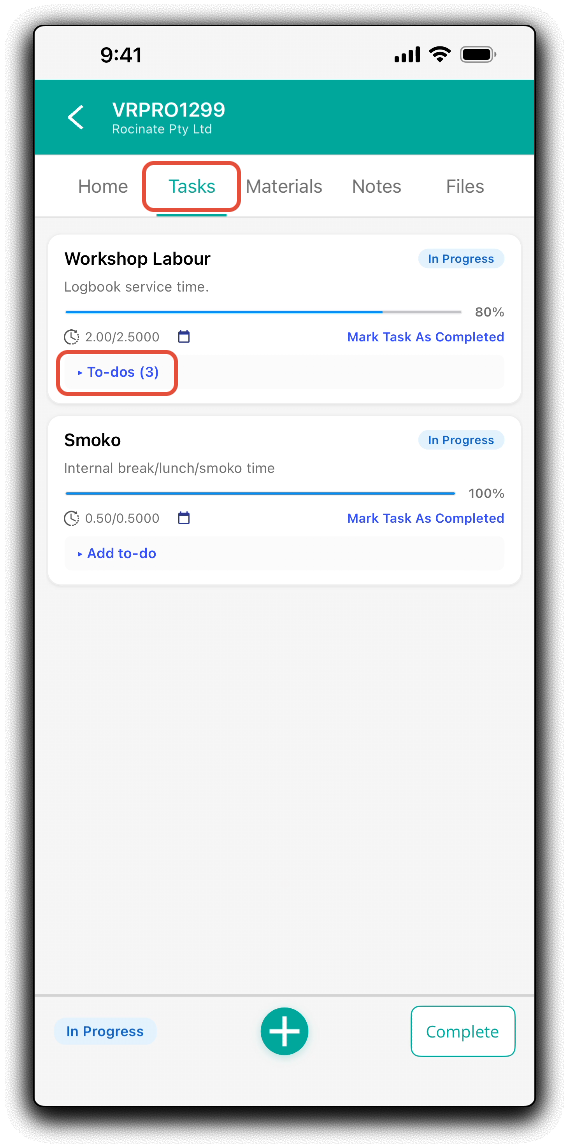
Project Task To-Dos
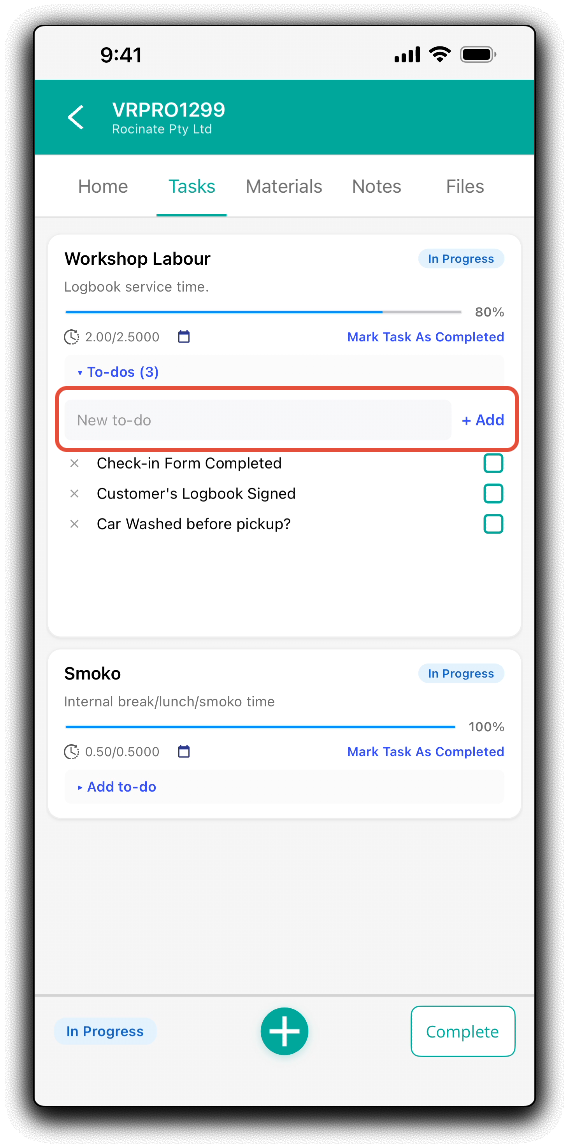
Task To Dos can be added and marked as complete from the project's Task tab. Tap To-dos to expand the task's to-do list
Completing Task To-Dos
Tap the checkboxes to mark the task to-dos as complete.
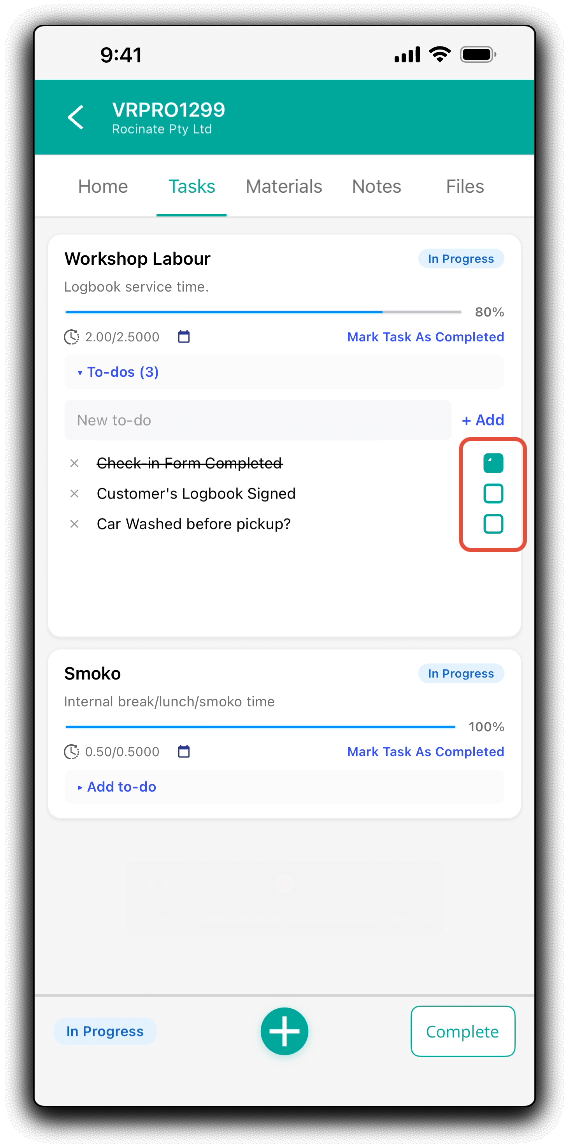
Adding Task To-Dos
Enter a new to-do into the New to-do field. Tap +Add to save to the the task's to-do list.
Deleting Task To-Dos
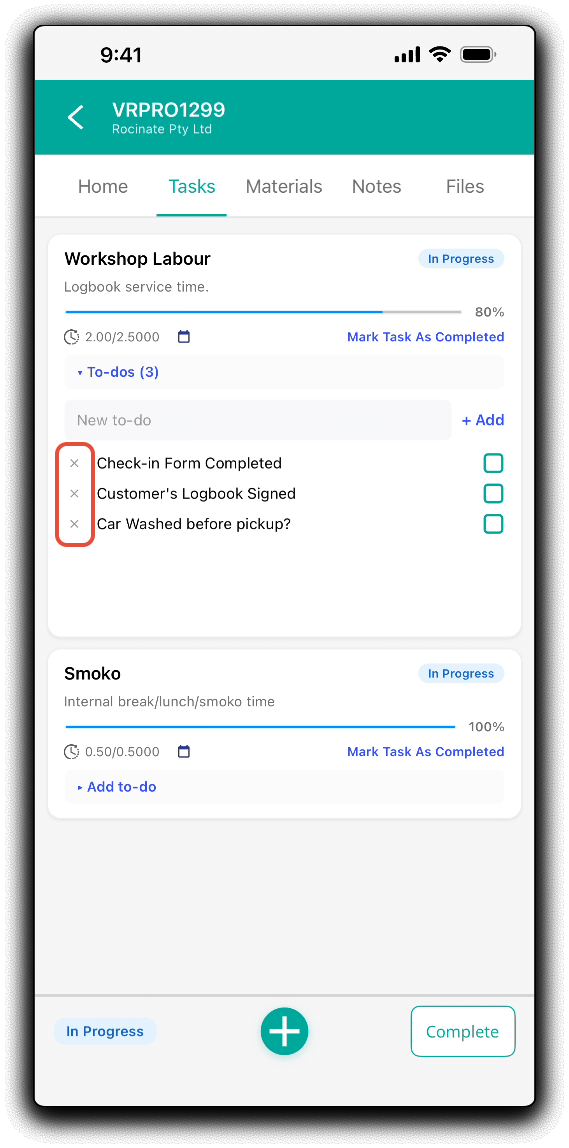
Tap the X at the start of the task to-do to remove the to-do from the task (permissions dependant).
Home Page To-Dos
The mobile app home page will display the top 3 assigned to-dos by schedule. Tap Done to complete or Edit to update.
Was this article helpful?
That’s Great!
Thank you for your feedback
Sorry! We couldn't be helpful
Thank you for your feedback
Feedback sent
We appreciate your effort and will try to fix the article