The Automation Library is where you find and install ready-made workflows so you can quickly start power your workflows with automation without having to code anything. You can access the automation library by clicking Search the Library from the workflows dashboard.
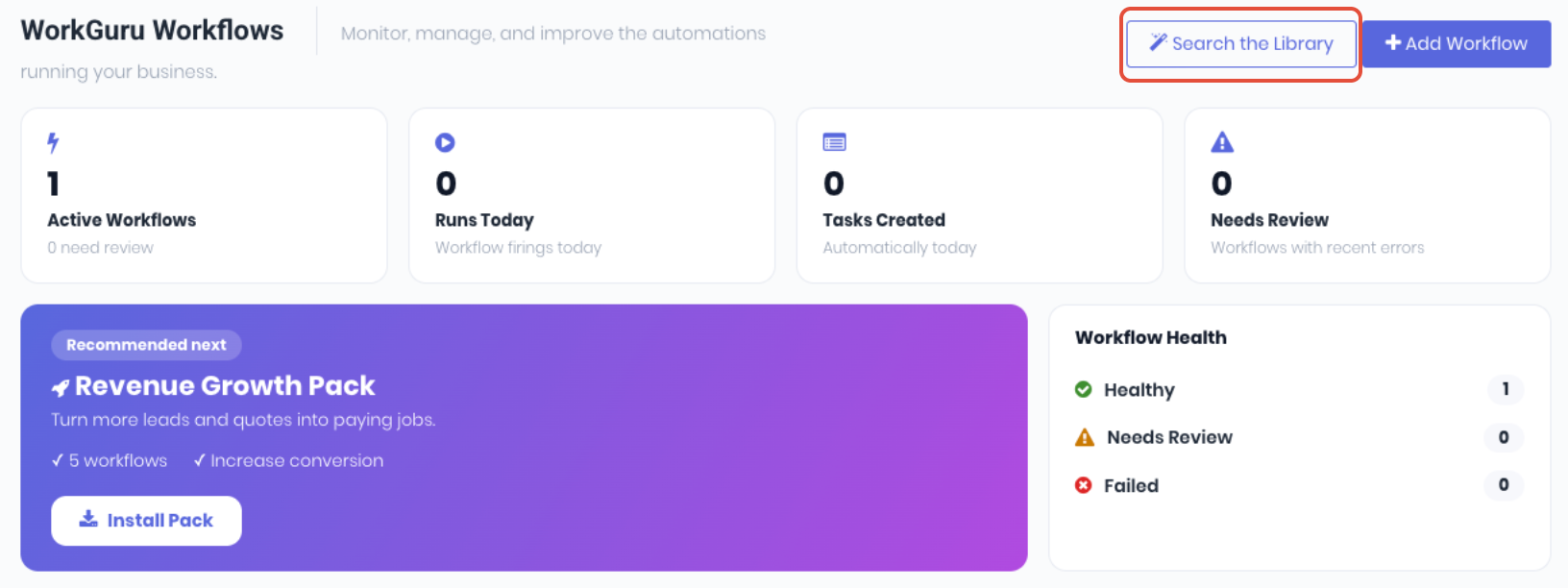
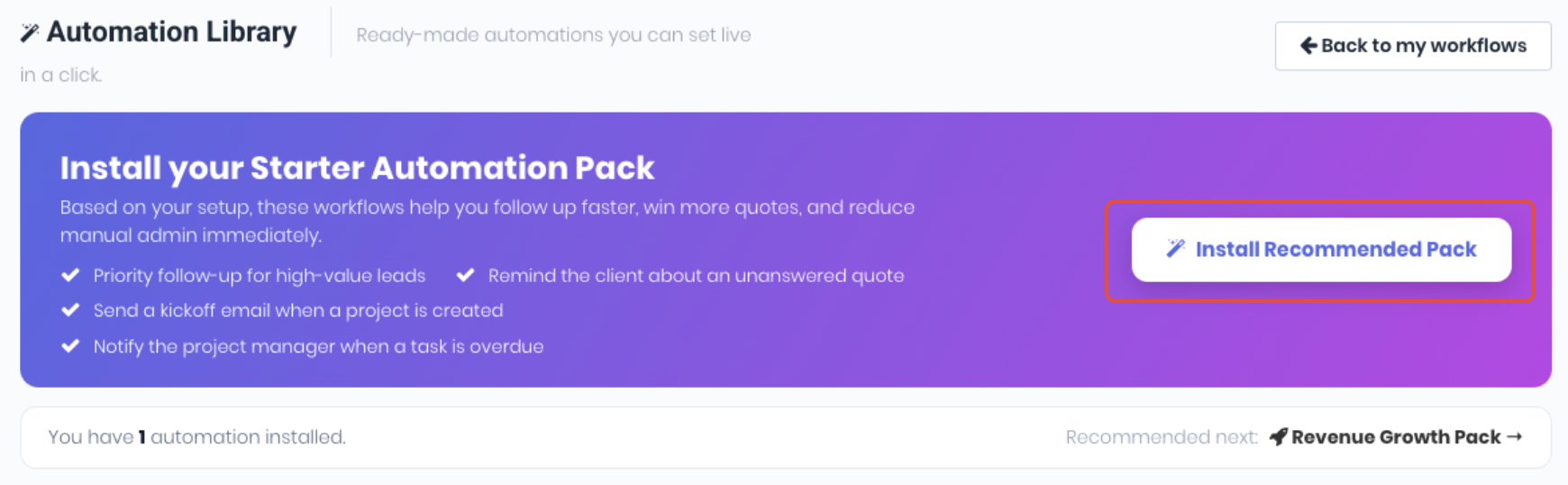
Depending on which automations are currently in use, a banner will prompt to install a starter pack of automations and then change to a series of recommended packs in order. The library will update these banners and recommendations dynamically as more automations are installed.
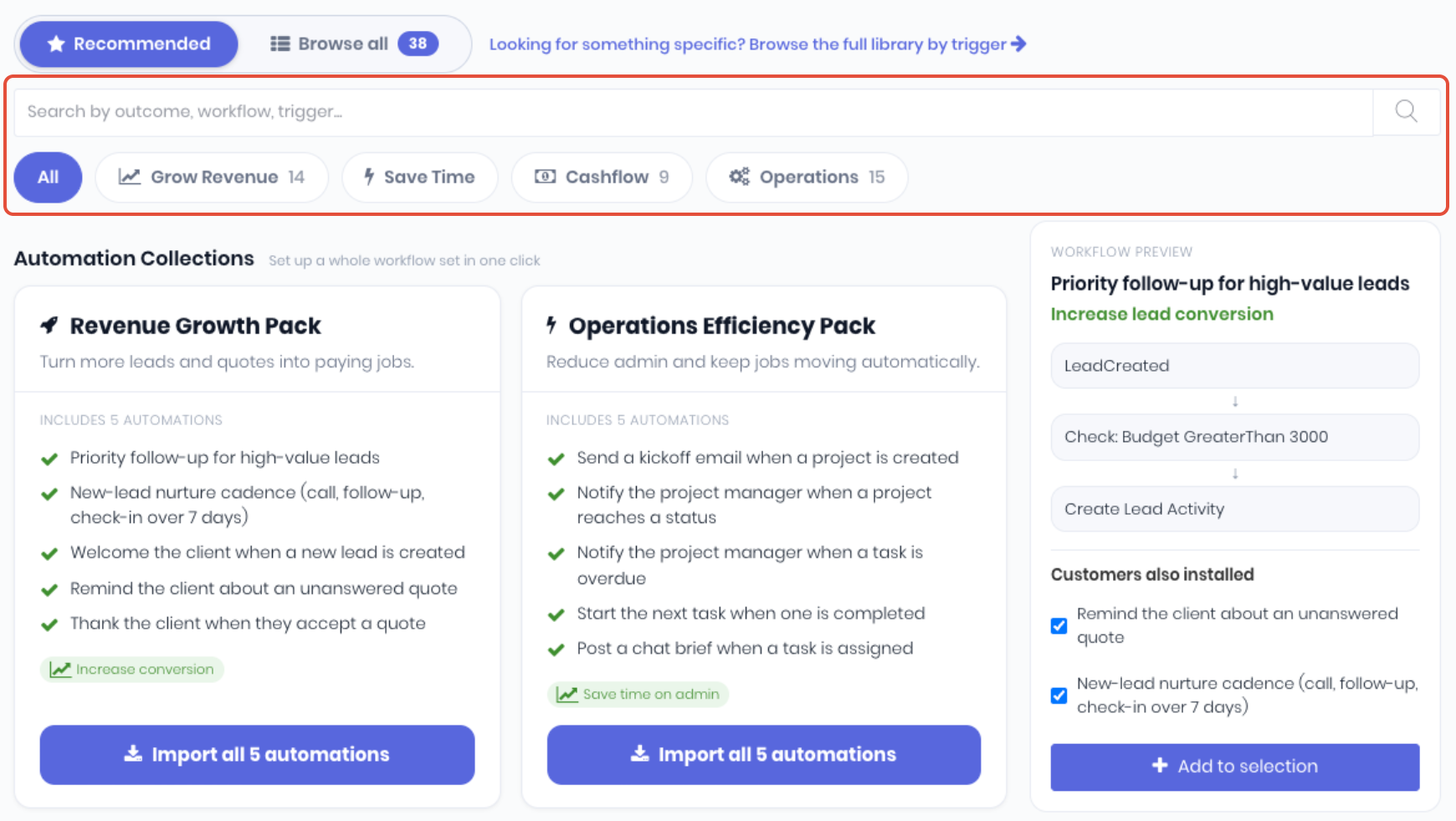
The automation library displays the available automations either as packs grouped together by outcomes, or individual automations grouped by trigger. You can toggle between the two views using the slider.

Recommended - The curated view: collections, a featured automation, and popular individual automations. Search packs by outcome, workflow or trigger or filter it with the outcome buttons: (All, Grow Revenue, Save Time, Cashflow, Operations).
Browse all - Every automation in the catalogue, grouped by Trigger. Search by outcome, workflow or trigger or filter by trigger (All, Lead, Project, Quote or ToDos)
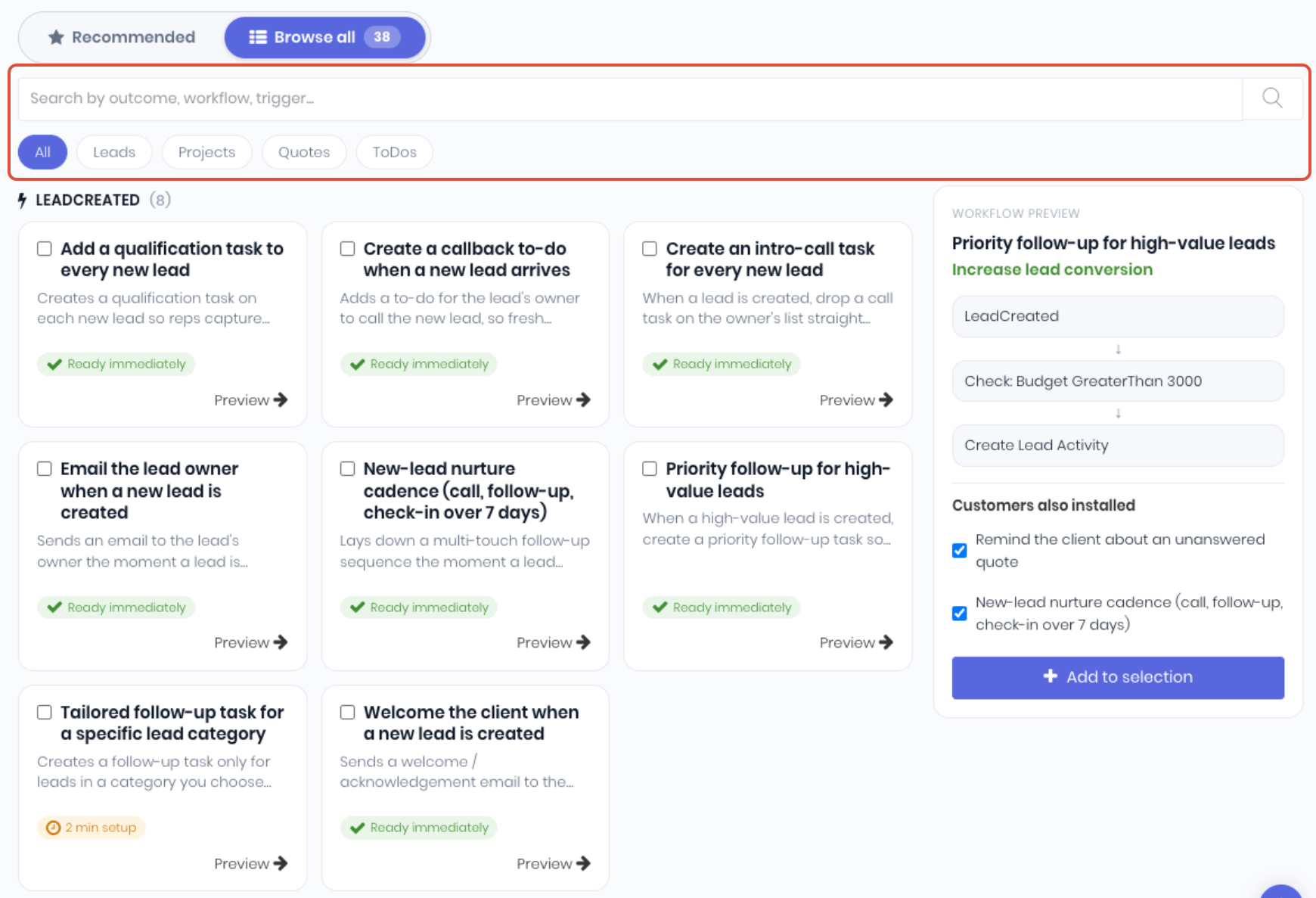
Each automation card gives you the essentials at a glance:
- Name - Name and a short description of what it does.
- Impact - The business benefit (e.g. "Increase quote wins").
- Badges - Labels for standouts (e.g. "Most Installed"). Note: The impact figures, badges and any "popular" labels are WorkGuru's general guidance to> help you choose — they aren't measurements from your own account.
- Readiness- How much setup is required to install
- Ready Immediately (Green) - No setup needed; you can activate as soon as it's imported.
- Setup required (Amber) - You'll need to fill in a detail or two (like a recipient or a status) before it can be activated.
You can also click on Preview to view more information on the right hand panel.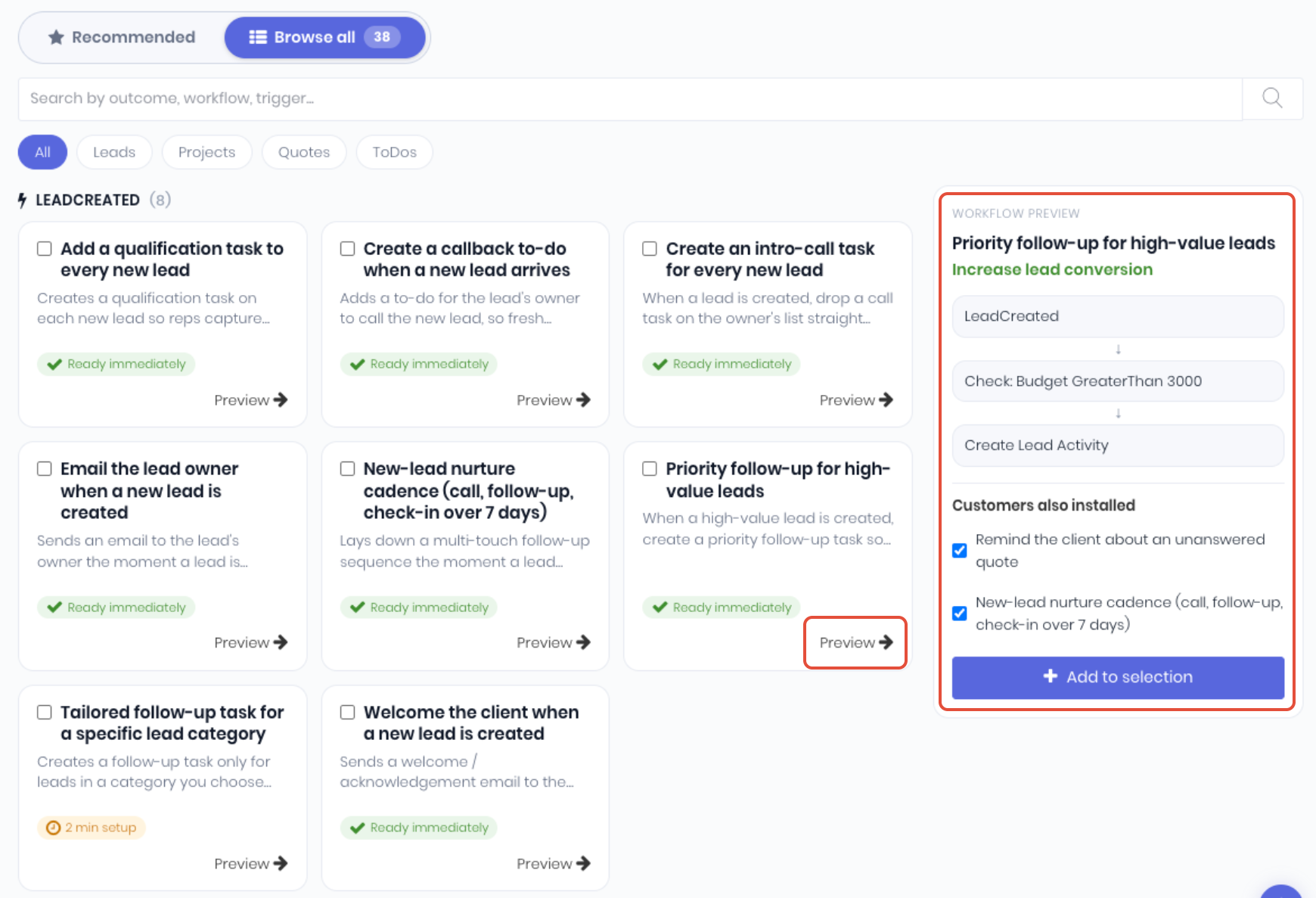
This shows the automation's full workflow: its trigger, conditions and actions laid out step by step — plus a "Customers also installed" list of related automations (pre-ticked).
Was this article helpful?
That’s Great!
Thank you for your feedback
Sorry! We couldn't be helpful
Thank you for your feedback
Feedback sent
We appreciate your effort and will try to fix the article