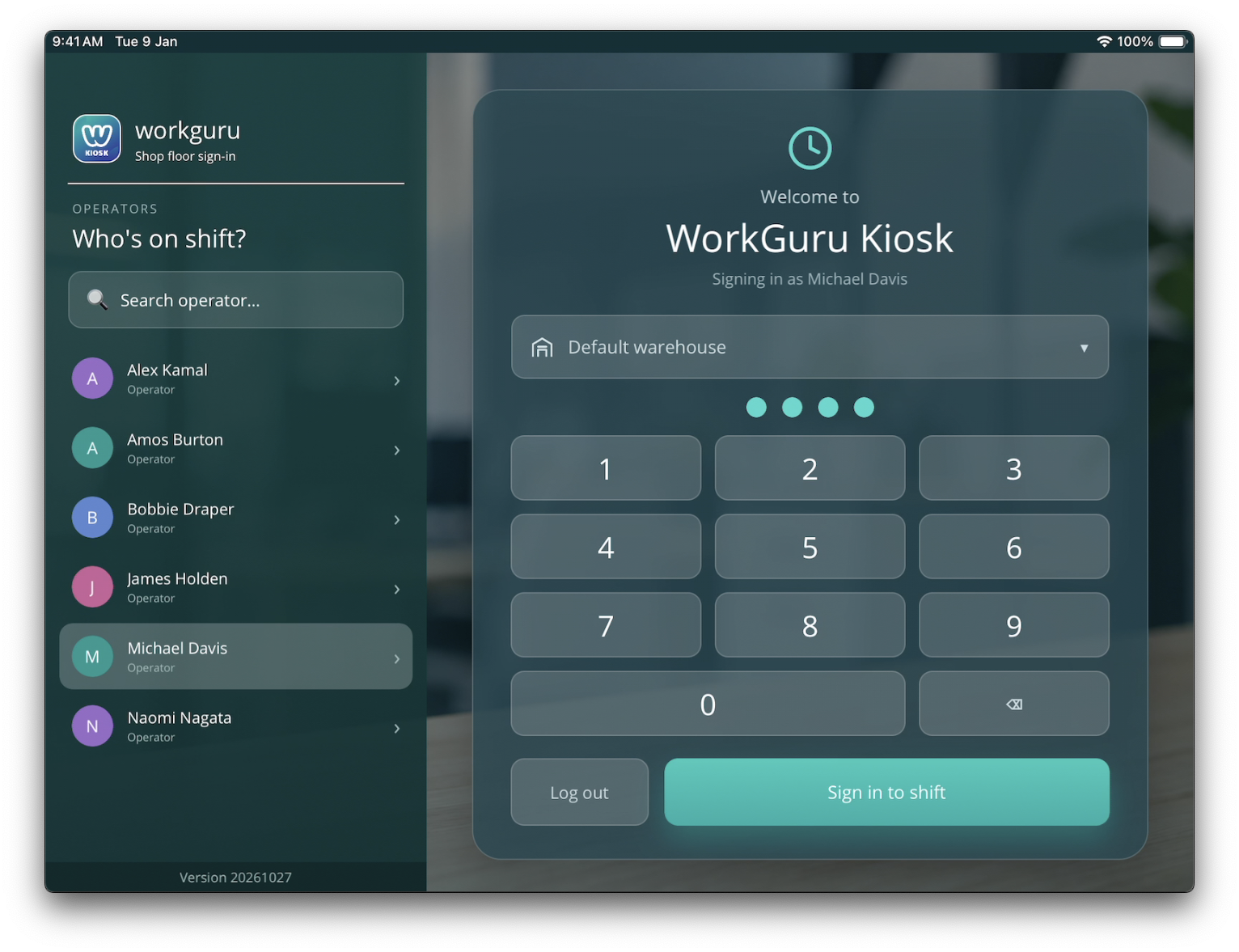
Once the kiosk application has been setup on the device, staff can sign in quickly with just their Name and PIN. Logging in is a simple 3 step process:
- Operators - Search for and/or select their name. The operator list can be managed via user settings.
- Warehouse - Select a warehouse (optional). Selecting a warehouse will only display projects assigned to that warehouse. Leaving blank will show all projects
- 4-Digit Pin - Enter their PIN. User PIN is set in the user settings. You can control PIN requirements in the kiosk settings
Once their credentials have been entered, tab Sign in to Shift to sign into the Kiosk.
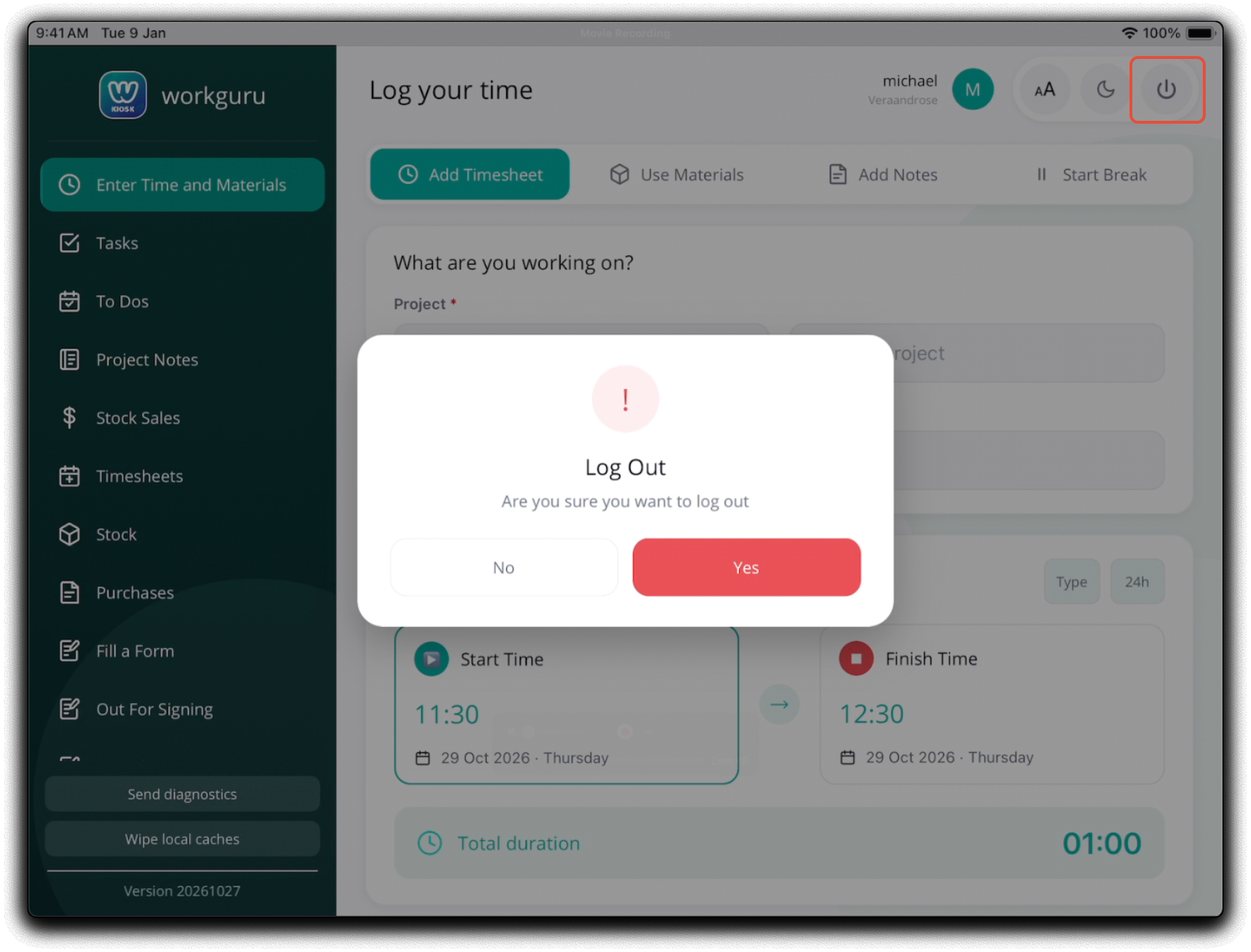
To log out of the kiosk back to the log in page, tap the user icon in the top right corner. Tap YES on the log out prompt. to confirm.
Was this article helpful?
That’s Great!
Thank you for your feedback
Sorry! We couldn't be helpful
Thank you for your feedback
Feedback sent
We appreciate your effort and will try to fix the article