To fill out any of the available forms, regardless of the type (not just projects) tap Complete a Form from the home page's Quick Actions menu.
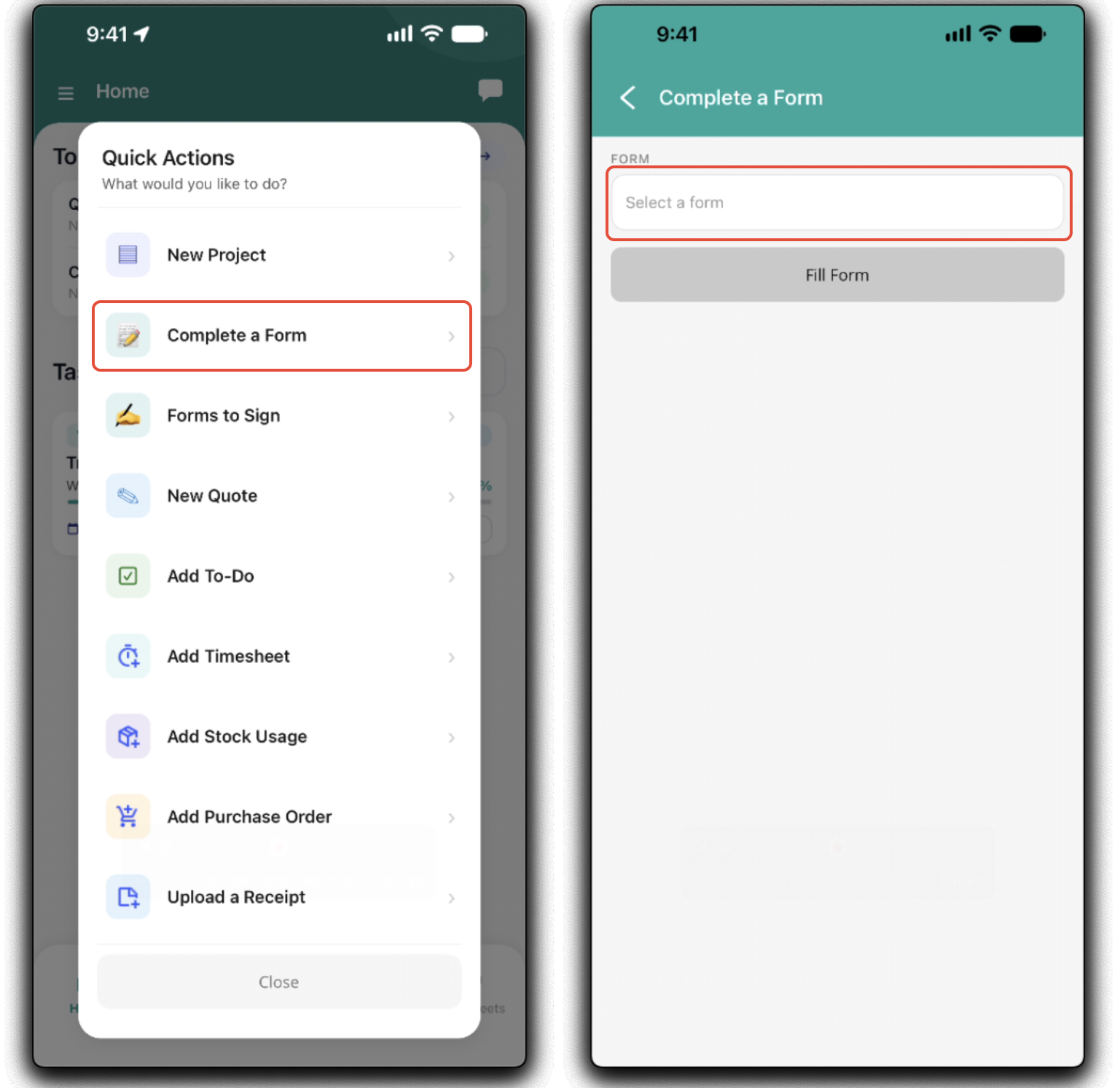
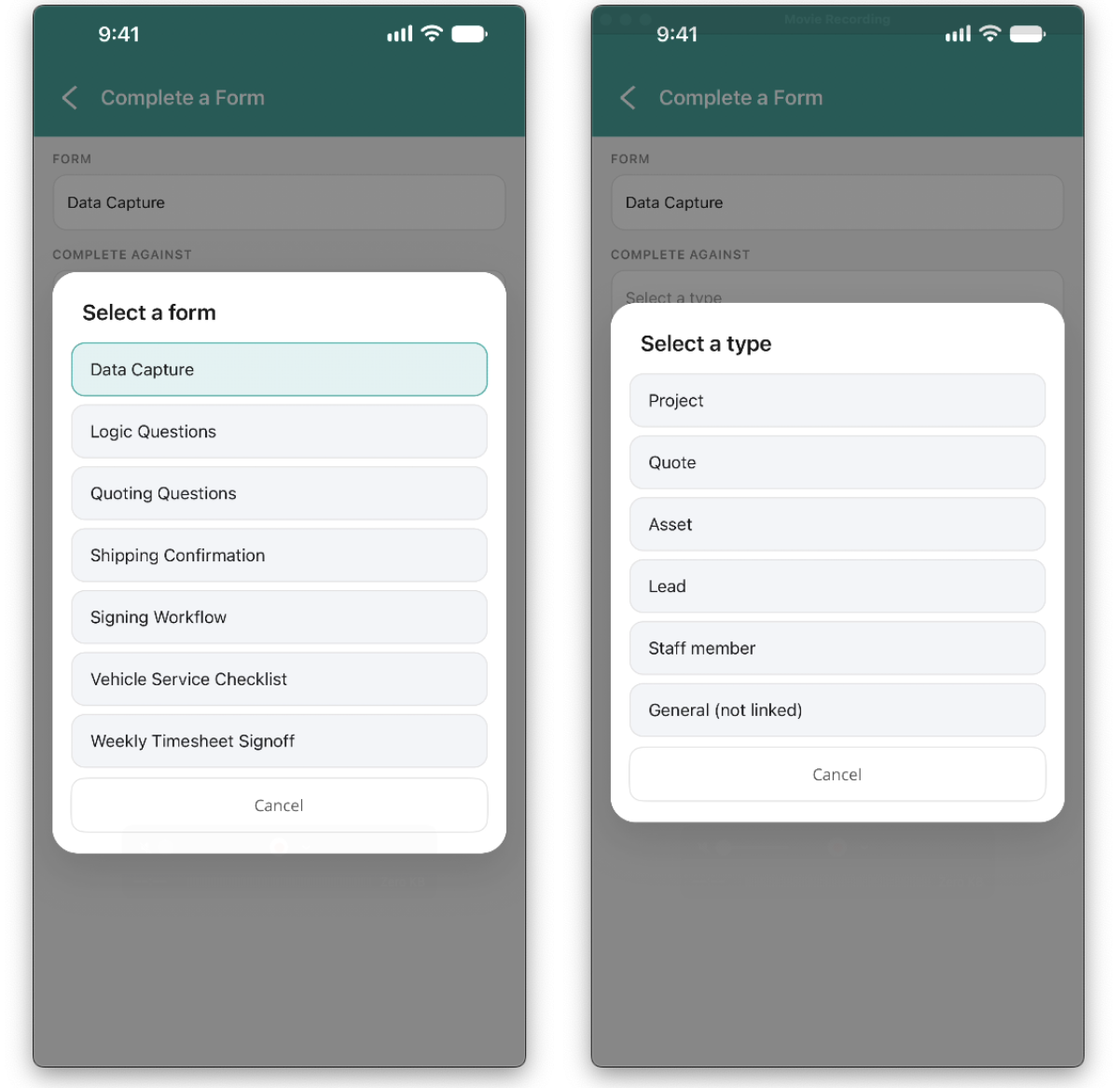
Select a Form from the Form dropdown. Based on the selected forms configuration, you may need to select additional information when prompted:
- Complete Against - Select the transaction the form is compatible with.
- Project/Quote/Lead/Asset/Staff - Search or select the transaction/staff based on the complete against selection.
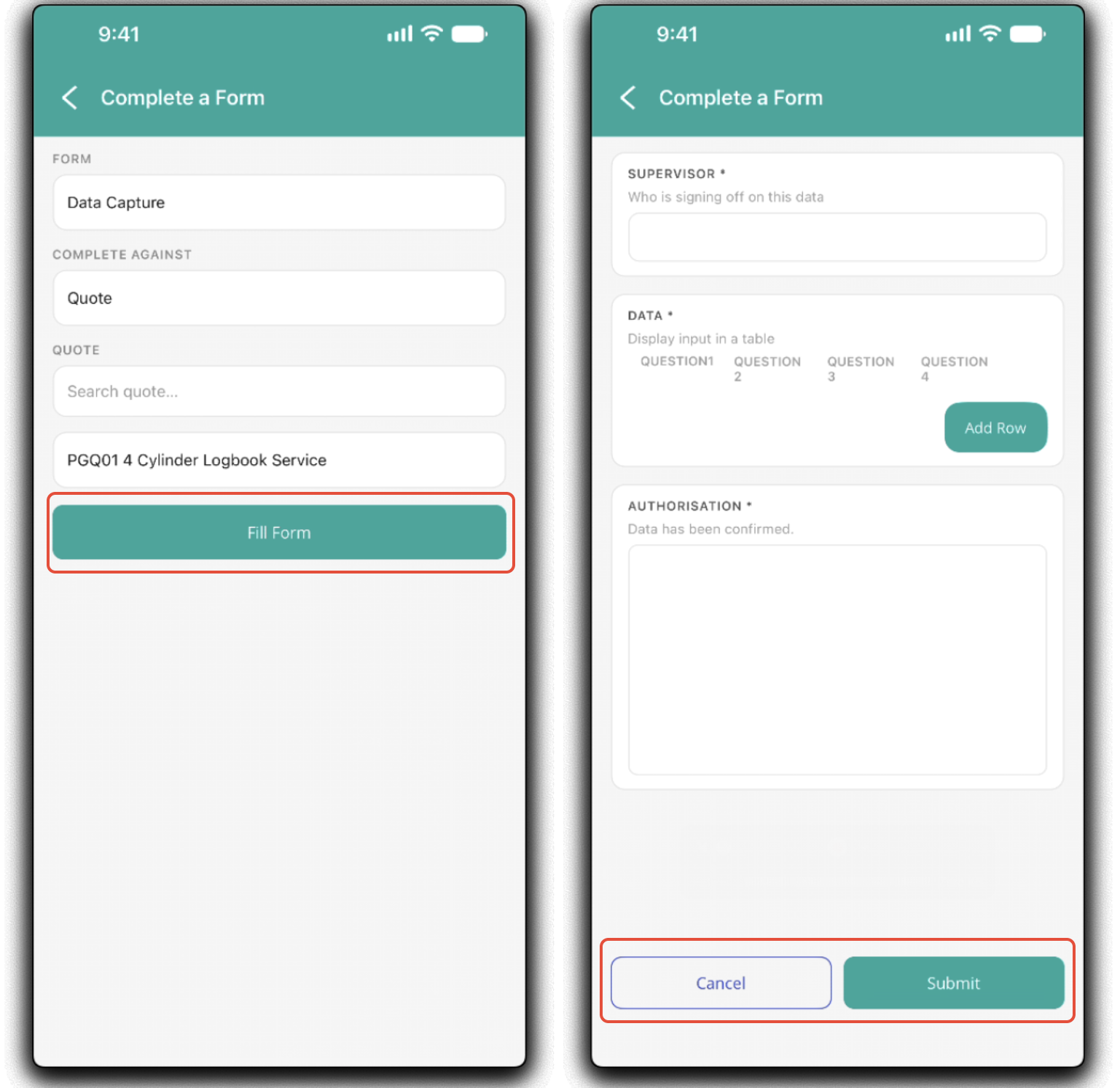
Click Fill Form to complete the selected form. Click Submit when completed or Cancel to decline.
Was this article helpful?
That’s Great!
Thank you for your feedback
Sorry! We couldn't be helpful
Thank you for your feedback
Feedback sent
We appreciate your effort and will try to fix the article