Claiming retention creates a draft invoice that bills the client for the retention you're releasing. You can claim for one project or up to 200 at once, and choose how much to claim on each. You need the Claim Retentions permission.
Start the claim in one of two ways:
- From a Project - Open the project and click Claim Retention in its Retention section.
- From the Dashboard - Go to Retentions, tick the projects and click Claim Selected.
The Claim retention window opens with a row per project that has retention outstanding.
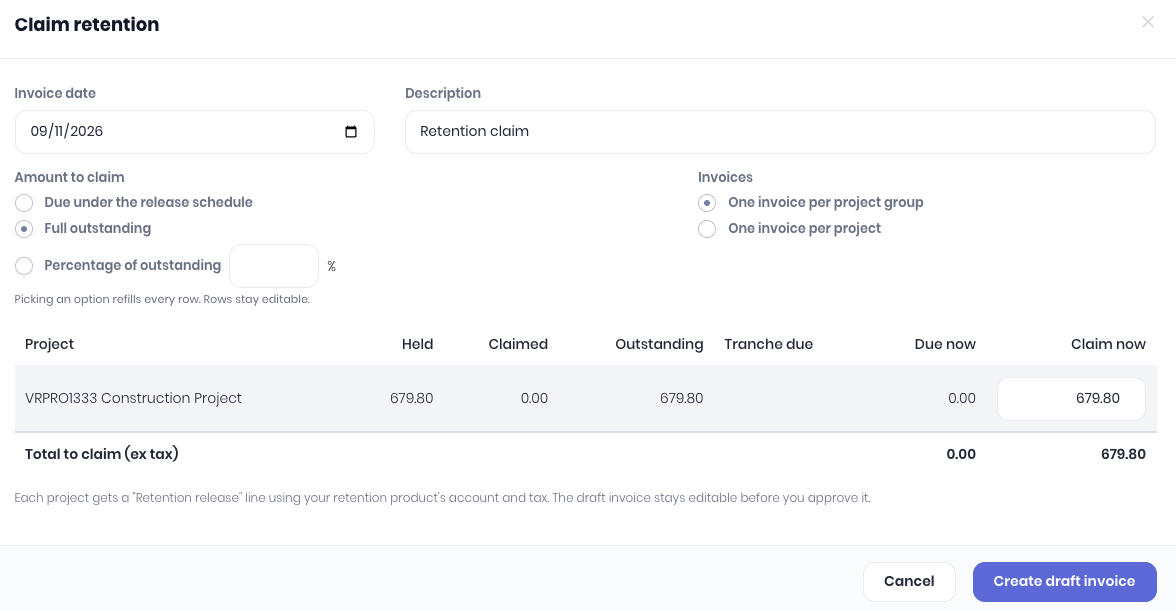
Confirm the retention claim invoice options as required:
- Invoice Date - Invoice date
- Description - Invoice description
- Amount to Claim- Pick how each row is filled in:
- Due under the release schedule - What's due now.
- Full outstanding - Everything still held.
- Percentage of outstanding - Enter a percentage between 0 and 100.
- Invoices- If claiming from a project group:
- One invoice per project group - Create one invoice per group. Projects must have the same billing client.
- One invoice per project - Create one invoice per project.
- Retention Row - For each row confirm and change if needed. Note: Picking a different Amount to Claim refills every row.
- Project - Product reference and name
- Held - Retention held on the project.
- Claimed - Retention already claimed back, including draft claims.
- Outstanding - What's left to claim.
- Tranche Due - The release that's due now, with its share.
- Due Now - The amount due under the schedule.
- Claim Now - The amount this claim will invoice. You can edit this field to manually overide the claim value.
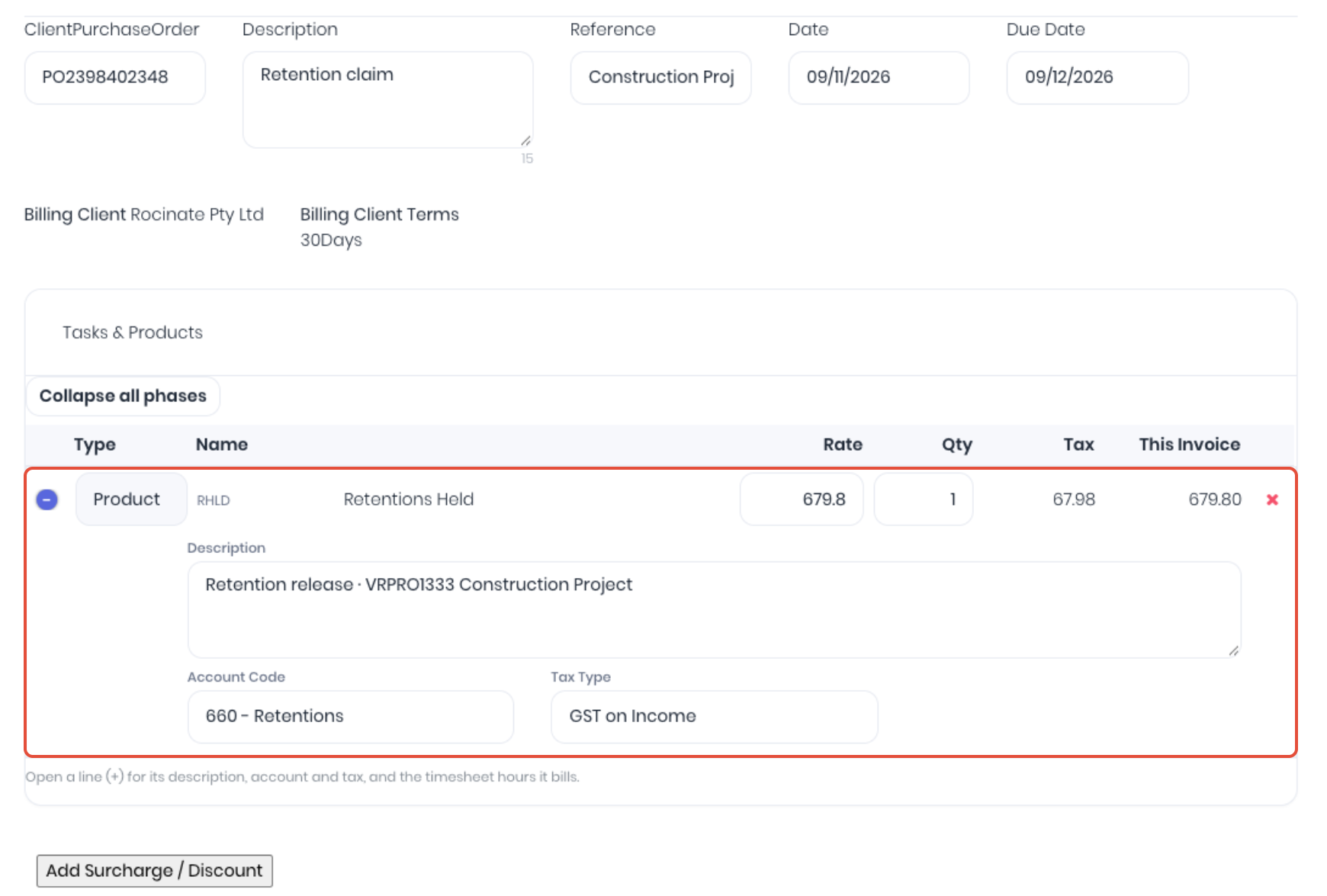
Click Create Draft Invoice. WorkGuru will then create the draft invoice(s), each with a Retention release line per project on your retention product. Review them, then approve and send them as usual. The claimed amount counts against the project as soon as the draft exists, so the same retention can't be claimed twice.
You can't claim:
- More than a project's outstanding retention.
- For a project with no client. Set the project's client first.
- More than 200 projects at once. Narrow your selection and claim in batches.
- A percentage claim until a percentage is entered. Create draft invoice stays disabled until then.
Note: If two people claim the same retention at the same time, approving the second release invoice is refused because it would release more than is held.
Was this article helpful?
That’s Great!
Thank you for your feedback
Sorry! We couldn't be helpful
Thank you for your feedback
Feedback sent
We appreciate your effort and will try to fix the article