To activate your WorkGuru subscription, you can signup through the subscriptions dashboard (Administration -> Subscription). NOTE: If the subscription option is not available, your WorkGuru billing is looked after via a WorkGuru partner. For any subscription updates, contact your WorkGuru partner. If you do not know who your partner is, contact us at support@workguru.io for assistance.
From the subscription dashboard, review, modify and confirm:
- Billing - Monthly or annual subscription pricing.
- Users - Enter the number of users required over the 10 users included in the platform fee.
- Modules - Select the required modules to add to the platform fee.
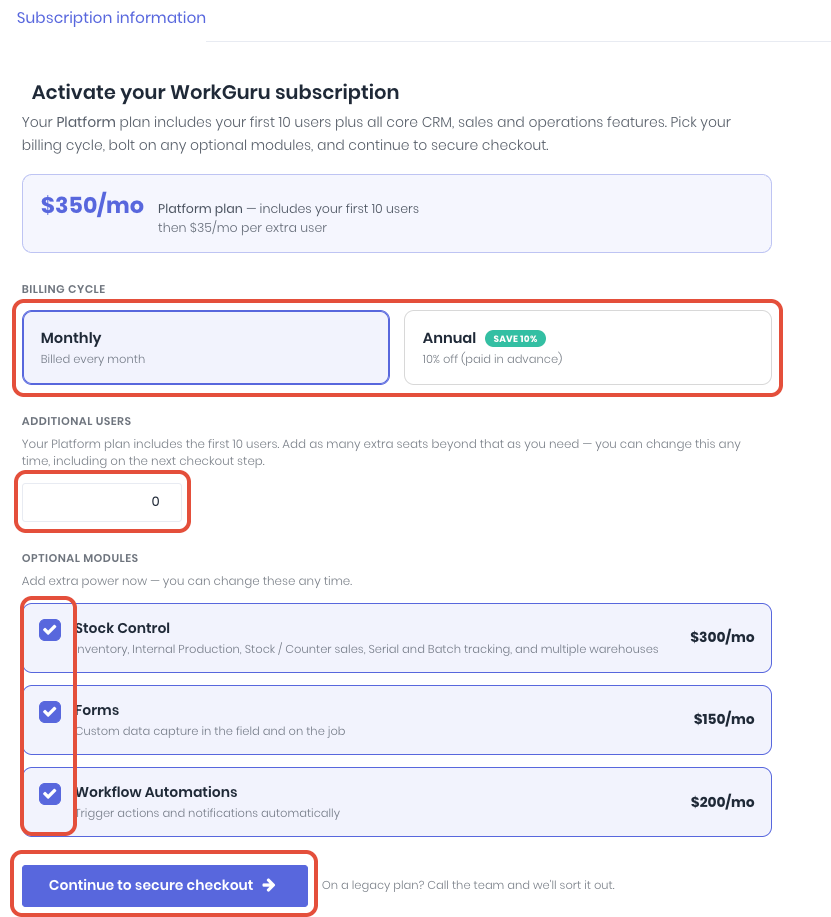
Click the Continue to Secure Checkout button to access the stripe subscription page. The subscription will display the platform free, additional users and the selected optional modules and display the total that will be billed. 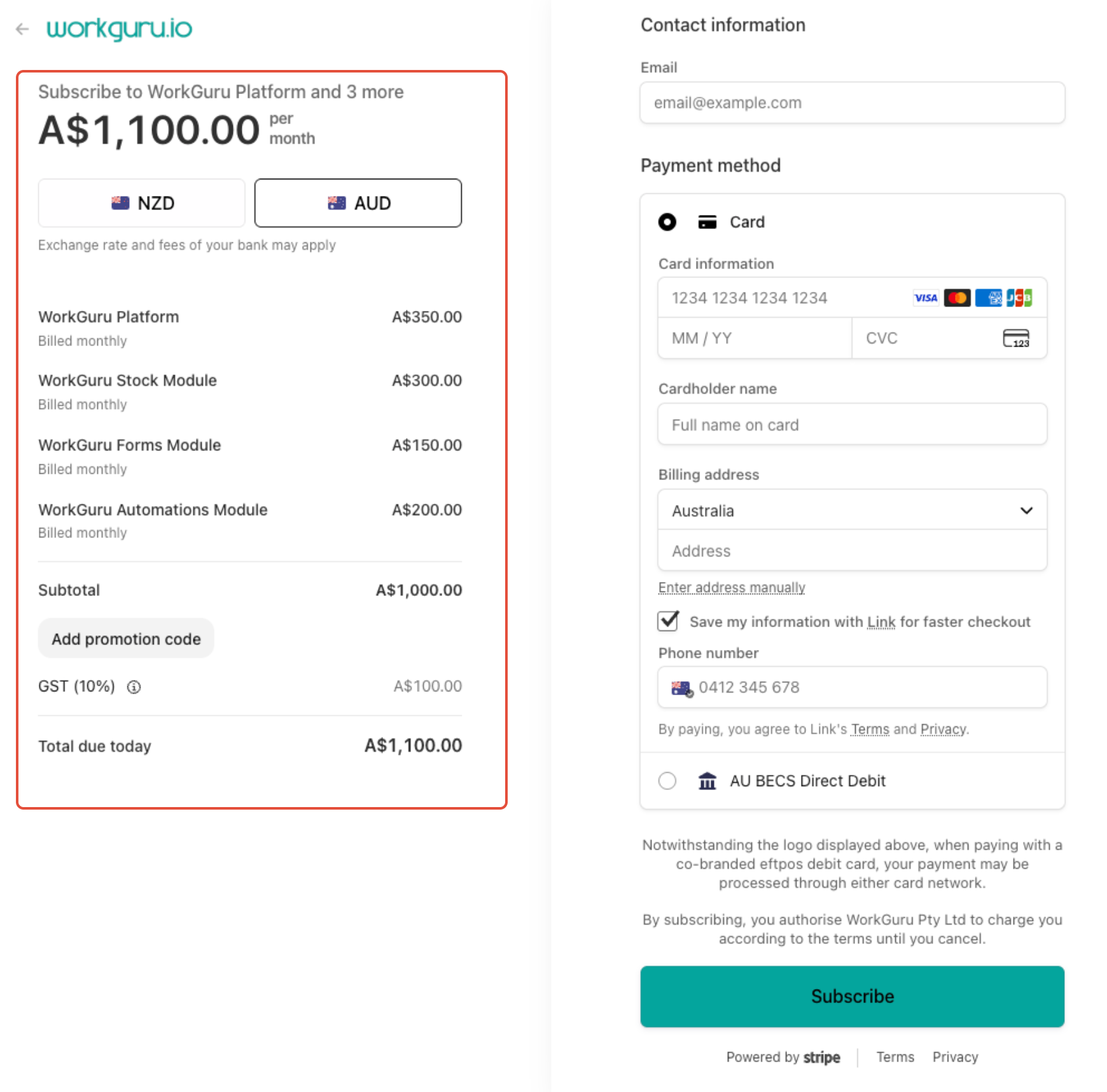
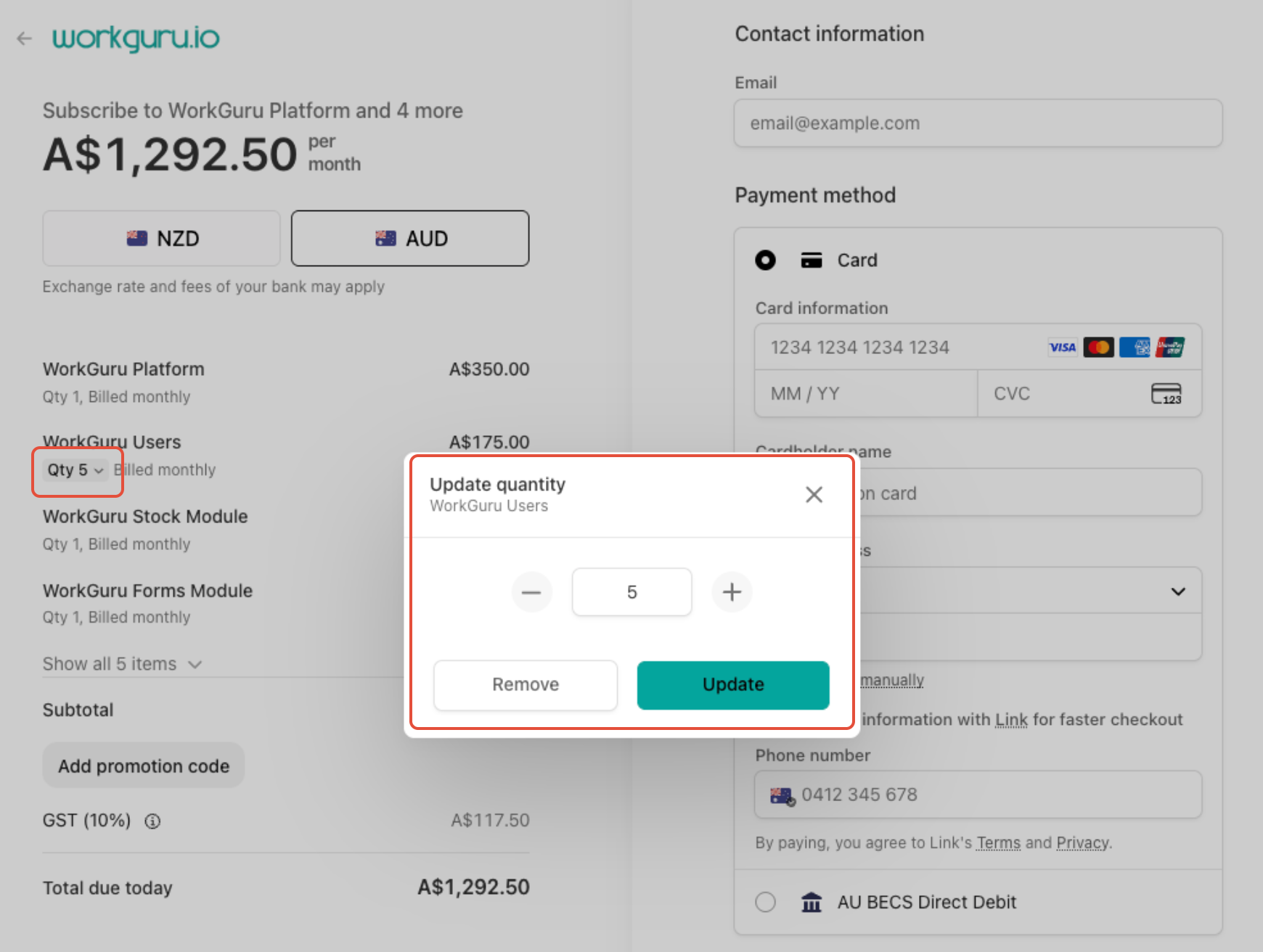
If you need any changes to the selected modules, go back to the subscription page and update your module selection as required. If you would like to modify the number of additional, click on the Qty and adjust as required from the popup. Note: If adjusting users count down, you can't go below the current active user count - if this is required, mark relevant users as inactive in your users dashboard. (Administration -> Users).
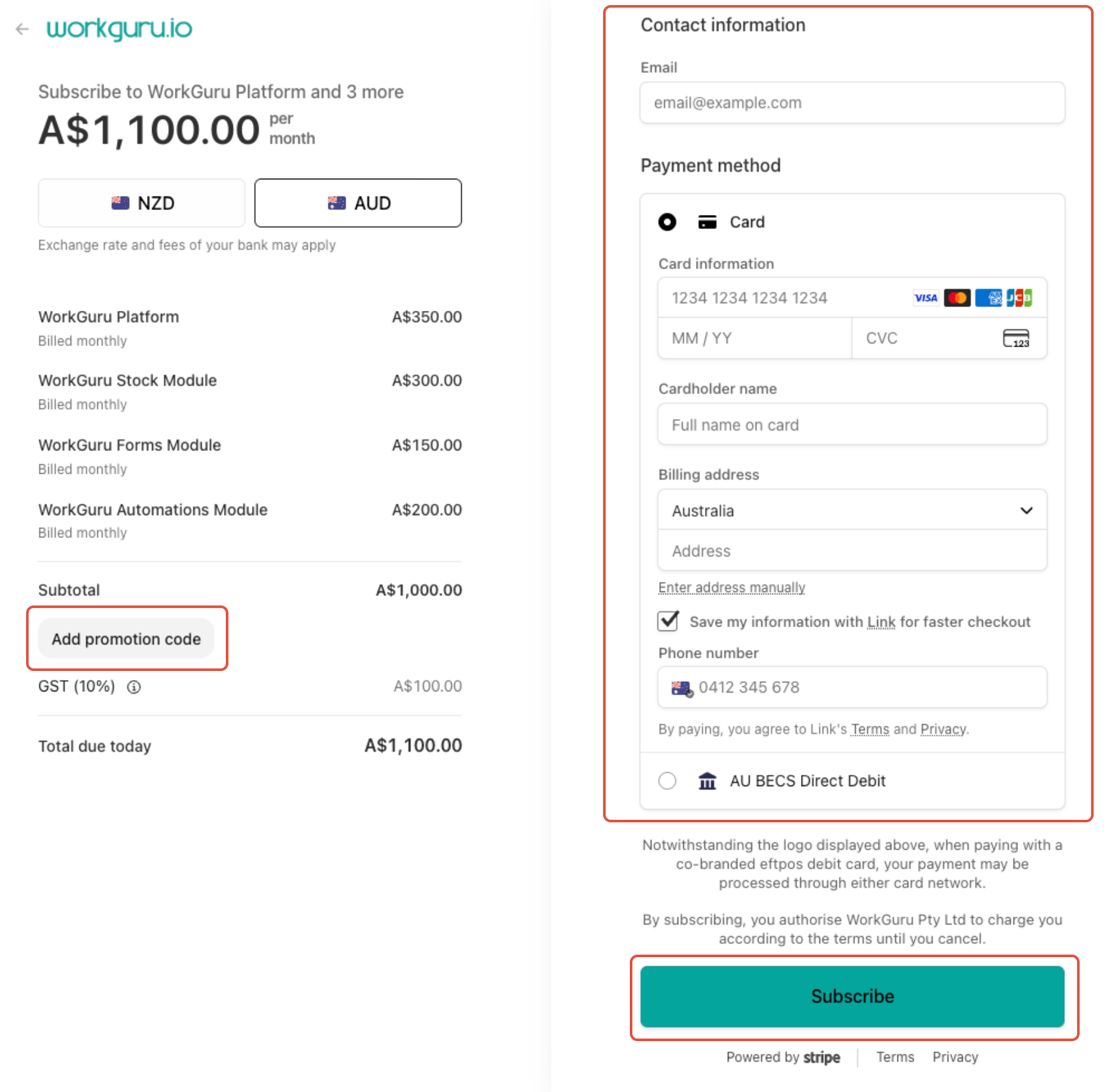
Enter your payment and billing details and click Subscribe to activate your WorkGuru subscription. Note: Don't forget to click Add Promotion Code if you have a promo code BEFORE clicking Subscribe.
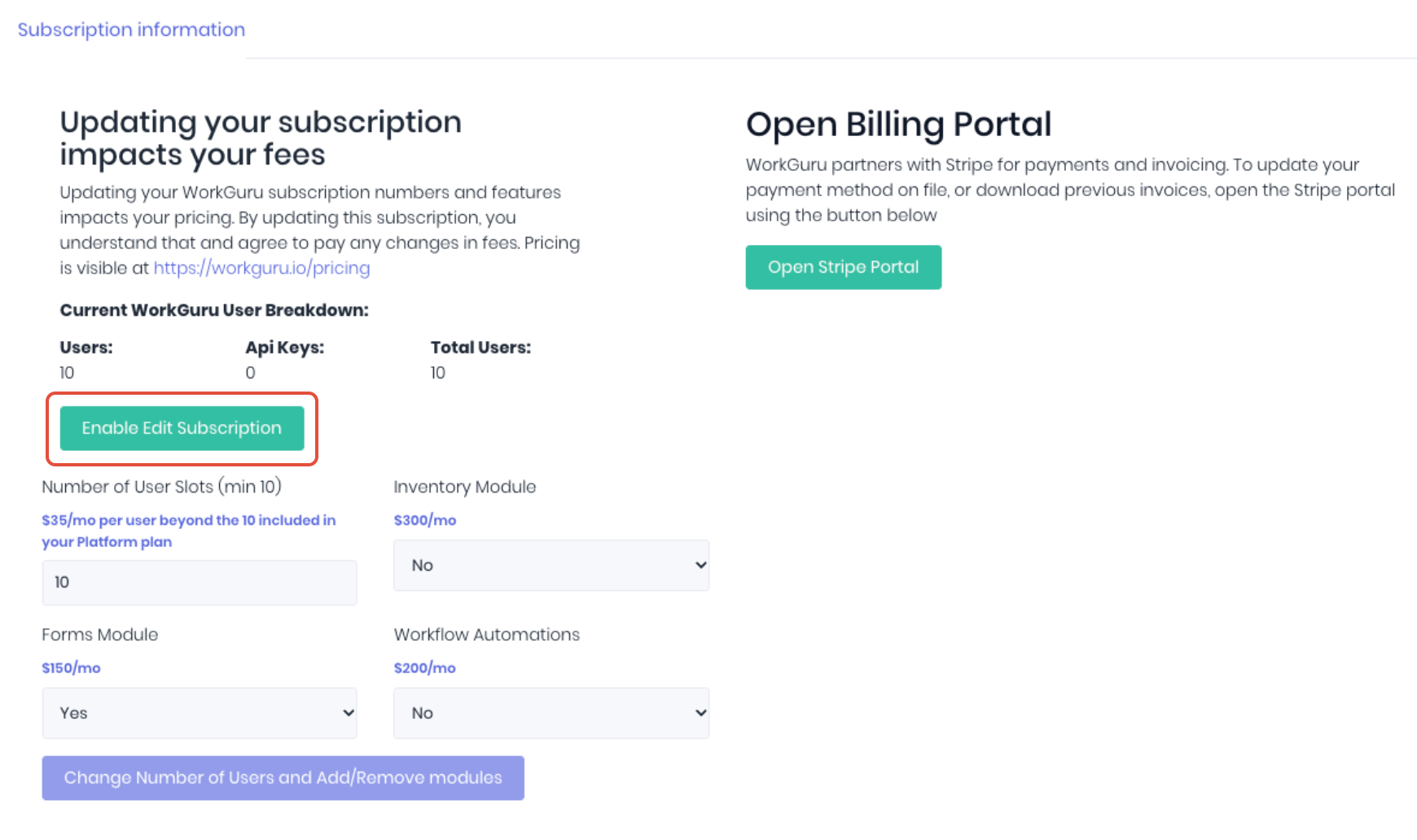
When you have successfully activated your subscription, the subscription page will display a summary of your users. You can then change or update your subscription by clicking Enable Edit Subscription.
Was this article helpful?
That’s Great!
Thank you for your feedback
Sorry! We couldn't be helpful
Thank you for your feedback
Feedback sent
We appreciate your effort and will try to fix the article