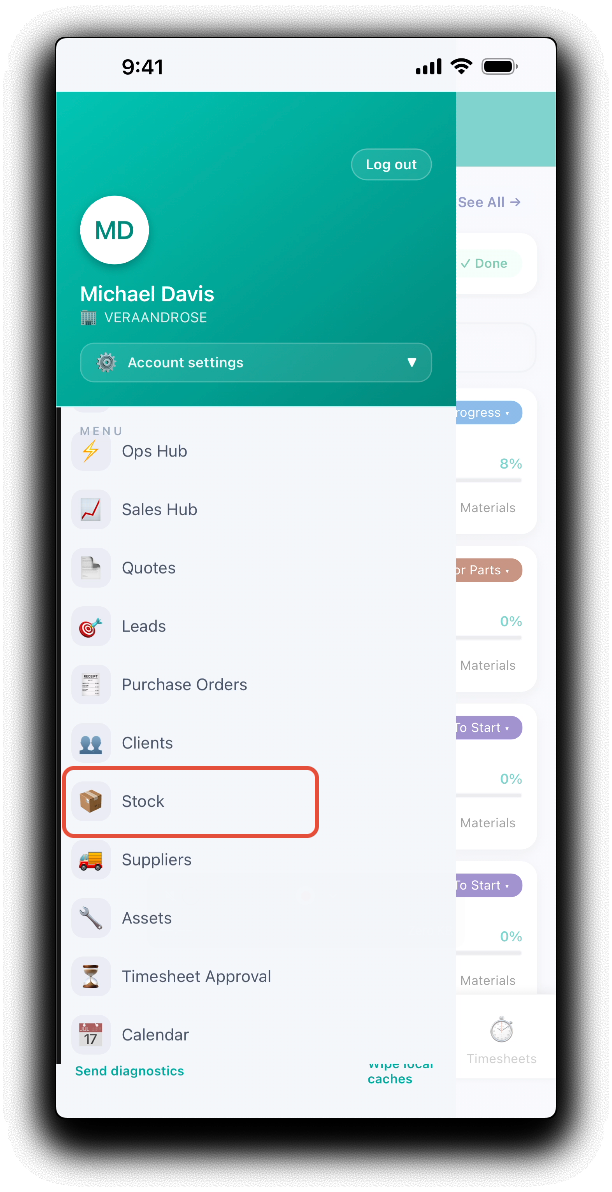
The WorkGuru mobile app can be used to check current stock on hand while on the go. From the app menu, tap the Stock. Note: Mobile connectivity is required to lookup live stock on hand.
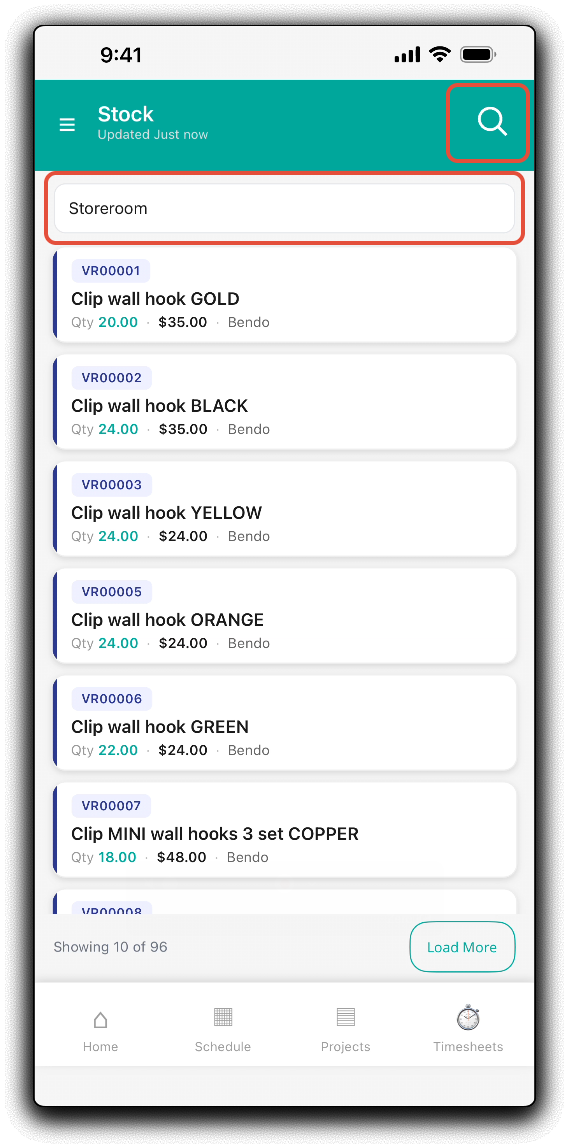
 The stock dashboard will display the products with current stock on hand in the mobile applications default warehouse. Use the Search field to lookup current stock on hand by product name or SKU. Change the stock location by tapping the Warehouse field and selecting another warehouse to display stock on hand specific to that location.
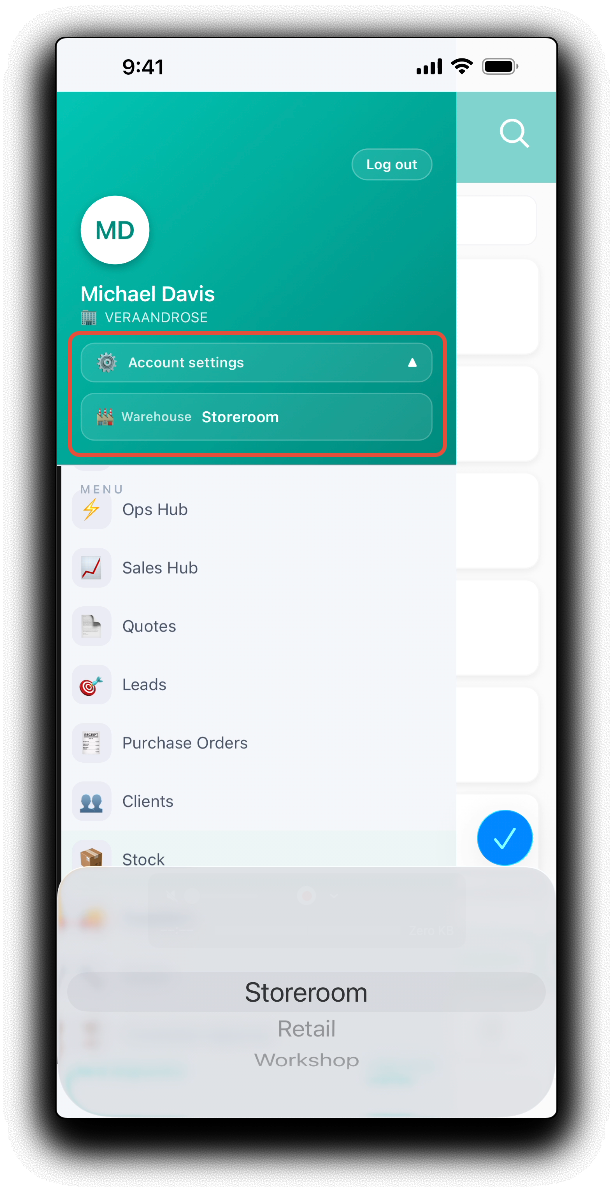
You can also update the mobile applications default stock location by selecting the required Warehouse in the Account Settings in the menu.
Was this article helpful?
That’s Great!
Thank you for your feedback
Sorry! We couldn't be helpful
Thank you for your feedback
Feedback sent
We appreciate your effort and will try to fix the article