To check the status of staff who are using a timer to clock onto a project/task, you can use the Current Timesheet Status dashboard. The dashboard is located by clicking Staff Status on the timesheet dashboard.
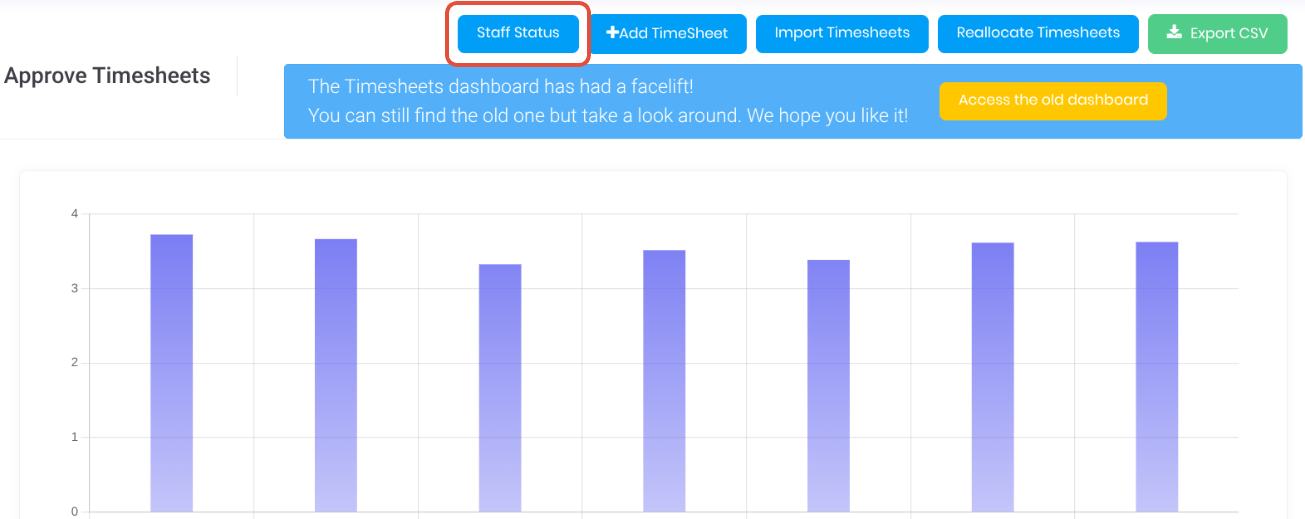
The staff status displays a live traffic light summary of currently active timesheet timers.
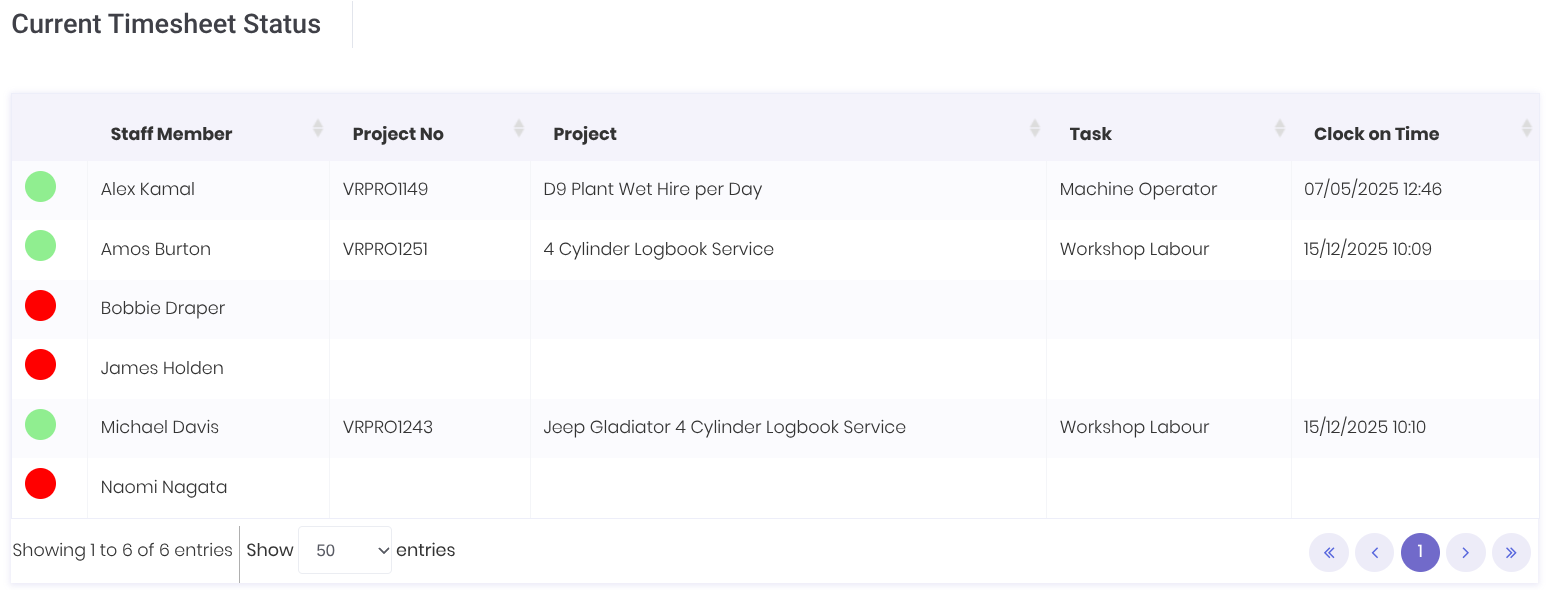
- Status - Timesheet status (Green and Red). Useful for a quick visual confirmation if the staff member is current working or not.
- Staff Member - Active staff name
- Project Number - Active timesheet project number
- Project - Active timesheet project name
- Task - Active timesheet project task
- Clock on Time - Date/time the active timesheet was started.
Was this article helpful?
That’s Great!
Thank you for your feedback
Sorry! We couldn't be helpful
Thank you for your feedback
Feedback sent
We appreciate your effort and will try to fix the article