The product detail pages contains contextual tabs which will display a breakdown of the usage history if the product has been used on:
The tabs will only be visible if the products have been used on the relevant transactions. This product history will display regardless of product type (NonStock or Stock Controlled). For detailed stock movements for stock controlled products, it is recommended to use the product's stock movement history.
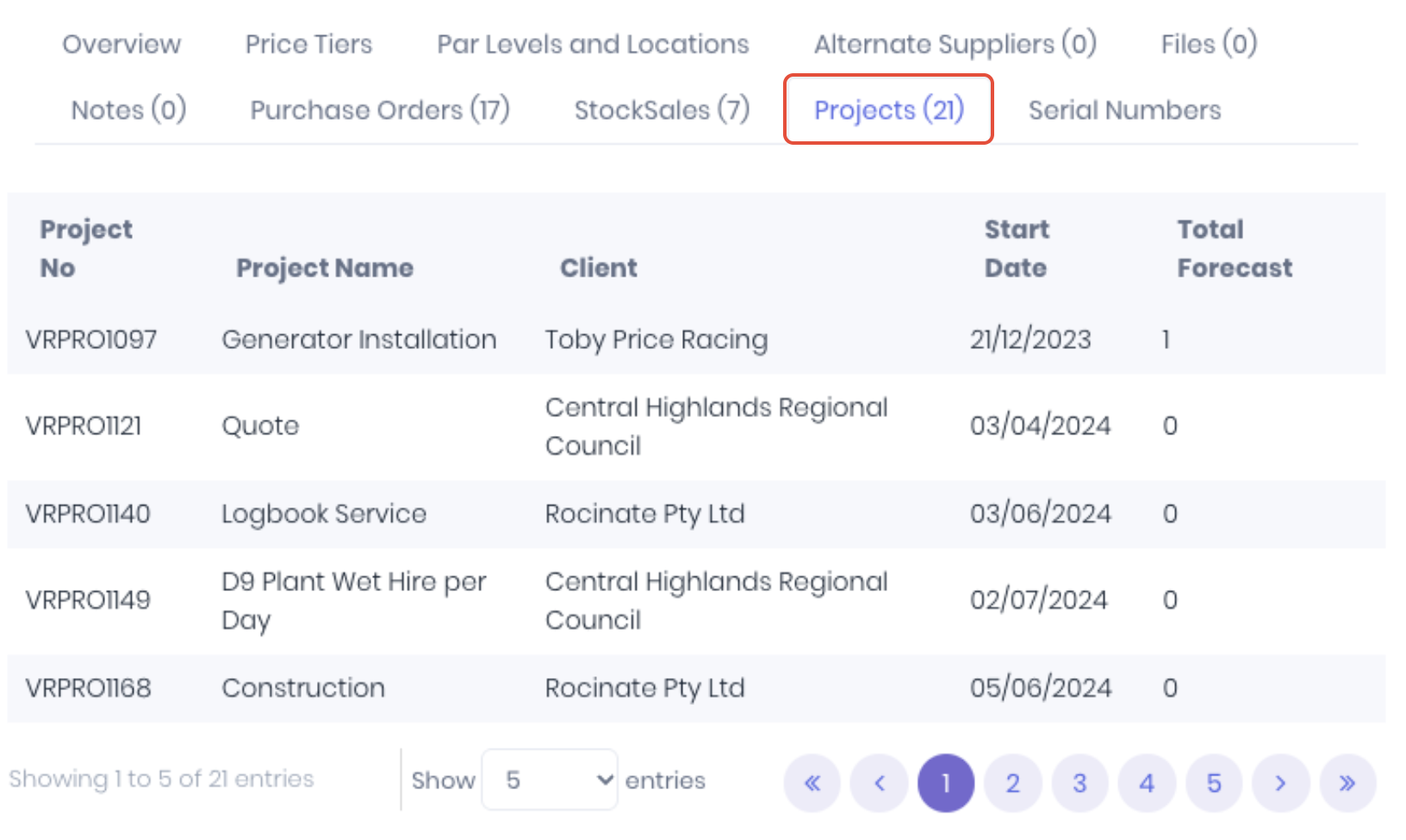
Projects
The Projects tab displays the number and details of projects that contain the product.
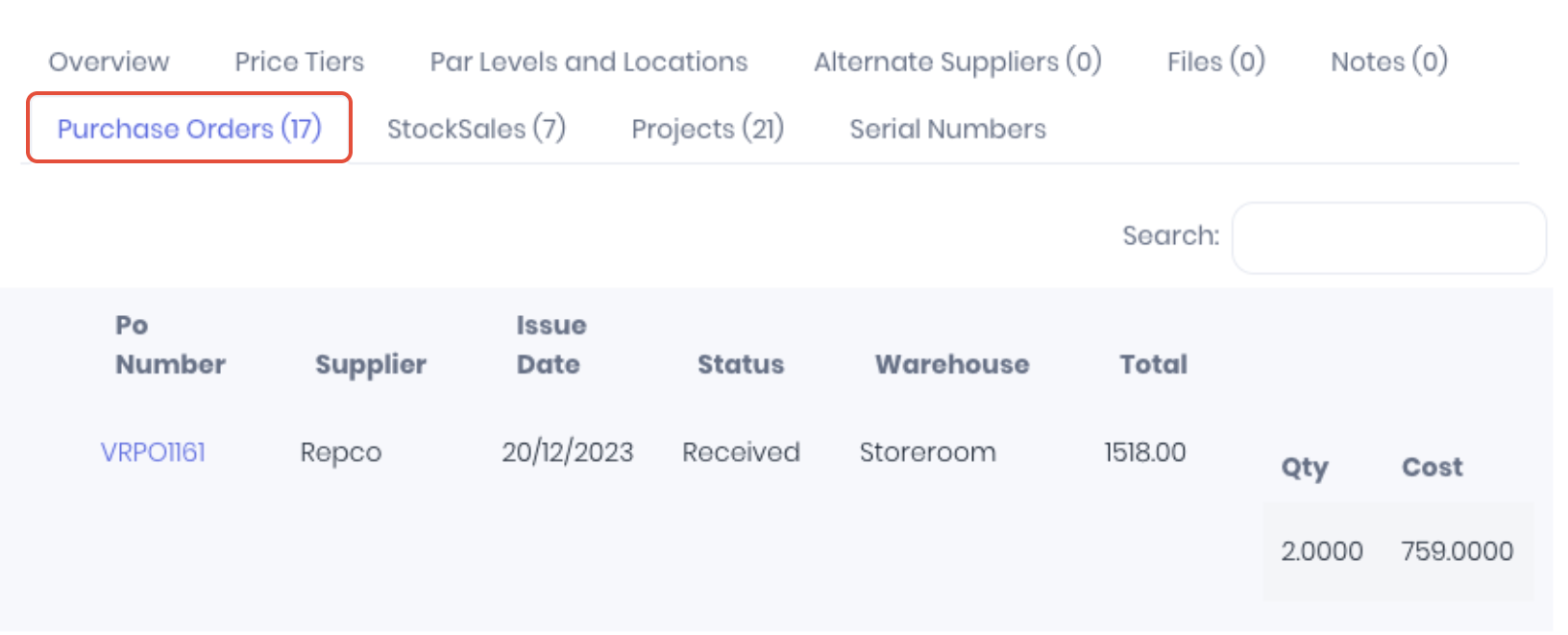
Purchase Orders
The Purchase Orders tab displays the number and details of purchase orders that contain the product.
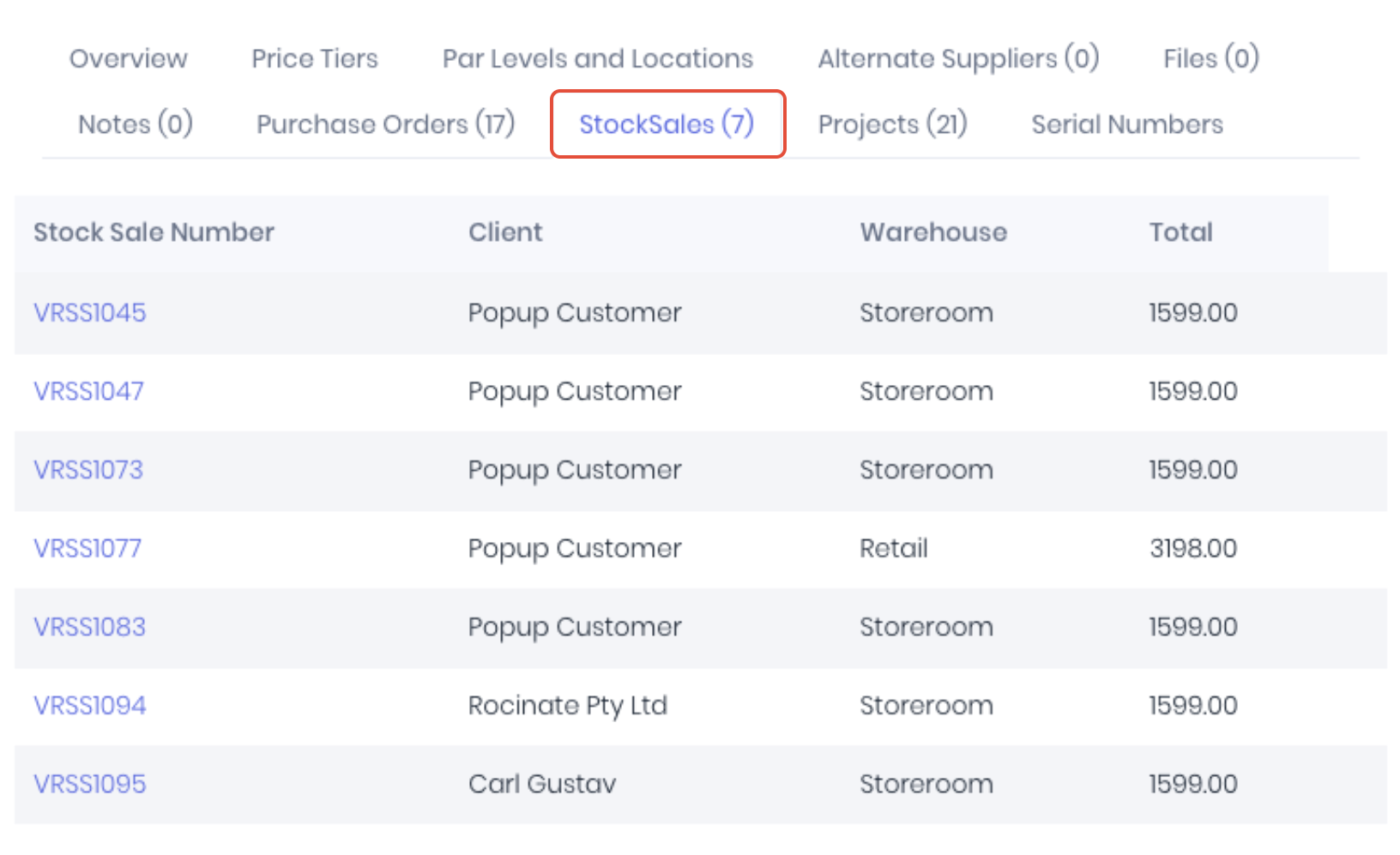
Stock Sales
The Stock Sales tab displays the number and details of stock sales that contain the product.
Production Jobs
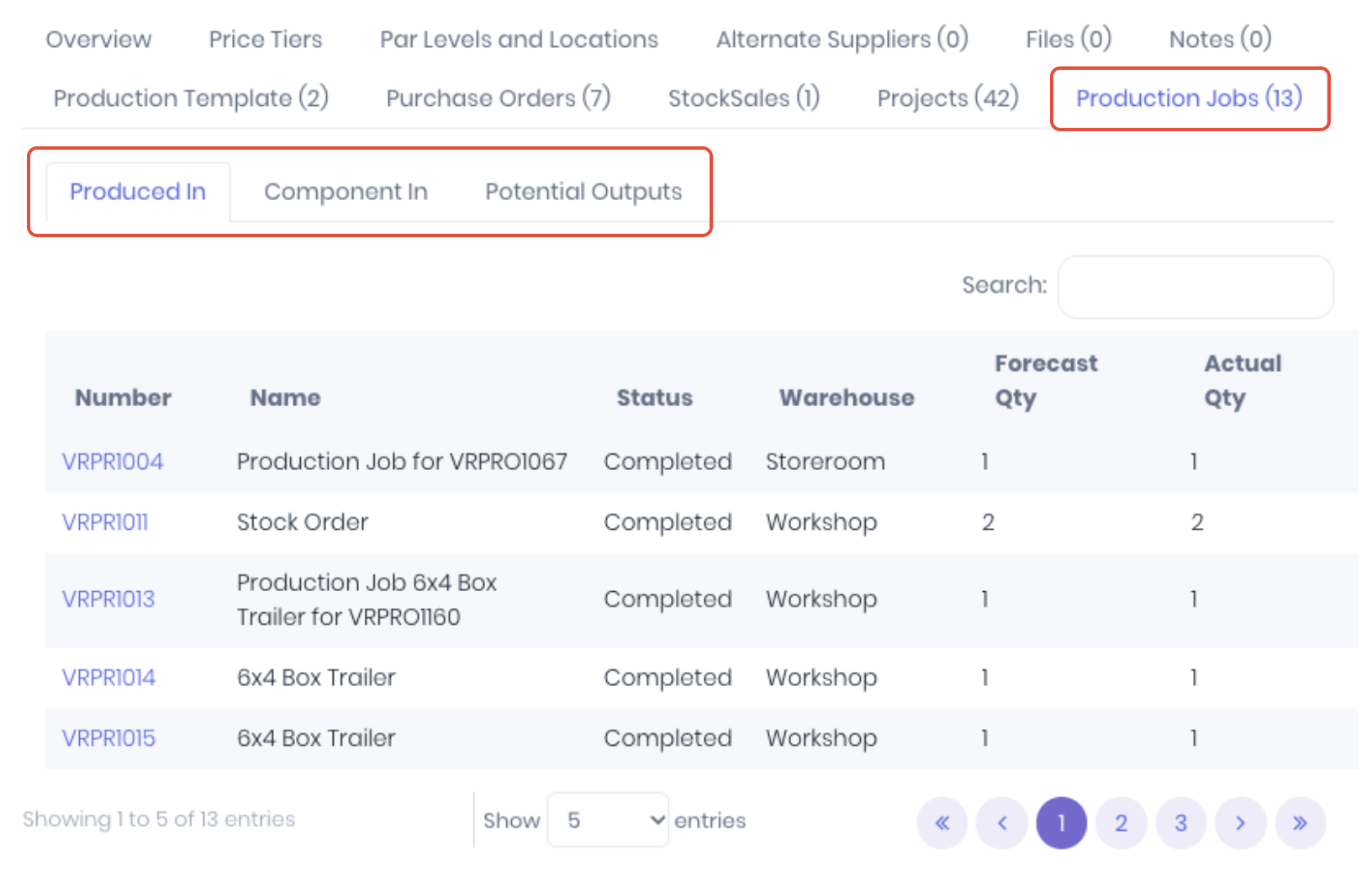
The Production Jobs tab displays the number and details of production workflows the product has been part of broken down by:
- Produced In - Displays the production jobs which the product is the output.
- Component In - Displays the list of production jobs which the product was used as a component.
- Potential Outputs - Displays a list of production templates which the product is a component.
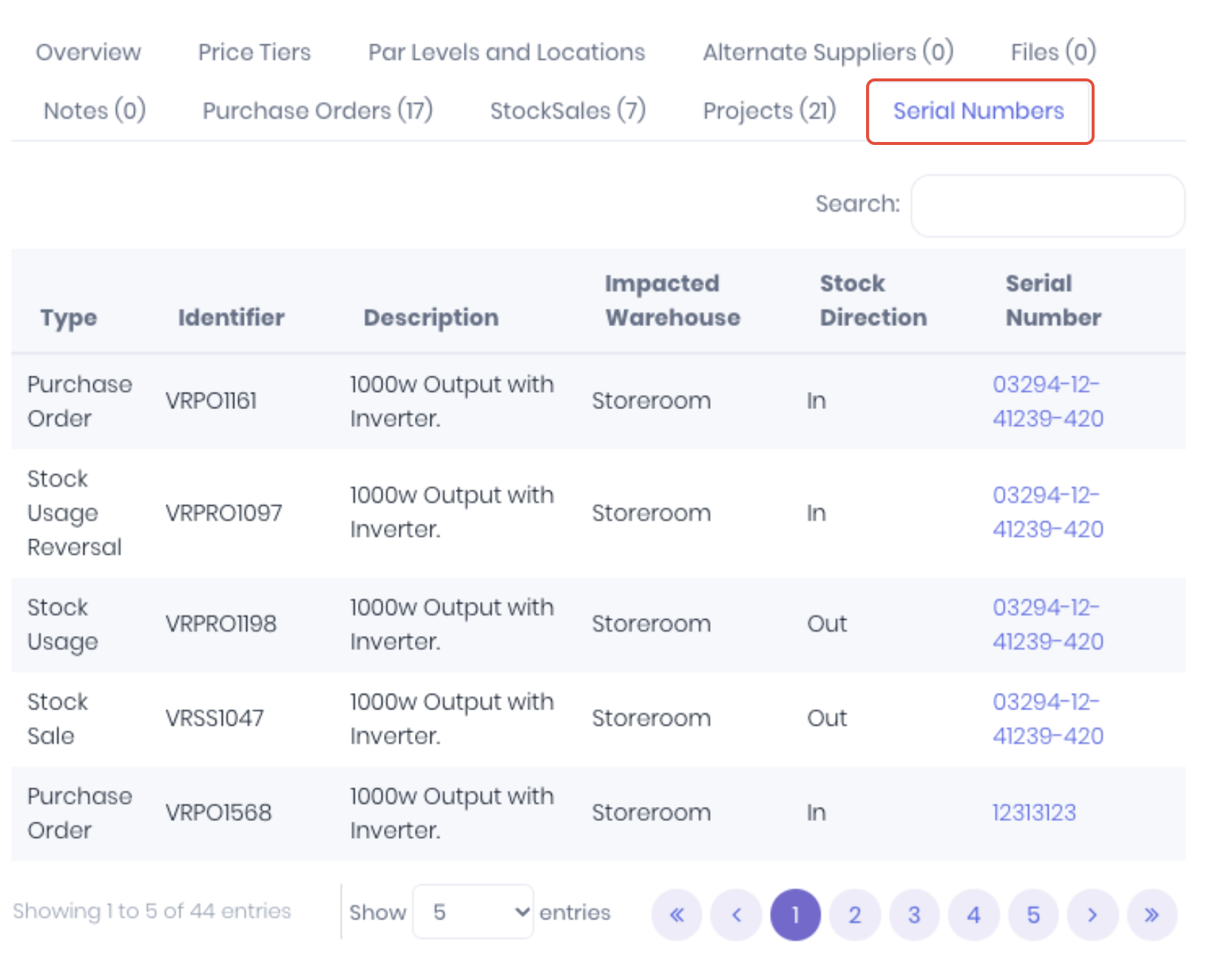
 Serial Numbers
The Serial Numbers tab displays the serialised transaction history of serial or batch products.
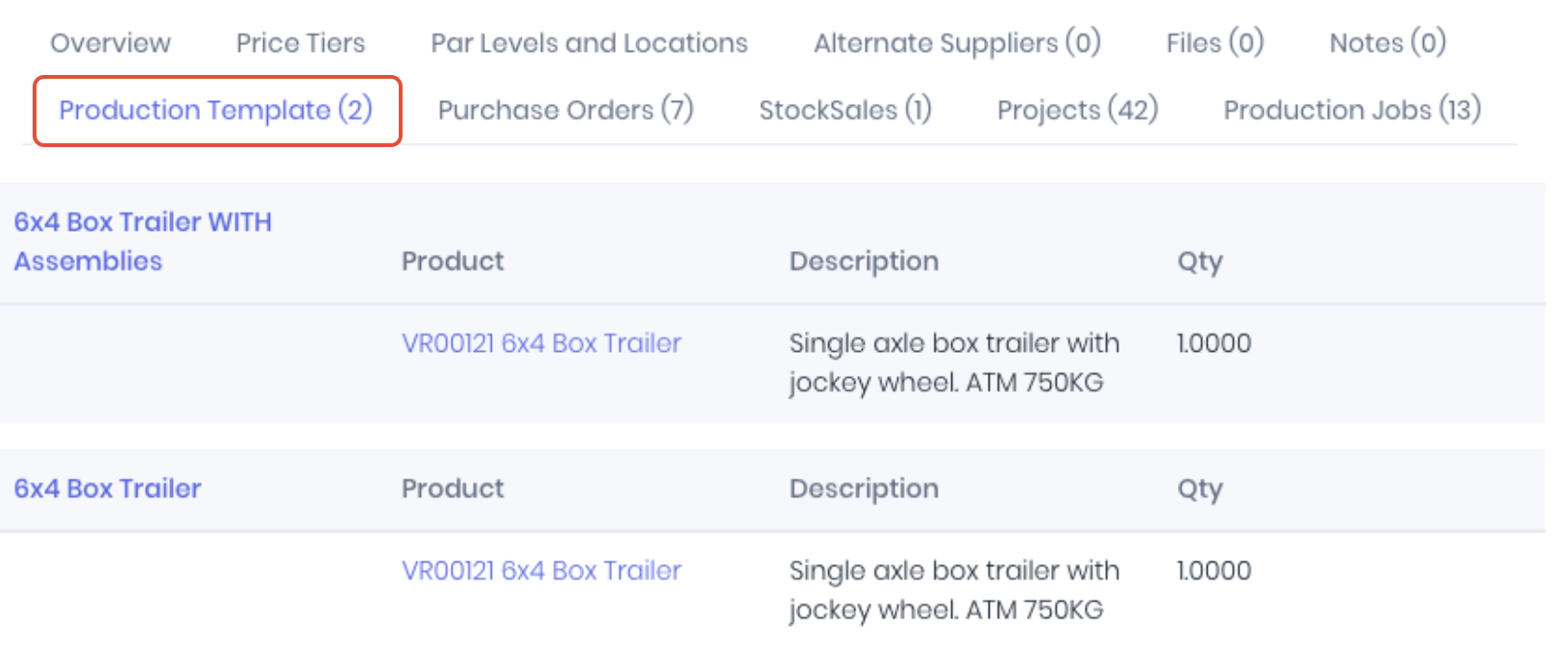
 Production Templates
The Product Template tab displays production templates if the product is listed as an output SKU.
Was this article helpful?
That’s Great!
Thank you for your feedback
Sorry! We couldn't be helpful
Thank you for your feedback
Feedback sent
We appreciate your effort and will try to fix the article