Stock purchase orders, when received, increases available inventory of ordered FIFO/Batch/Serial products. Stock purchase orders allow you to track accurate landed costs for your received stock controlled products by matching exactly what the supplier invoiced and allocating additional costs such as landed costs and/or currency conversion. Unlike project purchase orders, this does require a secondary step of using the products on projects and production jobs, or dispatching products on stock sales as required.
Stock purchase orders can be identified by not displaying a linked project or production job.
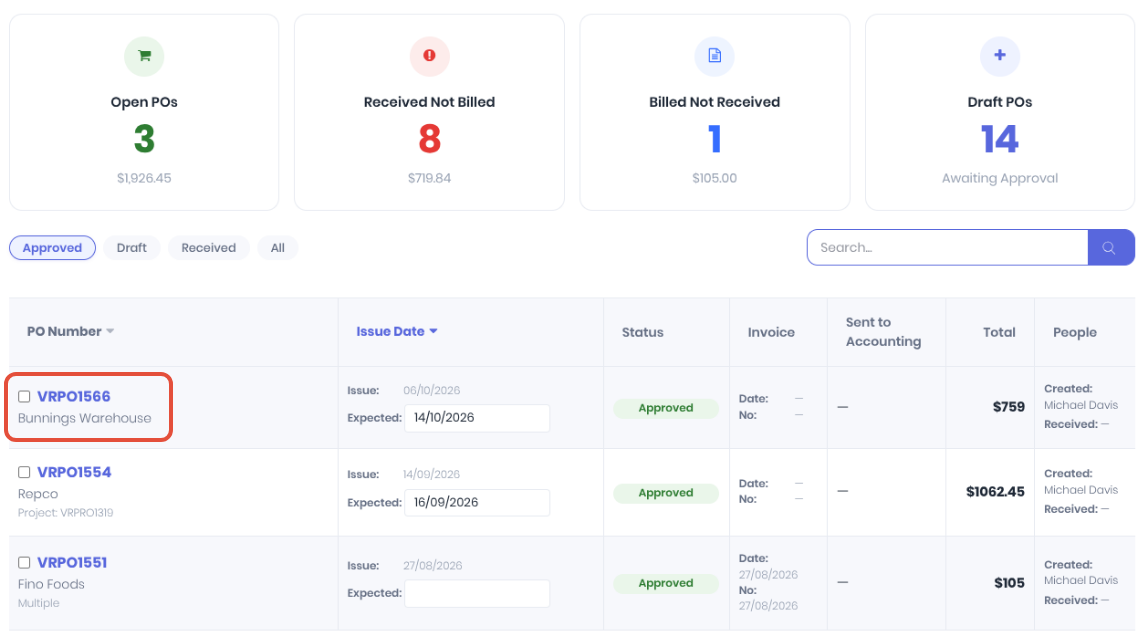
Stock controlled products will be added to inventory on the purchase order's Received Date. The increase in stock on hand can be confirmed from the stock dashboard.
Note: If the received products DO NOT appear to increase stock on hand, check:
- Project Purchase Order - Is the received purchase order allocated to a project or production job?
- Tracking Type - Are the line items received on the purchase the correct tracking type? Products need to be FIFO, Serial, or Batch and NOT NonStock or AdHoc.
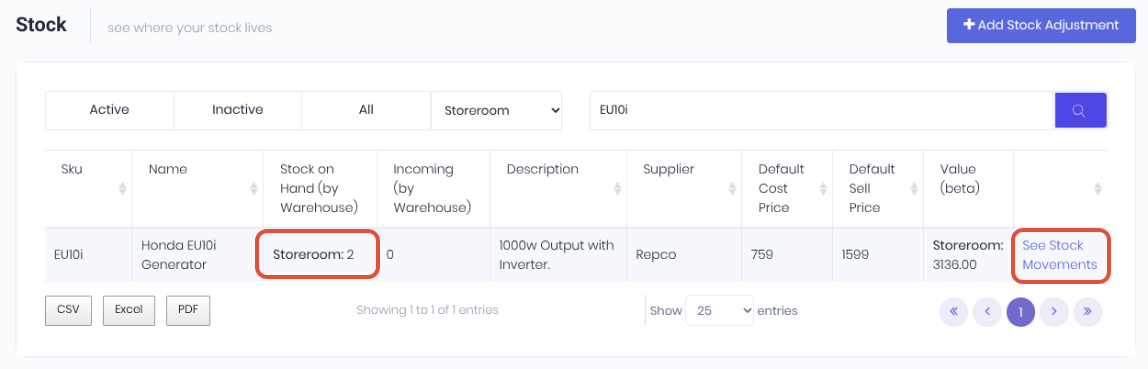
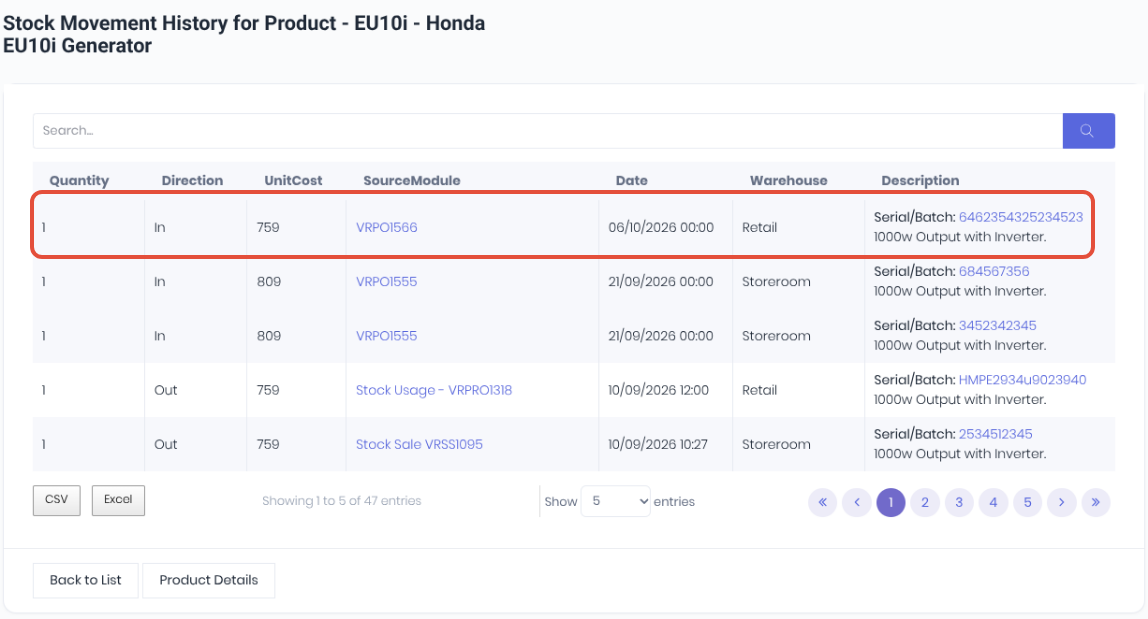
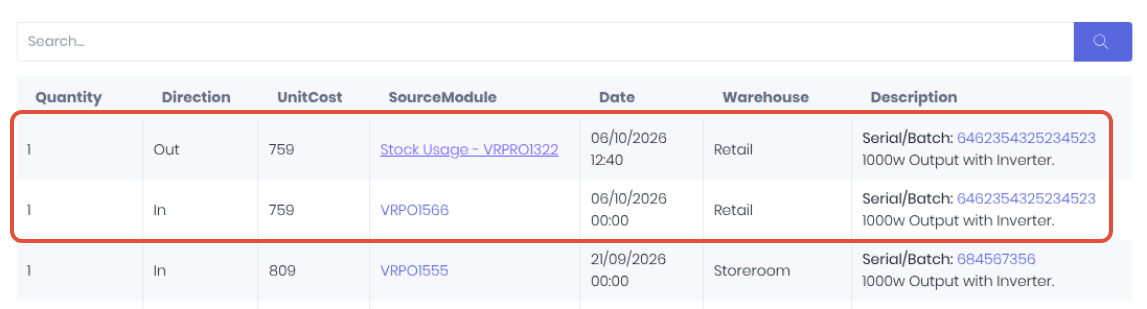
As WorkGuru uses the accurate perpetual inventory method for stock costing, product pricing is always linked to the relevant stock purchase order and can be viewed in the product's stock movement history. Note: The received product's unit cost may vary due to any landed costs applied on the stock purchase order.
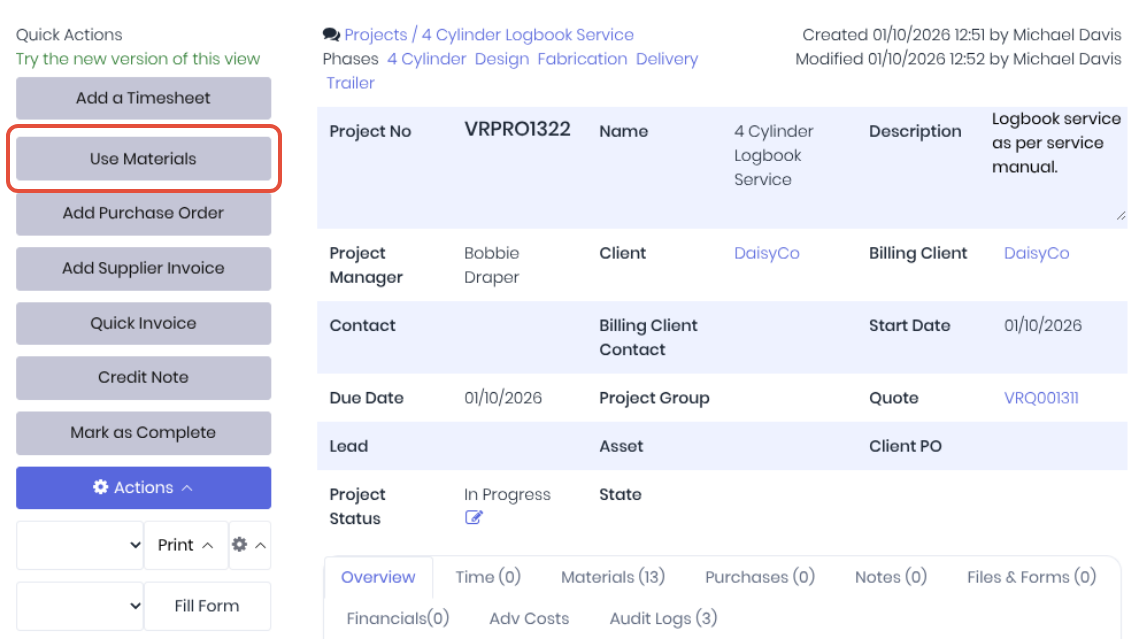
You allocate the cost of as stock purchase order back to a transaction via:
- Use Materials - On projects and production jobs
- Dispatch - On stock sales.
This usage/dispatch step is the primary difference between a stock purchase order and a project purchase order, which is automatically expensed entirely on the project it is allocated to. Note: If you "use" products from a project purchase order, you are duplicating the cost of that product on the project.
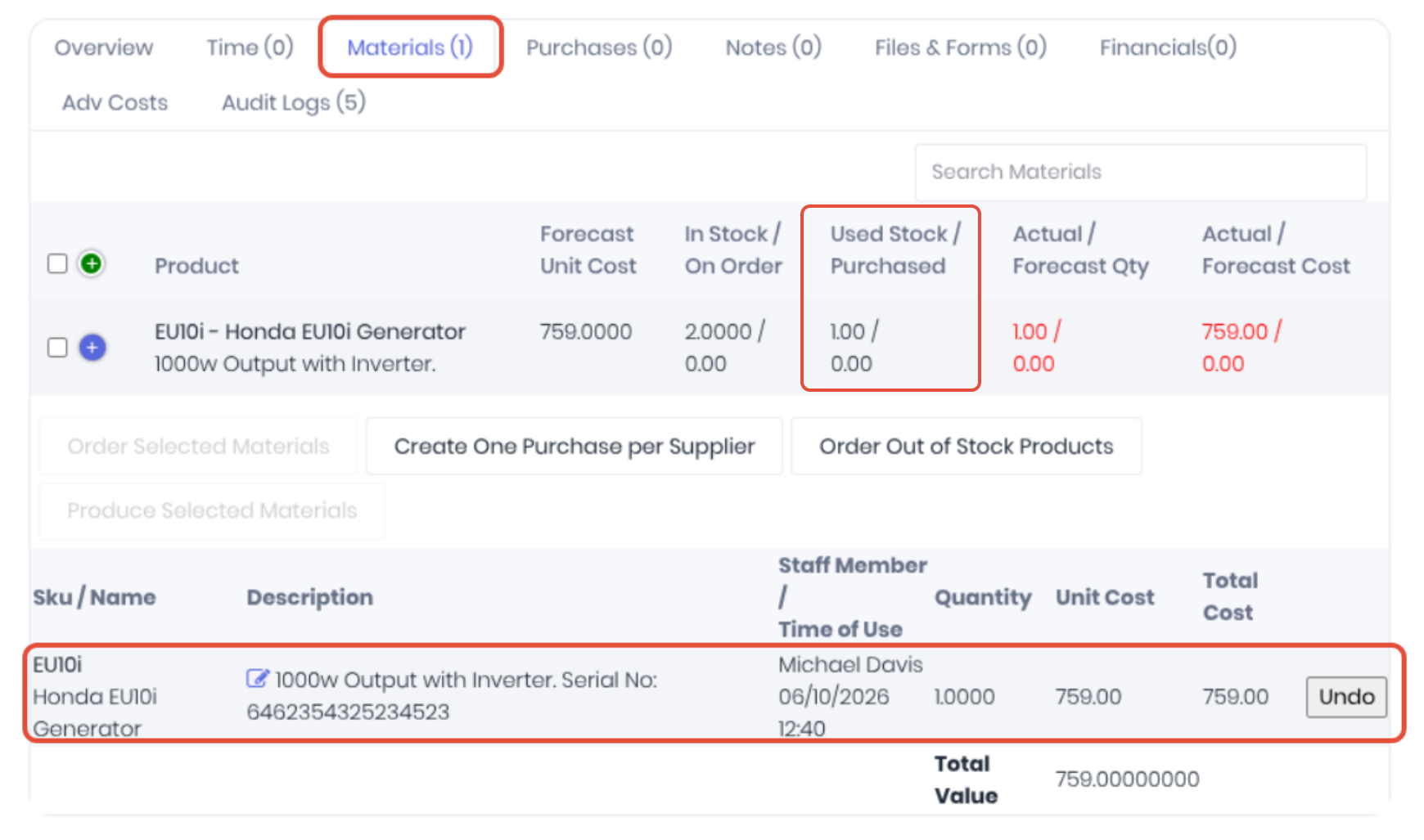
The product's landed cost from the stock purchase order is now allocated to the project. This can be confirmed in the usage log on the project's Materials tab.
The usage can also be confirmed in the product's stock movement history.
Was this article helpful?
That’s Great!
Thank you for your feedback
Sorry! We couldn't be helpful
Thank you for your feedback
Feedback sent
We appreciate your effort and will try to fix the article