It is possible to block timesheet entry on a project and/or tasks by status. This allows you to exclude entire projects from the staff's timesheet entry project list depending on where they are at in your workflow (waiting for a deposit etc)
Blocking timesheet entry on individual tasks by status allows you to setup specific tasks as simple complete/not complete milestones on a project. This allow important project progress to be tracked as the task contain To Do checklists and can still be scheduled and allocated to specific staff to complete.
You can find the settings by accessing Administration -> Settings -> Project Settings. Select the required Status by searching the Block Timesheet Entry by Project / Production Job Status and Block Timesheet Entry by Task Status fields. The selected status will display in the field. Repeat the process to block timesheets on multiple statuses.
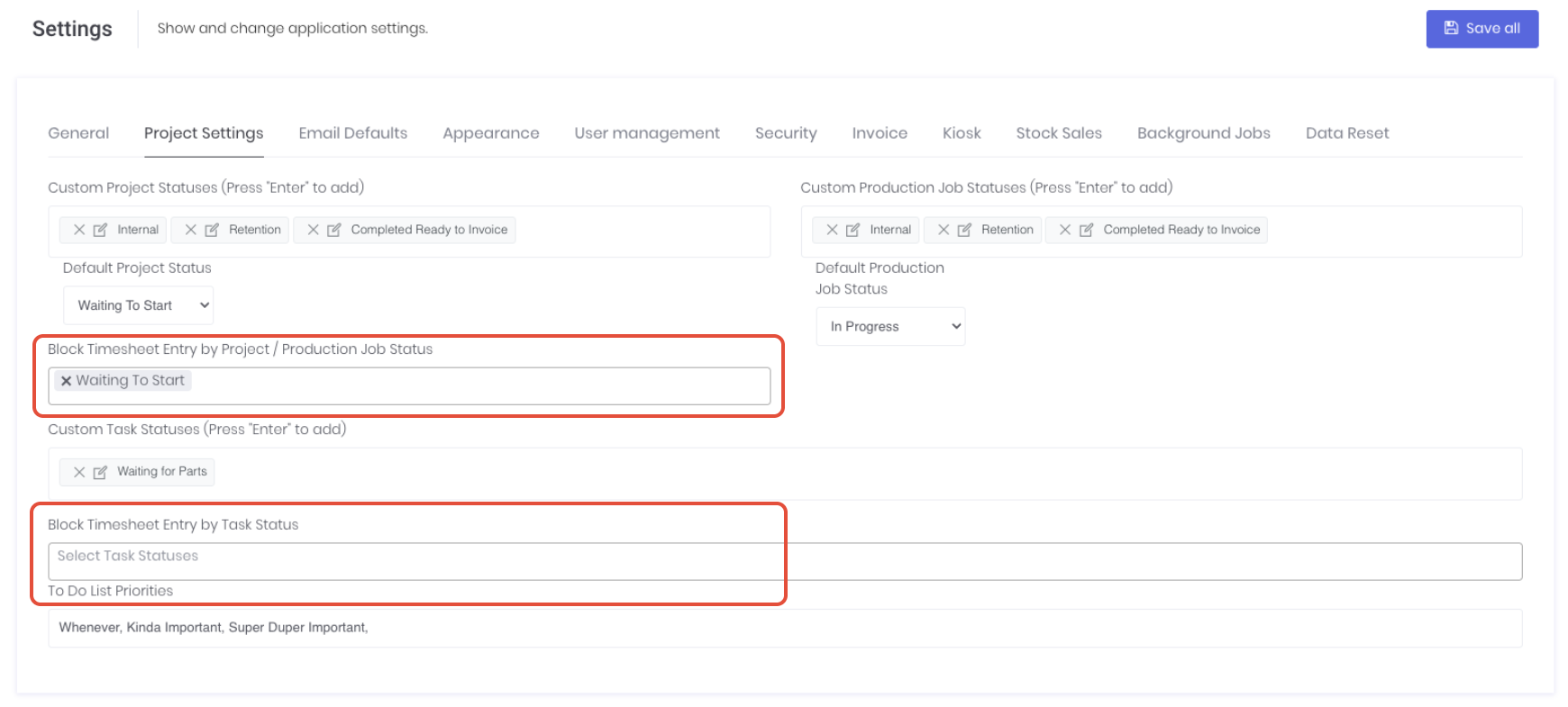
Click Save All to apply your changes. You can remove status by clicking the X next to the status in the field. Assign the relevant statuses to your project and/or tasks as required to suit your workflow.
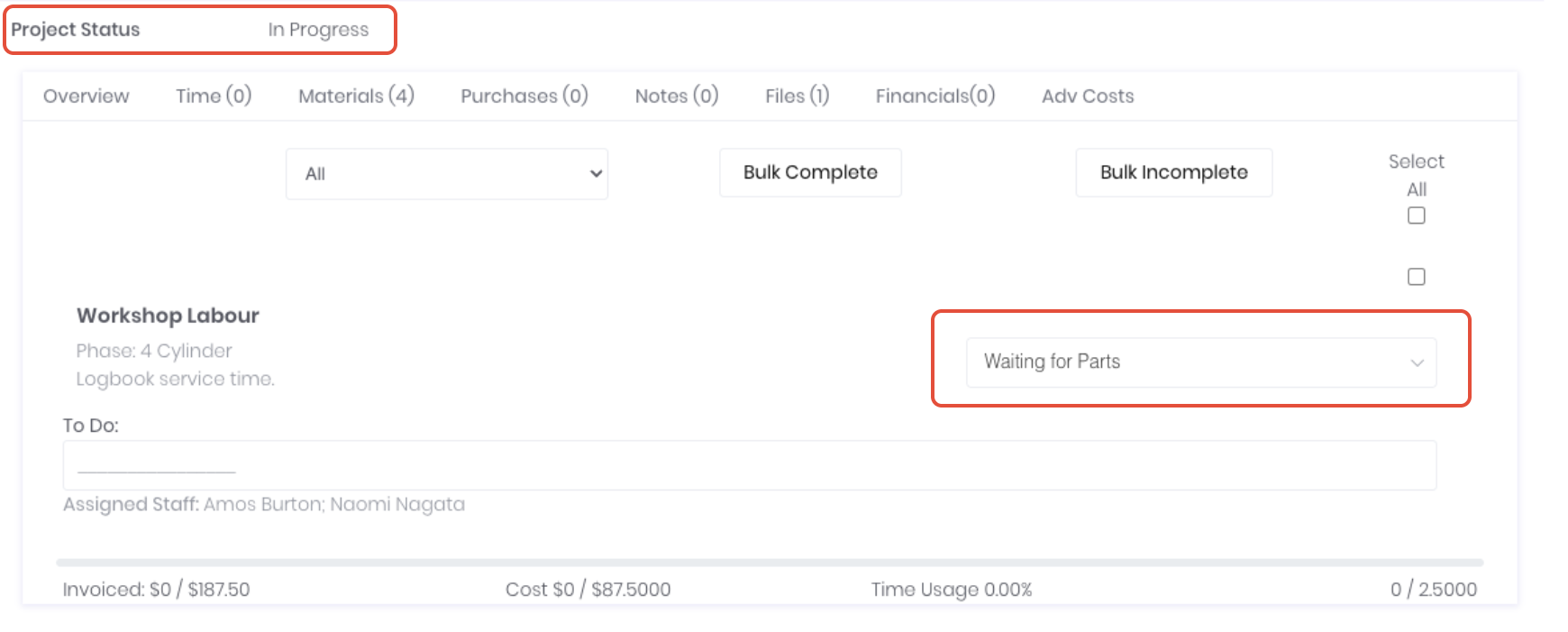
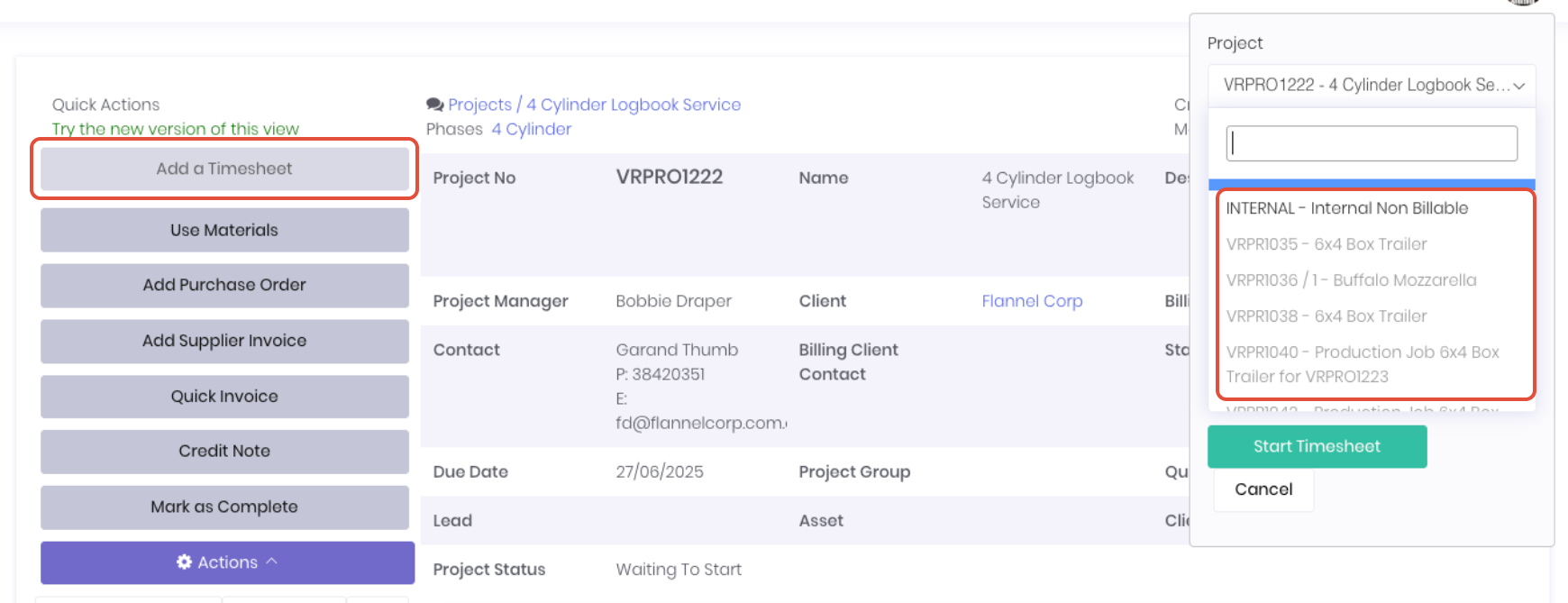
Projects assigned with the selected statuses will be greyed out in browser based timesheet entry methods and hidden on the kiosk and mobile applications.
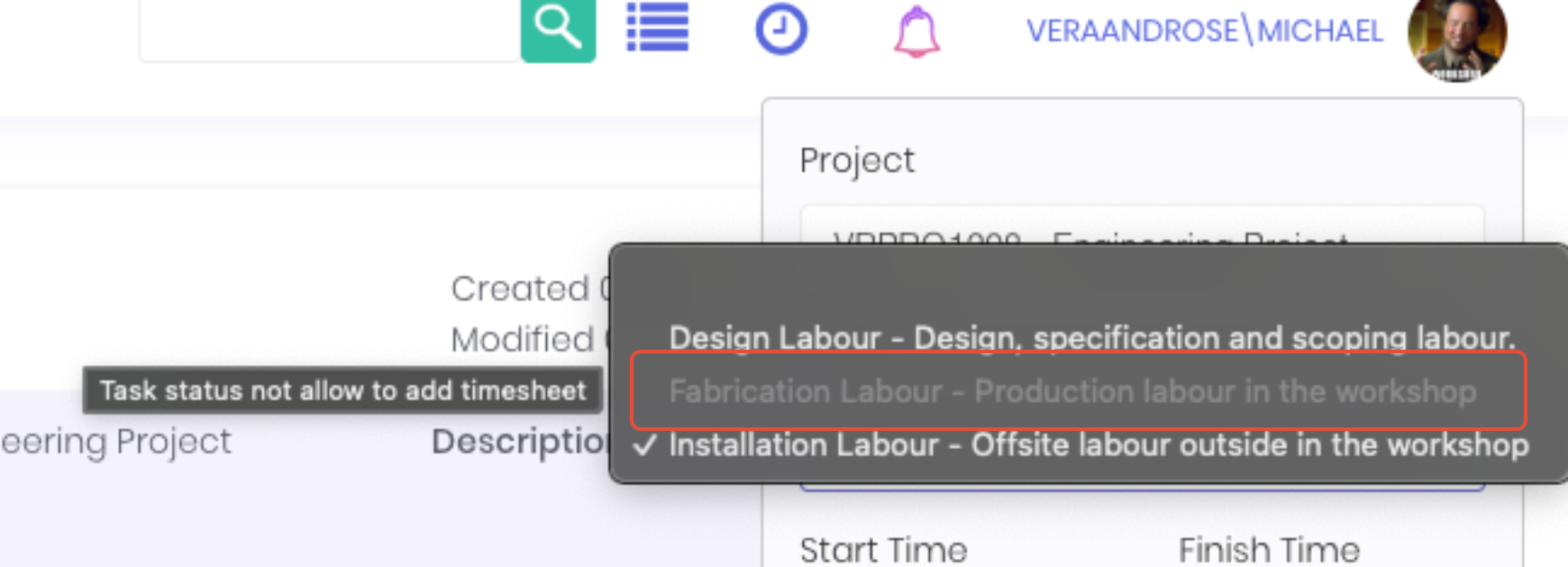
Tasks assigned with the selected blocked statuses will be greyed out in browser based timesheet entry methods and hidden on the kiosk and mobile applications, while still allowing timesheet entry on other non-blocked status tasks on the project.
Was this article helpful?
That’s Great!
Thank you for your feedback
Sorry! We couldn't be helpful
Thank you for your feedback
Feedback sent
We appreciate your effort and will try to fix the article