This integration allows for deals created or updated within HubSpot to be synced back into WorkGuru as leads.
To utilise this functionality check the Enable Syncing of HubSpot Deals to WorkGuru Leads checkbox, select appropriate defaults and hit save. These defaults are used as fallbacks when the HubSpot deal properties can not be mapped to a related value within WorkGuru:
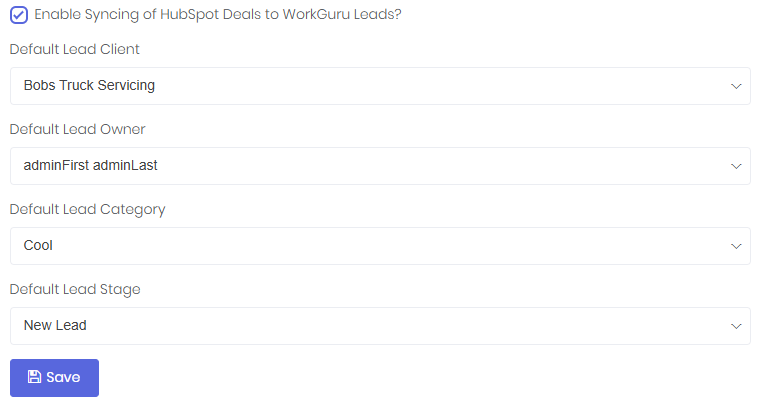
Once saved, any deals created or updated within HubSpot will send a webhook event to WorkGuru, prompting the creation or modification of a lead.
Please note: only current leads will be updated through this integration. If a webhook is received for a won or lost lead, that webhook will be discarded and the lead within WorkGuru will not be updated.
The deal-to-lead mapping for the main lead properties is as follows:
| HubSpot Deal Property | WorkGuru Lead Property | Notes |
| Amount_In_Home_Currency | Budget | |
| Priority | Category | Uses the integration default if no matchinglead category is found in WorkGuru |
| Stage | Stage | Uses the integration default if no matchinglead stage is found in WorkGuru |
| Company | Client | Uses the integration default if no matching client is found in WorkGuru |
| Forecast/Stage Probability | Close Probability |
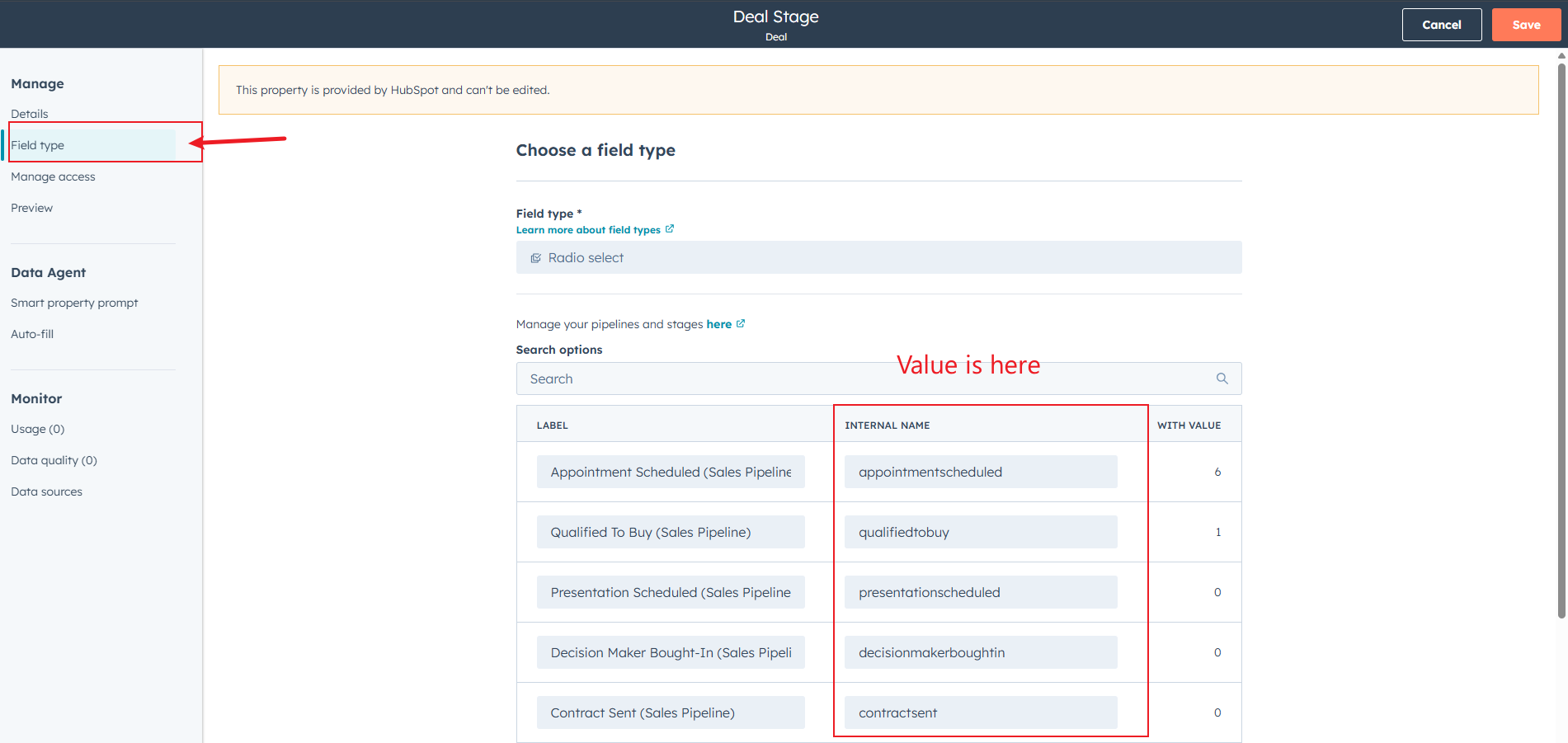
*Mapping is based on HubSpot "Internal Name": How To Find Internal Name
The Users tab on the integration dashboard page allows you maintain the links between HubSpot and WorkGuru users for the purpose of the correct assignment of owners to leads within WorkGuru:
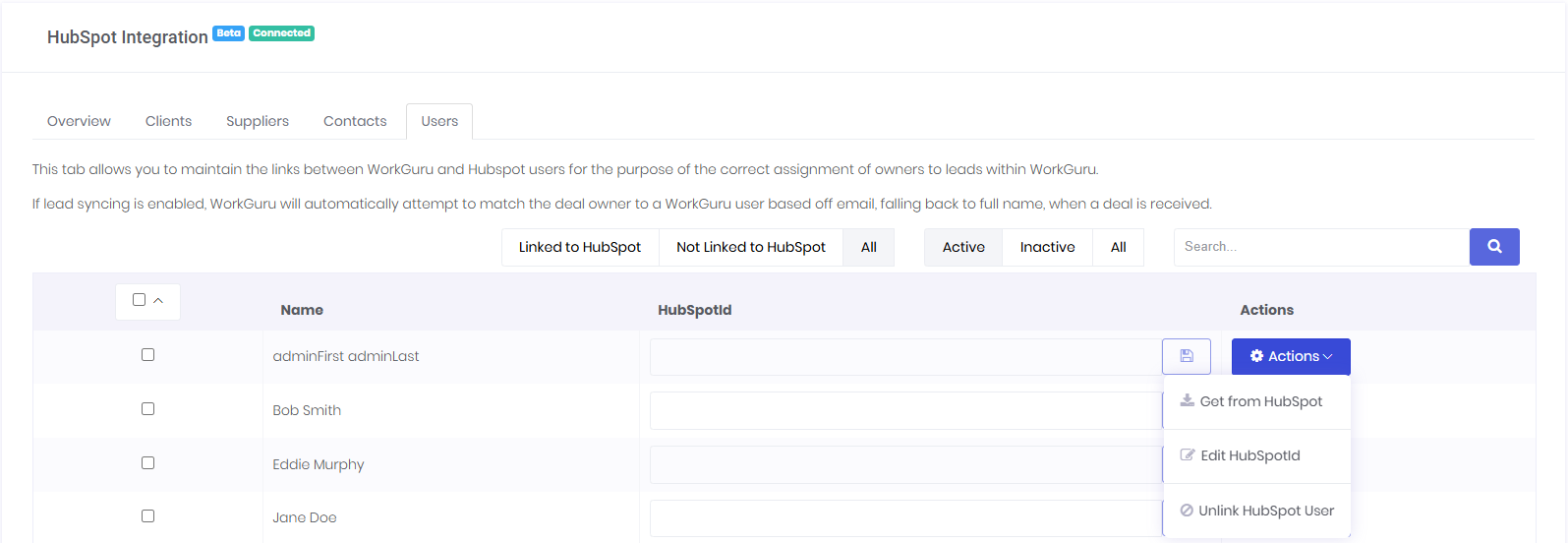
- Get from HubSpot
- This will immediately retrieve the user from HubSpot based off their email address
- Please note: the users email address must match exactly between the platforms
- Edit HubSpotId
- This will allow for the editing of the HubSpotId for that user.
- This functionality mainly exists to allow for re-linking entities that have been merged in one-or-both platforms.
- We highly recommend recording the existing value and reaching out to support before making any changes.
- Unlink HubSpot User
- This will effectively delete the link between the HubSpot and WorkGuru user.
It is not required to link users before using the deals-to-leads functionality.
WorkGuru will attempt to match users based off their email or full name as part of lead creation/modification, and will automatically and progressively link users as required. This tab exists to allow for the maintenance of those links should any errors occur.
How to Find Internal Name in HubSpot
Take Stage for example:
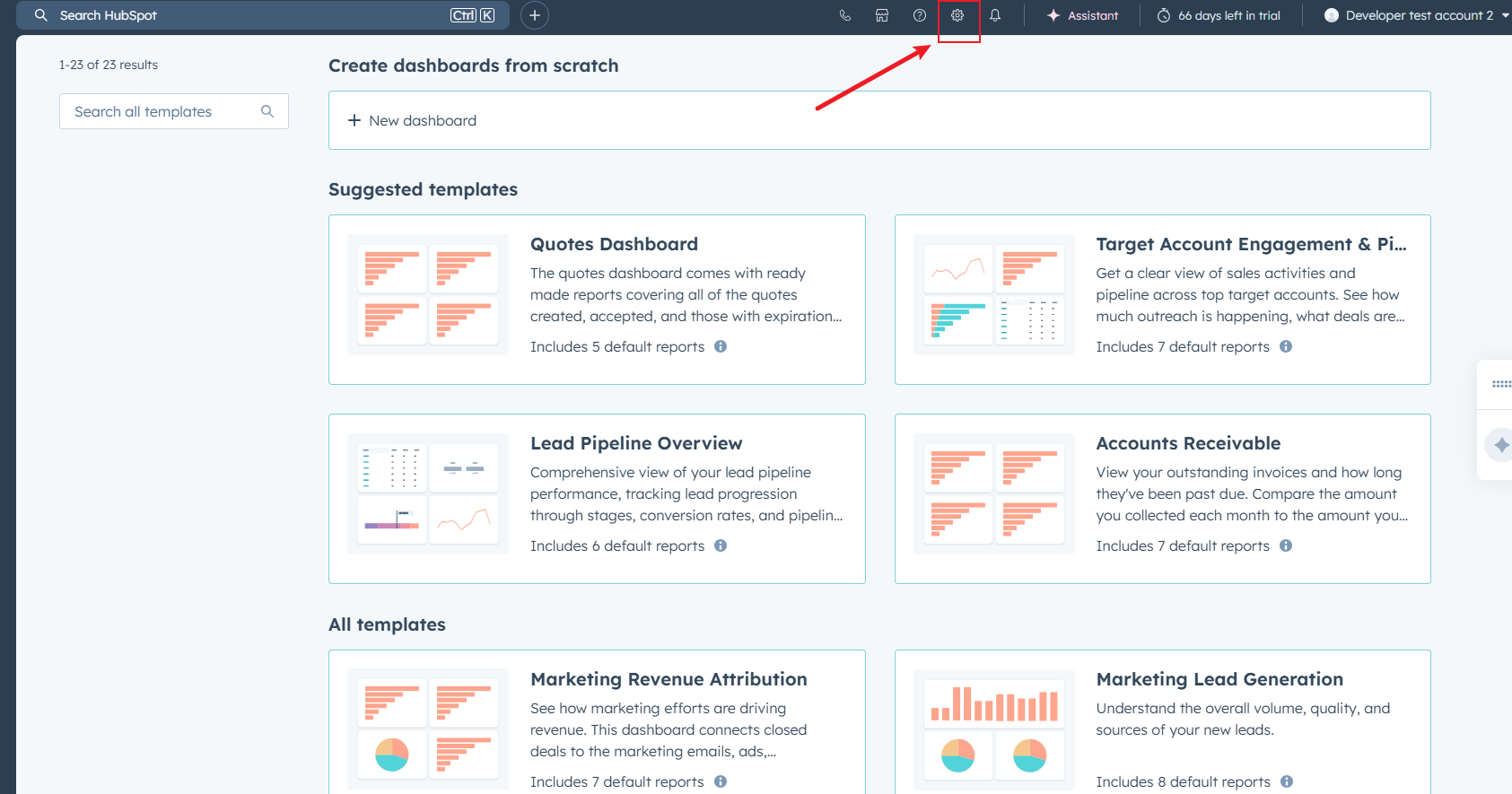
- Hit the settings button.
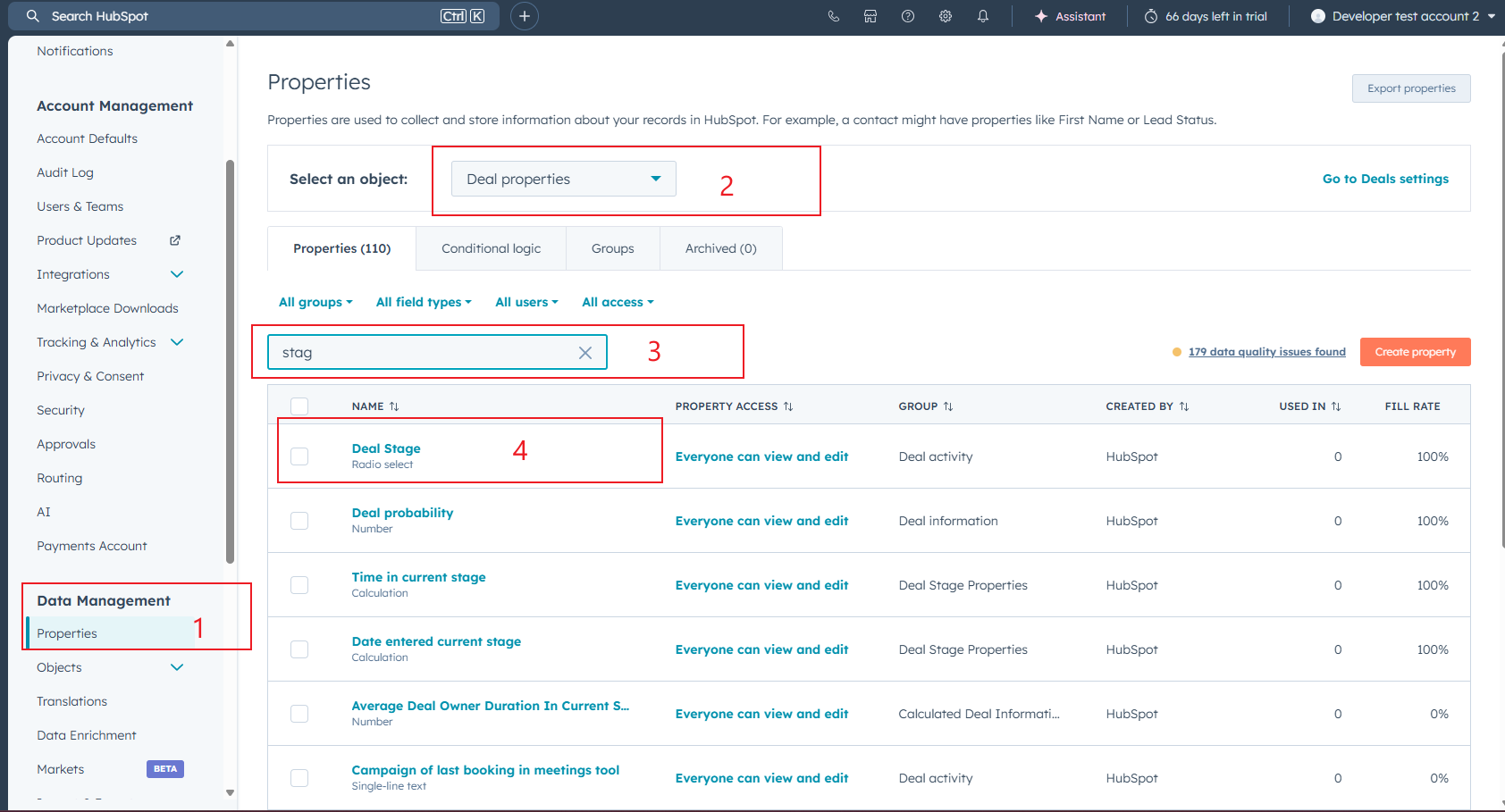
- Scroll a bit down at the side bar, click "Properties", change the "Select on object" to "Deal properties", then search stage, click to access "Deal Stage" (search "Priority" to see the internal name for priorities)
- Click "Field type", then you should be able to see the internal name for each value.
- Verify:
WG Data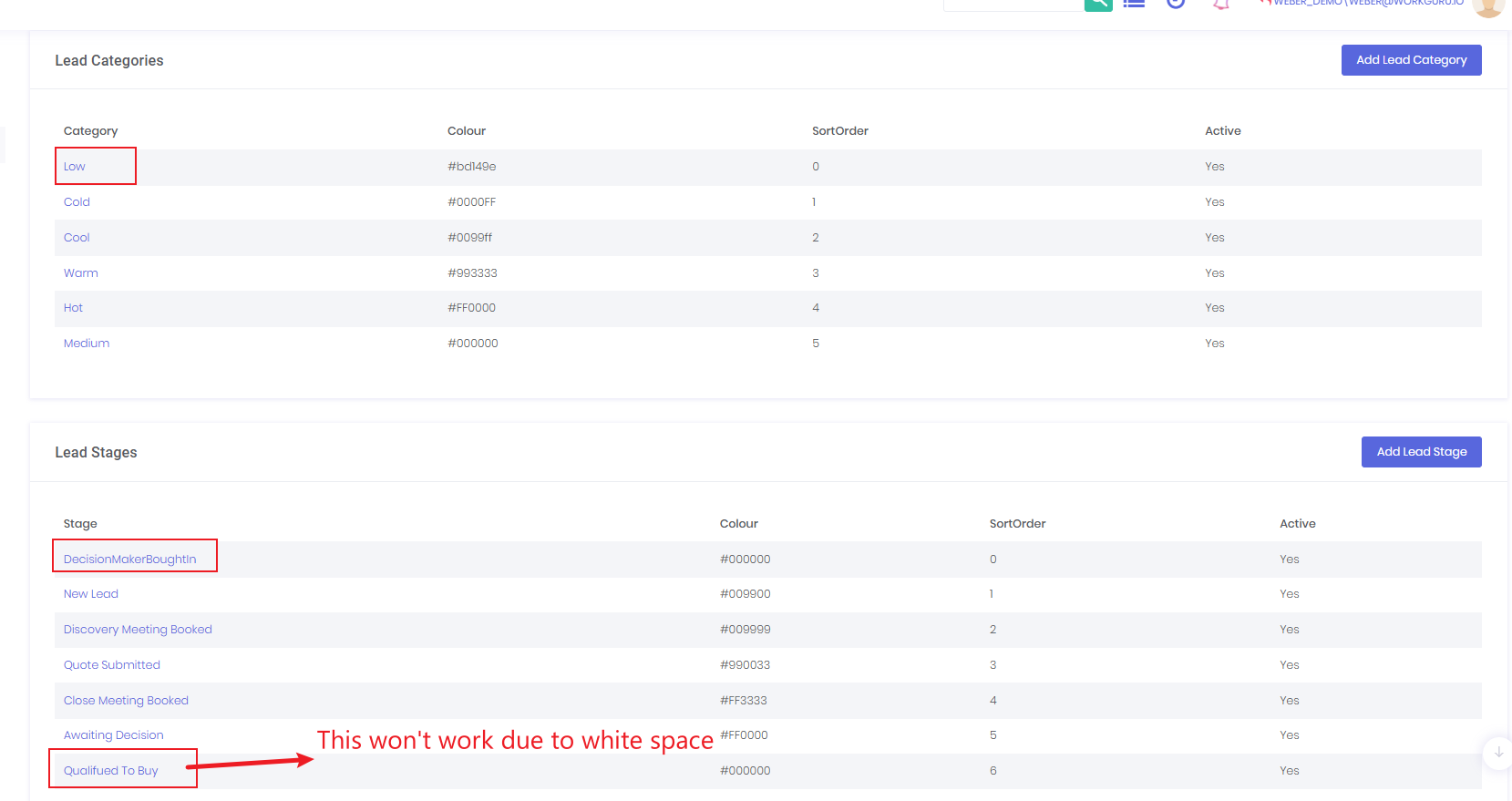 HubSpot Data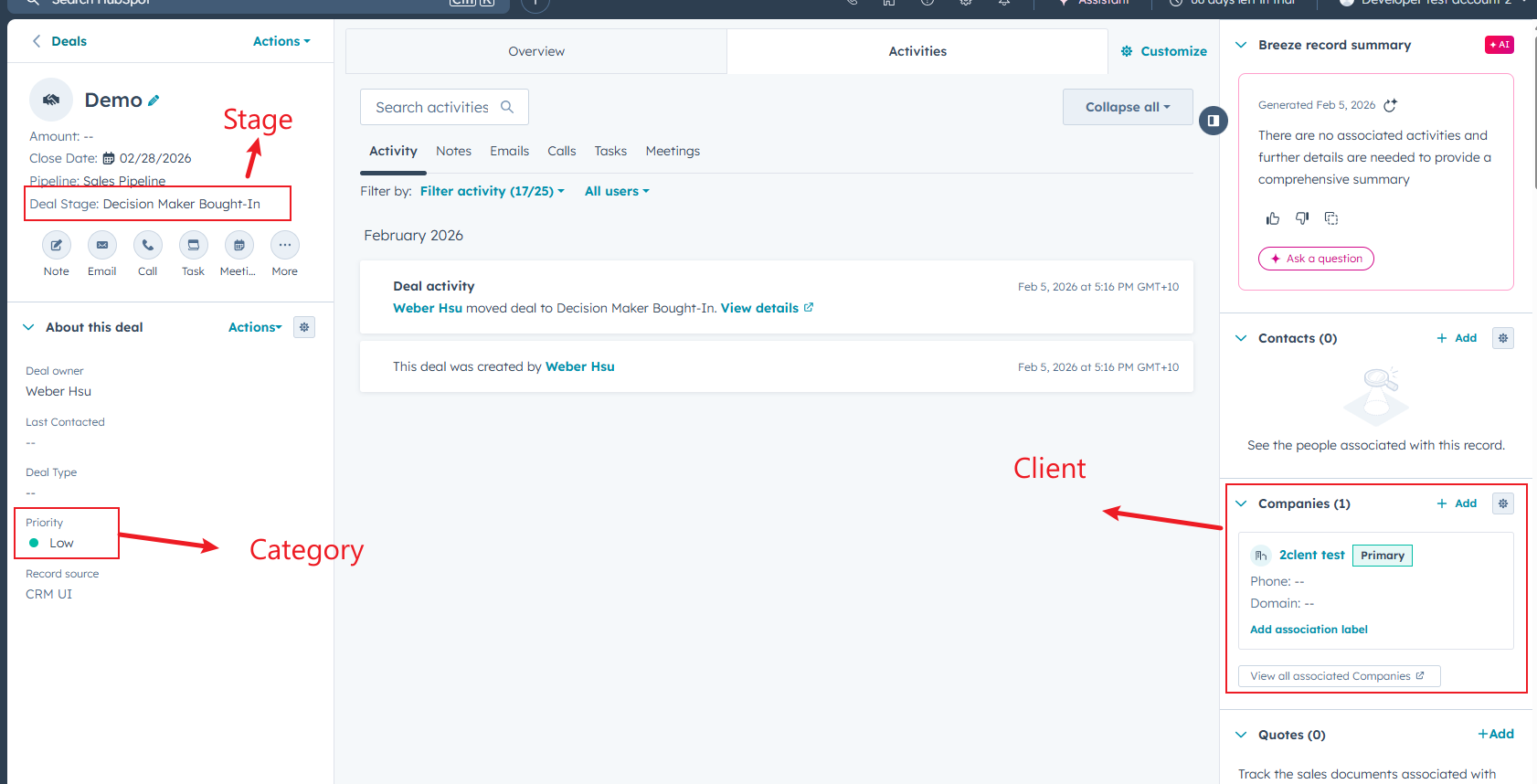
Synced Data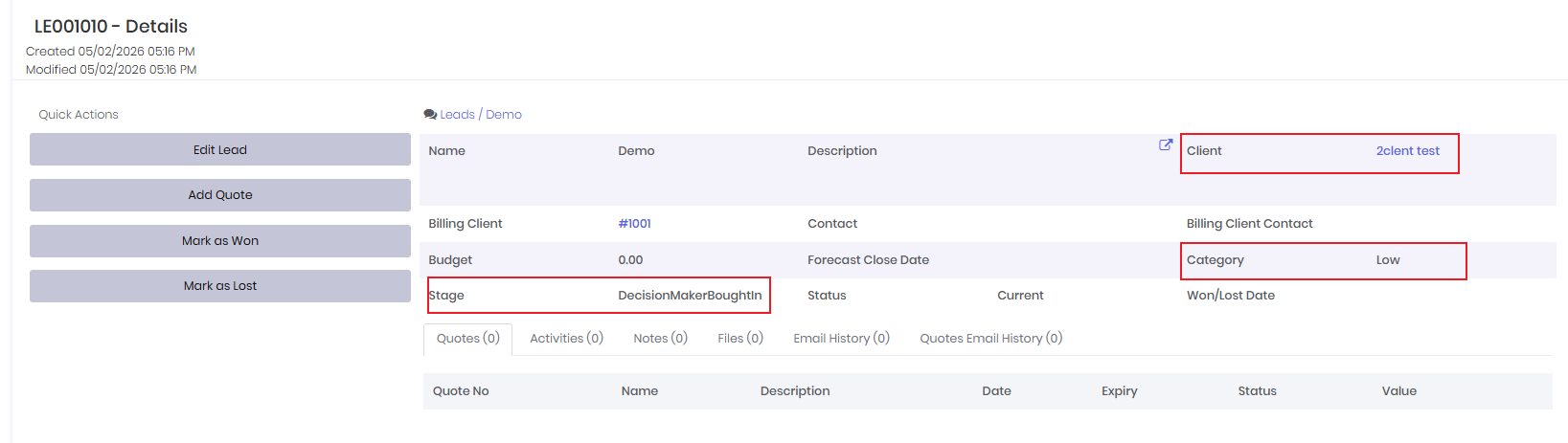
Was this article helpful?
That’s Great!
Thank you for your feedback
Sorry! We couldn't be helpful
Thank you for your feedback
Feedback sent
We appreciate your effort and will try to fix the article