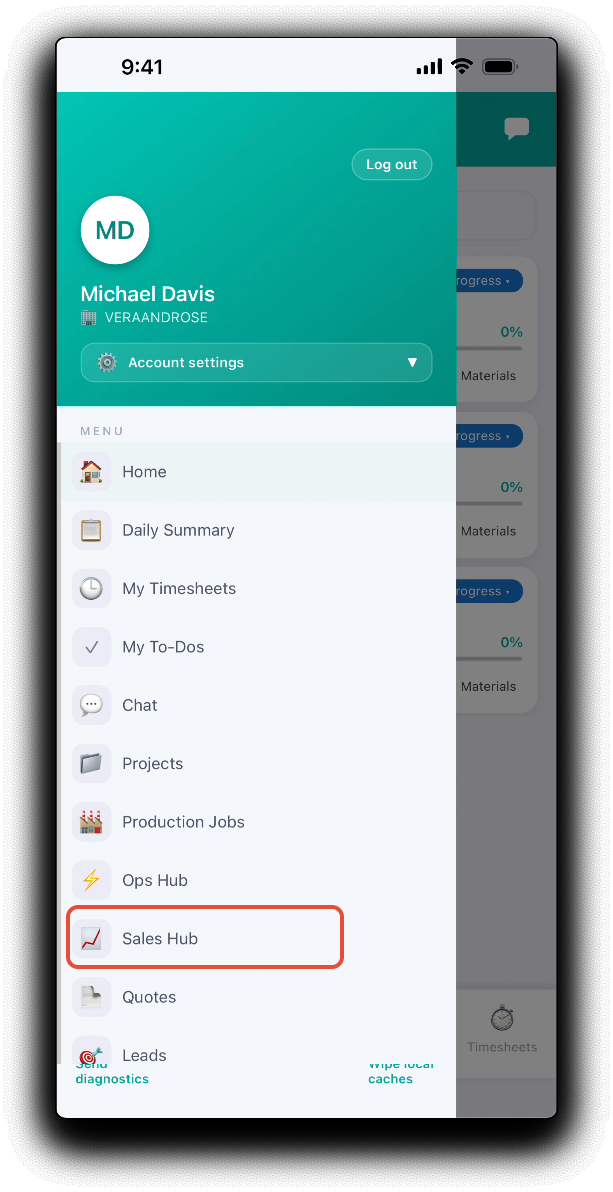
The mobile app allows you to keep on top of your sales while on the go via the mobile sales hub. Open your hub by tapping Sales Hub in the mobile menu.
The sales hub will display the following metrics. Tap on a tile to open the relevant lead activity, quote or to-do.
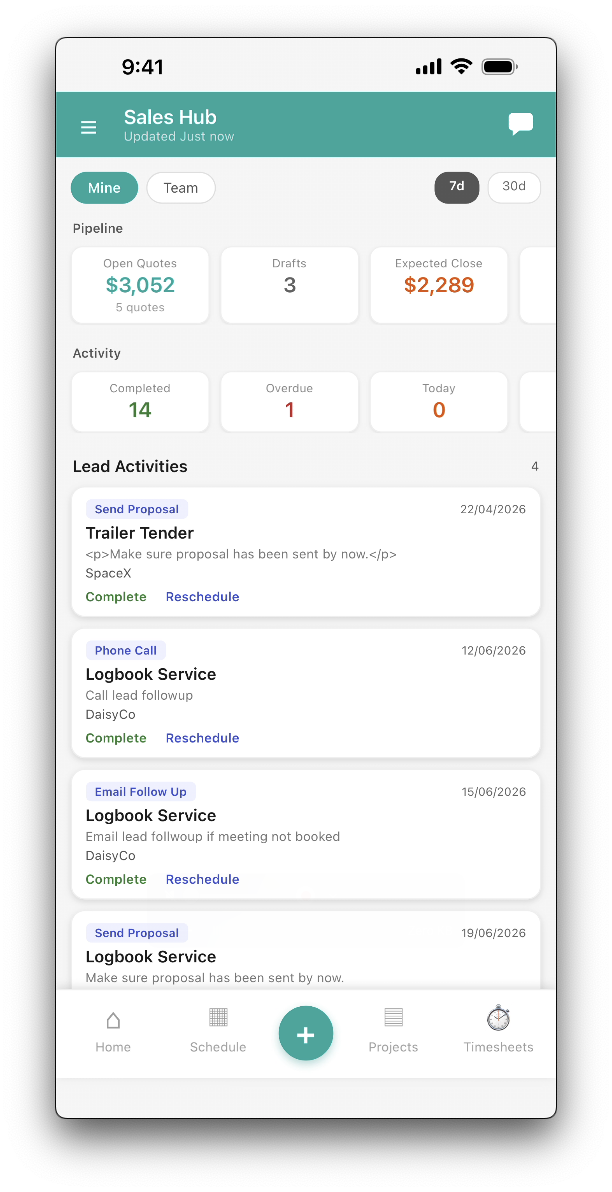
- Mine vs. Team - Toggle between your own workload and the full team view.
- Pipeline - A top-of-page metrics bar shows your Open Quotes, Drafts, Expected Close Value, New Leads and Unquoted Leads at a glance. Filter by 7-day or 30-day windows to track momentum over time.
- Activity - Summary of the status of your lead activities broken down by Completed, Overdue, Today, This Week, Upcoming and Rate.
- Tiles - Displays lead activities and quotes by schedule order and status. Tap on a tile to open the lead or quote details.
- Lead Activities - Tap Complete to complete activity. Tap Reschedule to reschedule the activity.
- Quotes Expired, Expiring Soon, Expiring Later - Tap on the tiles to open quote details. Tap on the shortcut on the tile to:
- Extend - Extend the quote valid to date.
- Mark Won - Accept the quote - will prompt to confirm and create a project.
- Mark Lost - Decline the quote.
Was this article helpful?
That’s Great!
Thank you for your feedback
Sorry! We couldn't be helpful
Thank you for your feedback
Feedback sent
We appreciate your effort and will try to fix the article