If you experience a problem or unexplained error when using the WorkGuru Mobile app, please follow these steps so that we can troubleshoot for you;
Firstly, ensure you have the latest version of the mobile app, delete and re-install the app to be sure everything is in working order!
If it is a soft-error (error window pop-up / the app continues to operate), trigger it once and then after it has been triggered, in the same session;
1. Navigate to the side-menu
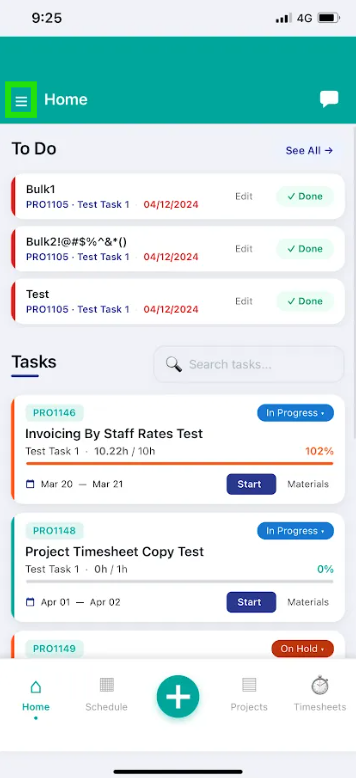
2. Hit Send Diagnostics
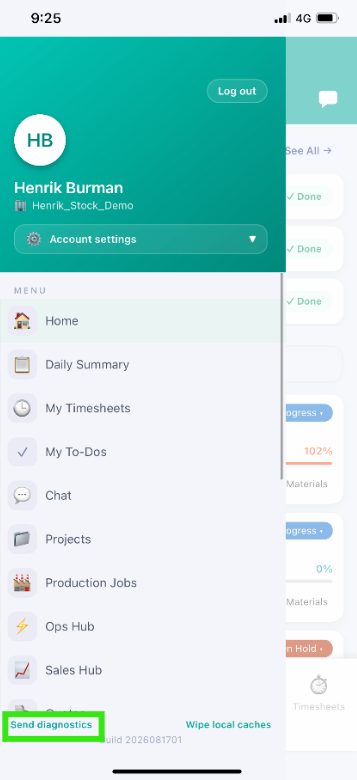
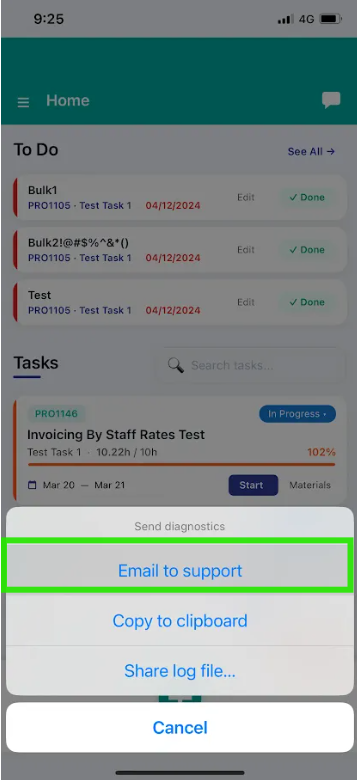
3. Hit "Email to Support"
4. Fill in as much information as possible in the section highlighted below, any patterns (e.g. only a specific OS), a description with steps on how to replicate the issue (e.g. open project details, error saying XXXX appears and disappears shortly after), we view this information as part of investigations and ensures we are informed for a faster fix
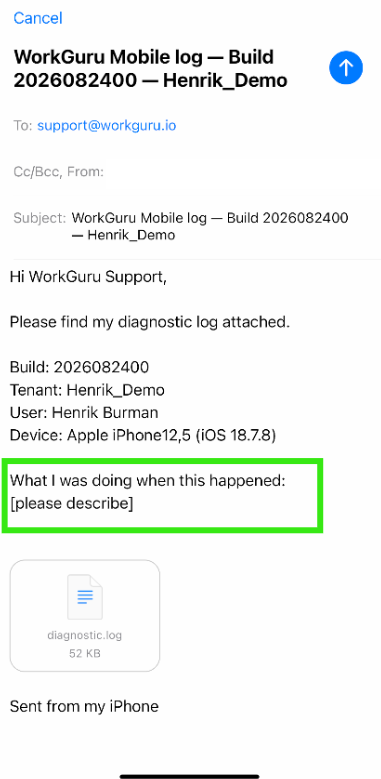
4. Hit send support email
Assuming all of the above steps have been followed completely, this will generate a support ticket using your WorkGuru user email which we will respond to (which will come through to yourself as an email on your WorkGuru user-set email) when we have had a chance to review on our end!
Otherwise if it is a hard-error and you cannot access the app at all, or a step above cannot be completed - you can also raise a ticket with us by emailing us at support@workguru.io and providing the following information;
- Tenancy (business) name, and impacted user/s
- Phone make, model and iOS version (E.g. iPhone 15 Pro Max iOS v26.6.61) - If unsure, all of this information can be found in your phone settings as well, if reporting for multiple users, please provide this information per user if possible)
- App version listed at bottom of log in screen (Assuming you have deleted and re-installed the app, this will be the latest version)
- Confirmation that the issue occurs on a different connection type (e.g. if the issue is occurring on warehouse business WiFi, try and use 4g or 5G outside to see if that solves the issue)
- What exactly is the issue being experienced, along with the steps to replicate the issue
- IMPORTANT: Screenshots or phone recordings are absolutely preferred so we can see exactly what you are seeing, if the recording is over 25MB please note that we will not be able to view these files in our support desk, so please attach these as a file-sharing link that we can access instead.
This will create a support ticket with your WorkGuru user email as a contact, which we will respond to if we require further details to address the issue and will communicate the best path forwards to solve any troubles!
Was this article helpful?
That’s Great!
Thank you for your feedback
Sorry! We couldn't be helpful
Thank you for your feedback
Feedback sent
We appreciate your effort and will try to fix the article