Api keys can be managed from the API Key Dashboard (https://app.workguru.io/App/ApiKeys/).
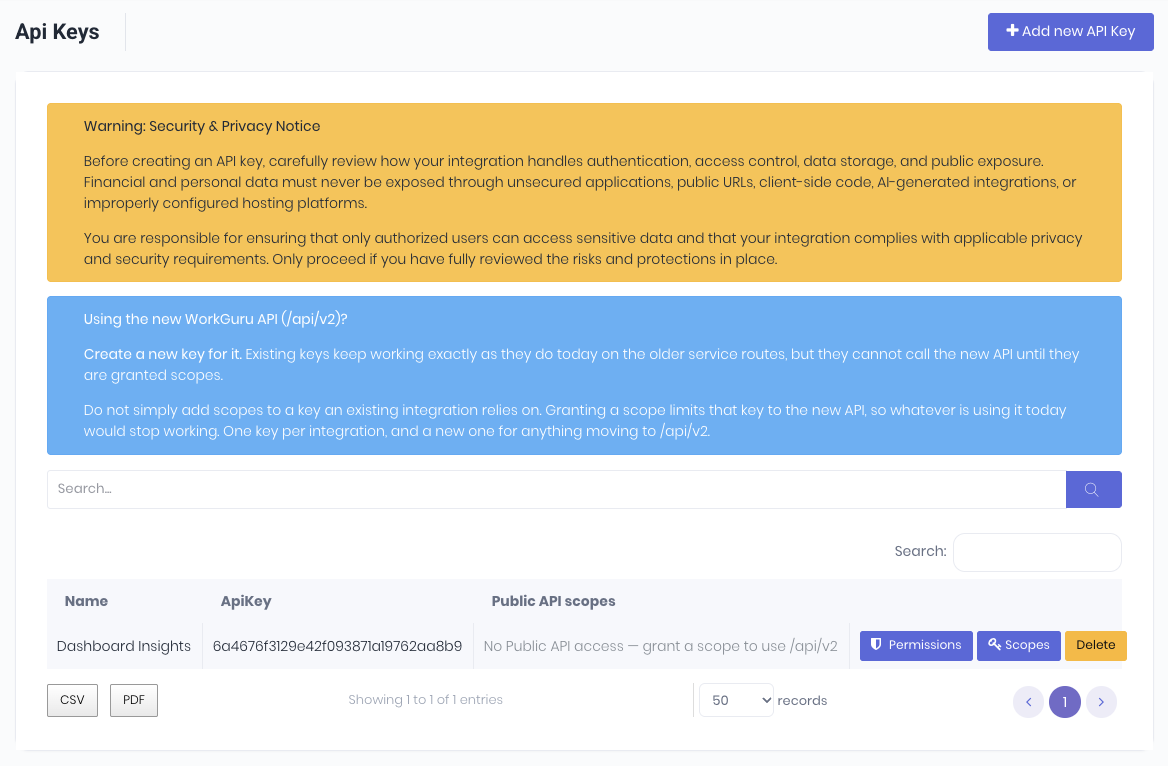
From the dashboard you can:
- Search - Search your API Keys
- Add New API Key - Create a new API
- Permissions - As the API key is equivalent to a standard user, you can set relevant permissions as required.
- Scopes - Scopes limit what this key can do through the Public API V2 (/api/v2), independently of the key's WorkGuru permissions — a request must pass both. Grant only what the integration needs.
- Delete - Delete the API key.
Was this article helpful?
That’s Great!
Thank you for your feedback
Sorry! We couldn't be helpful
Thank you for your feedback
Feedback sent
We appreciate your effort and will try to fix the article