A workflow with the Retention Due trigger reminds your team when a retention release falls due, so it's claimed on time. It runs once a day for every release that has a date and hasn't been claimed.
Set up a retentions reminder
- Go to Workflows and create a new workflow.
- Choose the Retention Due Timer trigger.
- Add a condition on Due Date using Date is exactly X days old:
- 0: the day the release falls due.
- −7: a week before it falls due.
- 14: two weeks after it fell due, as a chaser.
- Leave Run On set to Every Day. If you skip days, a release that falls due on a skipped day is missed.
- Add the Actions you want, for example Create To-Do for the project manager, Send Project Email, or a Project Notification.
- Save and turn the workflow on.
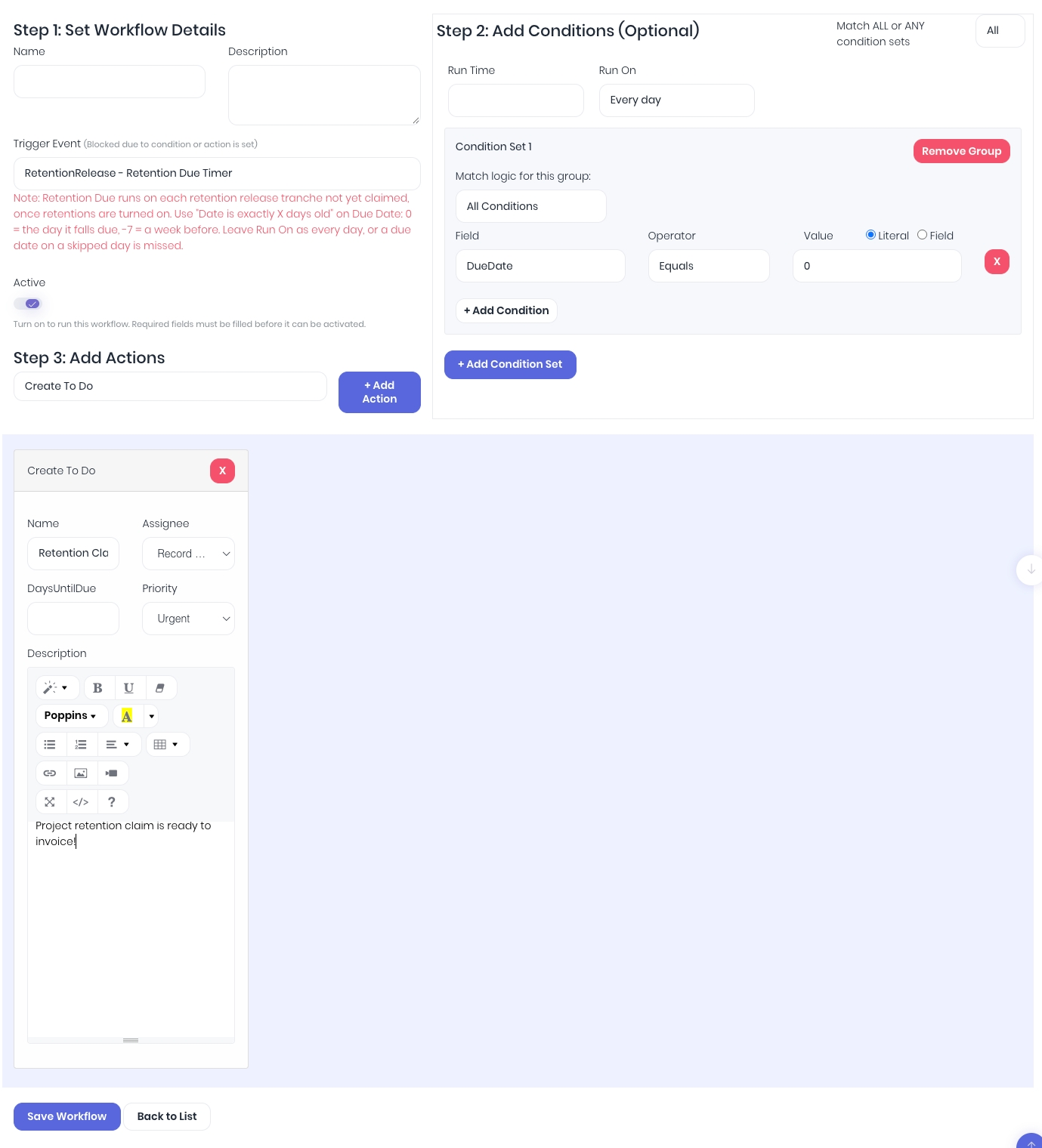
The actions run against the release's project. For example, a to-do is created on that project for its project manager.
When no reminder is sent:
- Retentions are turned off for your account.
- The release has no date yet: the project has no practical completion date and isn't completed.
- The release has already been claimed in full.
- Nothing is due to claim, for example when the project's retention is held only on draft invoices. A reminder set for one exact day isn't sent later, so approve claim invoices promptly.
To get a reminder each time, add one workflow per timing you want, for example one at −7 and one at 0.
Was this article helpful?
That’s Great!
Thank you for your feedback
Sorry! We couldn't be helpful
Thank you for your feedback
Feedback sent
We appreciate your effort and will try to fix the article