Setup your company's default invoice details and markup.
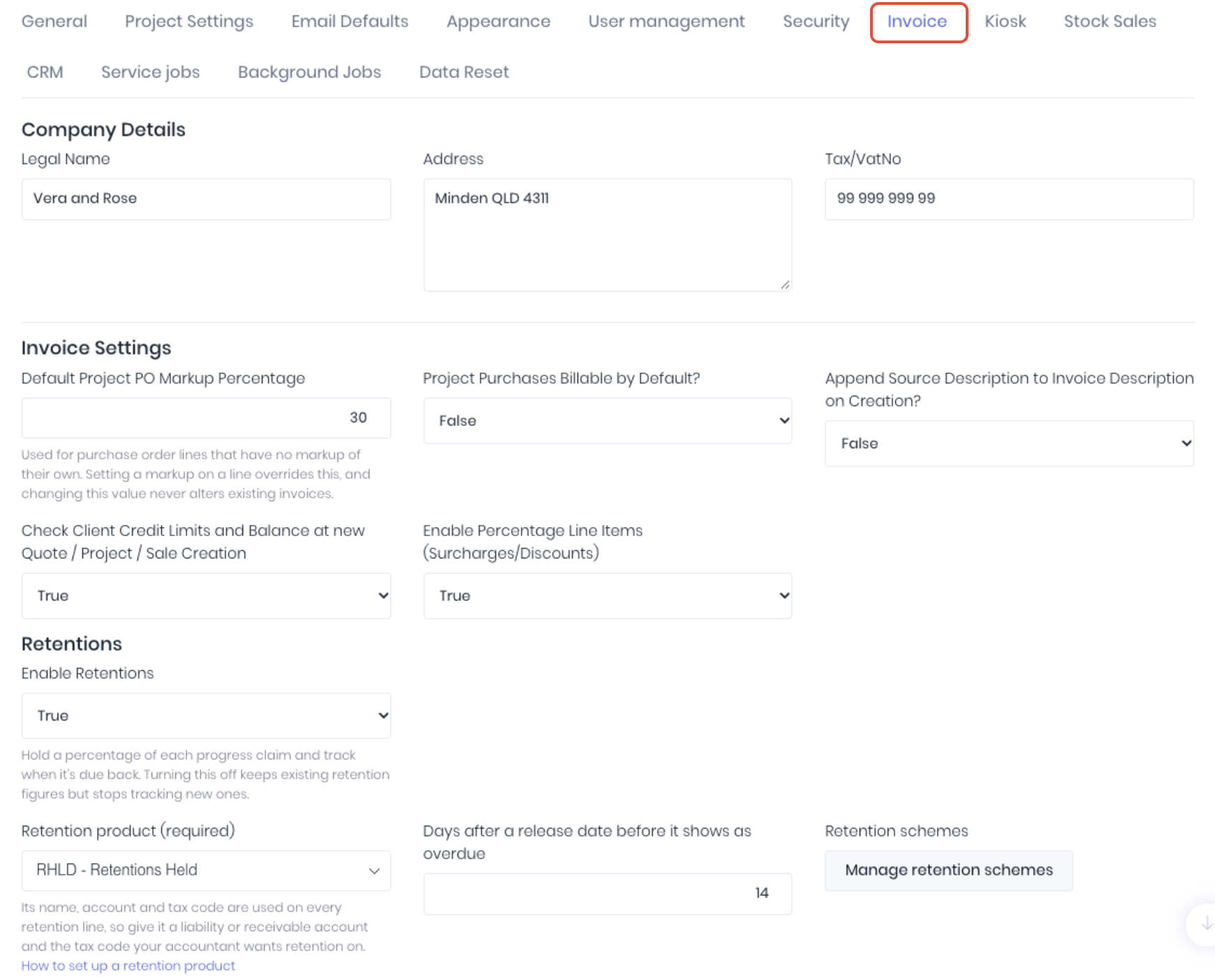
Company Details
- Legal Name - Business name. Populates the [BusinessLegalName] field on document templates.
- Address - Business address. Populates the [BusinessAddress] field on document templates.
- Tax/VatNo - Business company/tax number (ABN). Populates the [BusinessTaxNumber] field on document templates.
Invoice Settings
- Default Project PO Markup Percentage - Sets the default markup used when invoicing billable purchase orders in a project's quick invoice dashboard.
- Project Purchases Billable by Default? - When adding purchase orders to projects, set the billable status to true by default.
- Append Source Description to Invoice Description on Creation - Adds the project or stock sale description to the default invoice description.
- Check Client Credit Limits and Balance at New Quote/Project/Sale Creation - Enforce credit limit by preventing transaction creation.
- Enable Percentage Line Items (Surcharge/Discounts) - Enable the ability to add transaction level percentage discounts and surcharges on quotes and project and stock sale invoices.
Retentions
Advanced retentions are currently in Beta. Contact the WorkGuru support team to join the program.
- Enable Retentions - Hold a percentage of each progress claim and track when it's due back. Turning this off keeps existing retention figures but stops tracking new ones.
- Retention Product (Required) - Its name, account and tax code are used on every retention line, so give it a liability or receivable account and the tax code your accountant wants retention on.
- Day After a Release Date Before it Shows as Overdue - Set the notification period.
- Manage Retentions Scheme - Open the retention scheme dashboard.
Was this article helpful?
That’s Great!
Thank you for your feedback
Sorry! We couldn't be helpful
Thank you for your feedback
Feedback sent
We appreciate your effort and will try to fix the article