If an asset has no transaction history and is no longer required, you can delete it if it not assigned to any projects, quotes. However be aware that deleting an asset is NOT reversible. If you no longer require the asset but want to retain the asset history, make the asset inactive instead.
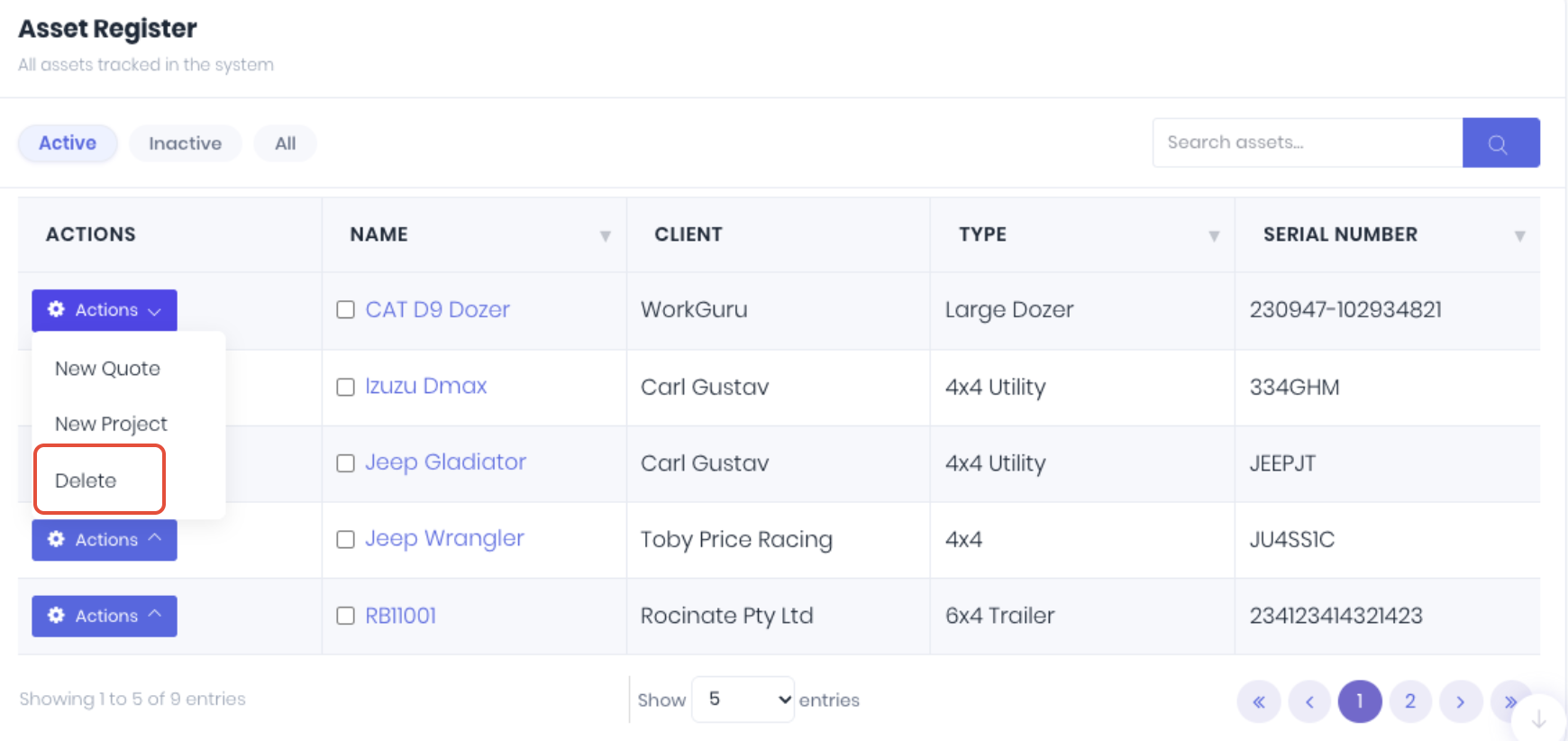
To delete an asset, select Delete from the actions button on the asset dashboard:
Was this article helpful?
That’s Great!
Thank you for your feedback
Sorry! We couldn't be helpful
Thank you for your feedback
Feedback sent
We appreciate your effort and will try to fix the article