One of many ways of completing forms in WorkGuru is directly from the project's detail screen in the browser. Note: If your projects do not have a Fill Form option available, you do not have any active forms available.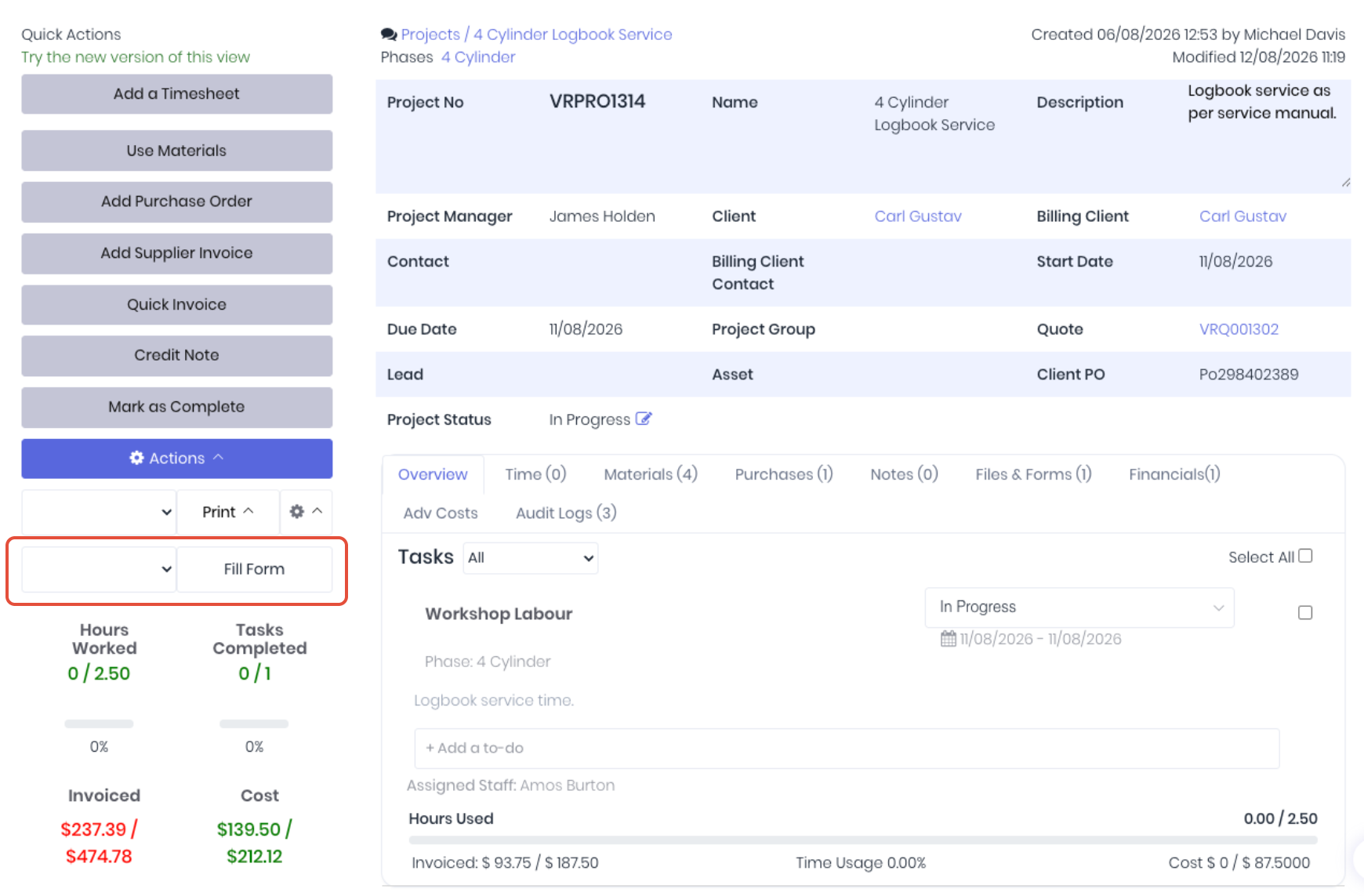
To complete a form from the project details, select the required form from the dropdown and Click the Fill Form. Complete the fields as required. Once completed and correct, save the form by clicking Save Form.
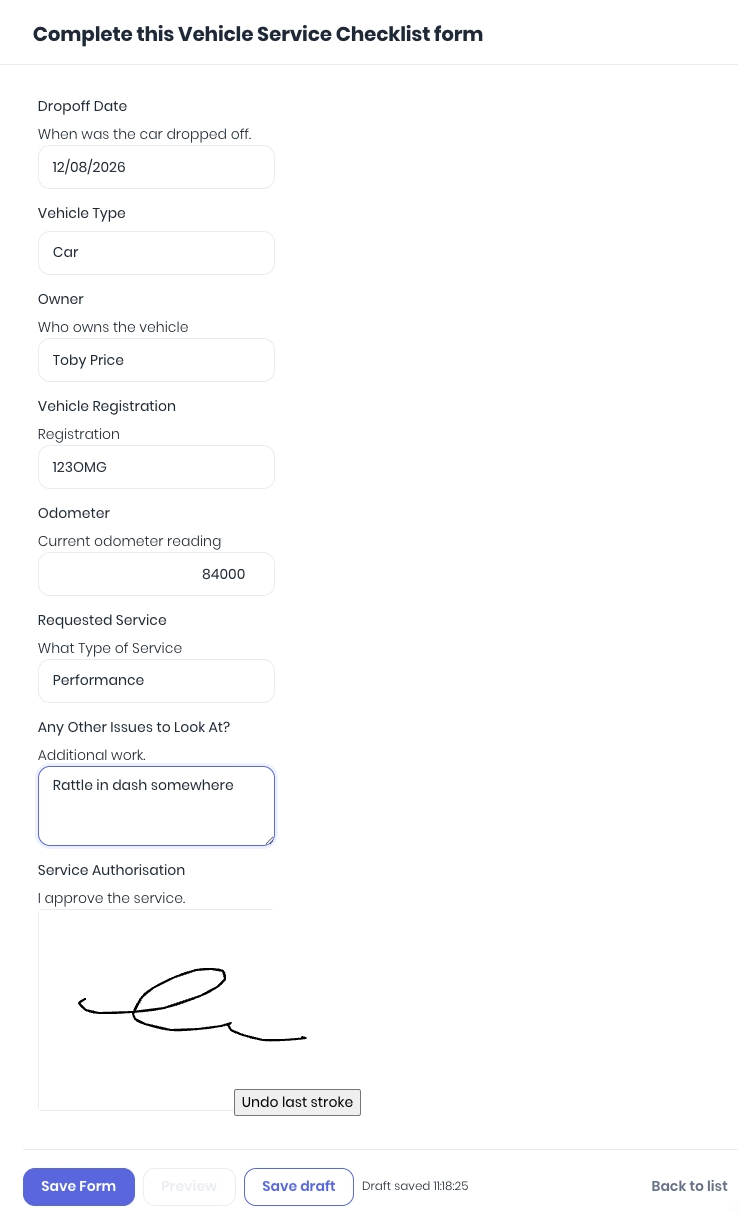 The completed form is then finalised in the background.
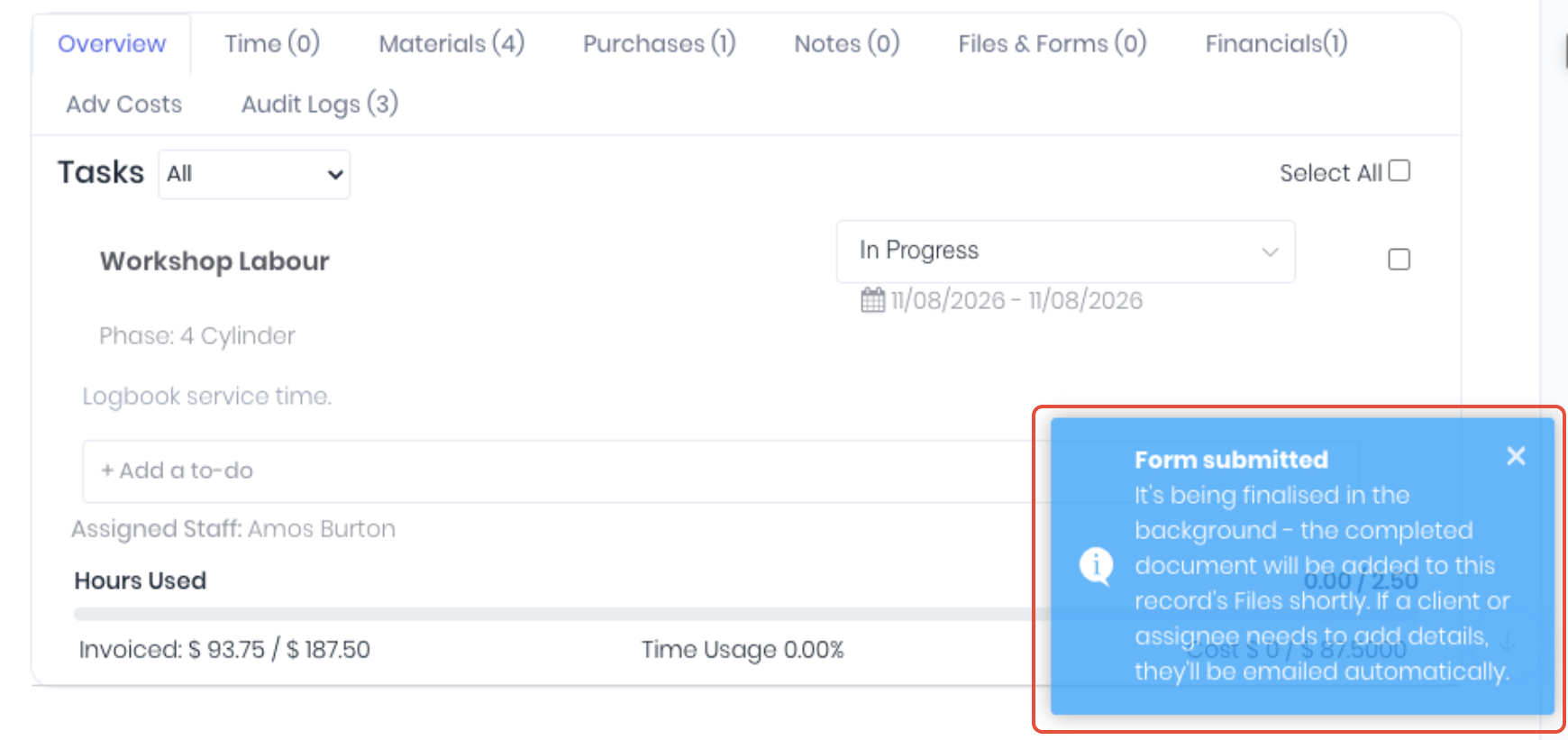
Once processed, the completed form can be accessed from the project's Files tab as a PDF file formatted as per the form's document template. The completed form is timestamped and tagged to the user who completed it.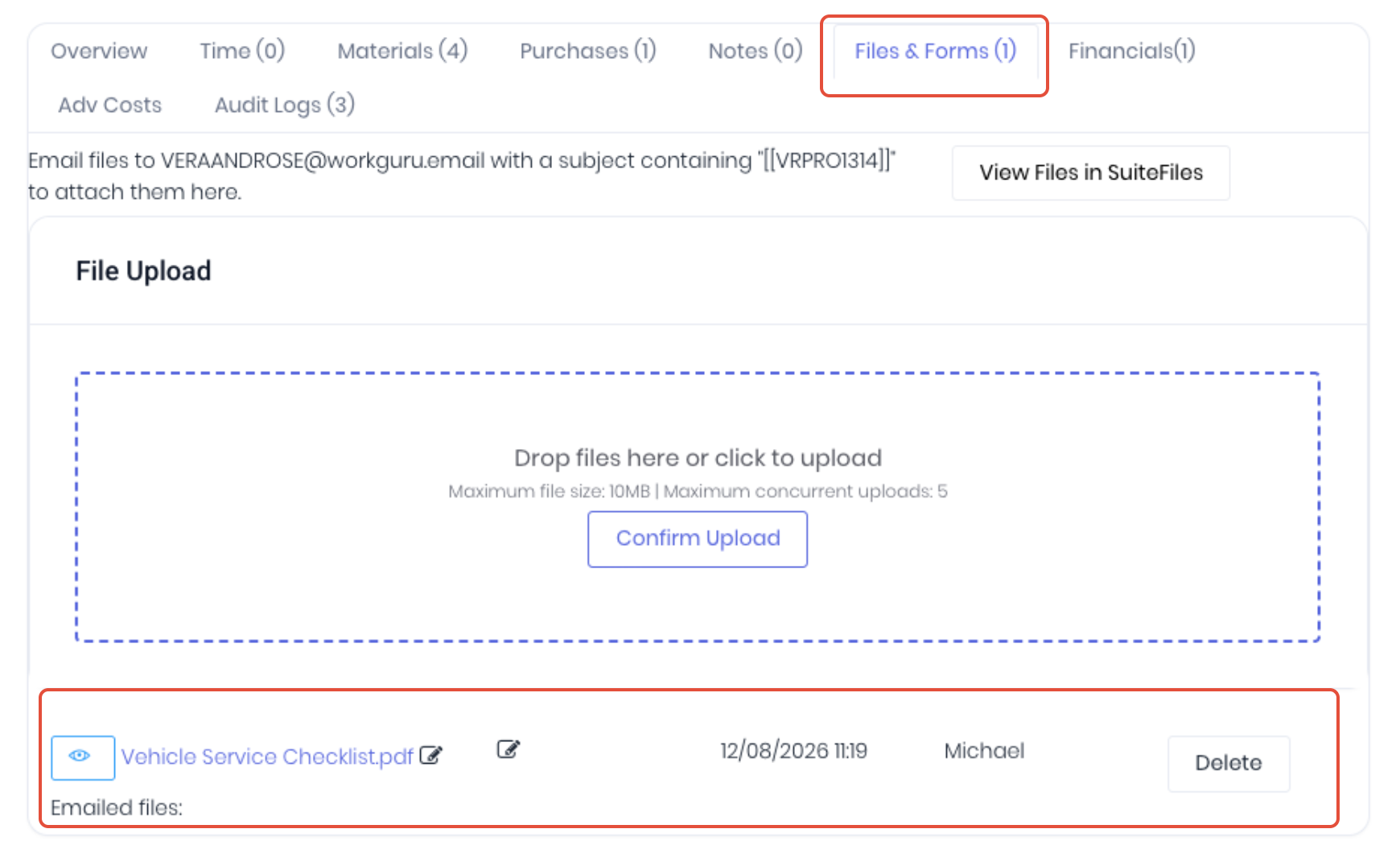
To review the completed form, click on the form name to download the PDF file. If you have the relevant permissions, click Delete to remove the form from the project.
Was this article helpful?
That’s Great!
Thank you for your feedback
Sorry! We couldn't be helpful
Thank you for your feedback
Feedback sent
We appreciate your effort and will try to fix the article