Forms can be created and managed from the form templates dashboard (Administration -> Forms). As well as Search and display current forms, the dashboard includes shortcuts to the
- Completions Dashboard - Realtime forms status
- Complete a Form - Select and complete a form.
- Assign a Form - Assign a staff member a form to complete.
- Browse Library - Display a list of standardised compliance forms you can add to your forms list.
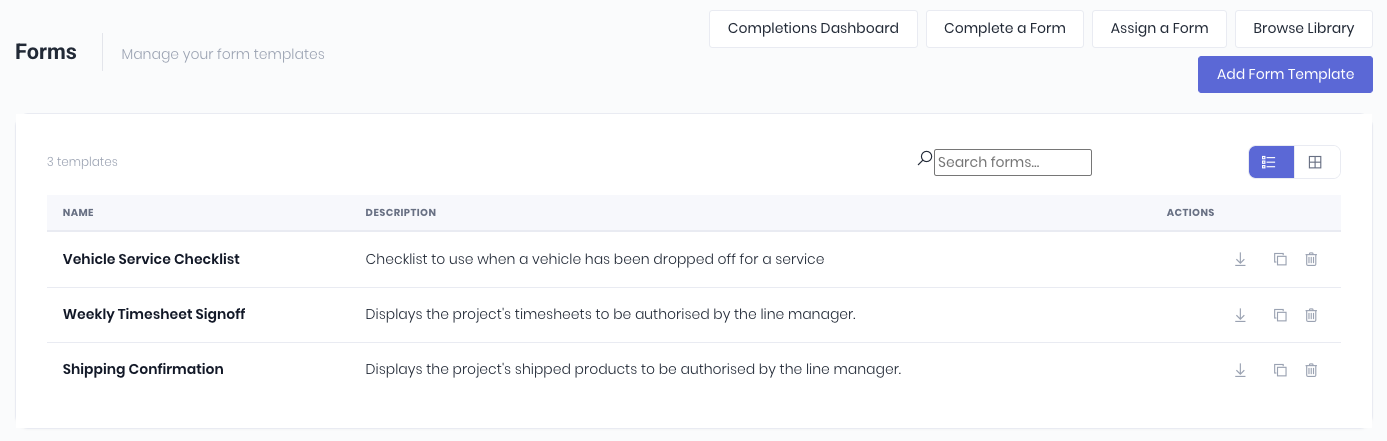
Functionality available on the dashboard:
- Create a form by clicking Add Form Template
- Template Actions- Displayed as icons at the end of each template row.
- Download the form template .docx file
- Delete the form
- Copy the form
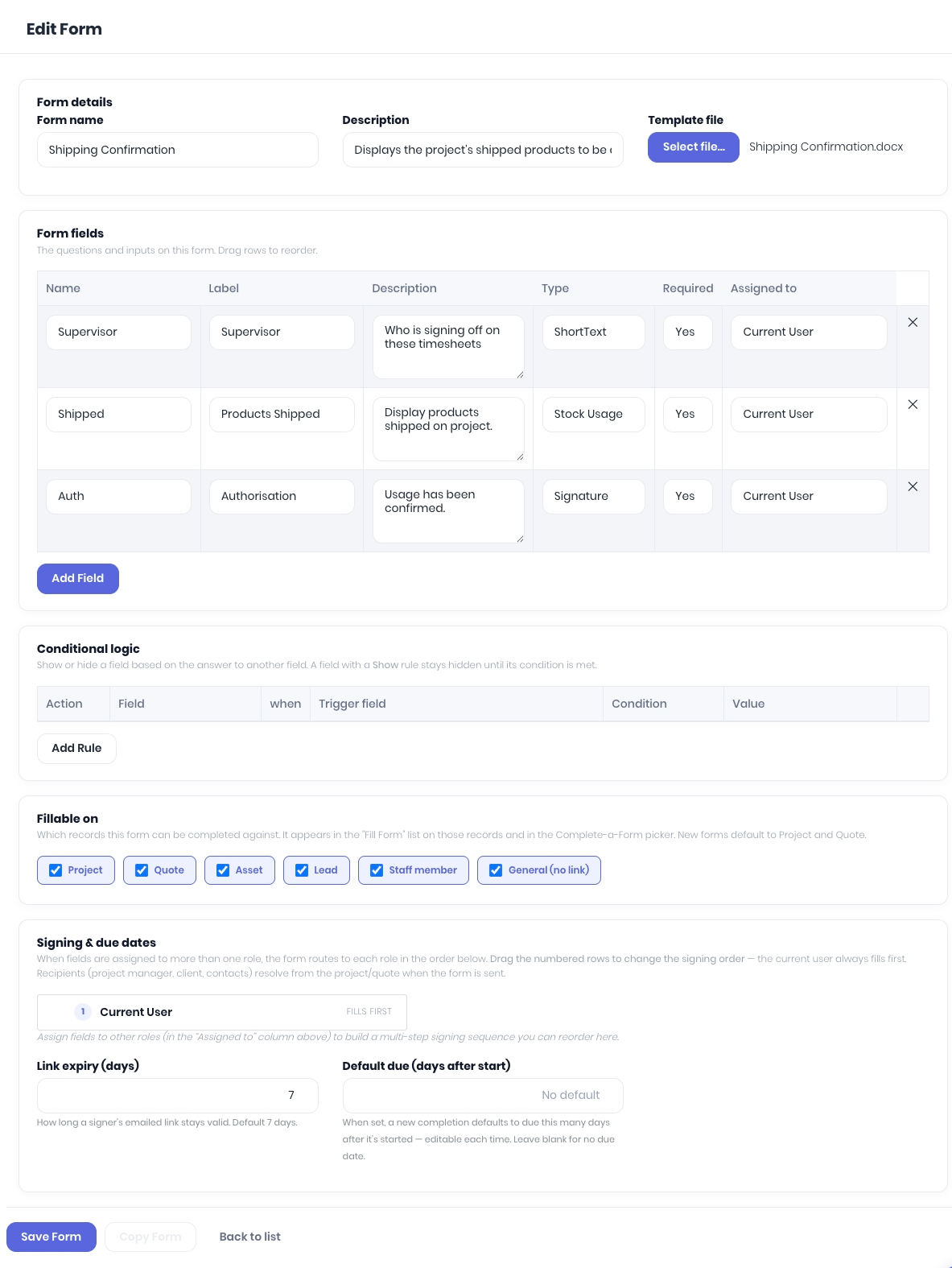
Clicking on the form template Name will open the form edit page to modify the name, description, form fields, logic and upload an updated document template.
Was this article helpful?
That’s Great!
Thank you for your feedback
Sorry! We couldn't be helpful
Thank you for your feedback
Feedback sent
We appreciate your effort and will try to fix the article