WorkGuru forms include the ability to display billable timesheets for a particular project using the Timesheets field type. The timesheets field type requires more configuration than the other types and requires a specific form document template configuration to display correctly.
- Setting Up Time Sheets Form Fields
- Displaying Time Sheets Form Fields
- Available Timesheet Document Template Fields
- Completing Timesheet Form Fields
Setting Up Time Sheets Form Fields
To include timesheets in a form, create a form using the Time Sheets field type. Make note the Name you used for this form field as this is required as the alt-text description of the table used to display the timesheets on the form's document template.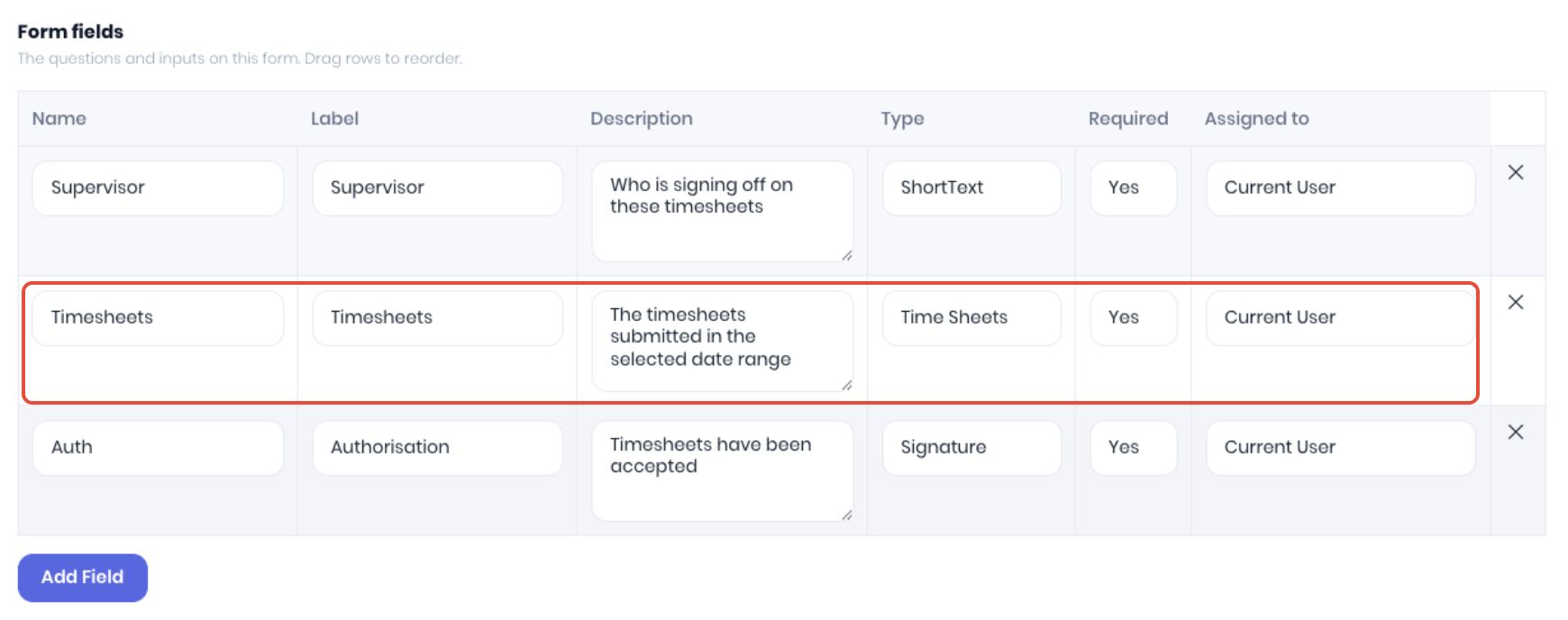
Displaying Time Sheets Form Fields
When creating the form's document template, displaying the time sheets form field requires specific formatting via a table to display correctly.
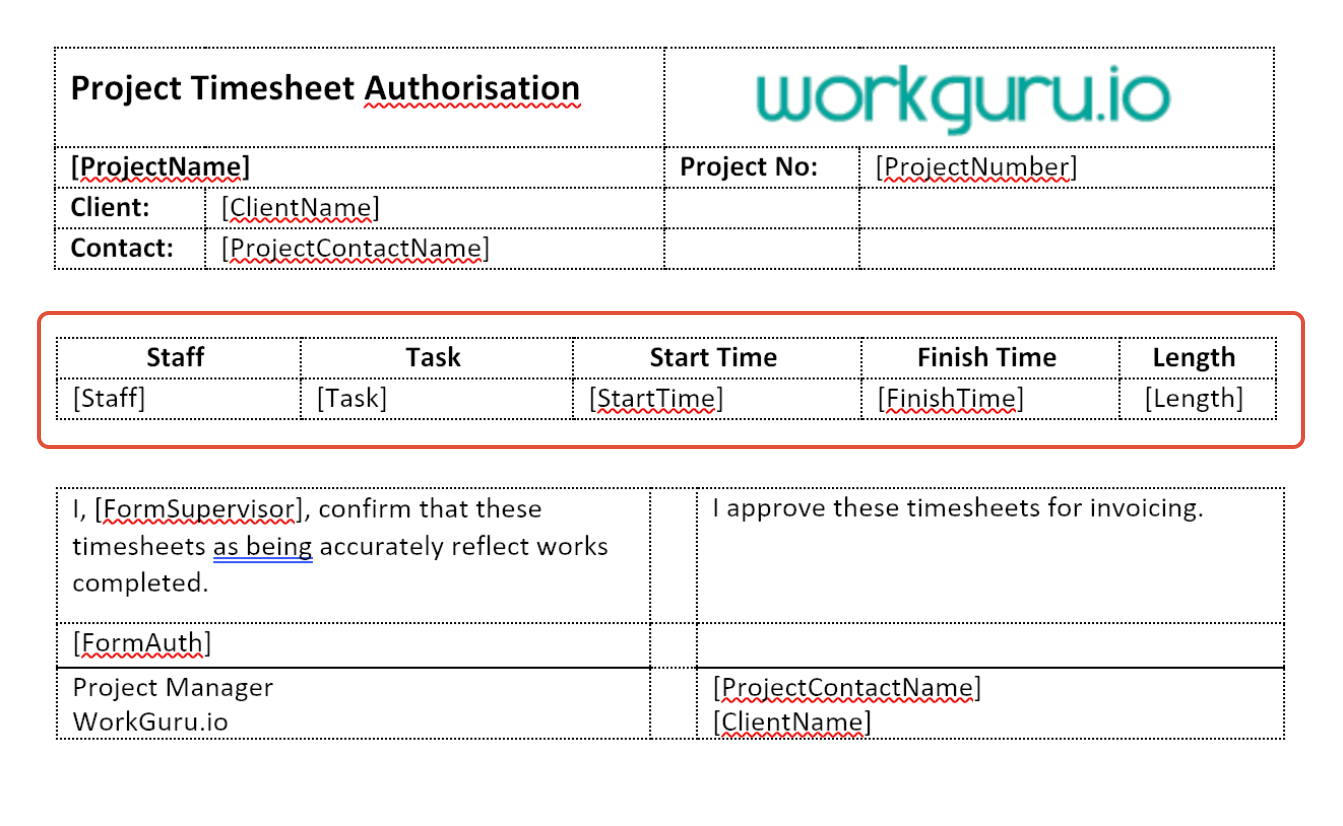
The specific requirements to be able to display the timesheet data correctly on the form output are:
- Ensure that the timesheet table fields are added in a table WITH a header. Tables without headers will not display data even if the fields are correct.
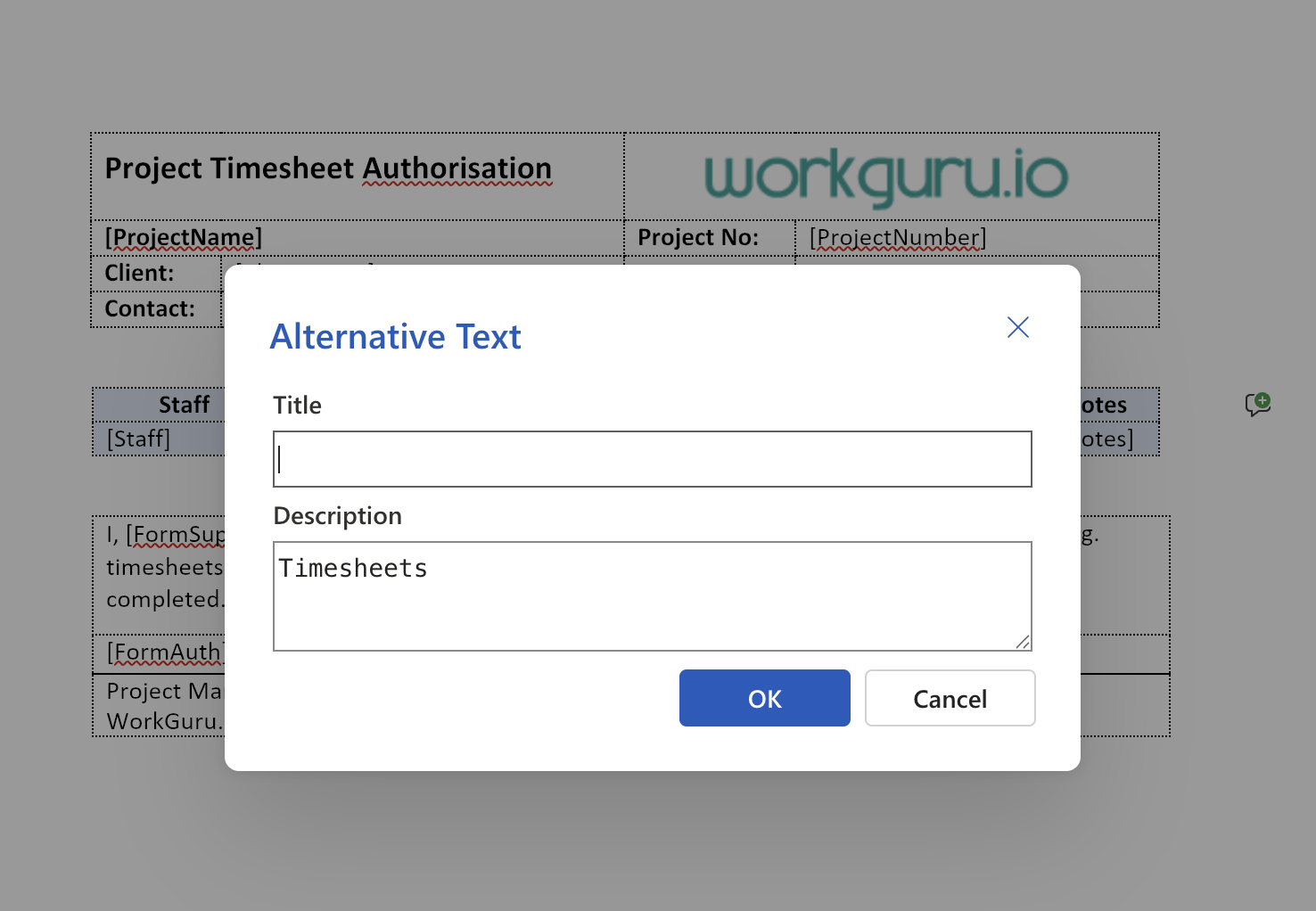
- The table needs to have its table properties Alt Text Description is set to the Name of the form field you added with the Time Sheets field type.
Available Timesheet Document Template Fields
| Merge Field | Notes |
|---|---|
| [Staff] | Timesheet user |
| [Task] | Timesheet task name |
| [StartTime] | Timesheet start time. Displayed as DD/MM/YYY HH:MM |
| [FinishTime] | Timesheet finish time. Displayed as DD/MM/YYY HH:MM |
| [Length] | Total duration. Displayed in decimal hours. |
Completing Timesheet Form Fields
When completing the form, the timesheet field of the form prompts for a date range of the timesheets you want to display in the form. The form will display the timesheets within the selected date range. Note: If no timesheets display after selecting the date range - there are no billable timesheets submitted on that project within those dates.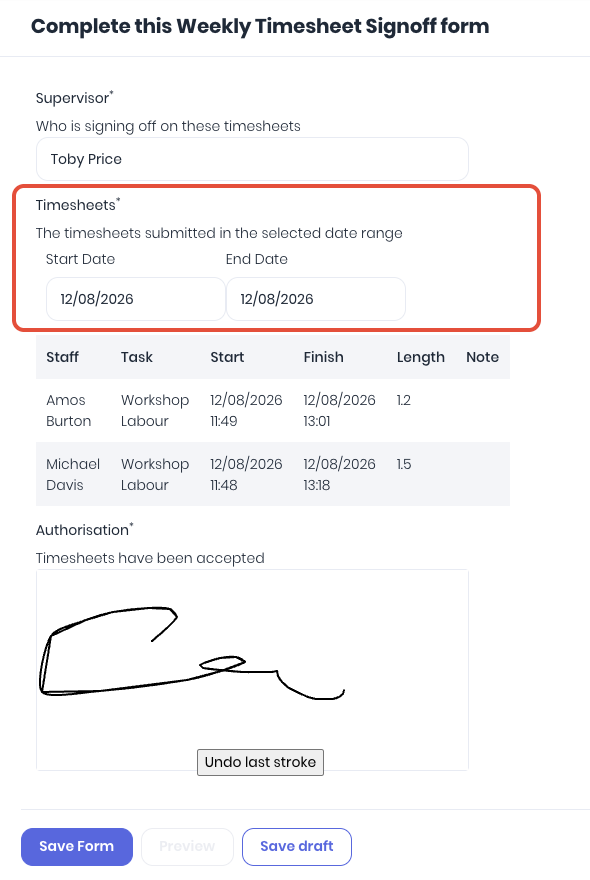
Once the form is saved, the timesheets will be displayed as per the form document template layout.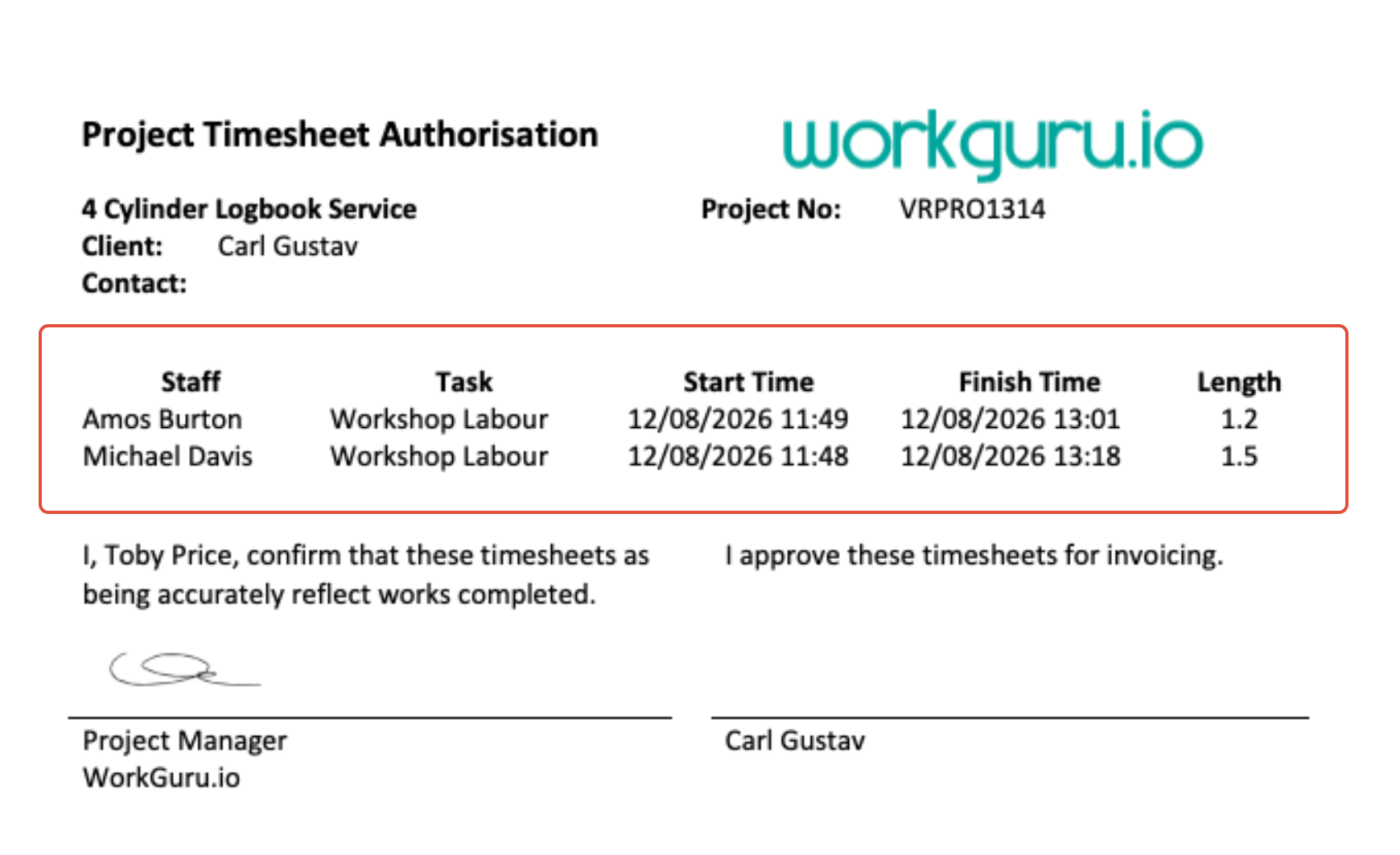
Was this article helpful?
That’s Great!
Thank you for your feedback
Sorry! We couldn't be helpful
Thank you for your feedback
Feedback sent
We appreciate your effort and will try to fix the article