The Android kiosk application allows you to formally setup the WorkGuru kiosk on devices via an application instead of the browser. This allows the kiosk to leverage the advantages of a dedicated application on the device.
The latest WorkGuru Android kiosk application is available on the Google Play Store and is designed primarily for tablets and compatible Chromebooks. Although the Android kiosk can run on a phone, the user interface is not optimised for the smaller screen/resolution. To setup the app, simply search the Play Store for WorkGuru Kiosk and install the application following the device's prompts.
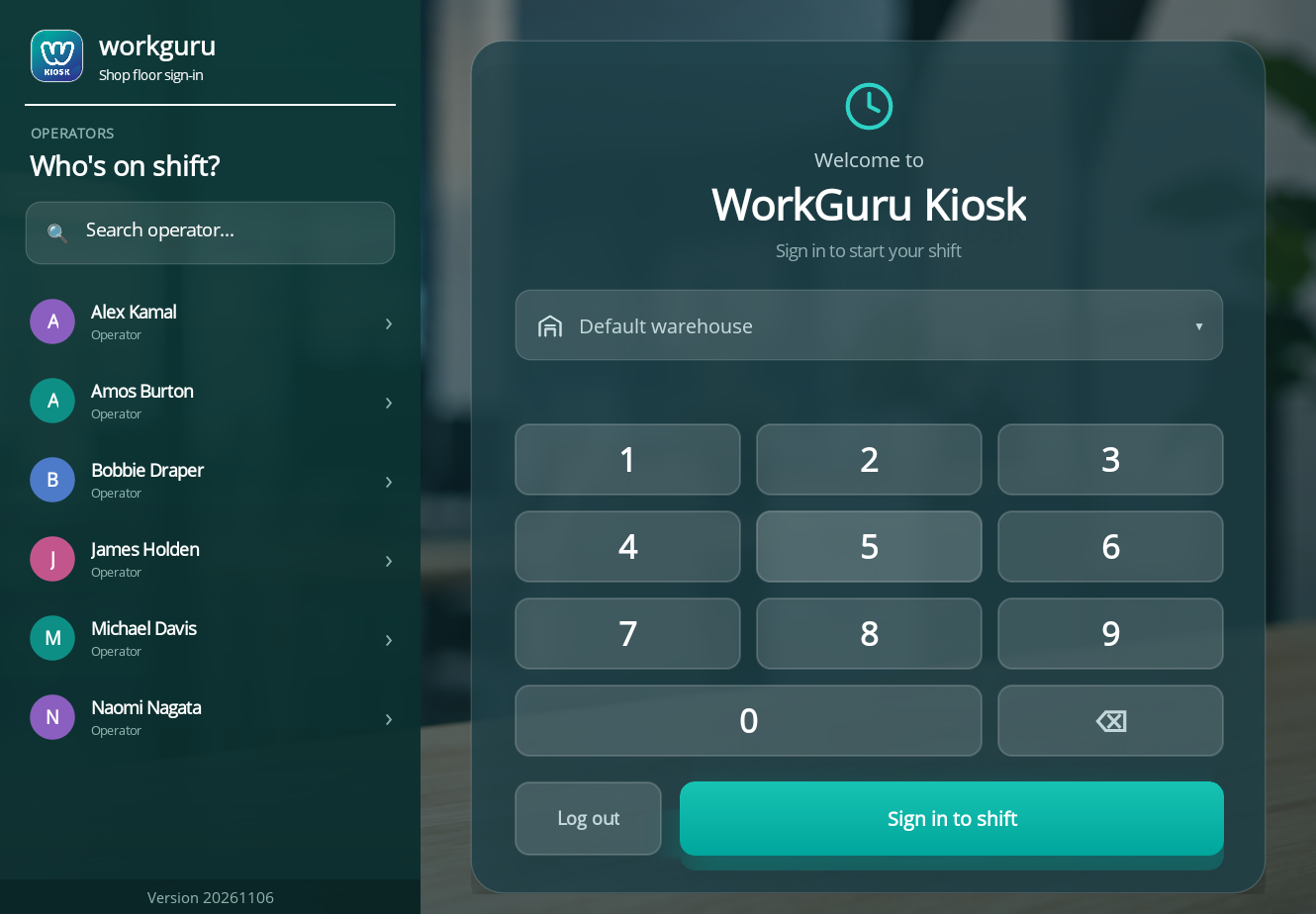
The Android kiosk application allows multiple users to quickly add actuals to projects from a single device. Once logged on you can customise the app to suit your preferences:

- Font Size - Switch between standard or large text sizes
- Dark Mode - Toggle between dark or light mode
- Log Out - Return to the login screen.
The kiosk also provides quick access to other workshop tasks such as completing forms, dispatching stock sales and receiving purchase orders vis the menu.
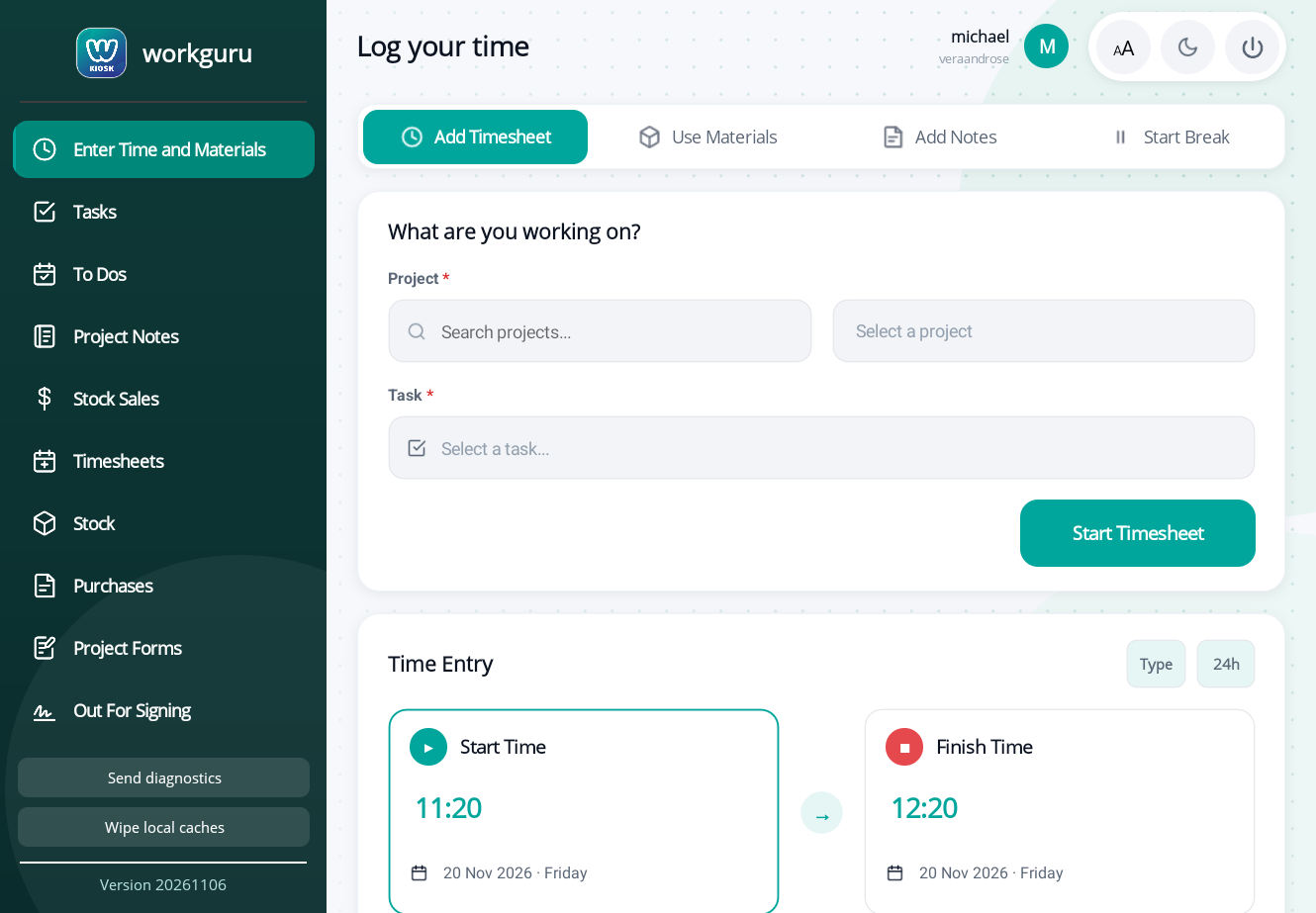
- Enter Time and Materials - Add daily or weekly timesheets, use materials and add notes to a project. You can also start a break if available.
- Tasks - Review and complete assigned project or production tasks.
- To Dos - Review and complete the kiosk user's assigned to dos.
- Project Notes - Read activproject notes.
- Stock Sales - Dispatch the kiosk user's stocksales
- Timesheets - Review the kiosk user's last weeks worth of timesheet entries.
- Stock - Lookup current stock on hand in selected warehouse.
- Purchases - Receive open purchase orders.
- Fill a Form - Complete a form to capture information for a project.
- Out for Signing - Complete assigned forms
- Complete a Form - Complete a form of any type.
Note: The mobile chrome browser is NOT supported by WorkGuru. It does not handle the javascript used by WorkGuru as per the required web standards.
Was this article helpful?
That’s Great!
Thank you for your feedback
Sorry! We couldn't be helpful
Thank you for your feedback
Feedback sent
We appreciate your effort and will try to fix the article