To update a form you can edit the form or the layout via the template itself.
Updating Form Fields
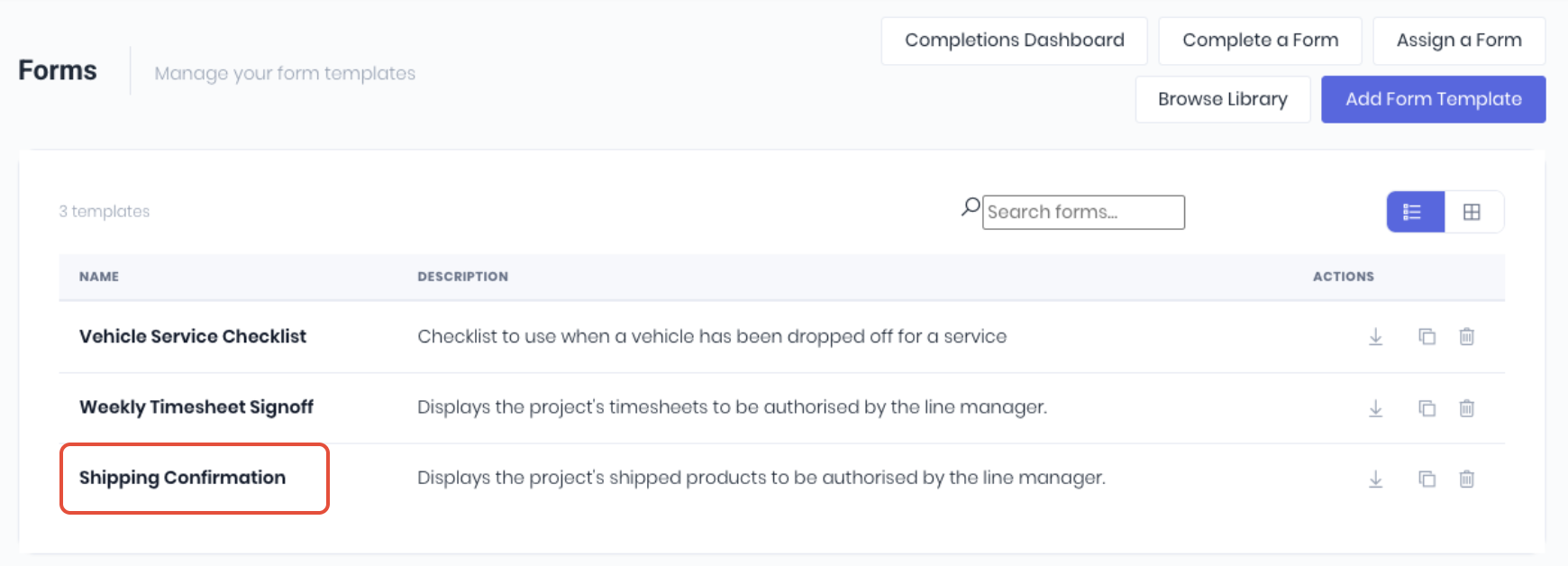
To update a form's fields, logic and/or signing workflow, click the form template name on the forms dashboard to open the edit form page.
From the edit form template page, update the Form Details, Form Fields, and Conditional Logic, Fillable On and/orSigning & Due Dates as required. Click Add Field to create new form fields if required.
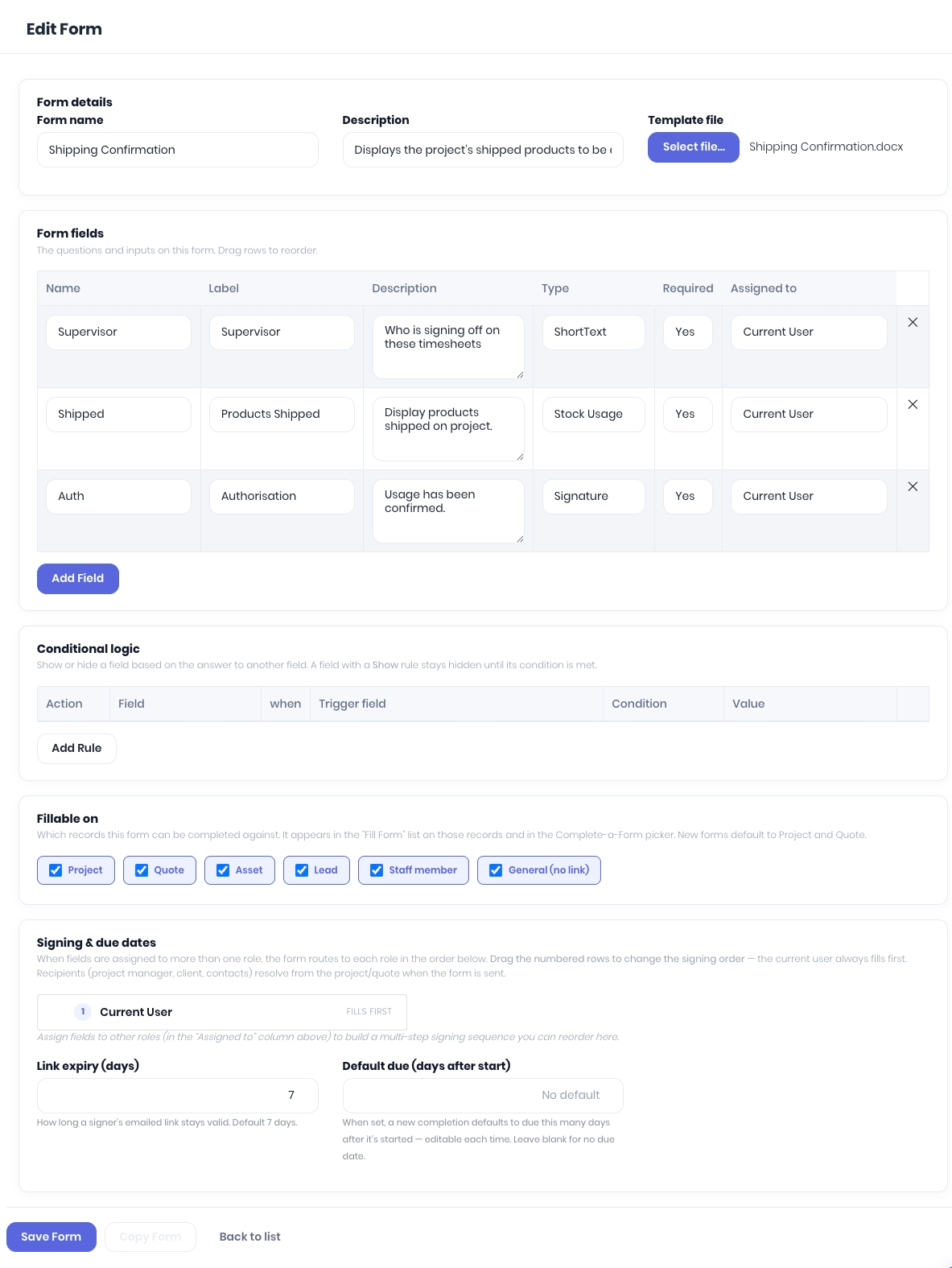
When complete, click Save Form.
Updating Form Document Templates
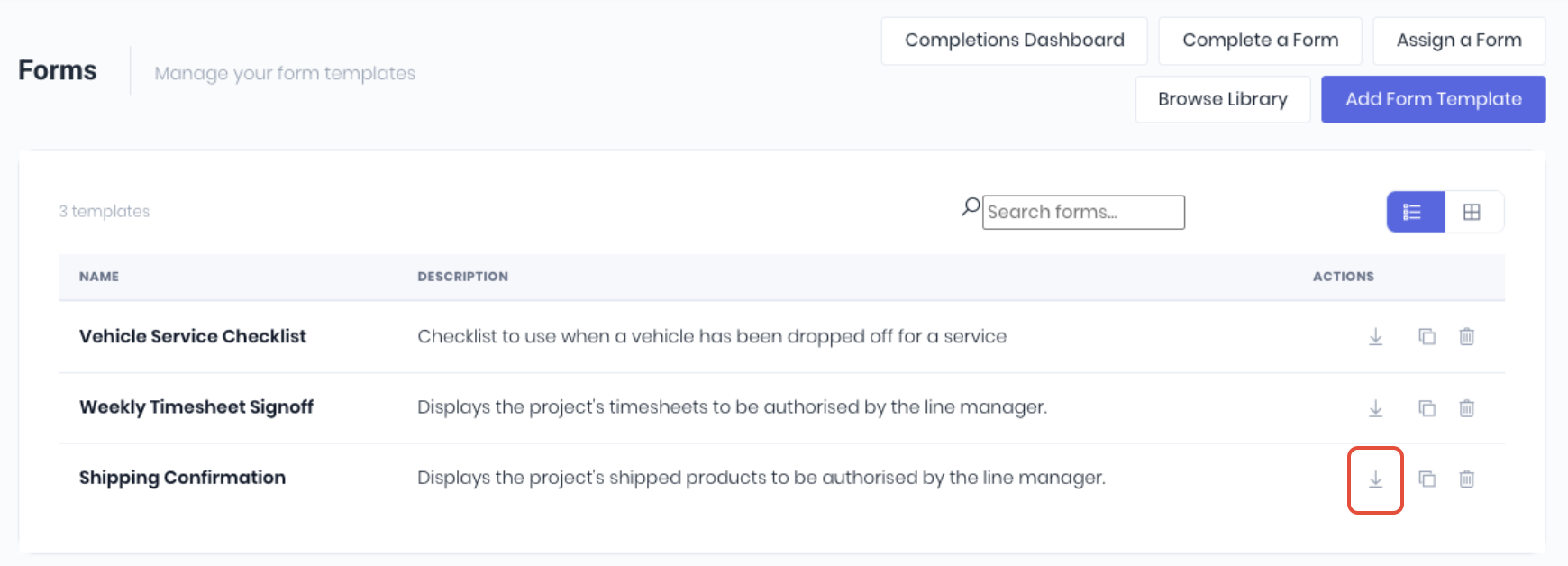
To update how the form's fields display, layout or formatting, click on the form's download icon on the forms dashboard to open a copy of the current document template.
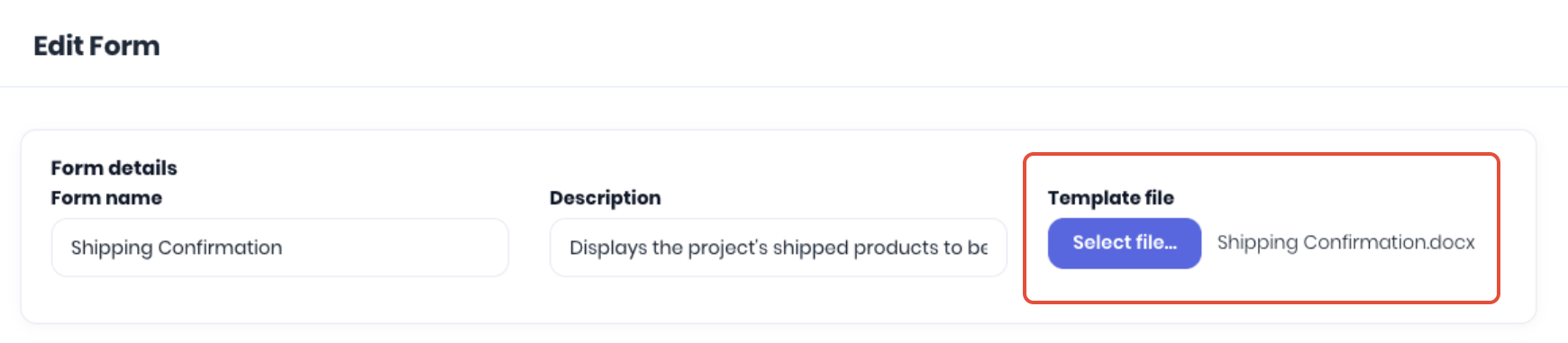
Open the downloaded .docx template in Microsoft Word and edit the document as required. When changes are complete, you need to upload the updated document to replace the existing form template. Open the form's edit page by clicking the form name on the form template dashboard. Click Select files in the Form Details section and, select the updated .docx document template on your device.
Click Save Form to upload the updated document template.
Was this article helpful?
That’s Great!
Thank you for your feedback
Sorry! We couldn't be helpful
Thank you for your feedback
Feedback sent
We appreciate your effort and will try to fix the article