To change the date format to display differently from the default Day/Month/Year (DD/MM/YYYY) from the Languages dashboard (Administration -> Languages).
Click on the Actions menu on your default language and select Change texts: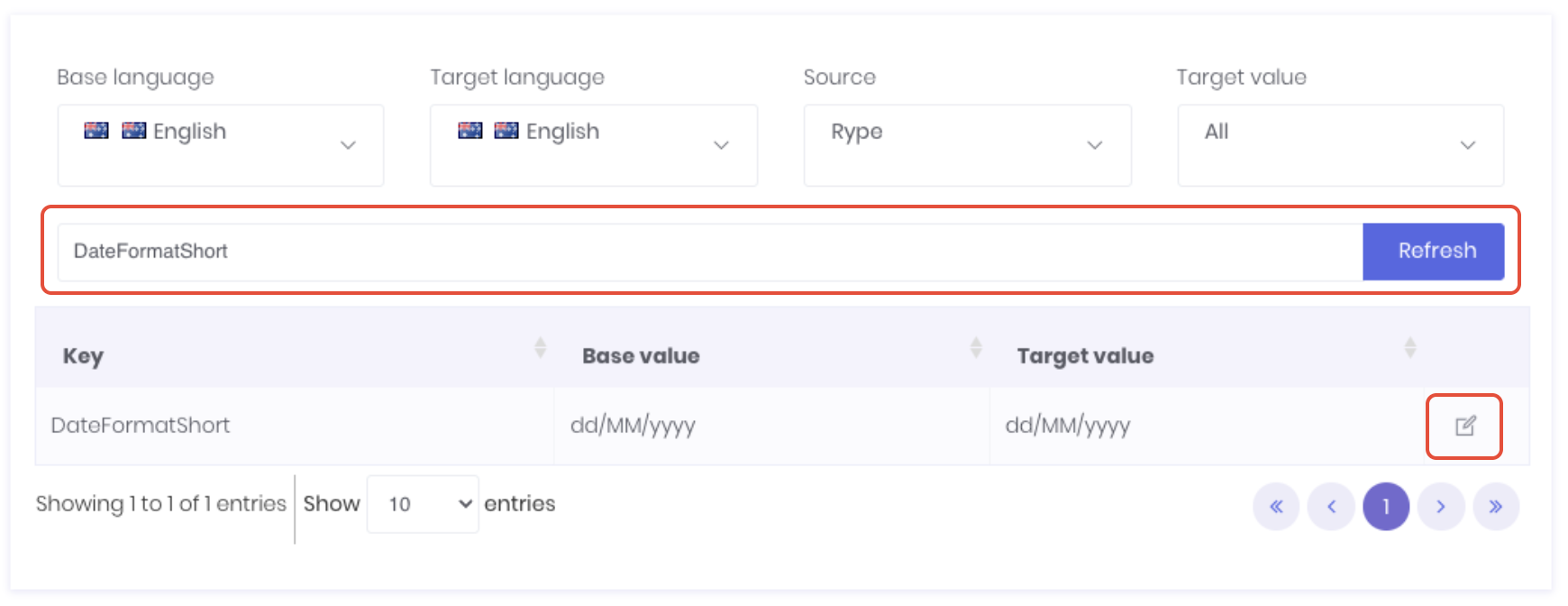 Search for the following texts:
- DateFormatShort - Only display's Day, Month, Year.
- DateTimeFormatLong - Displays the time (Hour, Minute) in addition to Day, Month, Year.
Click the Edit icon at the end of the row.
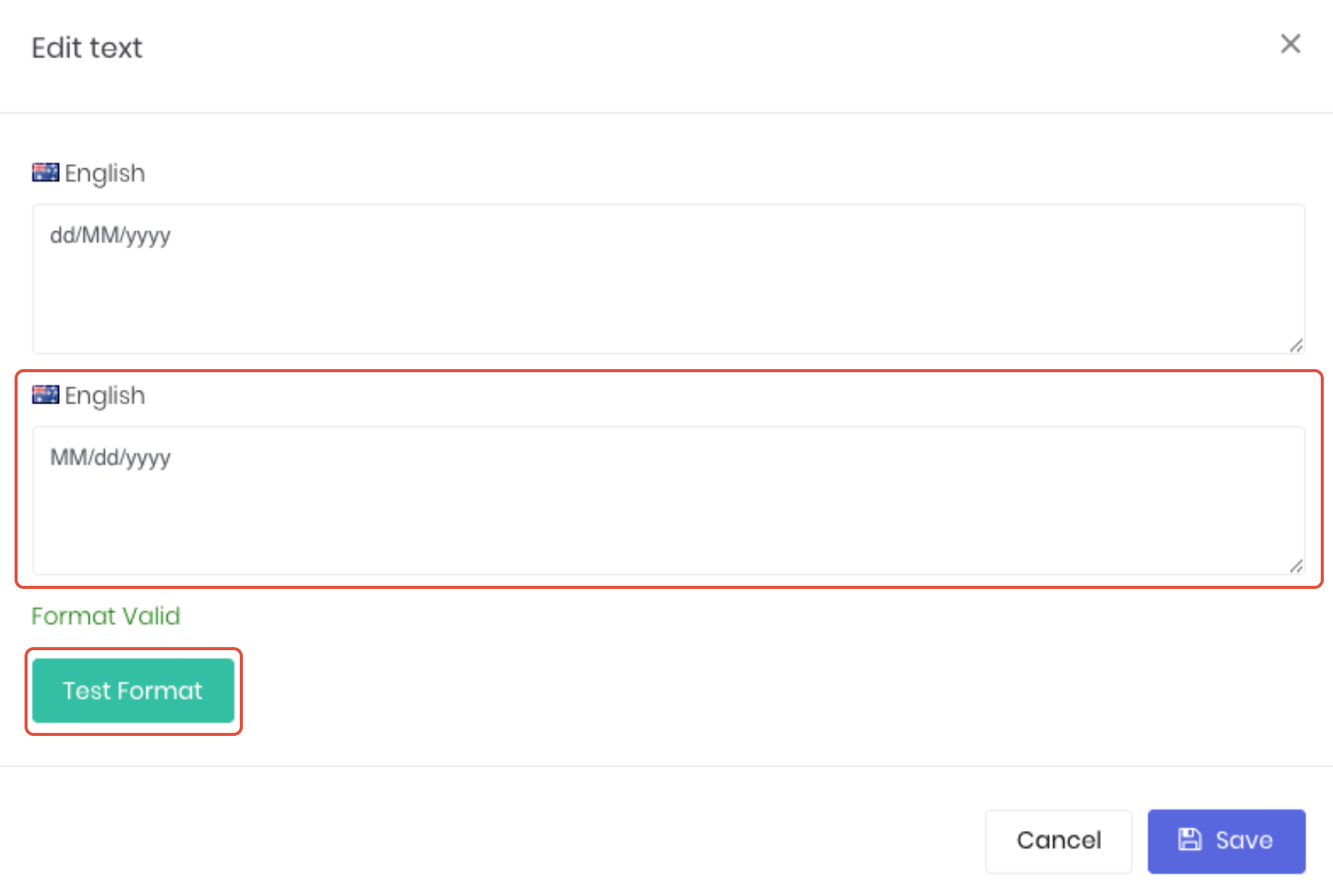
Update the second text section to display the required format, such as MM/dd/yyyy to display the US month/day/year format. Click Test Format to confirm the edits are compatible with WorkGuru. Note: Do not save a date format that does not display Format Valid after testing.
Click Save to apply the updated date format.
Was this article helpful?
That’s Great!
Thank you for your feedback
Sorry! We couldn't be helpful
Thank you for your feedback
Feedback sent
We appreciate your effort and will try to fix the article