The Operations Hub is about delivering your workflow. It pulls together projects, production jobs, purchase orders, tasks, stock sales, and to-dos into a single operational dashboard - so you can see what's at risk before it becomes a problem.
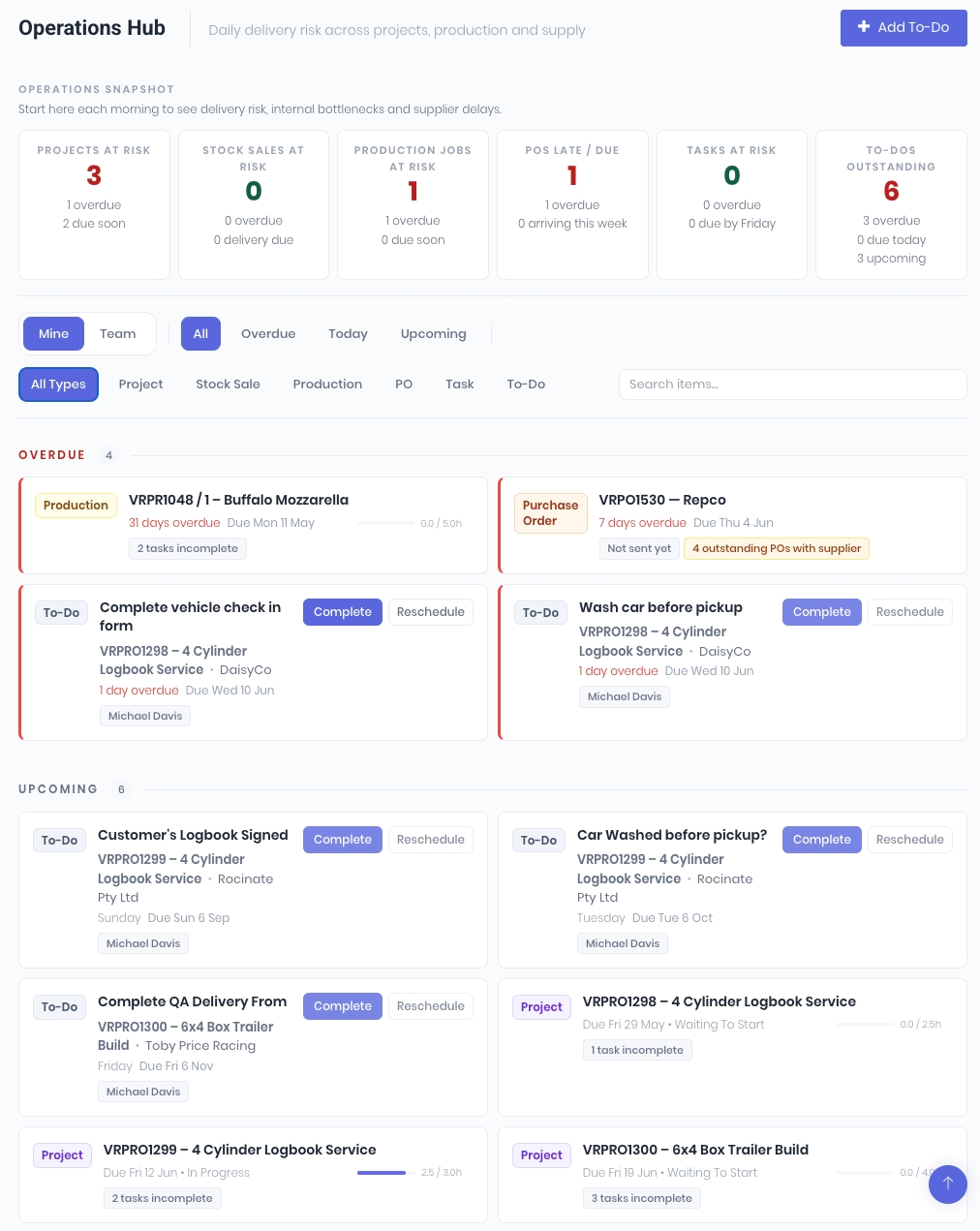
Snapshot Metrics
Six cards across the top of the board show you the numbers that matter: projects at risk, production jobs at risk, late or due purchase orders, tasks at risk, stock sales at risk, and outstanding to-dos. Each card is colour-coded by severity - green means clear, amber means attention needed, red means overdue. Click any card to filter the list below.
Unified Item List
Below the snapshot, every operational item is merged into a single timeline grouped by urgency: Overdue, Due Today, and Upcoming. Each row shows the item type, title, context (project, client, assignee), and timing. No more switching between five different pages to figure out what needs attention.
Inline Actions
Complete a to-do or reschedule a task without leaving the board. The Ops Hub is designed for daily standups and quick triage - spot the risk, take action, move on.
Insights on Demand
Expand any item to see deeper context: hours forecast vs. actual, incomplete tasks, unreceived purchase orders, and supplier delivery history. These insights load asynchronously so the board stays fast even with hundreds of items.
Mine vs. Team
Toggle between your own workload and the full team view. Use the type filter to focus on just production jobs, just POs, or any combination - whatever your morning triage needs.
Was this article helpful?
That’s Great!
Thank you for your feedback
Sorry! We couldn't be helpful
Thank you for your feedback
Feedback sent
We appreciate your effort and will try to fix the article