Work Areas let you schedule and organise work around the physical resources that matter most to your operation - whether that's a workshop bay, machine, paint booth, shed, yard, installation vehicle or any other work location. Instead of simply knowing when work is scheduled, you can now see where it's happening.
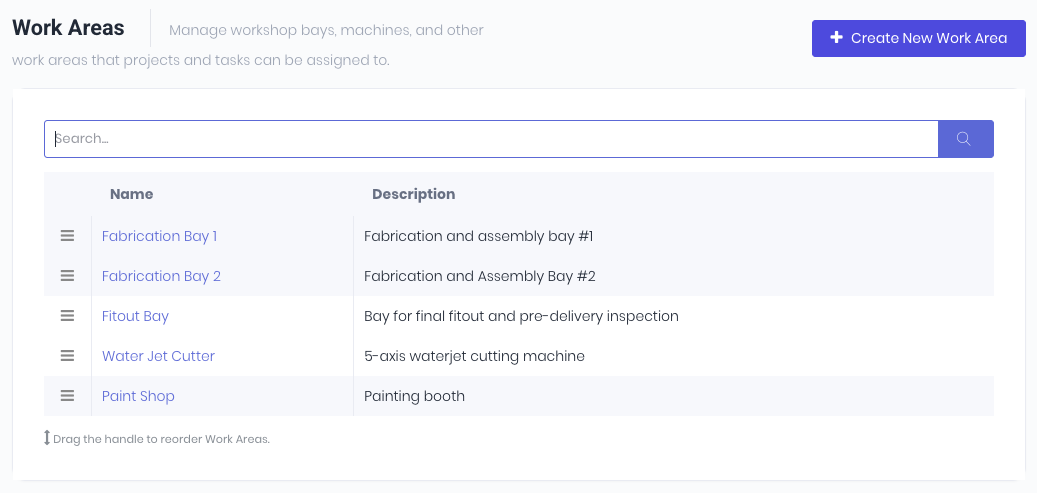
With Work Areas you can:
- Schedule jobs against specific work locations
- Visualise workload across bays, machines and production areas
- Avoid resource clashes and bottlenecks
- Improve workshop planning and capacity management
- Create a clearer production schedule for your team
Where Work Areas appear in the system. Note: If no work areas exist, they will not appear as an option to select in the transaction.
- Quotes - Assign a default work area to the Quote
- Projects and Production Jobs - Assign a default work area for the whole project. Useful when a job is dedicated to one machine or bay.
- Tasks - Every task line on a Quote, Project, Template, or Production Job can have its own Work Area. This is where things get powerful: a project running mostly in Bay 1 can have its laser-cutting step routed to the Laser Bay automatically. A task can also be assigned a default Work Area, so a task like "CNC Milling" always pre-fills the CNC bay no matter where it's added.
- Project and Production Templates - Same Work Area concepts at both the document level and the per-task level. When a quote is accepted or a project is created from a template, the Work Area assignments carry across automatically.
Learn more in the Work Areas in our blog post.
Was this article helpful?
That’s Great!
Thank you for your feedback
Sorry! We couldn't be helpful
Thank you for your feedback
Feedback sent
We appreciate your effort and will try to fix the article