Once work areas are enabled and have been setup, they are available to be applied in the following areas:
Tasks
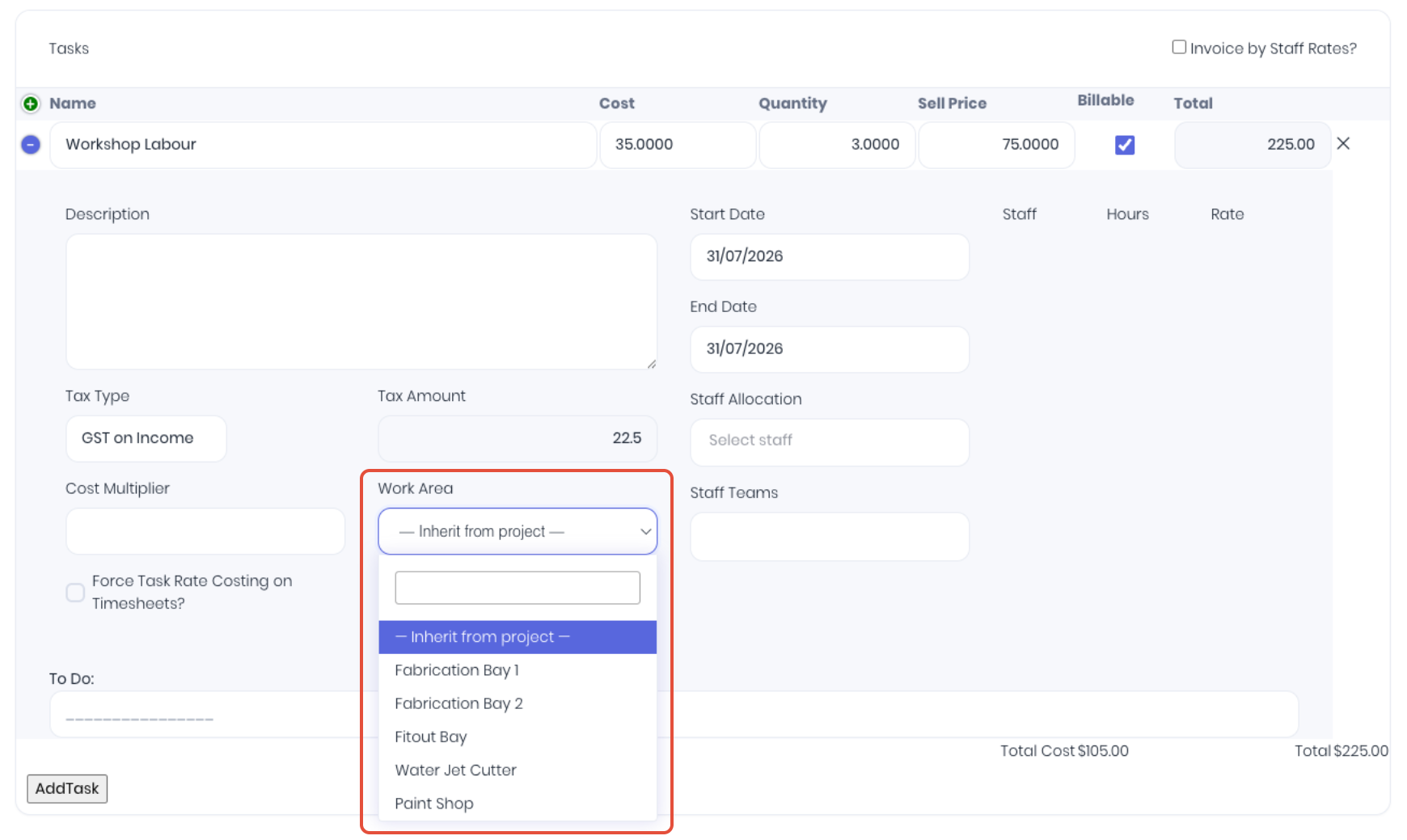
If you have tasks that always run on the same machine or at the same location, you can set a default work area at the task level. On the New or Edit task page, select the required location from the Work Area dropdown.
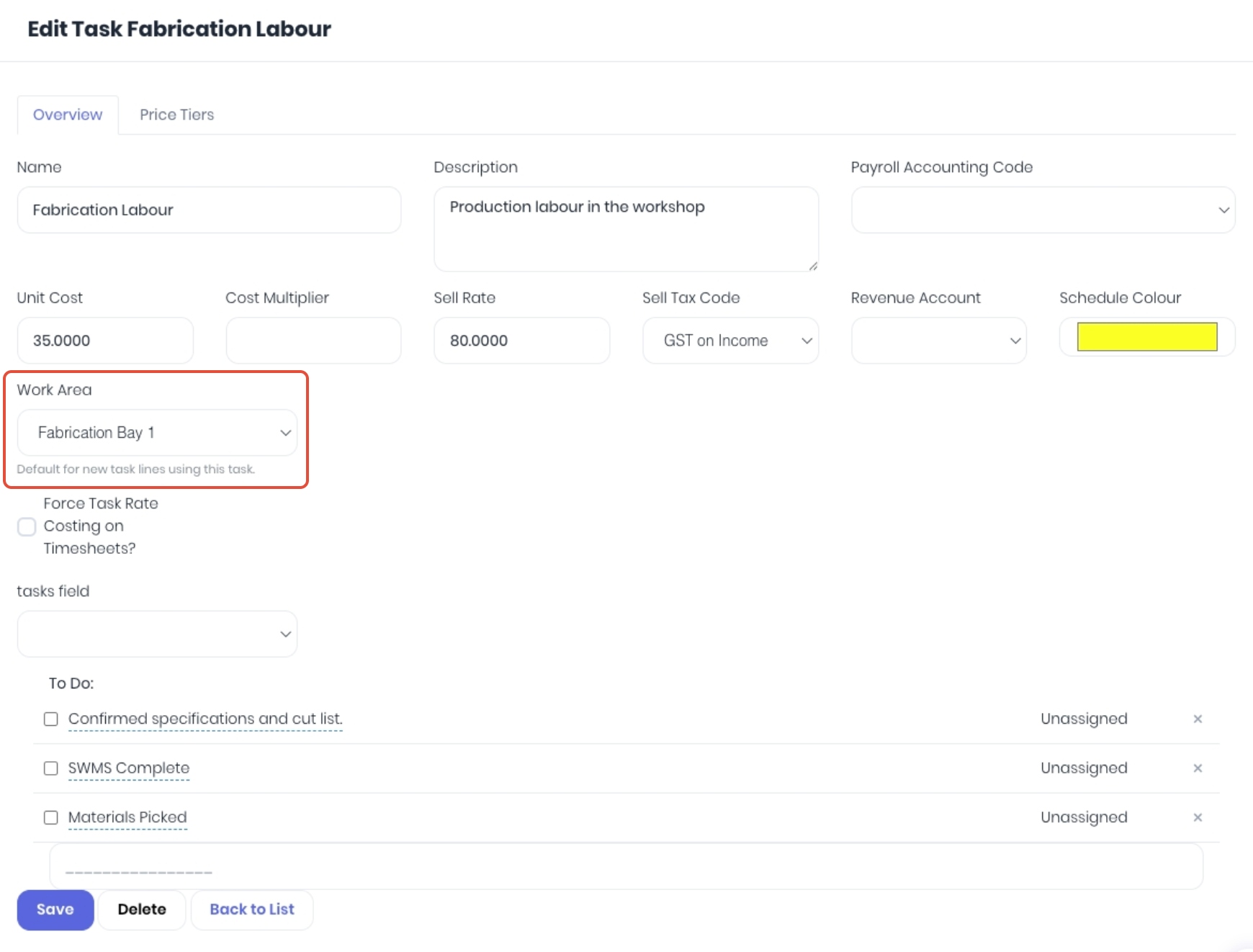 Whenever someone adds the task to a template, quote, project or production job, it will default to that work area at the task level. The default work area can always be changed or re-allocated per transaction as required.
Project and Production Templates
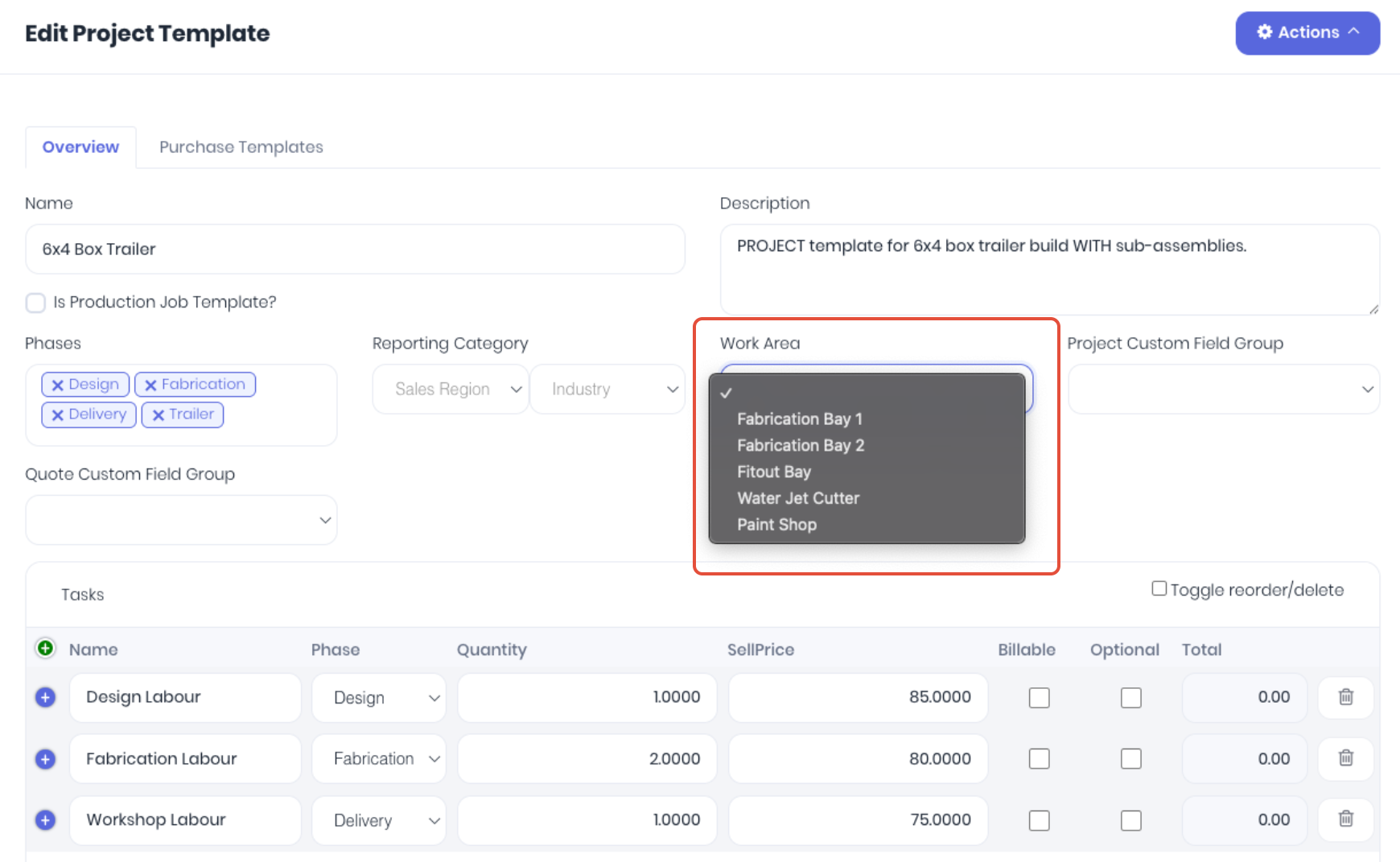
You can assign the project template to a work area at two levels
These templates can then be applied to quotes, projects or production jobs to automatically assign the correct work area.
Template Level
If the template is intended to be used in one work area, assign the work area at the template level. All tasks in the template will automatically inherit the template level work area (assuming they haven't been set at the default task level assignment).
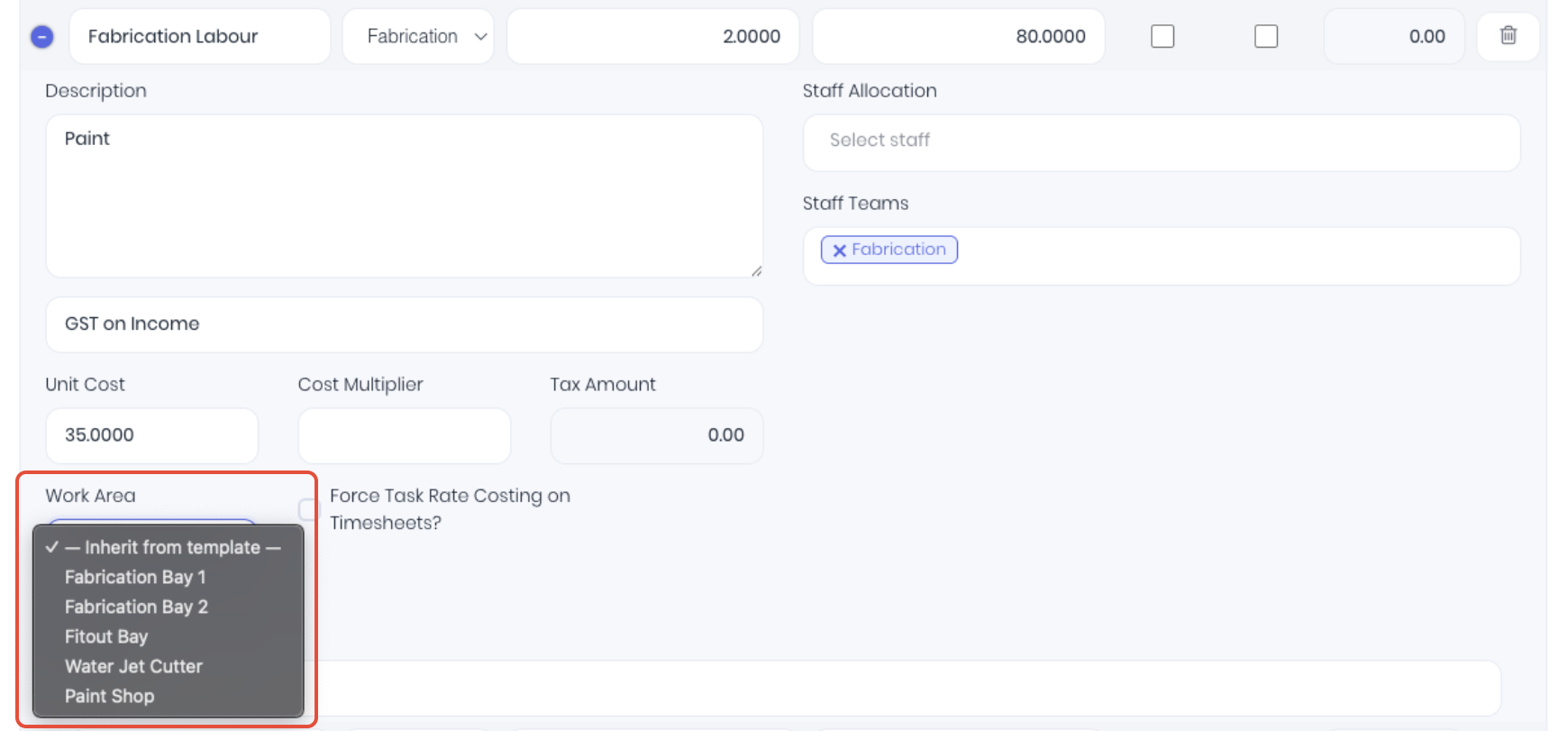
 Template Task Level
If the template requires multiple work areas, they need to be assigned at the individual task level. You can optionally assign the most used work area at the template level to assign a default area, then edit each task as required to the specific required work area. Note: It is is not required to assign a template level work area, however if you don't you do need to assign each task to a work area as required.
Quotes, Projects and Production Jobs
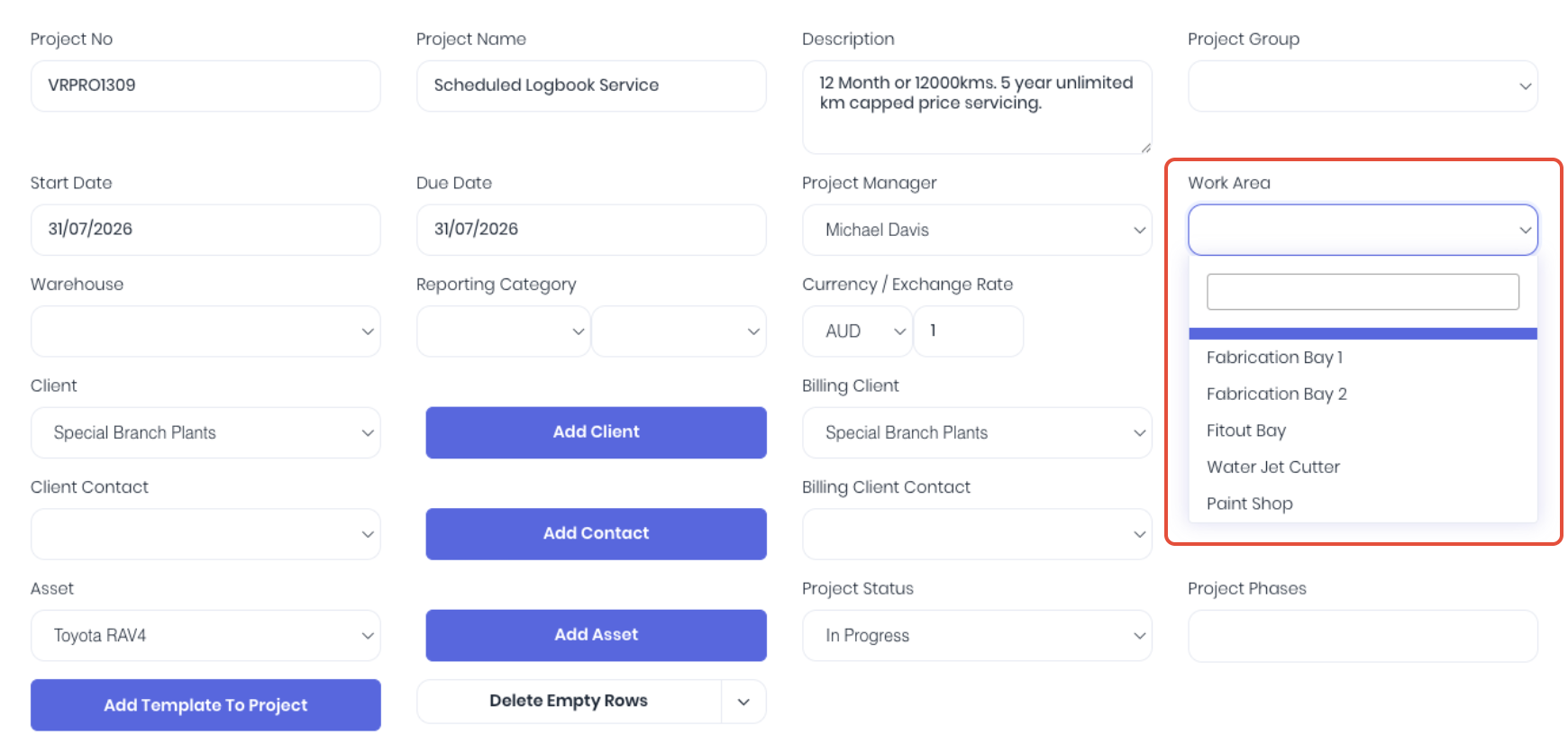
You can assign the quotes, projects or production jobs to a work area at two levels
Work area assignments on a quote will transfer to the project on acceptance. Assignments can then be changed or updated on the project as required by the project's progress by either editing the project or via the work area schedule.
Transaction Level
If the template is intended to be used in one work area only, assign the work area at the quote, project or production level only. All tasks will automatically inherit this top level work area (assuming they haven't been set at the default task assignment)
 Transaction Task Level
If the template requires multiple work areas, they need to be assigned at the individual task level. You can optionally assign the most used work area as the transaction level to assign a default area, then edit each task as required to the specific required work area. Note: It is is not required to assign a template level work area, however if you don't you do need to assign each task to a work area as required.
Was this article helpful?
That’s Great!
Thank you for your feedback
Sorry! We couldn't be helpful
Thank you for your feedback
Feedback sent
We appreciate your effort and will try to fix the article