WorkGuru latest mobile applications allow you to log the location from a compatible device when a timesheet is submitted. For this function to work, ensure the WorkGuru mobile application, has the relevant location permissions allowed/enabled in your mobile device.
Note: Staff geolocation compliance requires obtaining explicit employee consent, providing clear written notices regarding what data is collected and why, and restricting tracking to work hours. In Australia, employers must also align tracking practices with the national Privacy Act 1988 and adhere to strict state-level surveillance laws. Ensure you are compliant before enabling
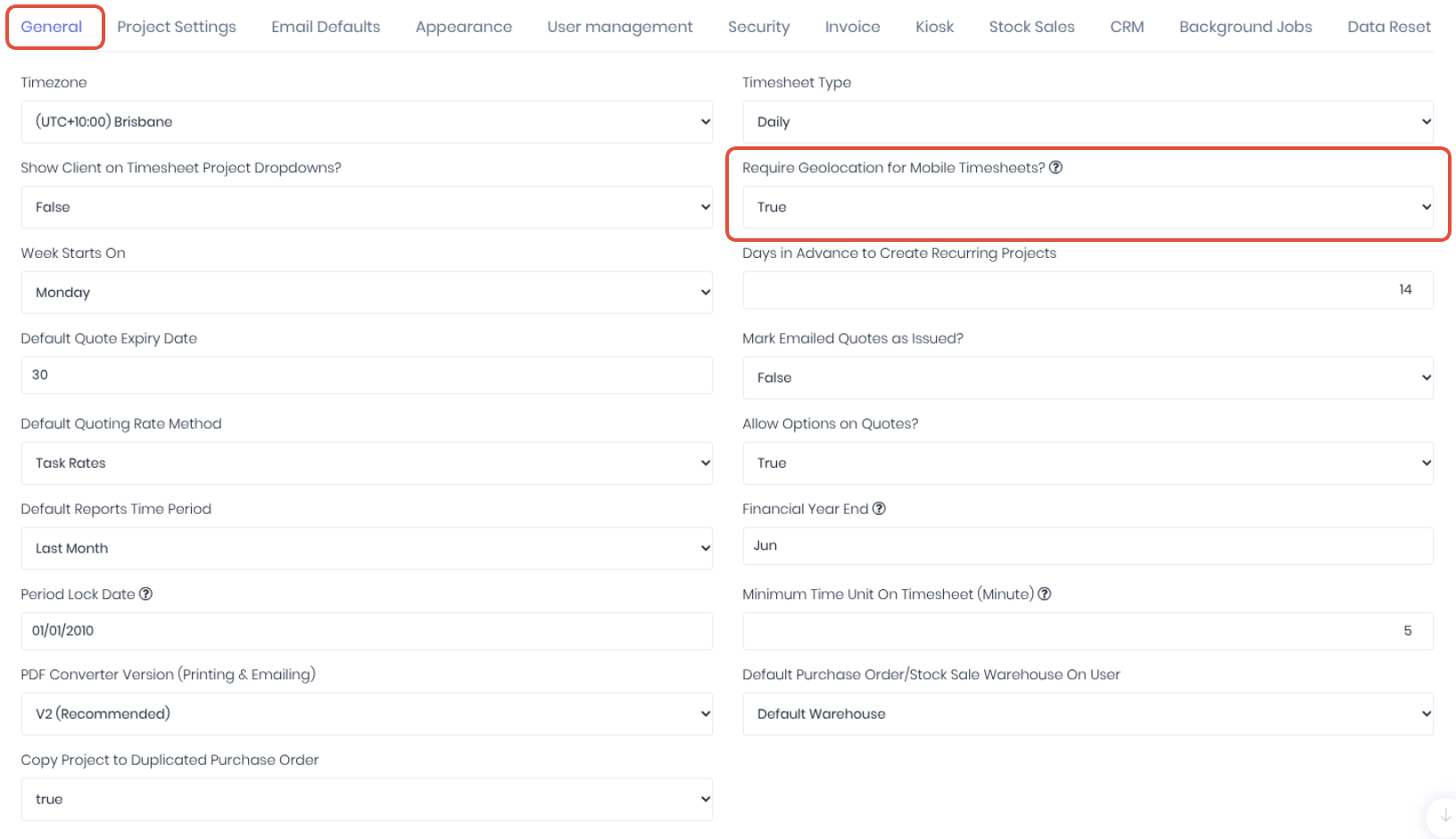
To enable timesheet geolocation, set the Require Geolocation for Mobile Timesheets field to True in the Administration -> Settings -> General
This will allow you to no view timesheet locations in the Geolocation Dashboard (Timesheets -> Geolocation)
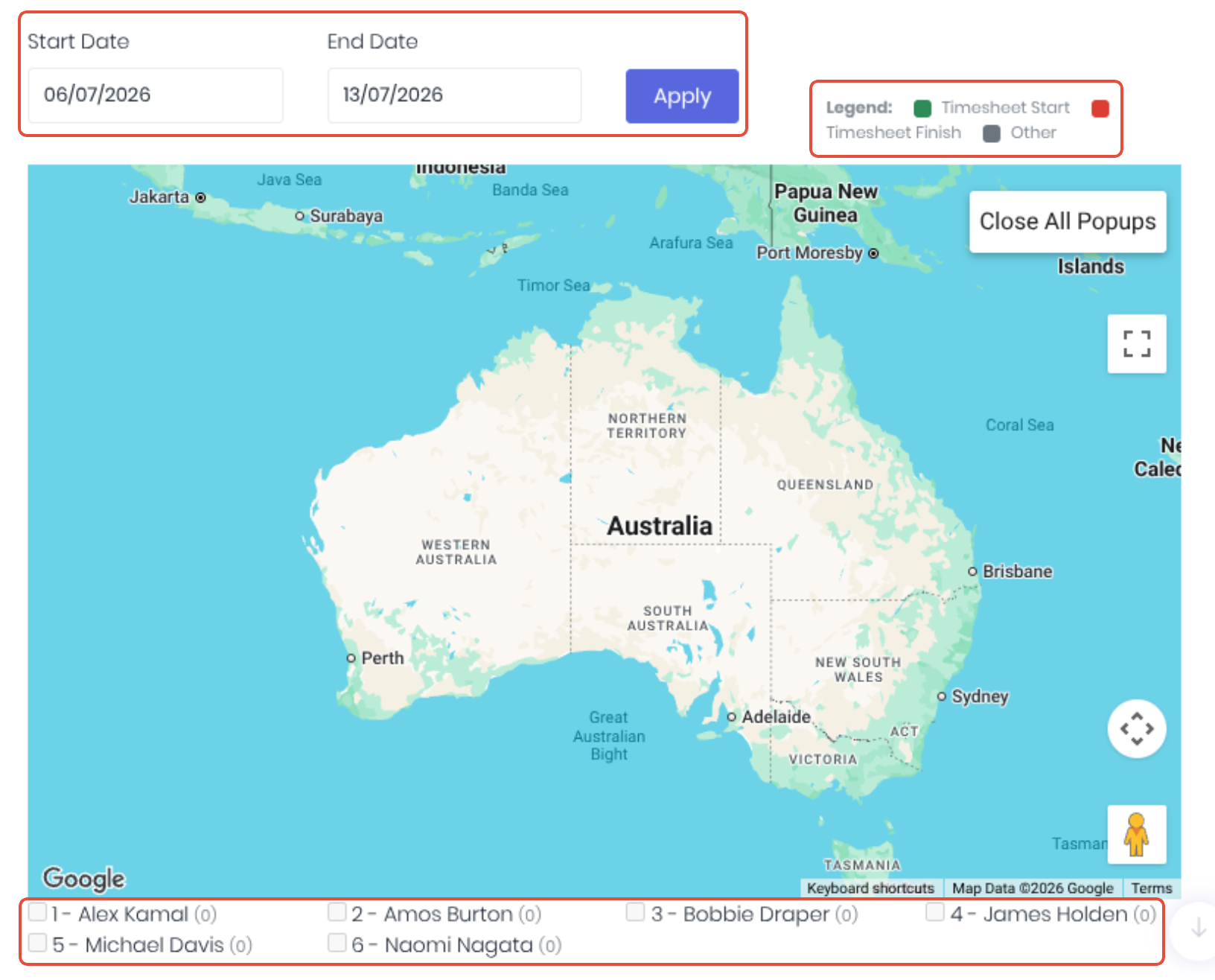
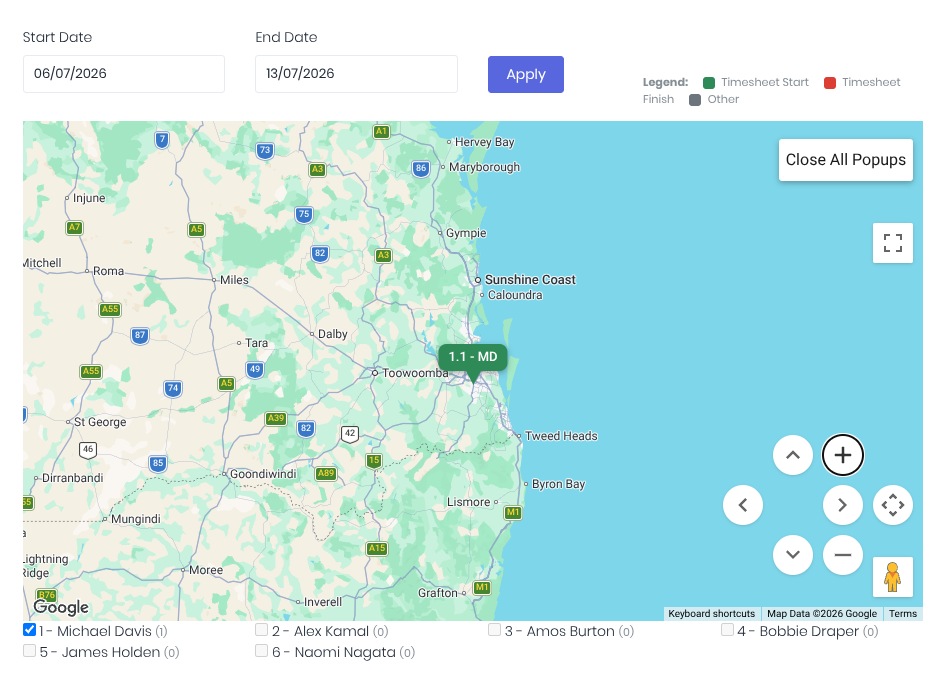
Timesheets submitted through the WorkGuru Mobile App between the selected Start Date and End Date will be displayed on the Google Map as colour coded pins. If there is a location difference between the start and finish of a timesheet, they will be colour coded as per the Legend. You can further filter the results by selecting/deselecting individual Staff members and manipulating the map using the standard Google Map navigation tools (zoom, move etc).
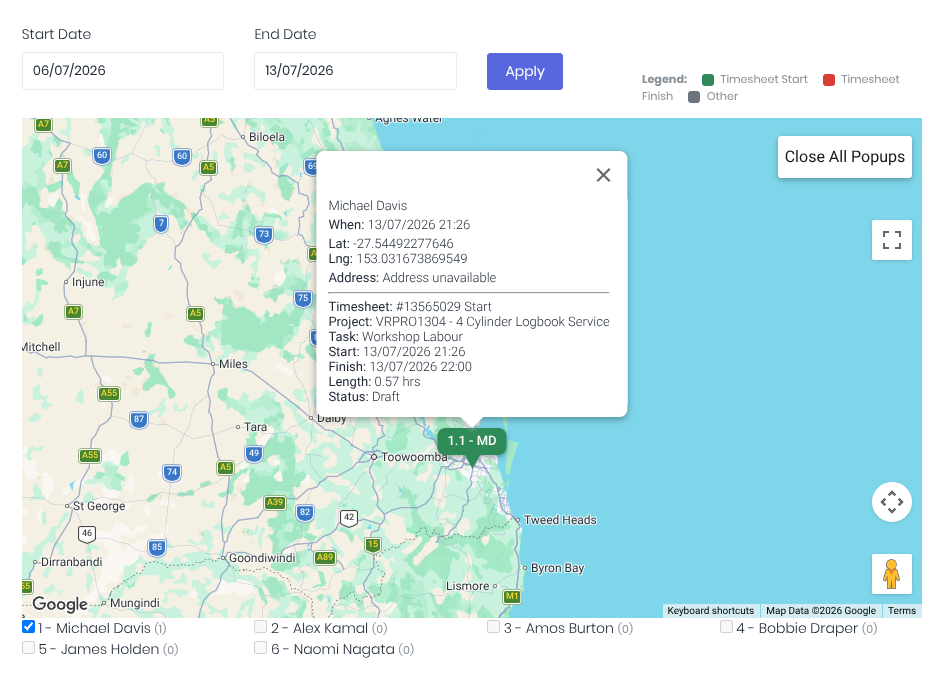
Clicking on the timesheet pin will display the timesheet details
Was this article helpful?
That’s Great!
Thank you for your feedback
Sorry! We couldn't be helpful
Thank you for your feedback
Feedback sent
We appreciate your effort and will try to fix the article