Once an RFQ is sent, its lines and details are locked, but you can still invite more suppliers, resend to a supplier, give suppliers more time, or cancel it. If you need to add or modify lines items, you need to copy re-issue the RFQ.
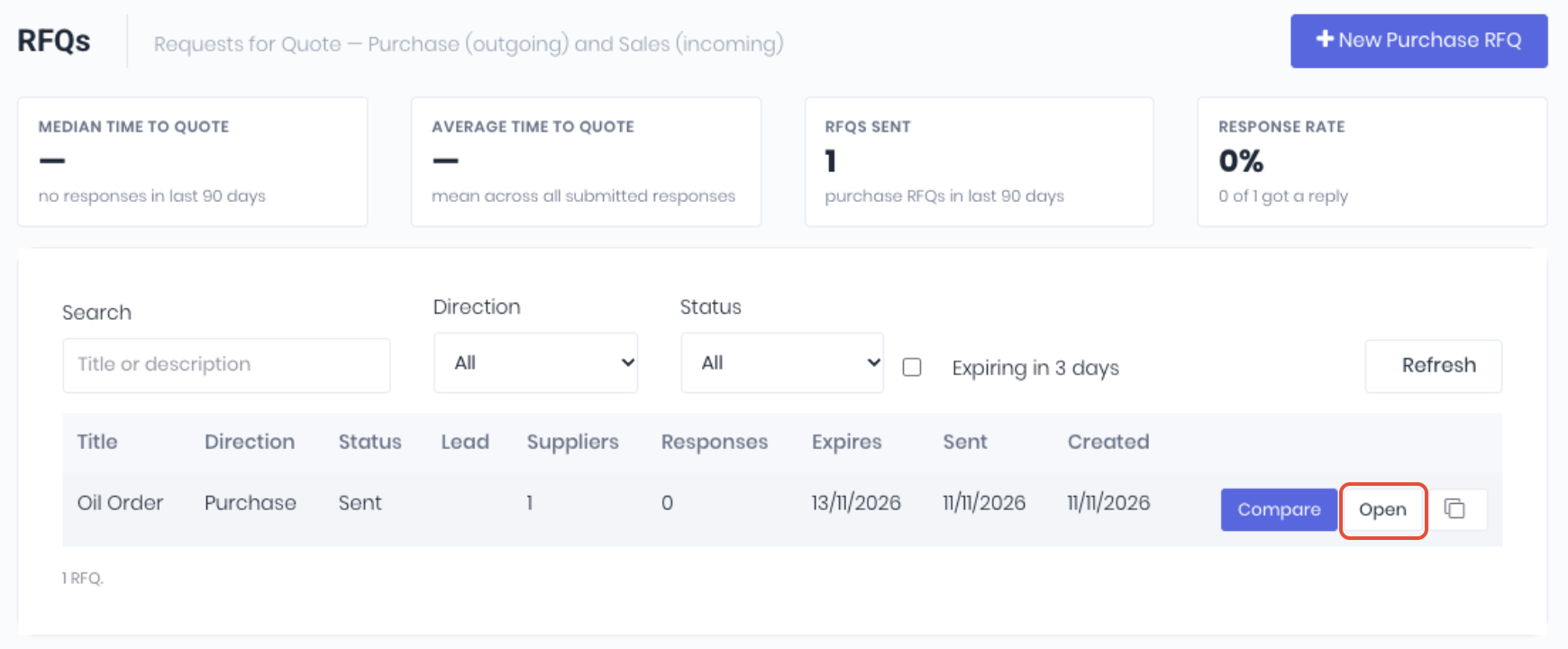
To update your RFQs, from the RFQ dashboard (RFQ -> RFQ), click Open on the RFQ to update.
Add Suppliers
To invite another supplier, click the Add a Supplier dropdown, pick the supplier and click Invite. An invite is immediately sent to the supplier, there is no need to save.
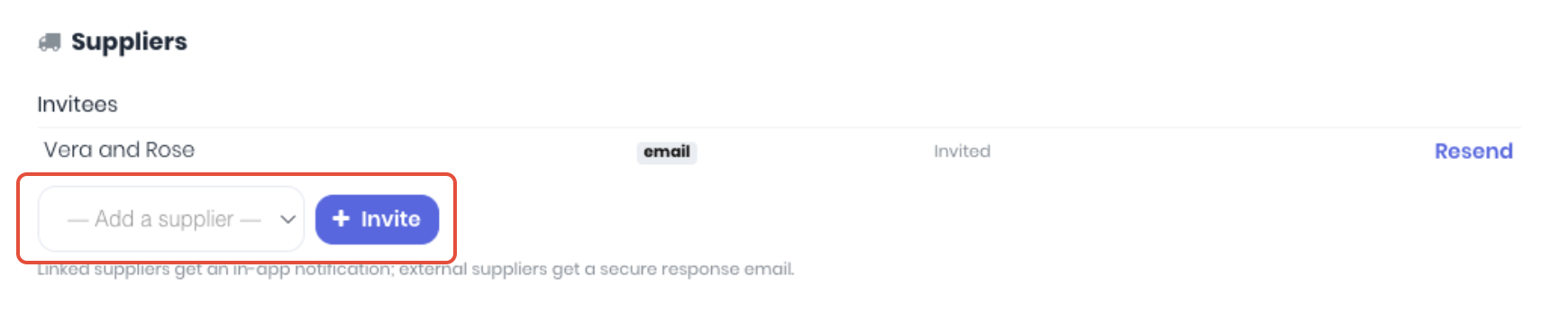
You can invite more suppliers while the RFQ is Sent or Responses Received and hasn't passed its closing date.
Resend a RFQ
WorkGuru emails a reminder to suppliers who haven't responded 3 days, 1 day and 2 hours before the RFQ closes. Each reminder is sent once. A supplier invited after a reminder would have gone out skips that reminder. Linked suppliers also get a RFQ closing soon notification in WorkGuru.
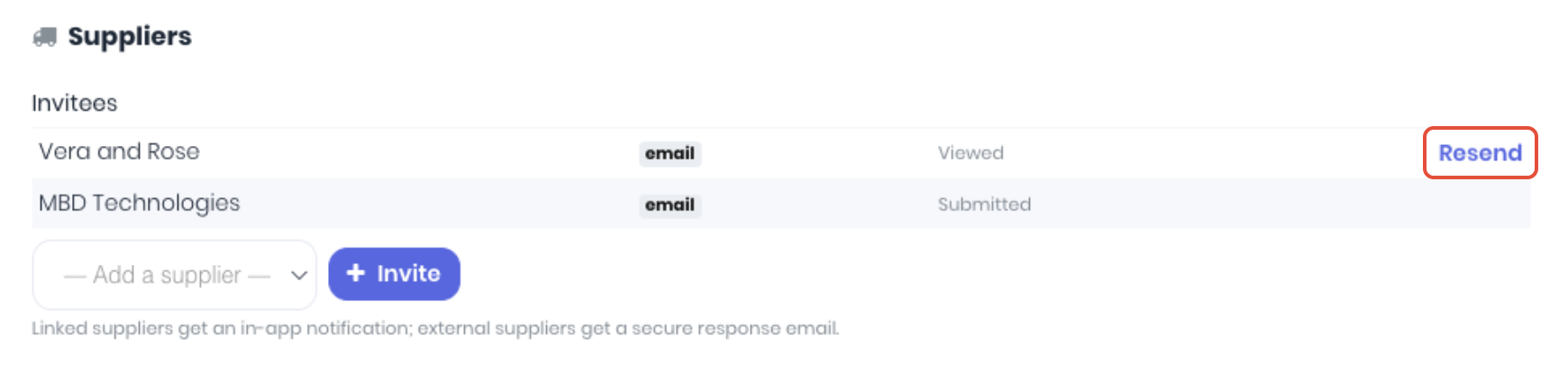
There's no button to send a reminder yourself; use Resend instead. Note: If the supplier has already responded (Submitted) you cannot resend the RFQ.
Cancel a RFQ
To cancel a RFQ that is not longer required before it is awarded, Open the RFQ and click Cancel RFQ.

Every supplier who submitted a quote is emailed that the RFQ closed without an award.
Notes:
- You cannot delete an RFQ, only cancel.
- A cancelled RFQ can't be un-cancelled.
- You can't cancel an RFQ once it's awarded.
Duplicate a RFQ
On the RFQs list, click the Duplicate icon on the RFQ's row and confirm. WorkGuru creates a new draft with the same lines, suppliers and attachments, titled with "(copy)" on the end.
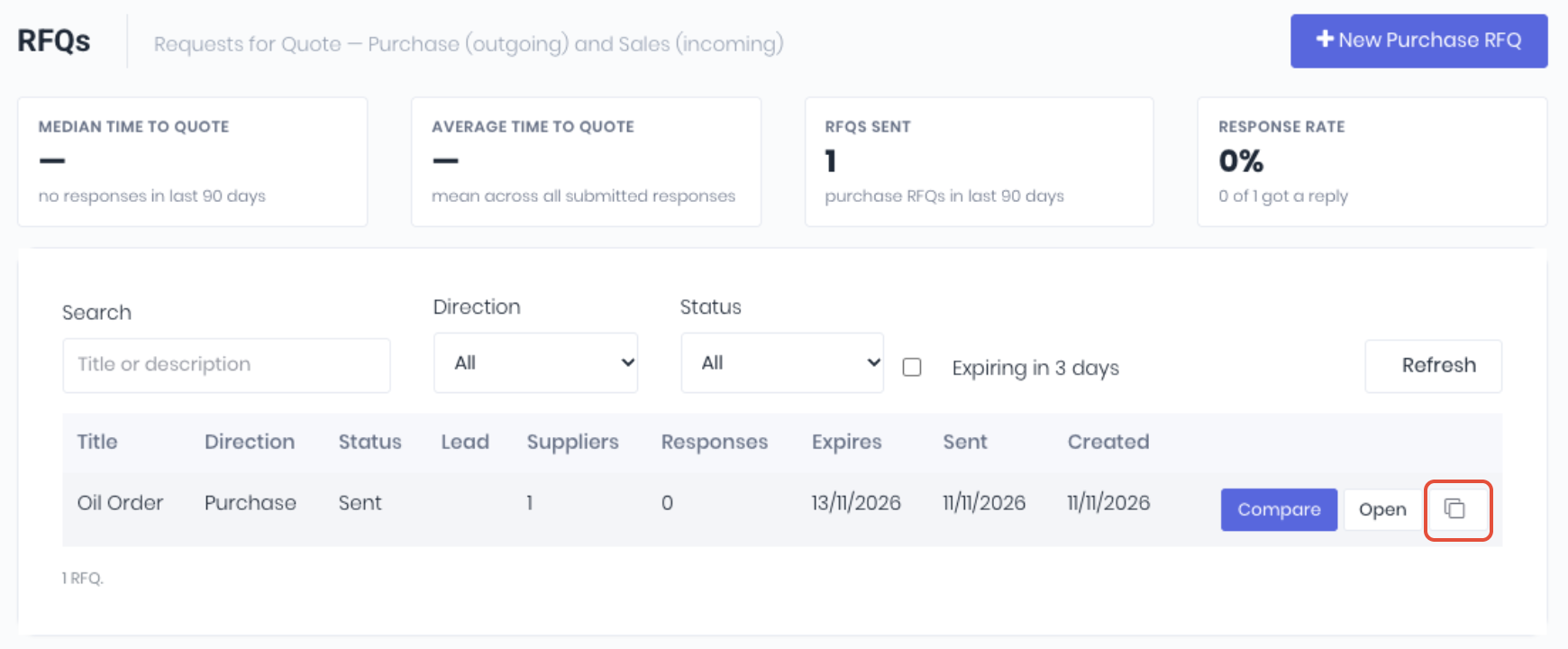
Responses, the closing date and the linked Lead aren't copied, and you become the owner.
Extend a RFQ
When the closing date passes, the RFQ becomes Expired and suppliers can no longer respond. No email is sent. You can still compare the responses and award the RFQ. To extend the closing date, open the RFQ's Compare page and click Extend closing date and confirm.
The RFQ reopens for seven more days from today, closing at the same time of day as before, and suppliers can respond again. Note: A cancelled, closed or awarded RFQ can't be extended. Duplicate it to send a new one.
Was this article helpful?
That’s Great!
Thank you for your feedback
Sorry! We couldn't be helpful
Thank you for your feedback
Feedback sent
We appreciate your effort and will try to fix the article