If a supplier also uses WorkGuru, you can link their account to yours. Your RFQs then arrive in their WorkGuru, where they can answer them without the email link, as well as by email. The supplier accepts the link from their side, so nothing is connected without their say-so.
Invite a Supplier
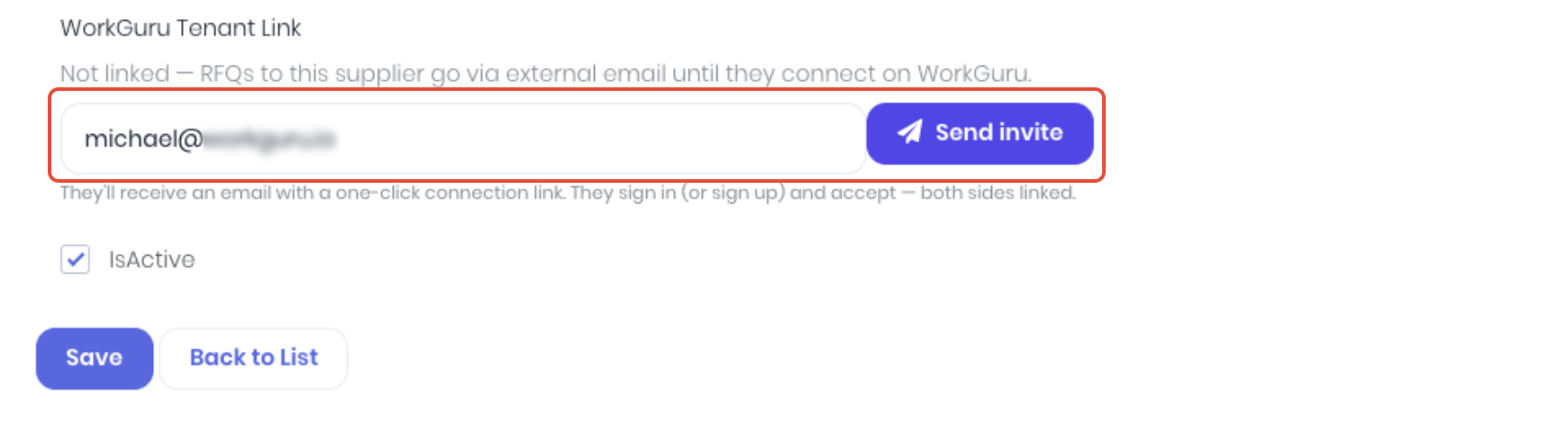
Go to Suppliers and edit the supplier. Find WorkGuru Tenant Link, check the email address, and click Send invite.
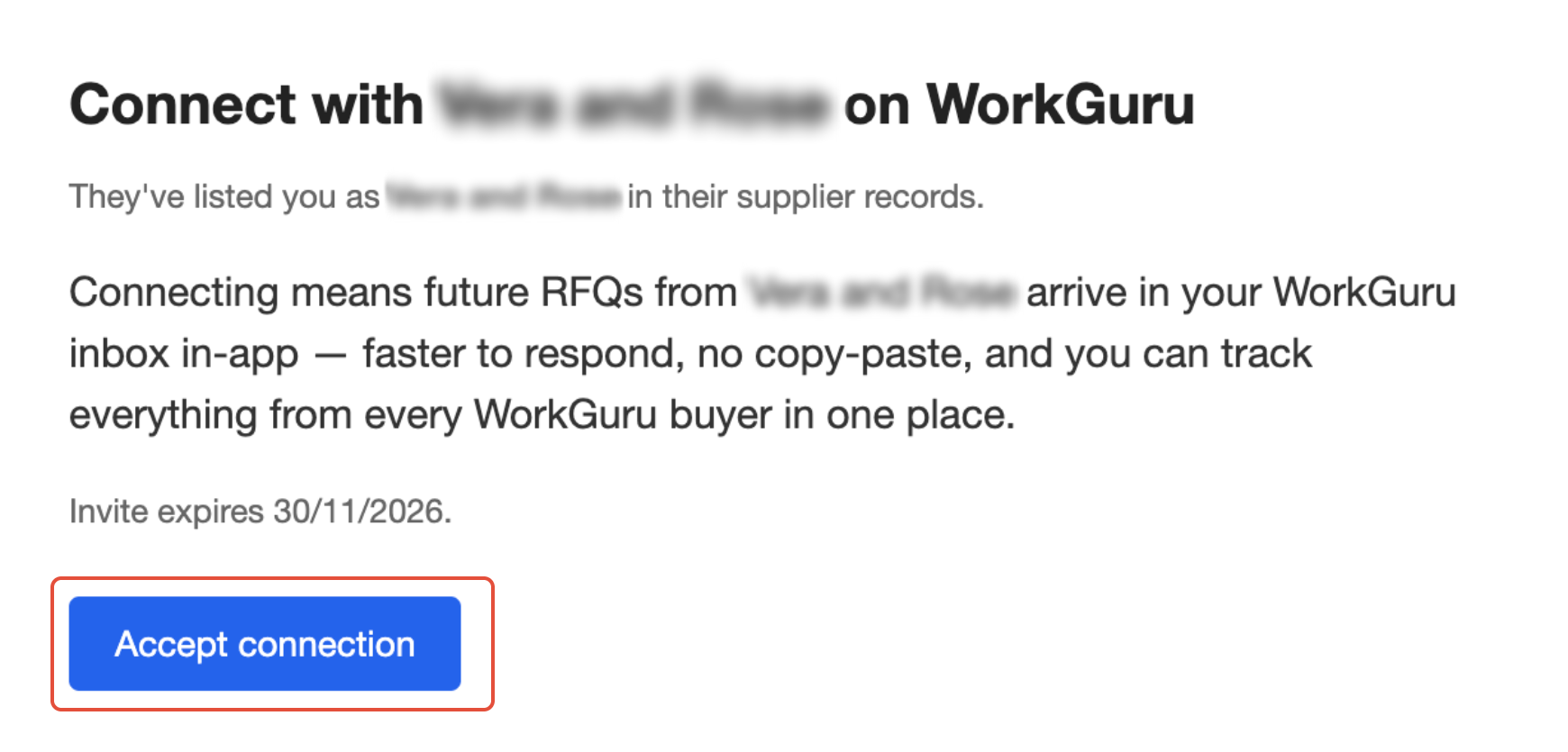
The supplier gets an email titled Connect with {your business} on WorkGuru with an Accept connection button. The invite lasts 14 days.
Accepting an Invitation
They click Accept connection in the email.
If they already use WorkGuru, they sign in and click Accept connection. Only an admin in their account can accept, so they may need to forward it to their WorkGuru admin.
If they don't use WorkGuru yet, they can start a free trial on the same page, using the email address the invite was sent to.
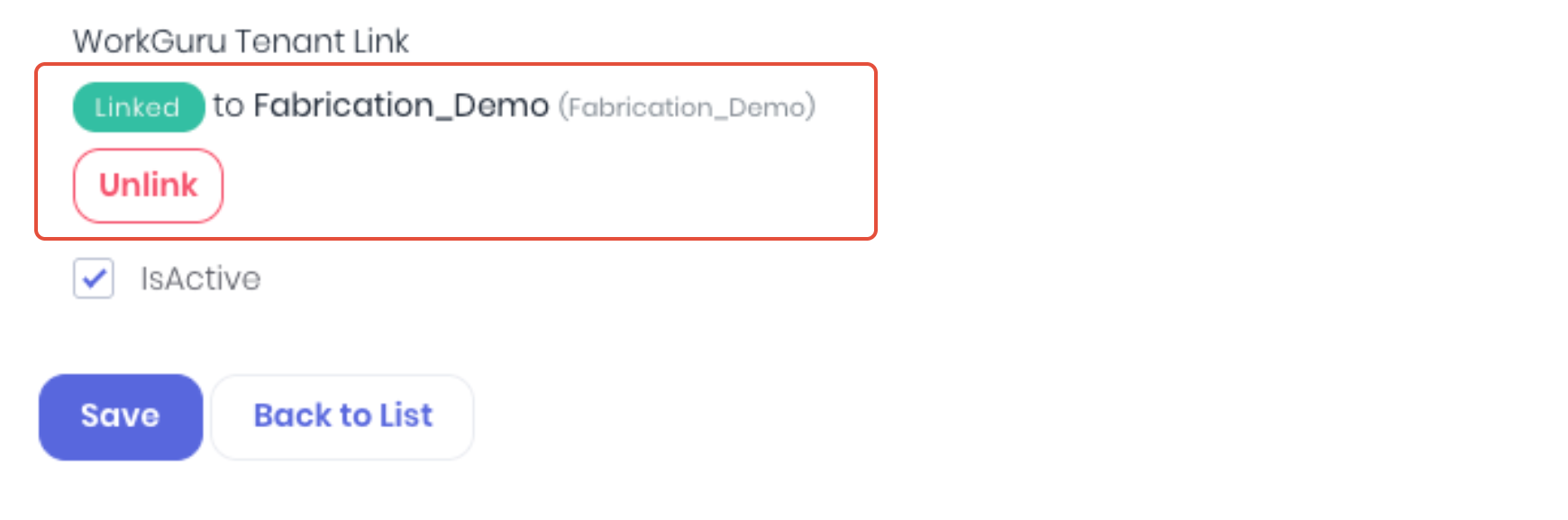
Once they accept, you're notified, and the supplier shows Linked to {their business} when adding suppliers to RFQs.

Their account is set up to receive RFQs, and the person who accepted can respond to them straight away. Others in their team need their admin to give them the RFQ permissions.
Manage Invites and Connections
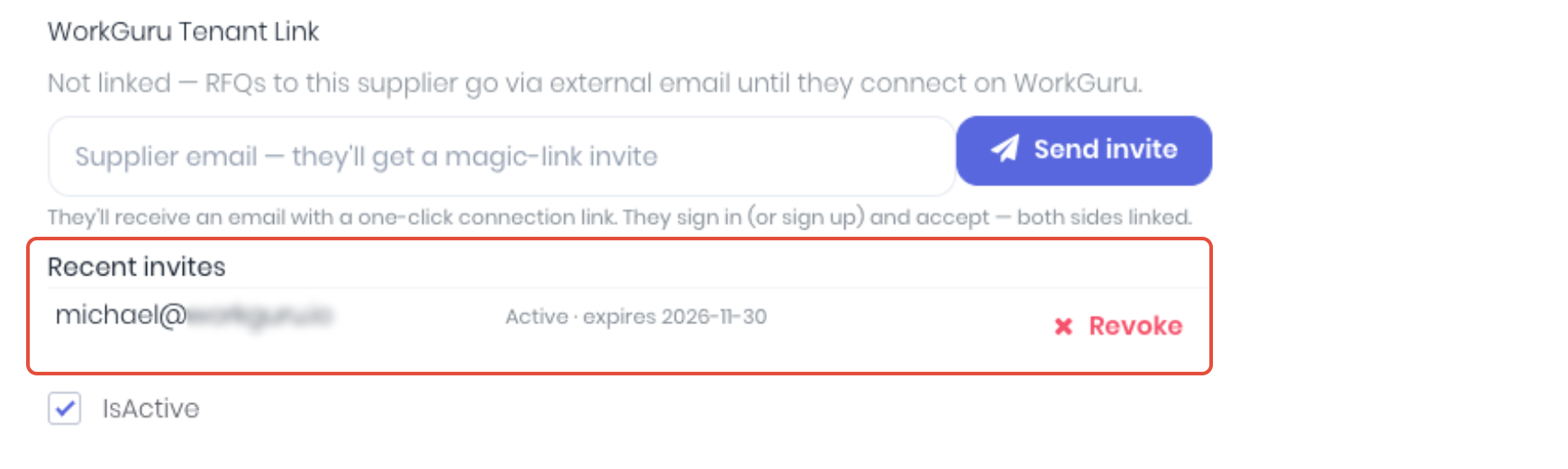
Recent invites lists each invite as Active, Accepted, Revoked or Expired. Click Revoke to cancel an invite that hasn't been accepted.
To disconnect a linked supplier, click Unlink and confirm. Future RFQs go to them by email only, and you can invite them again later.
Notes:
- Linking is optional. Suppliers who aren't linked still get every RFQ by email.
- If you delete a supplier, its link ends. If you merge two suppliers, the link moves to the one you keep.
- If the supplier has an email address on your record, they get the email as well as the RFQ in WorkGuru.
Was this article helpful?
That’s Great!
Thank you for your feedback
Sorry! We couldn't be helpful
Thank you for your feedback
Feedback sent
We appreciate your effort and will try to fix the article