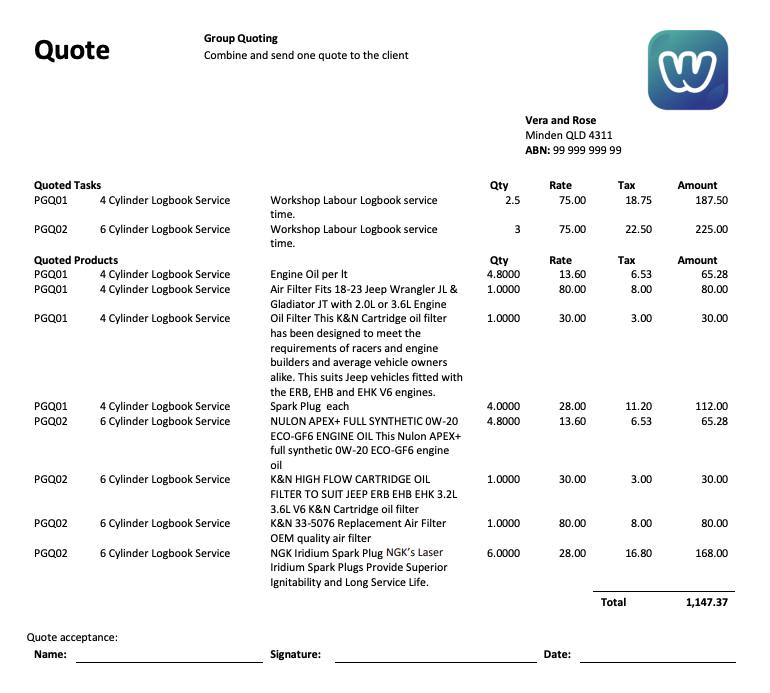
You can combine multiple quotes on to one document to send to the client using WorkGuru's project group and document template functions. The project group will allow you to group relevant quotes when you are creating them and then you can use a project group document template to display them together with an overall total on one project group document template that replicates your formal quote templates.
Key point is you are not technically combining the quotes, you are only displaying them combined on the template. The quotes will then be approved or declined individually as required. Approved quotes will then be added automatically to the project group.
Pre-Requisites
Project Group
Create a project group to group your quotes. You can also use existing project groups if required.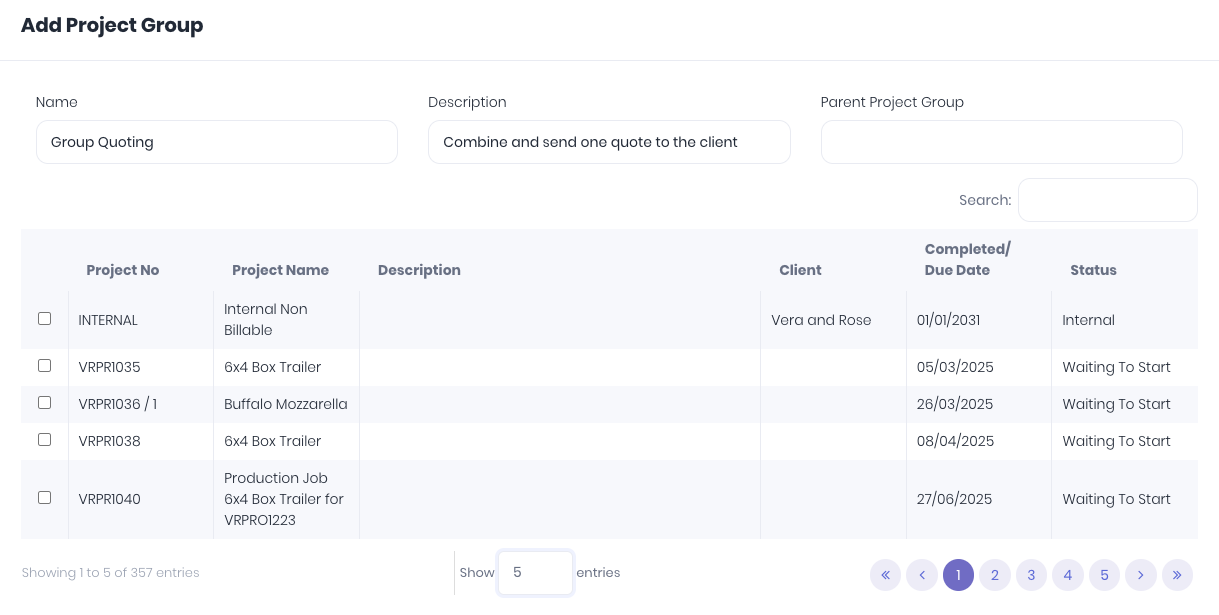
Project Group Document Template
Create or edit our example project group quote document template to replicate your official quote templates. This template will combine the billible line items on all the quotes in the project group, with a total value.
Combining Quotes
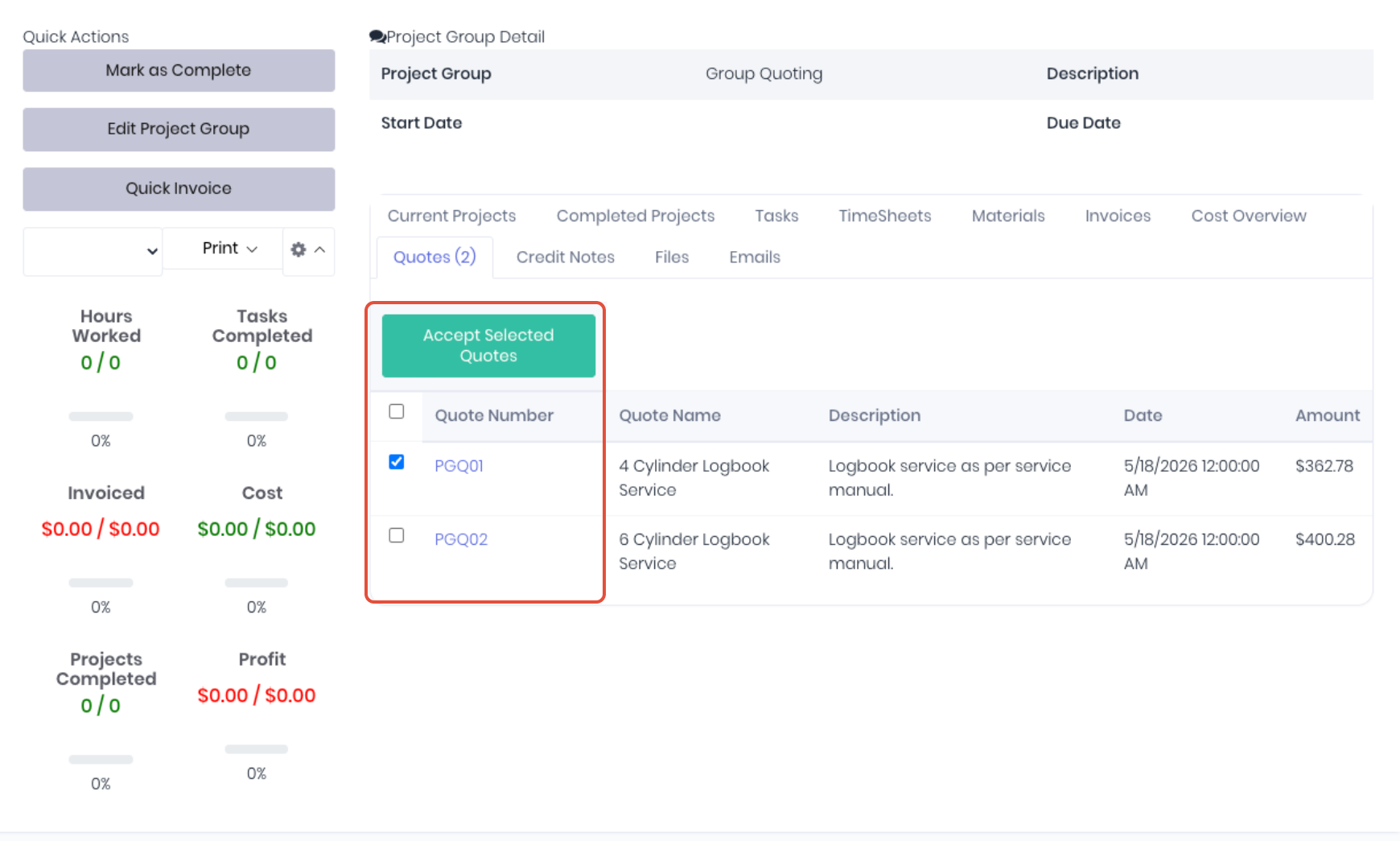
Create quotes as per your normal quoting workflow. The only change is to select the group from the Project Group field to assign the quote to that group. Issue the quotes once complete and added to the group.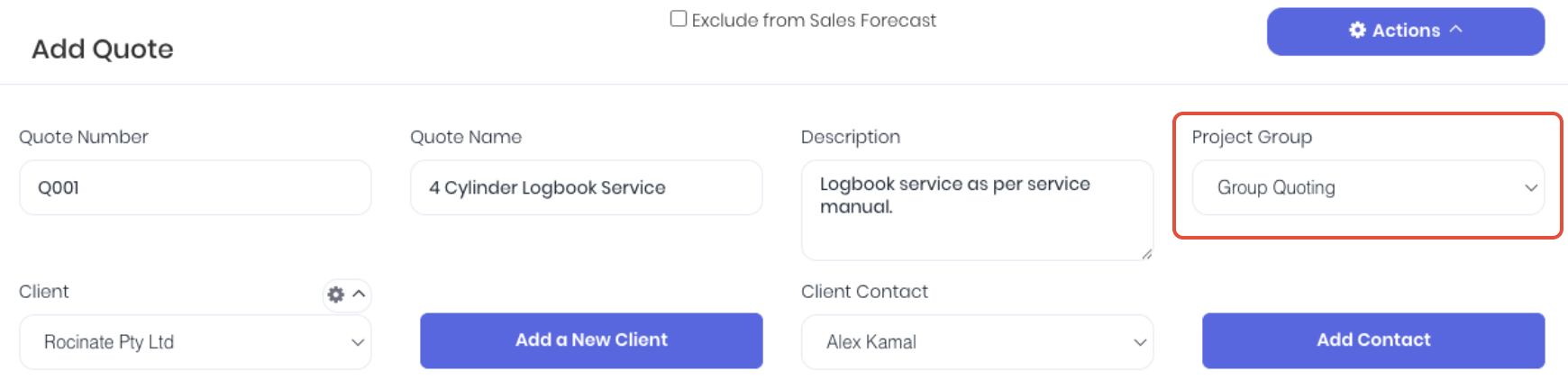 From the project group detail page (Projects -> Project Groups) confirm all the relevant quotes are listed in the Quotes tab. Select and print the combined quotes using the project group document templates.
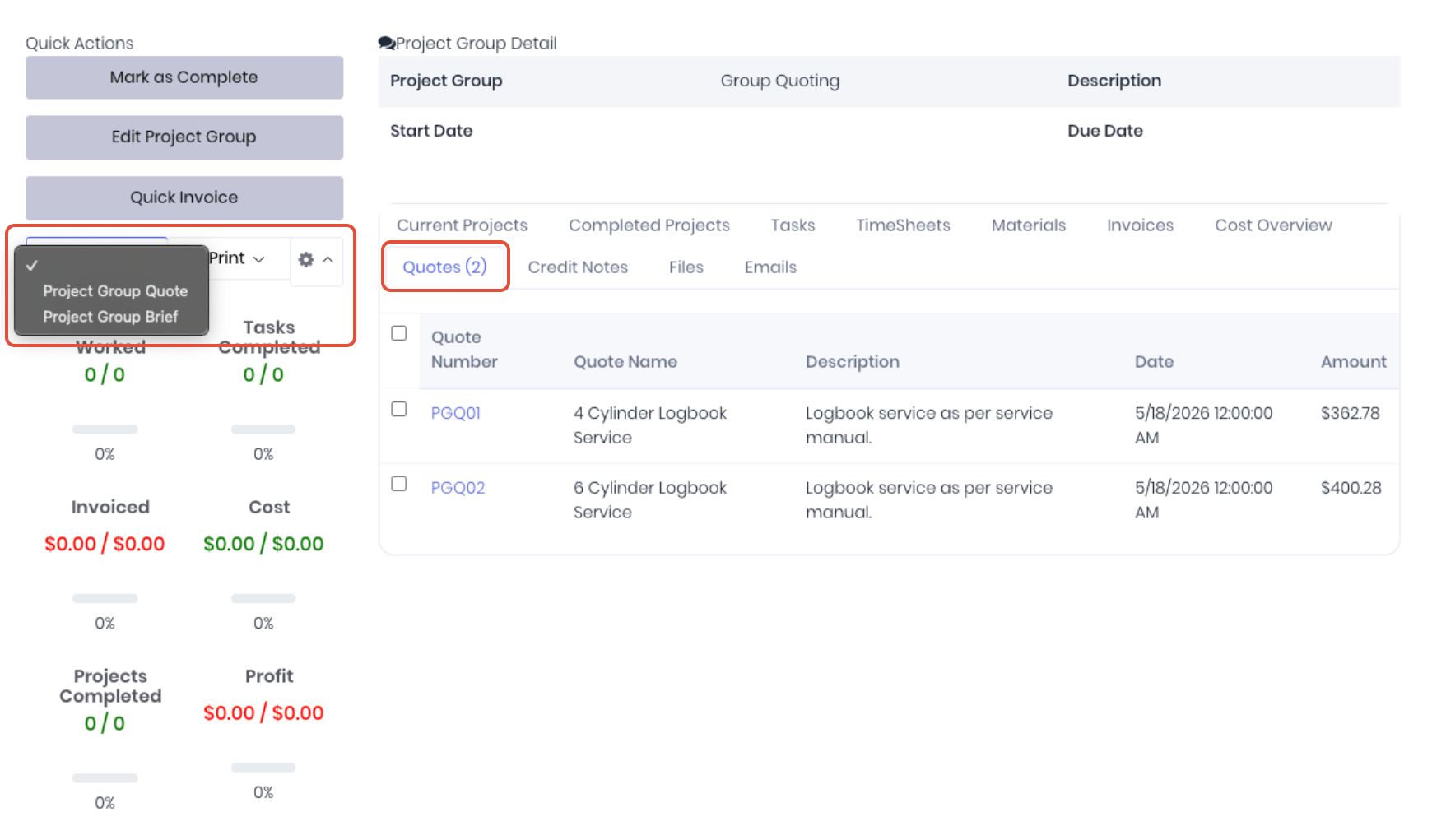
Send the project group quote template to the client as per your normal sales workflow.
Based on the client's response, individual quotes can be accepted, revised or declined directly from the quote dashboard. If the client accepts ALL the grouped quotes, you can accept them in bulk directly from the Quotes tab in the project group dashboard by selecting the checkboxes.
Was this article helpful?
That’s Great!
Thank you for your feedback
Sorry! We couldn't be helpful
Thank you for your feedback
Feedback sent
We appreciate your effort and will try to fix the article