Quoting joins together the separate task and product tables in addition to phases. This allows you to organise your quotes with a more logical order and display. especially when grouped by phase. The update also provides the ability to enter phase quantities, which will multiply all the line items associated with it appropriately.
Quoting V2 is fully compatible with all your existing quotes, projects and project templates.
Enabling Quoting V2
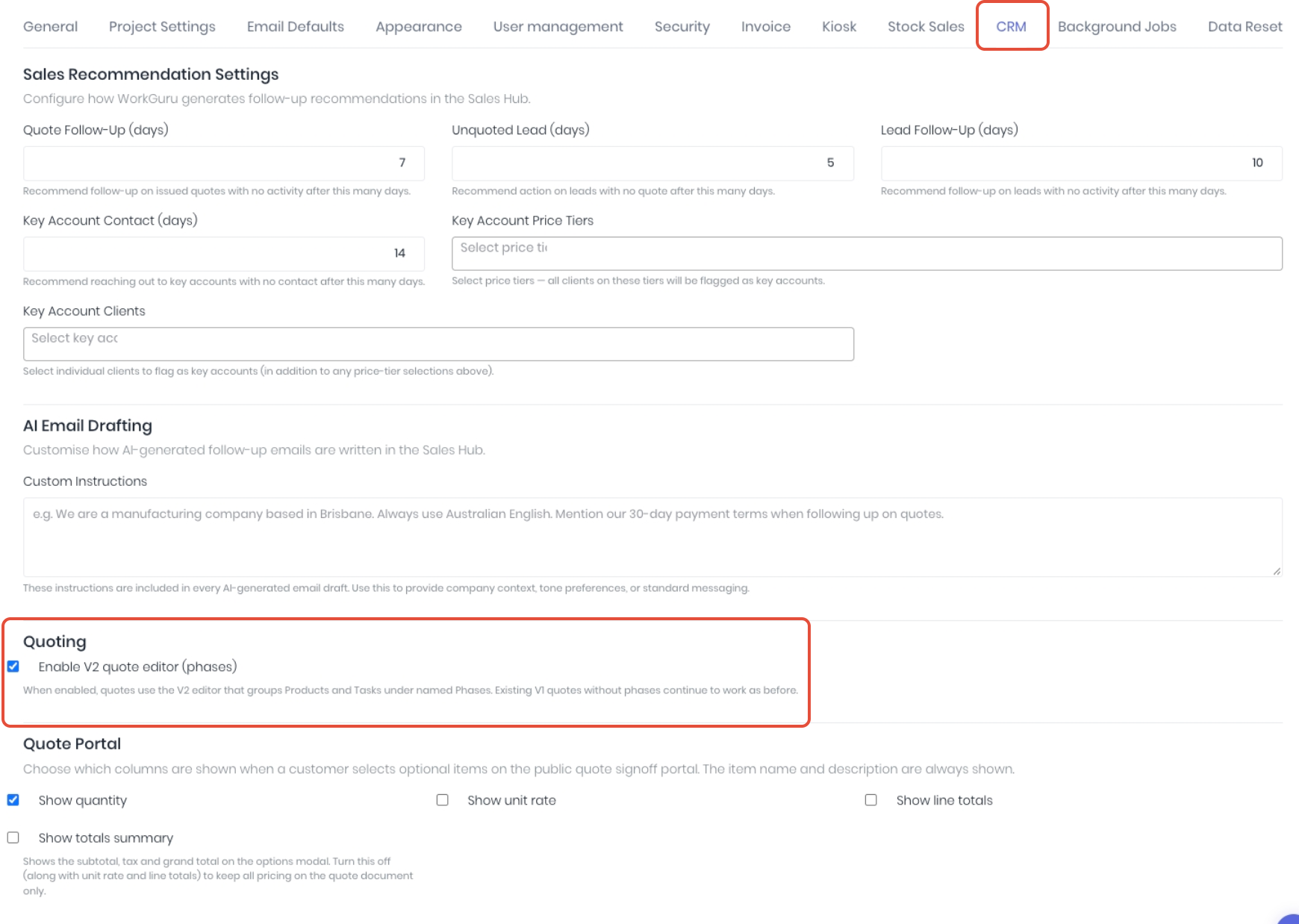
You can enable V2 from Administration -> Settings -> CRM -> Quoting and selecting Enable V2 Quote Editor (Phases).
Using Quoting V2
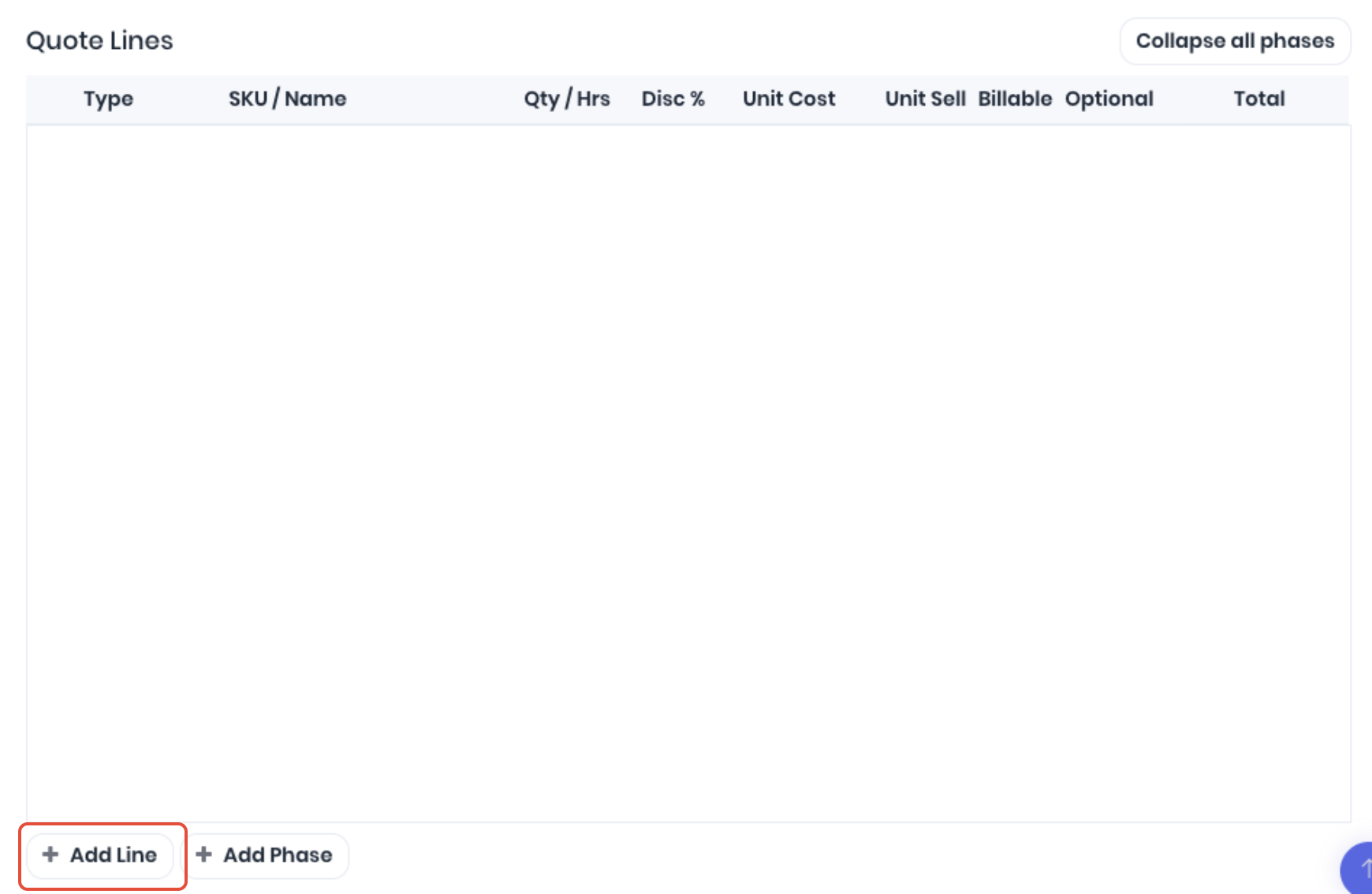
The biggest difference with the new version is tasks and products are no longer separate elements of the quote. You can now combine an combination of. Phase, Task and/or Product as an individual line item. Quoting V2 is fully compatible with your existing project templates so your template based quoting workflows remain unchanged. To start building your new quote from scratch, click Add Line.
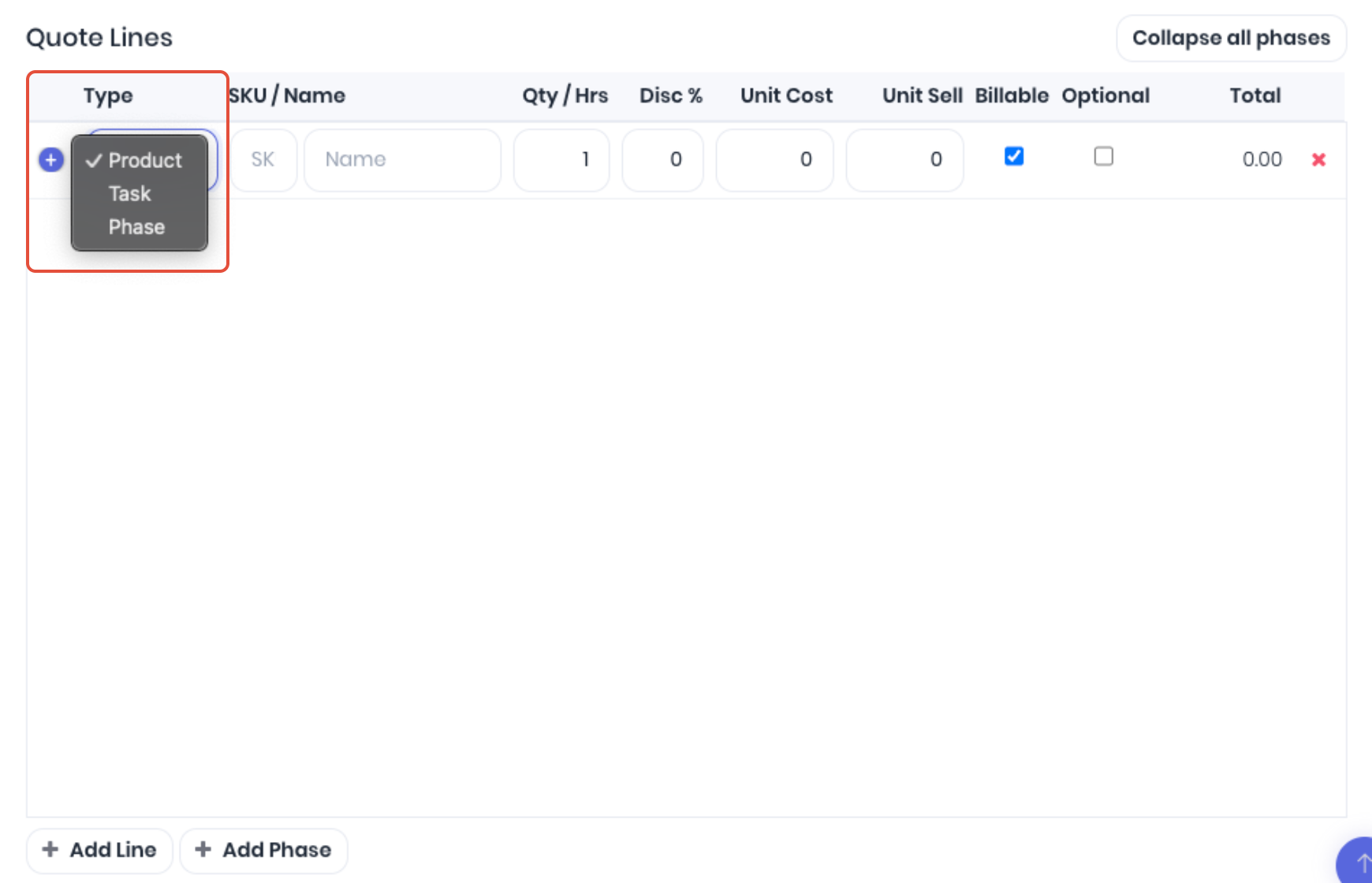
Click on the Type dropdown and select if the line is a Phase, Task or Product.
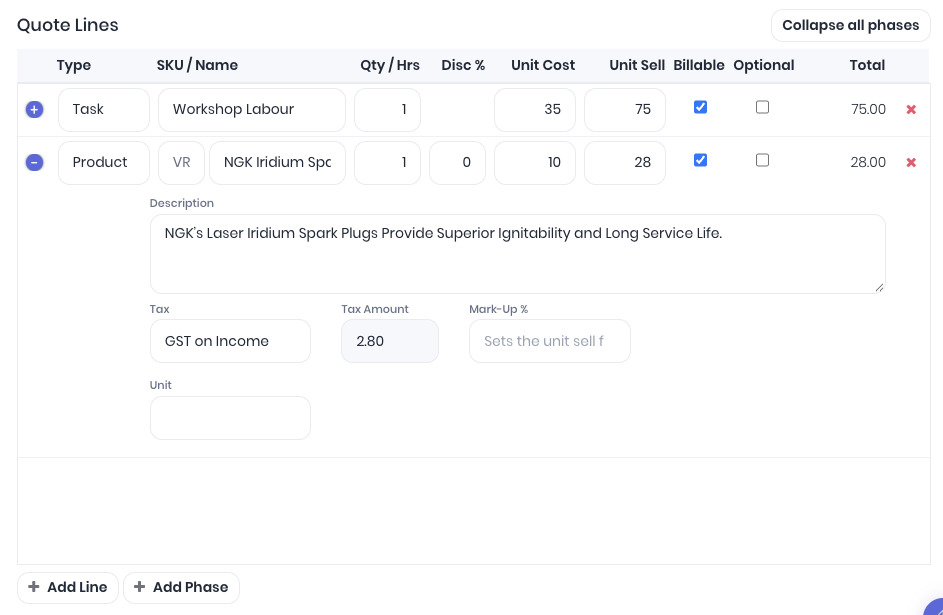
Search for or add the Task or Product line details as you are used to. You can select the blue expand button to access further details.
 To add a phase, select Phase from the line type or use the Add Phase shortcut. Enter a Phase Name and optional description.
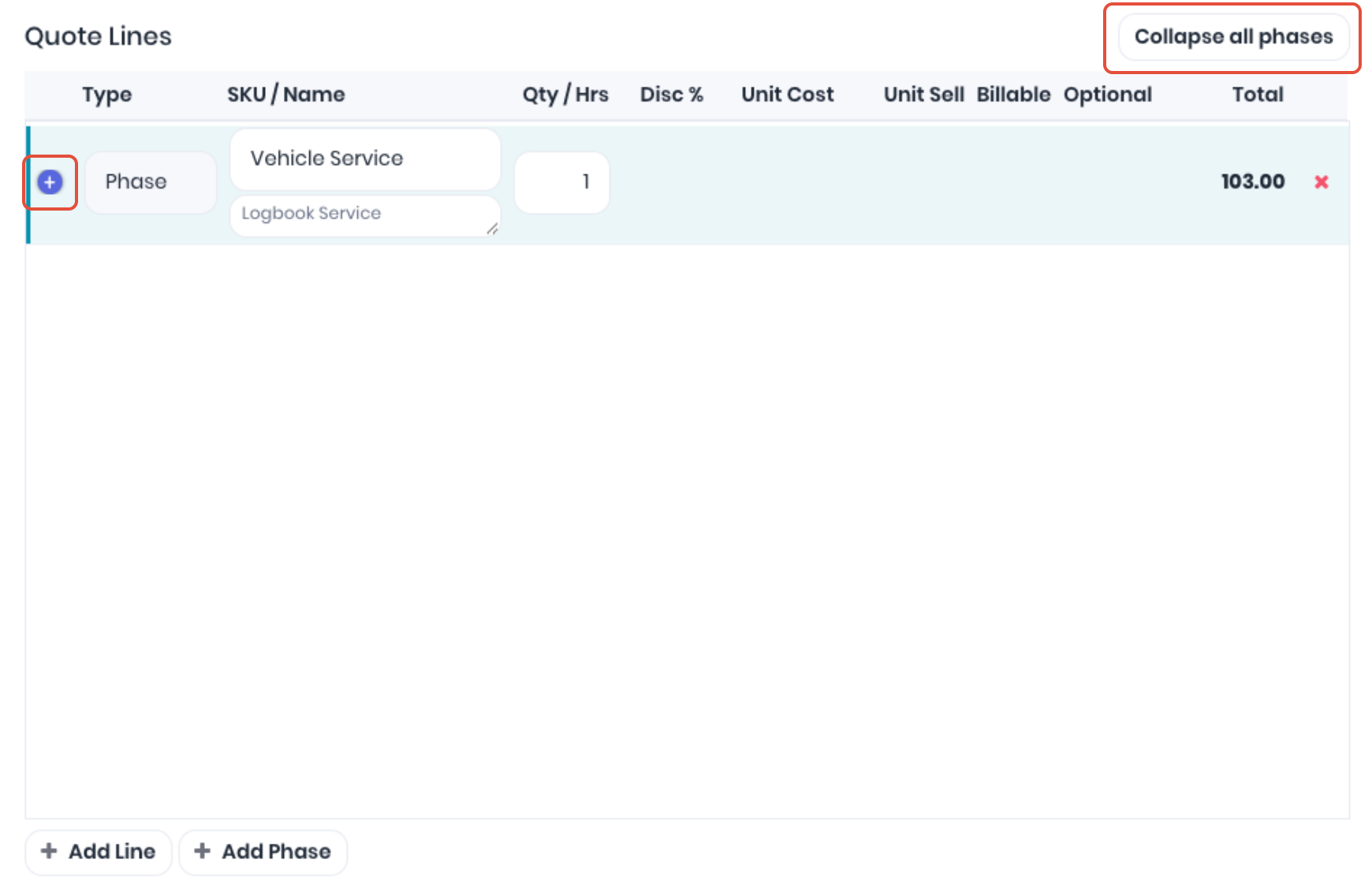
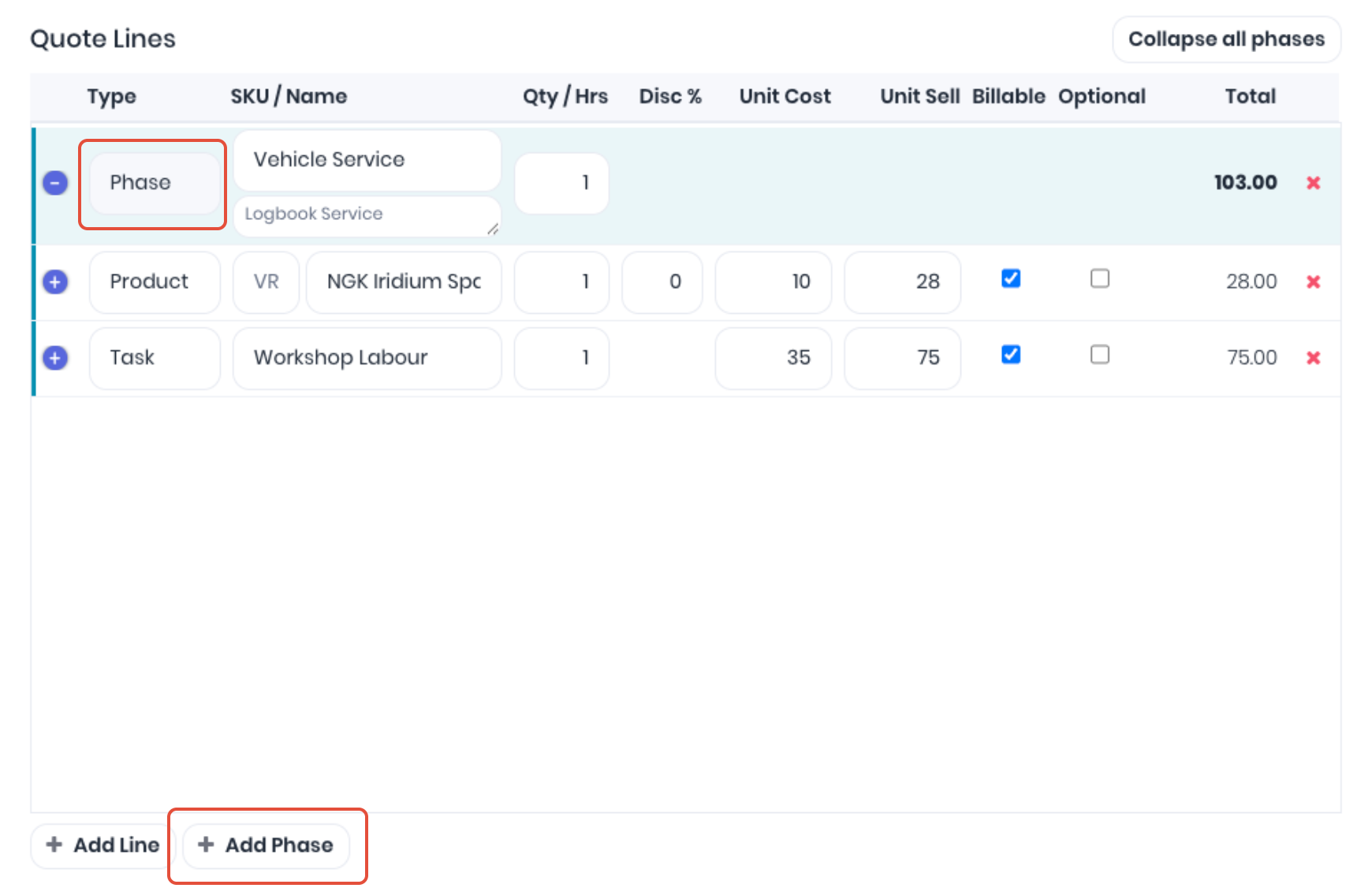 You can group task and product lines to the phase by adding or dragging and dropping below the phase. You can also use the phase quantity to multiply it's associated product and task lines. If you have a lot of line items, you can collapse the phase/s so it displays as one line.
 Printing V2 Quotes
Quoting V2 is compatible with your existing document templates, however to print the quote in the exact order you've built the quote there are new document template merge fields available. The new merge fields allow you to swap out the individual task, product and purchases tables in your document templates with one combined table. The new All Lines Items table fields allows you to print the phases, task and product lines in the same, combined order they appear on the quote.
Was this article helpful?
That’s Great!
Thank you for your feedback
Sorry! We couldn't be helpful
Thank you for your feedback
Feedback sent
We appreciate your effort and will try to fix the article