If you have a number of document templates of the same Document Type, you can set a template to be selected by default when printing that document. Click Set as Default on the required document template for each document type.
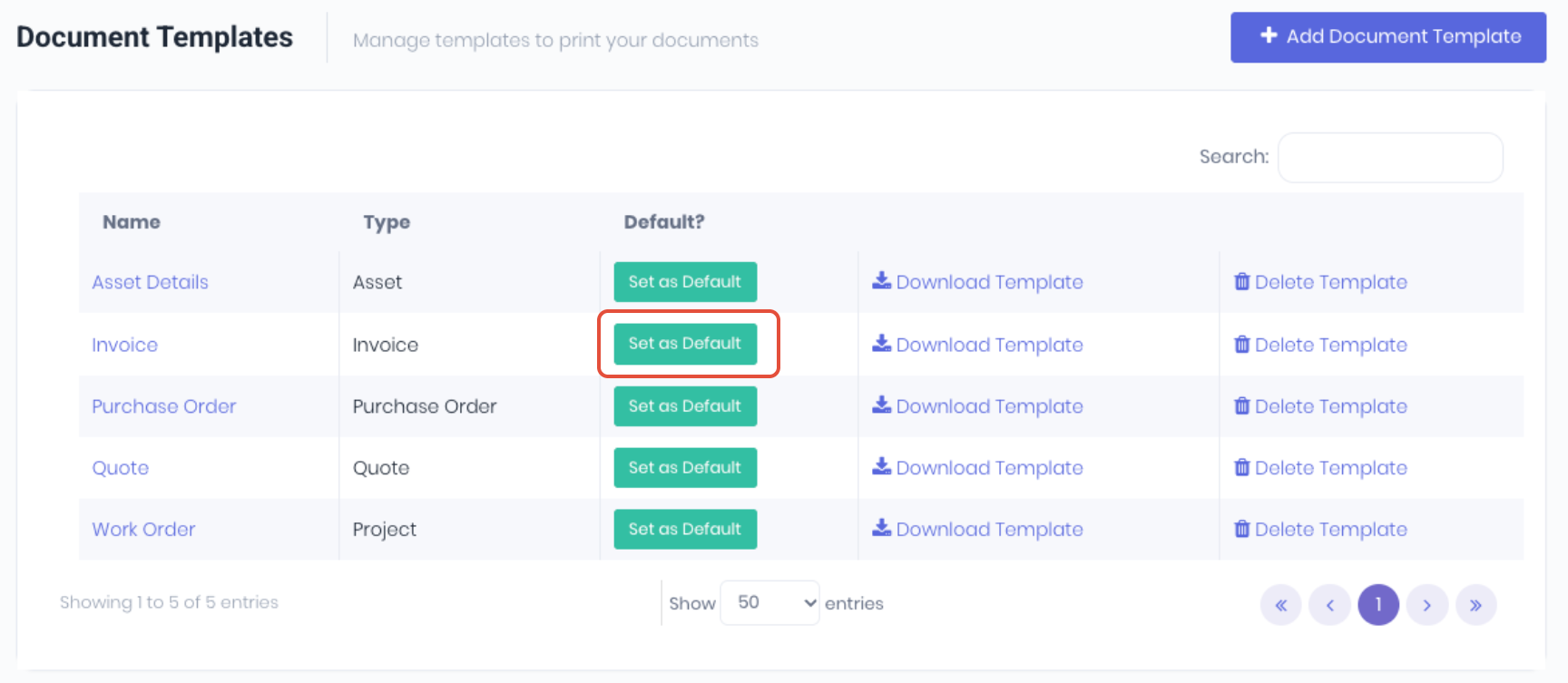
The default template will display for that document type. You cannot select more than one default for each document type.

The default template will now be pre-selected when printing that document type.

Was this article helpful?
That’s Great!
Thank you for your feedback
Sorry! We couldn't be helpful
Thank you for your feedback
Feedback sent
We appreciate your effort and will try to fix the article