Invite and manage your users from the users dashboard. The dashboard displays and lets you Search your active users by default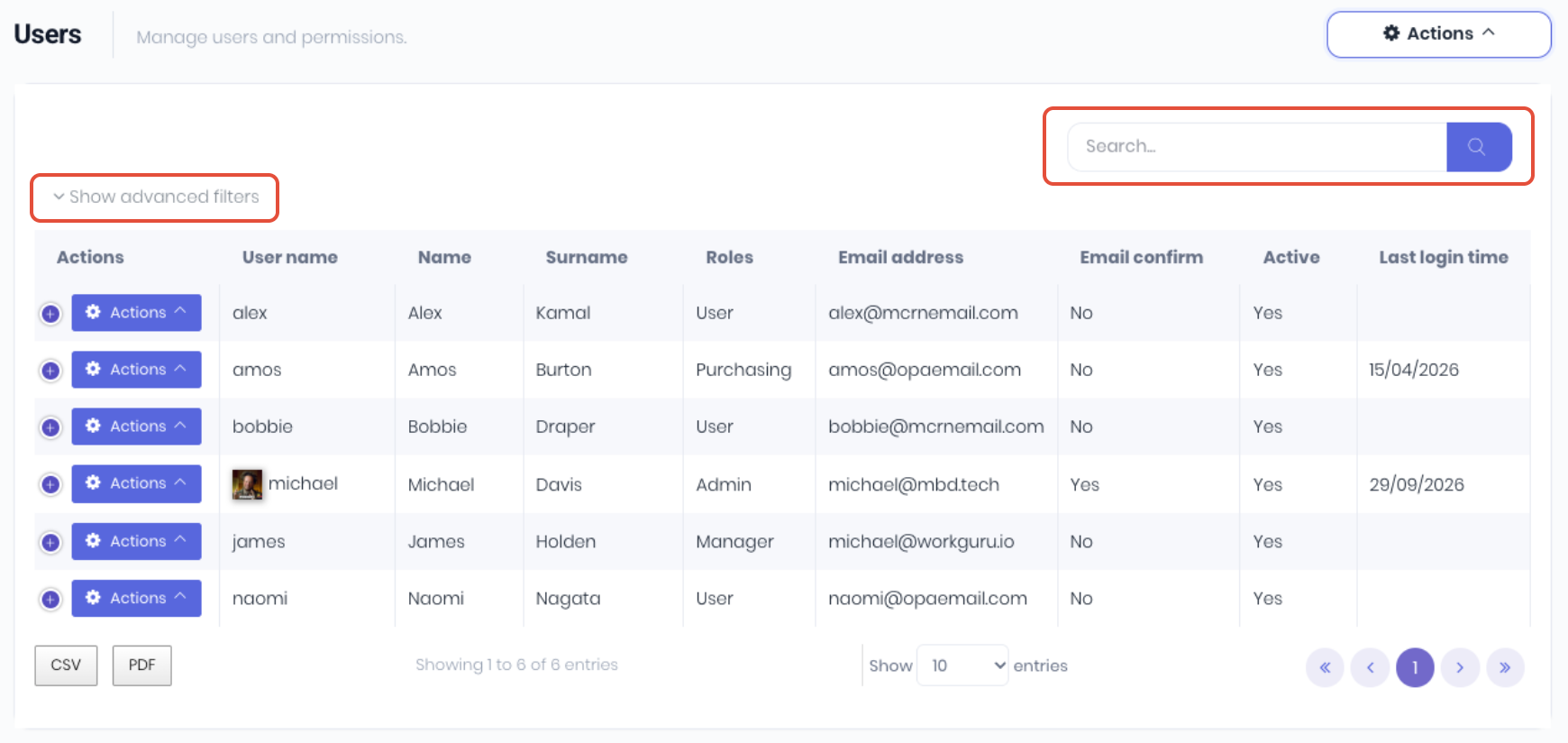
Click Show/Hide advanced filters to display advanced filtering options:
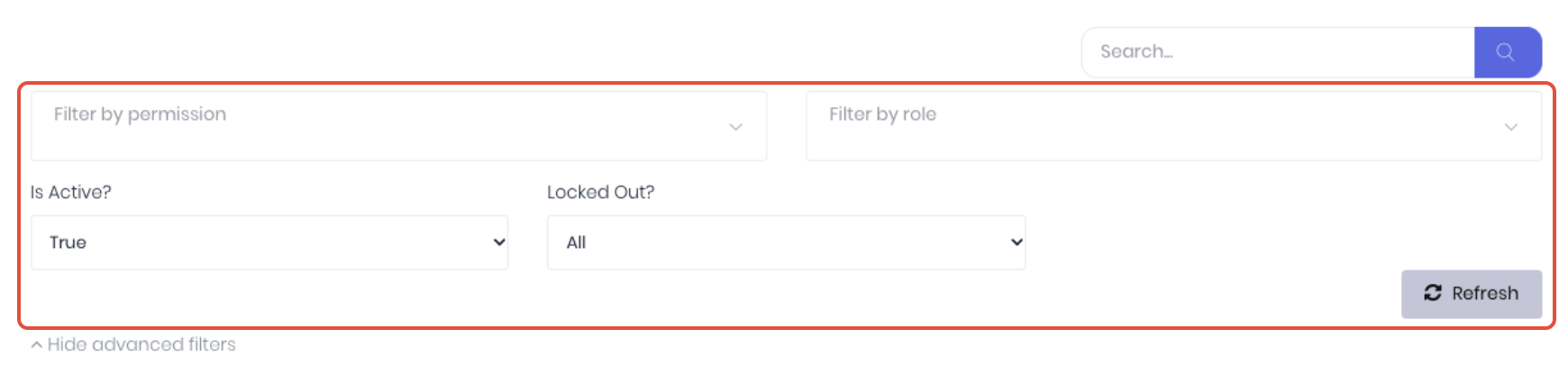
- Filter by Permission - Filter user list by selected permissions.
- Filter by role - Filter user list by selected roles.
- Is Active? - Filter user list by selected active status.
- Locked Out? - Filter user list by users who's account is locked due to incorrect login attempts
The dashboard Actions menu contains global user management functions:
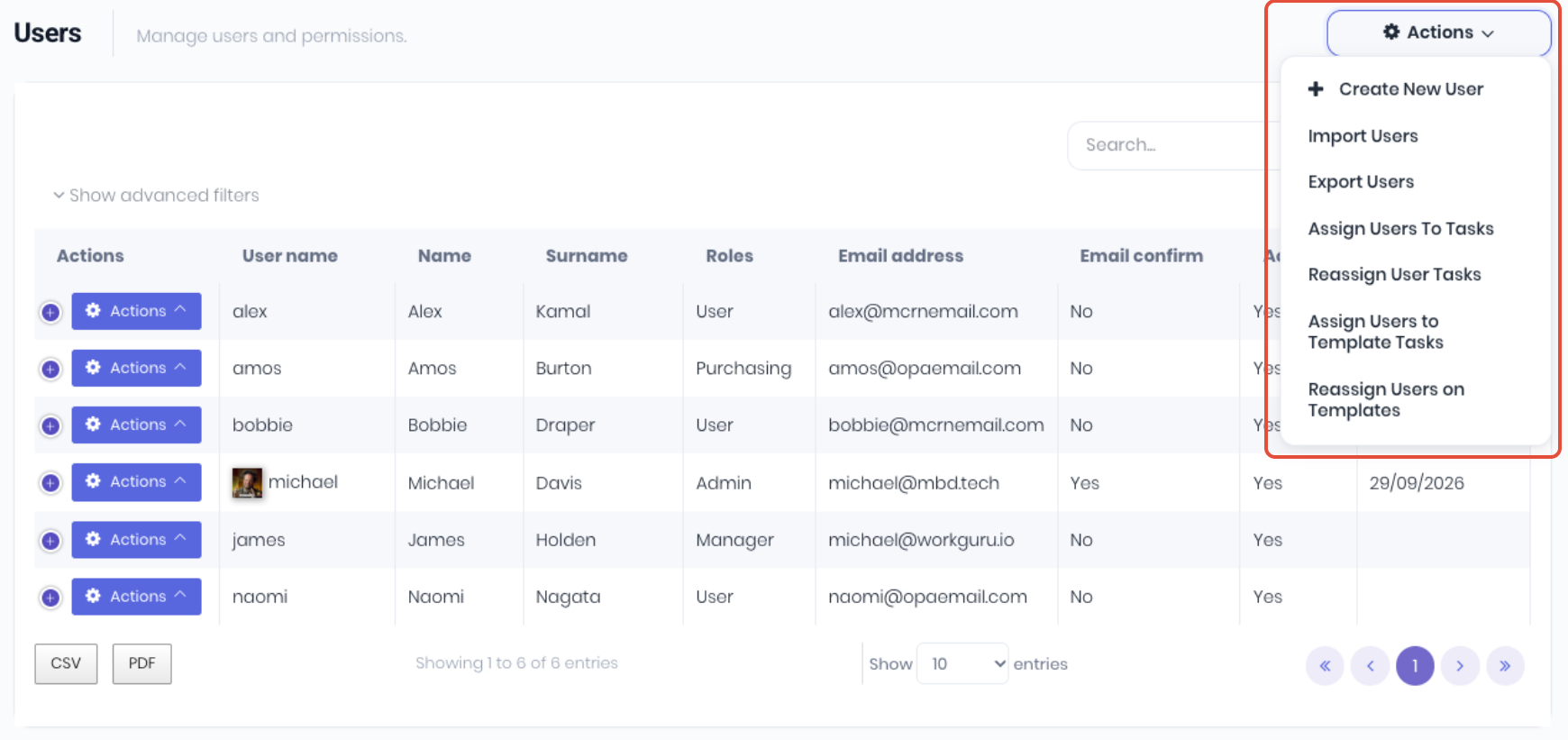
- Create New User - Add a new user.
- Import Users - Add multiple users via a csv upload.
- Export Users - Export all (active and inactive) users to .csv file.
- Assign Users to Tasks - Assign users to multiple projects and production tasks.
- Reassign User Tasks - Re-assign multiple allocated project and production tasks between users.
- Assign Users to Template Tasks - Assign users to multiple project and production template tasks.
- Reassign Users on Templates - Re-assign multiple allocated project and production template tasks between users.
The user Actions menu displays user specific management functions:
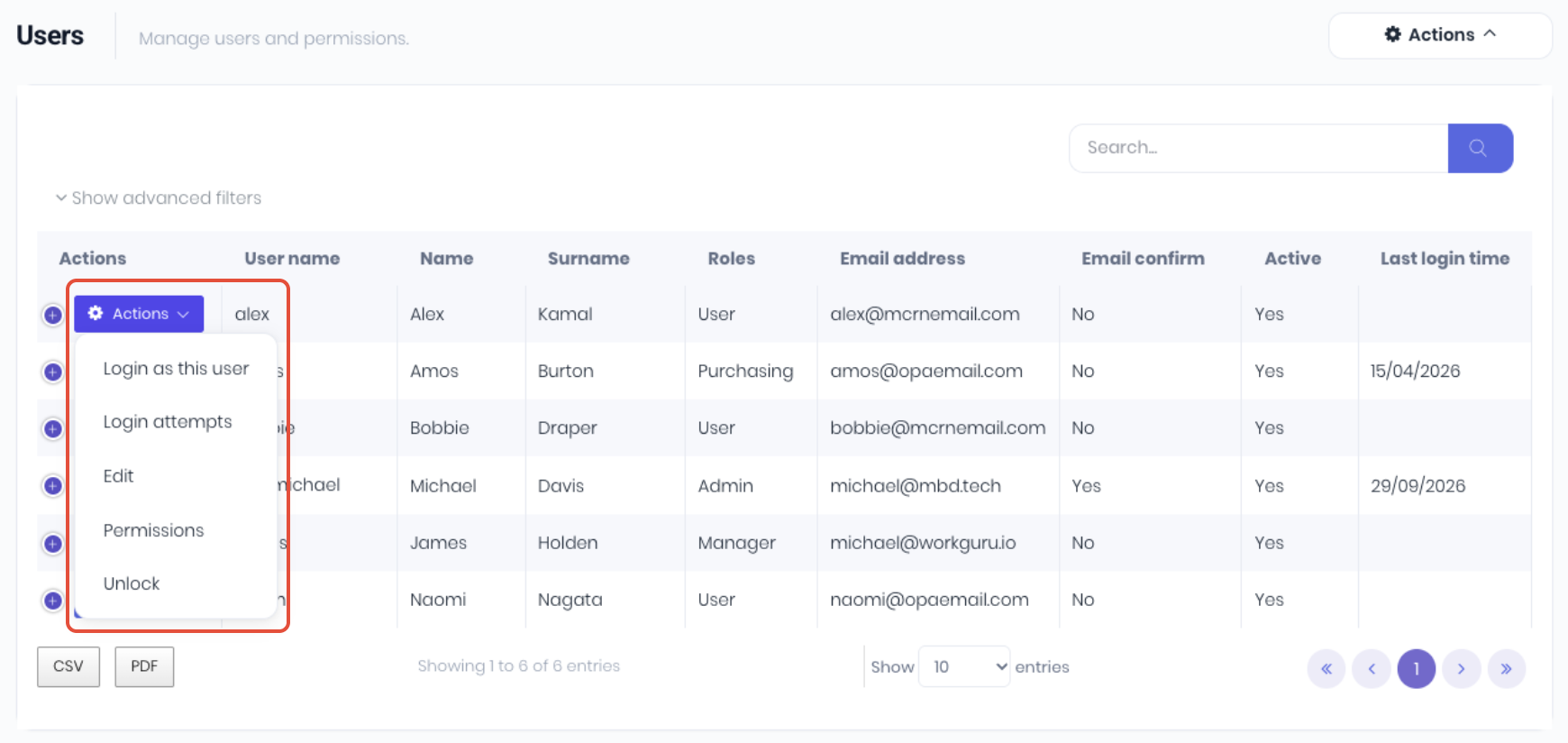
- Login as this user - Login as a user to impersonate them (you see what they see etc).
- Login attempts - Displays the user's access log by IP address, Browser and Time.
- Edit - Edit or update user details.
- Permissions - Assign user specific permissions which will over-ride any role permissions.
- Unlock - Unlock the user if they have violated a security policy.
Was this article helpful?
That’s Great!
Thank you for your feedback
Sorry! We couldn't be helpful
Thank you for your feedback
Feedback sent
We appreciate your effort and will try to fix the article