WorkGuru supports the ability to generate purchases for CIS related subcontractors and send them to Xero. Xero will automatically calculate and apply the CIS deductions as required.
To create CIS purchases, first ensure you have synced your chart of accounts from Xero and the CIS GL accounts exist in WorkGuru and are marked as active:

You will also need to select the appropriate CIS rate against the supplier, which can be done via editing the supplier details:
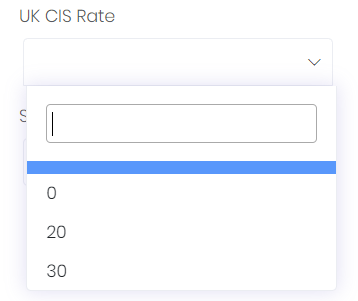
In order to send CIS purchases to Xero, the supplier in Xero must first be marked as CIS-enabled otherwise an error will be received. If a supplier does not exist in Xero, WorkGuru will create them for you, however you must still manually mark the supplier as CIS-enabled in Xero as that is not possible through the API.
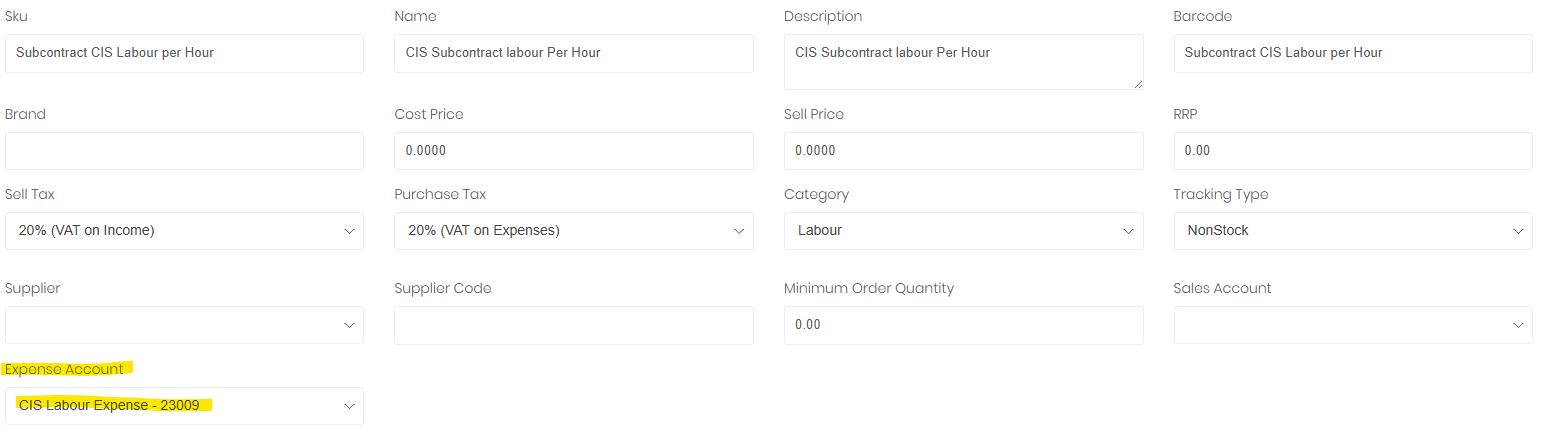
Finally when purchasing, ensure the relevant CIS GL account is selected against the line items as required. Note: We recommend creating/using dedicated products for CIS lines to ensure the correct account codes are pre-selected for CIS purchases. An example can be found below:
For more information regarding CIS please see the articles below:
Was this article helpful?
That’s Great!
Thank you for your feedback
Sorry! We couldn't be helpful
Thank you for your feedback
Feedback sent
We appreciate your effort and will try to fix the article