To add a new To Do from the To Do List, select Add New ToDo from the Actions menu.
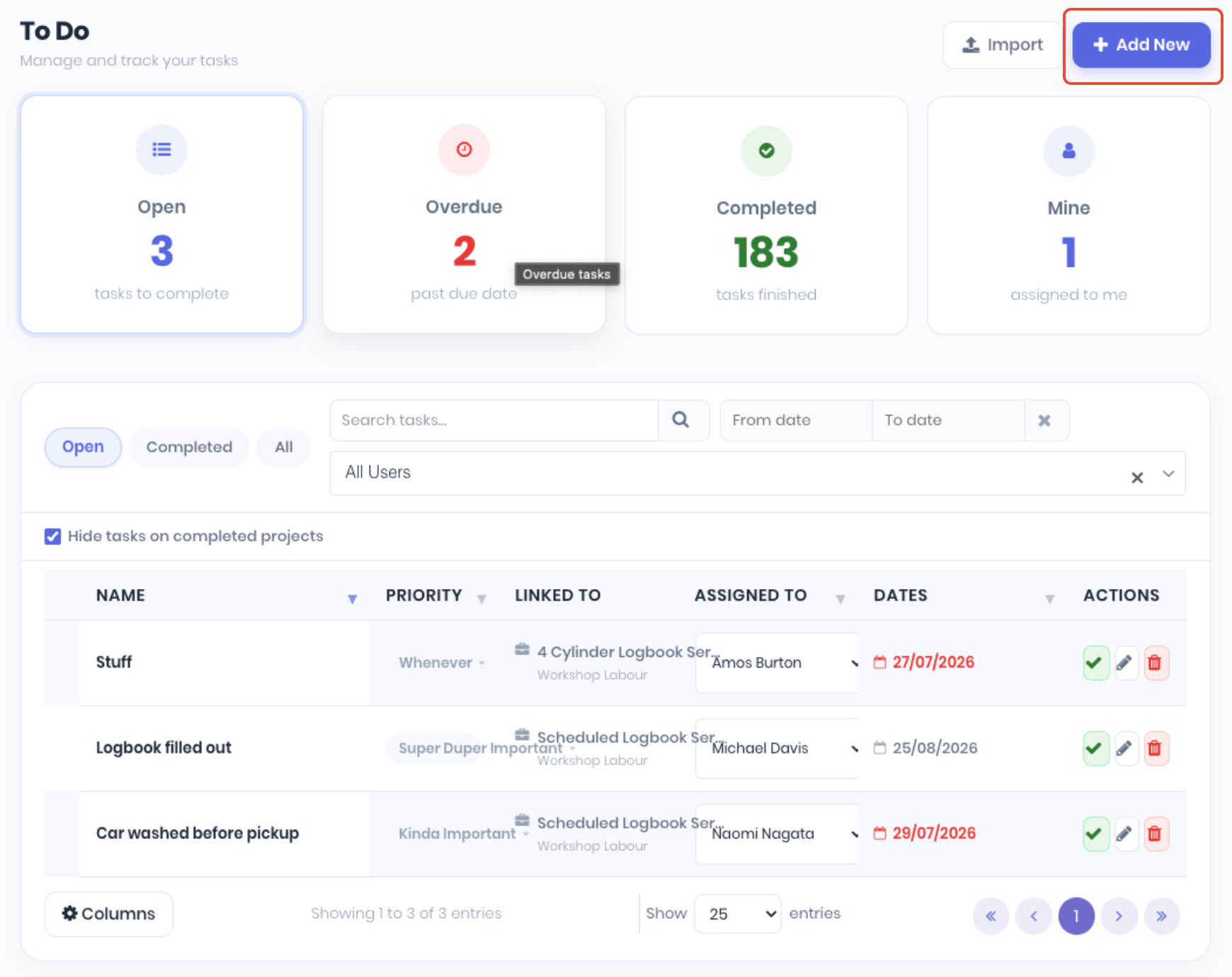
From the add new todo page, complete the following:
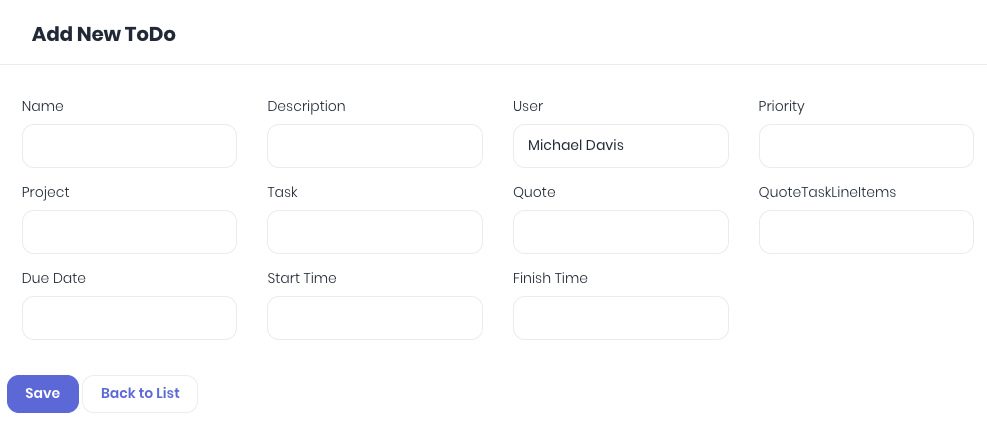
- Name - To-do name
- Description - To-do description
- User - Assigned to-do user. Notifies and display's in the user's to do list.
- Priority - To-do priority. You can customise the to-do priority list to suit your workflow.
- Project - Assign to-do to a project (optional)
- Task - Assign to-do to the selected project's task (optional)
- Quote - Assign to-do to a quote (optional)
- Quote Task - Assign to-do to select quote's task (optional)
- Due Date - To-do due date.
- Start Time - Calendar schedule
- Finish Time - Calendar schedule.
Click Save to create to-do. The New to do can then be managed from the To Do Dashboard and can also be completed from:
Was this article helpful?
That’s Great!
Thank you for your feedback
Sorry! We couldn't be helpful
Thank you for your feedback
Feedback sent
We appreciate your effort and will try to fix the article