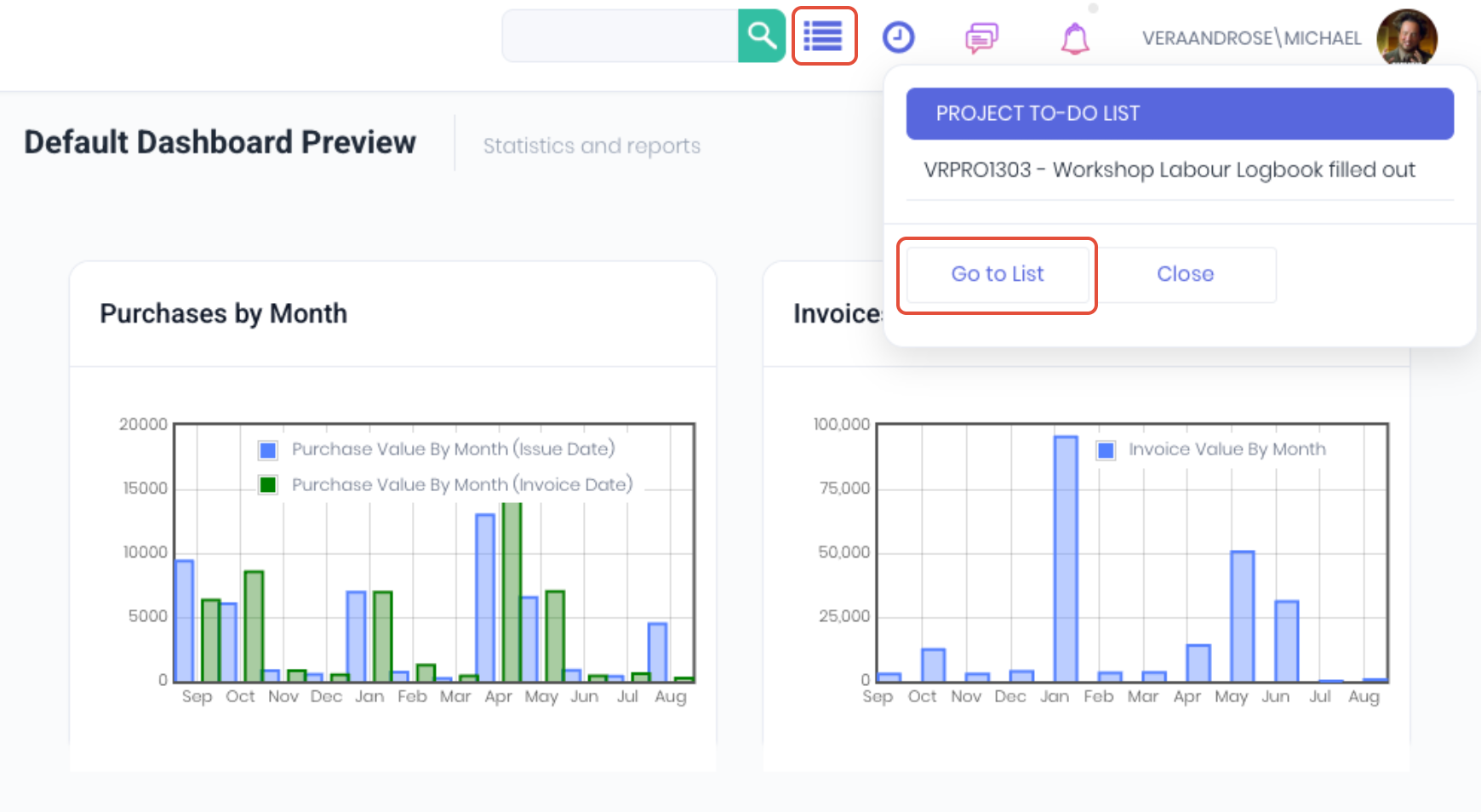
WorkGuru To-Dos can be managed centrally from the To Do Dashboard. Access the dashboard by clicking Go to List from the to do icon in the header.
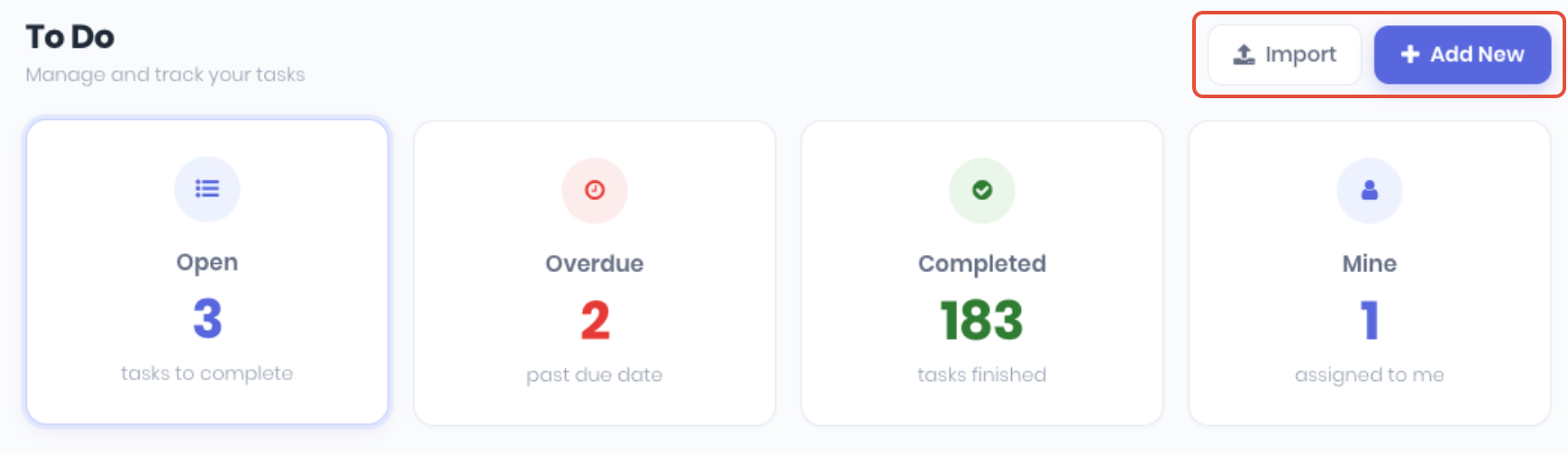
The To Do dashboard displays shortcuts to Import and Add New to-dos and clickable summary widgets showing to-do status by Open, Overdue, Completed and Mine.
You can filter the to dos by Open, Completed and All, or by searching to dos by date range and user.
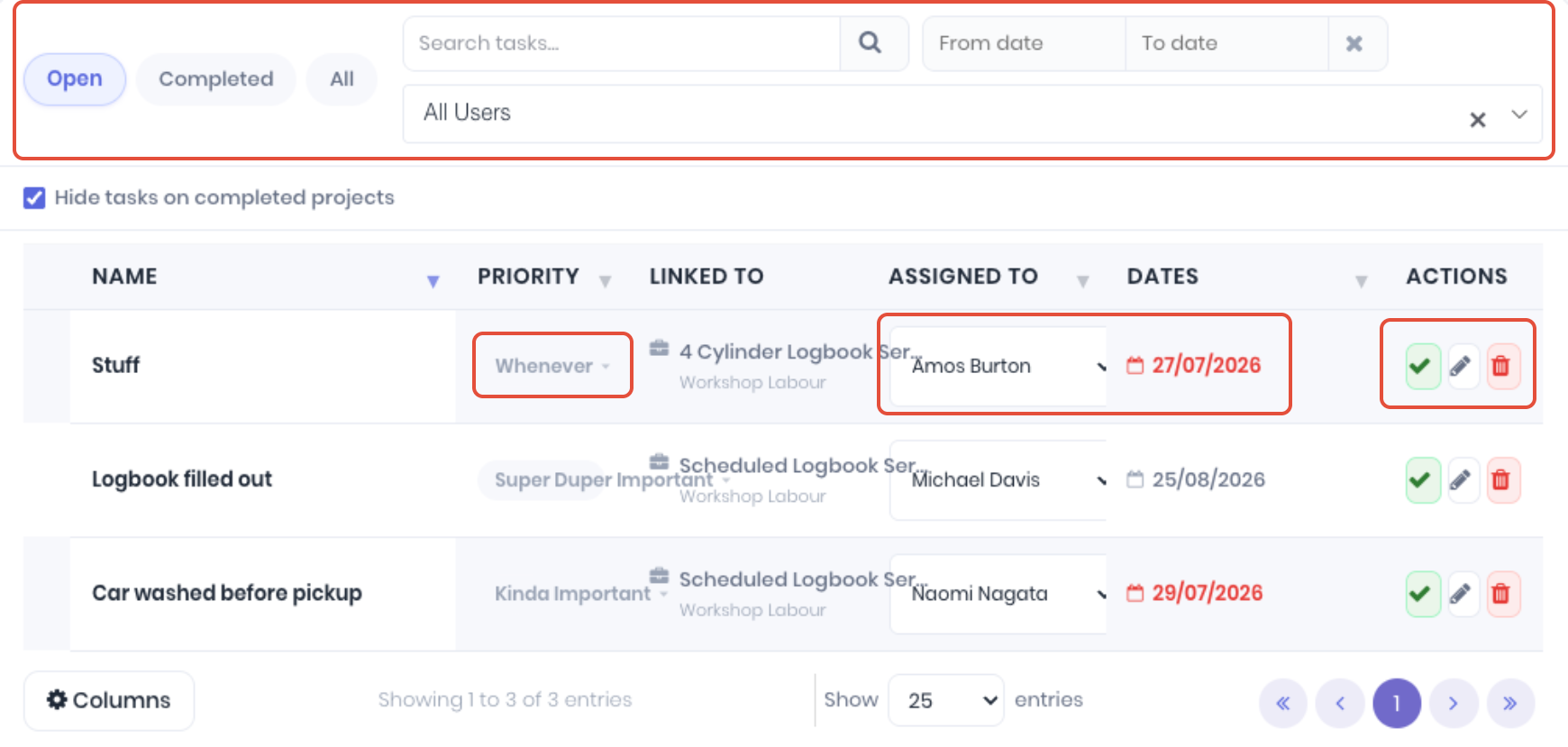
For the to-dos, you can update the following directly from the list:
- Priority - Select the required priority from the drop-down.
- Assigned To - Re-assign or un-assign the to-do using the dropdown.
- Dates - Click on the date to update the to-do due date from the calendar popup.
Actions available for the to-dos are:
- Complete - Complete the to-do
- Edit - Edit to-do
- Delete - Remove to-do
Was this article helpful?
That’s Great!
Thank you for your feedback
Sorry! We couldn't be helpful
Thank you for your feedback
Feedback sent
We appreciate your effort and will try to fix the article