The Compare page puts every supplier's response side by side: who has quoted, the totals, lead times, and the price for each item. It's also where you choose the preferred supplier and award the RFQ.
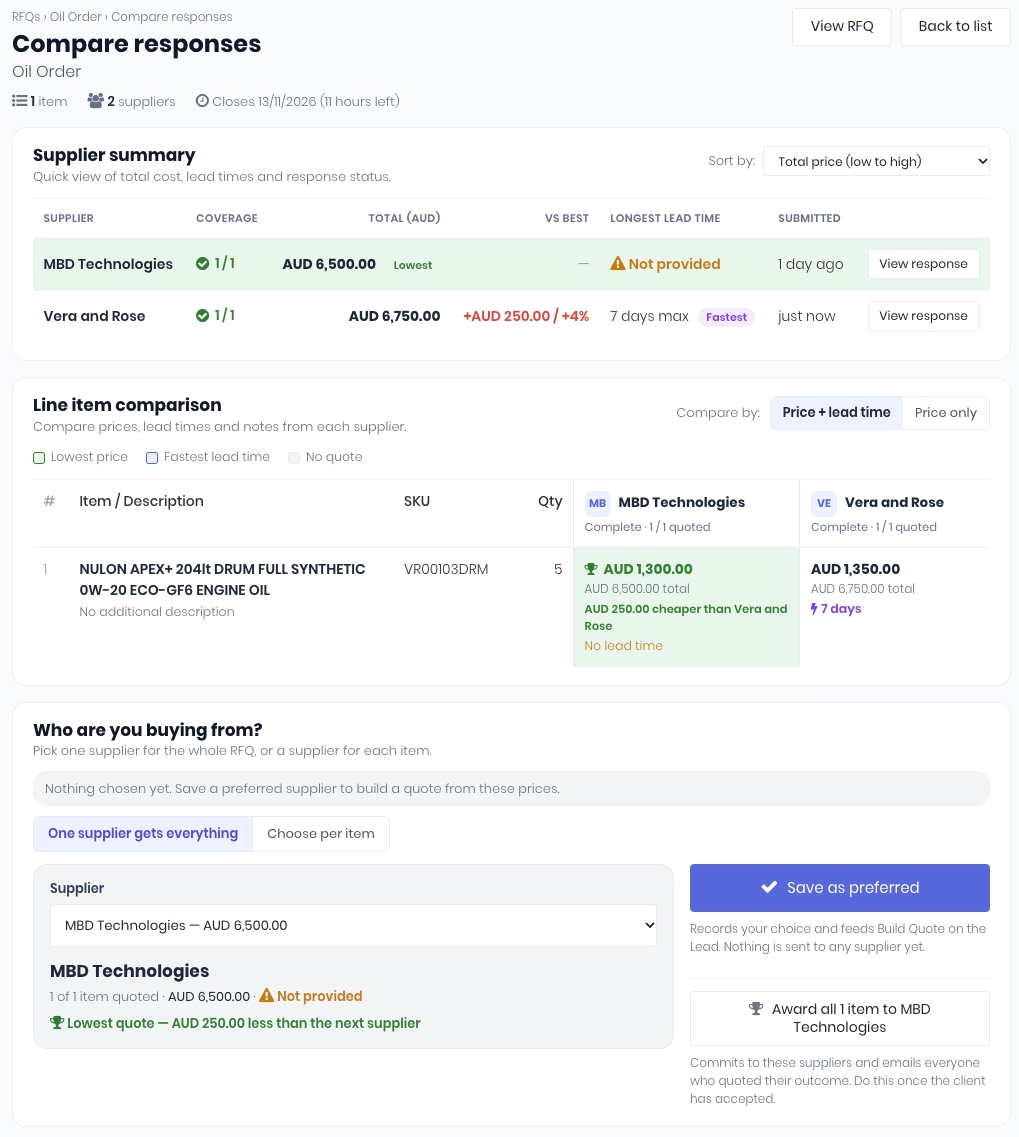
On the RFQs dashboard (RFQs -> RFQs), click Open a sent RFQ. You can also open the RFQ from the email notification when a supplier responds.
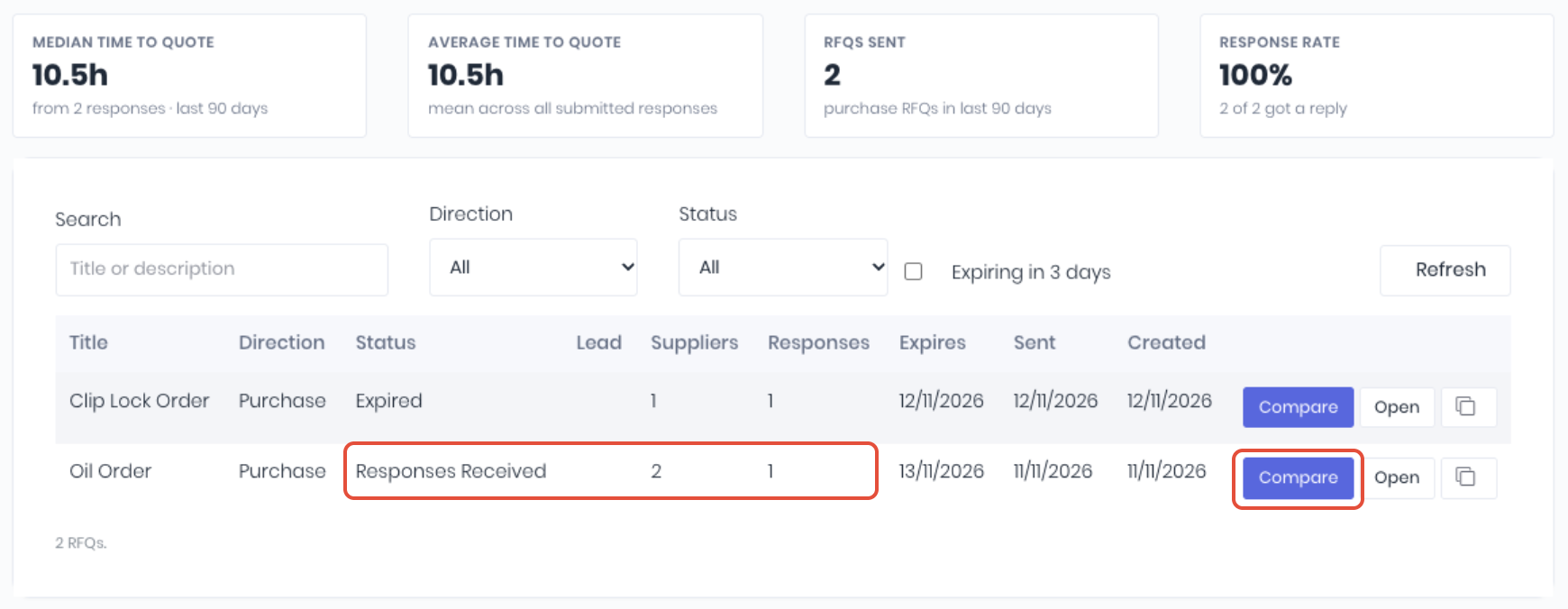
Supplier Summary
Displays one row per supplier, sorted by total price unless you choose another order in Sort by.
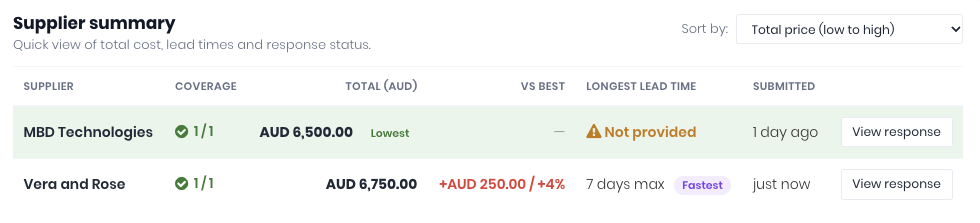
- Coverage - How many items they priced, and Complete, Incomplete, No prices, Declined or No response.
- Total - The total of their prices, in your base currency. Lowest marks the cheapest quote that covers every item.
- VS Best - How much more they are than the lowest complete quote.
- Longest Lead Time - Their longest lead time across the items. Fastest marks the shortest.
- Submitted - When they last submitted.
Under each supplier's name you'll see their decline reason, their note and any files they attached.
Line Item Comparison
One row per item, one column per supplier. Each cell shows the unit price, the line total and the lead time, with the lowest price and fastest lead time highlighted.
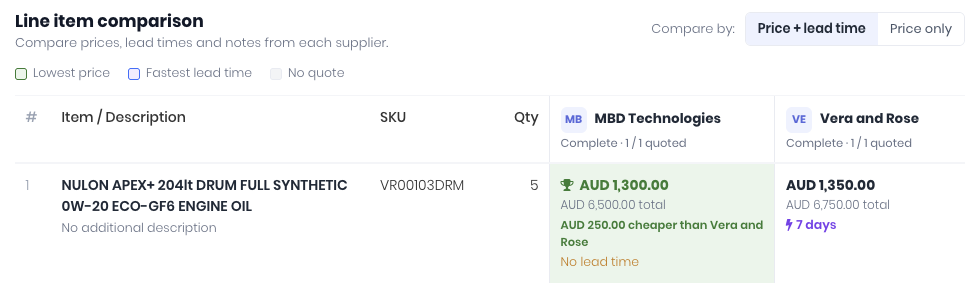
Use the Compare By dropdown to switch between Price + Lead Time and Price Only. Click View Note to read a supplier's note on an item. If the item is in your catalogue with that supplier's own code, the cell shows it.
Activity
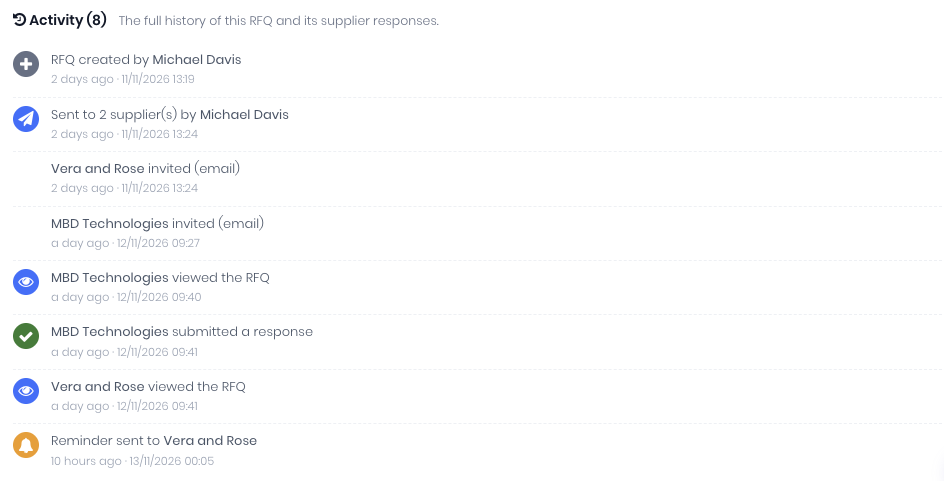
Expand Activity at the bottom for the RFQ's full history: when it was sent, each supplier invited, viewed, reminded, submitted or declined, and when it was awarded or cancelled.
Notes:
- A quote that leaves items out is never marked Lowest, so a partial quote can't look cheaper than it is.
- Quotes in other currencies are converted to your base currency at current exchange rates. If the rates can't be loaded, the lowest-price highlight is turned off and the page says so.
- If the RFQ is linked to a Lead that isn't Won yet, a banner says award is waiting on the Lead.
- An expired RFQ can still be compared and awarded. To let suppliers respond again, extend it.
Was this article helpful?
That’s Great!
Thank you for your feedback
Sorry! We couldn't be helpful
Thank you for your feedback
Feedback sent
We appreciate your effort and will try to fix the article